
Inbound Number Routing
Every phone number (DID) on your account carries its own inbound routing rule, so different numbers can land in different places. You configure routing per number from the Numbers page in the dashboard, open a number to set where its inbound calls go. Numbers are matched in standard E.164 form, so a caller can dial your number with or without the +1 prefix and it routes the same way.
Routing modes
Section titled “Routing modes”| Mode | Destination | What happens |
|---|---|---|
| Trunk | One of your trunks | Inbound calls are delivered over the trunk to your PBX |
| SIP URI | A full SIP address, e.g. sip:main@pbx.example.com | Calls are sent directly to that URI |
| Domain | A host and port, e.g. pbx.example.com:5060 | Calls are sent to that domain, keeping the dialed number intact |
| Forward | Another phone number | Calls are forwarded to that number over the phone network |
| Outbound-only | None | Inbound calls are rejected; the number is used for outbound caller ID only |
How an inbound call finds its destination:
flowchart TD
    A[Inbound call to your number] --> B{Routing mode?}
    B -->|Trunk| C[Delivered over your trunk\nto your PBX]
    B -->|SIP URI| D[Sent directly to the\nconfigured SIP address]
    B -->|Domain| E[Sent to your host,\ndialed number kept intact]
    B -->|Forward| F[Forwarded to another\nphone number]
    B -->|Outbound-only| G[Call rejected]
    C --> H{Trunk authenticated?}
    H -->|Yes| I[Call rings your system]
    H -->|No| G
When to use each mode
Section titled “When to use each mode”- Trunk is the standard choice: the number rides your trunk’s authentication, and you can see it counted against the trunk in the dashboard. Use it whenever the destination is a PBX you’ve connected with a trunk.
- SIP URI delivers straight to a specific SIP address without a trunk, useful for routing a single number to a specific endpoint or an external system.
- Domain suits PBXs that expect calls addressed to the original dialed number at a host you name, for example multi-tenant systems that switch on the dialed digits.
- Forward sends the call back out to any other phone number, handy for after-hours redirection or numbers answered on mobiles.
- Outbound-only keeps a number active for caller ID purposes while rejecting anything inbound, common for numbers dedicated to outbound campaigns. See Outbound Calling & Caller ID.
Changing a number’s routing
Section titled “Changing a number’s routing”- Open Numbers in the dashboard.
- Click a number to open its detail panel.
- Set the routing mode and destination; changes save right from the panel.
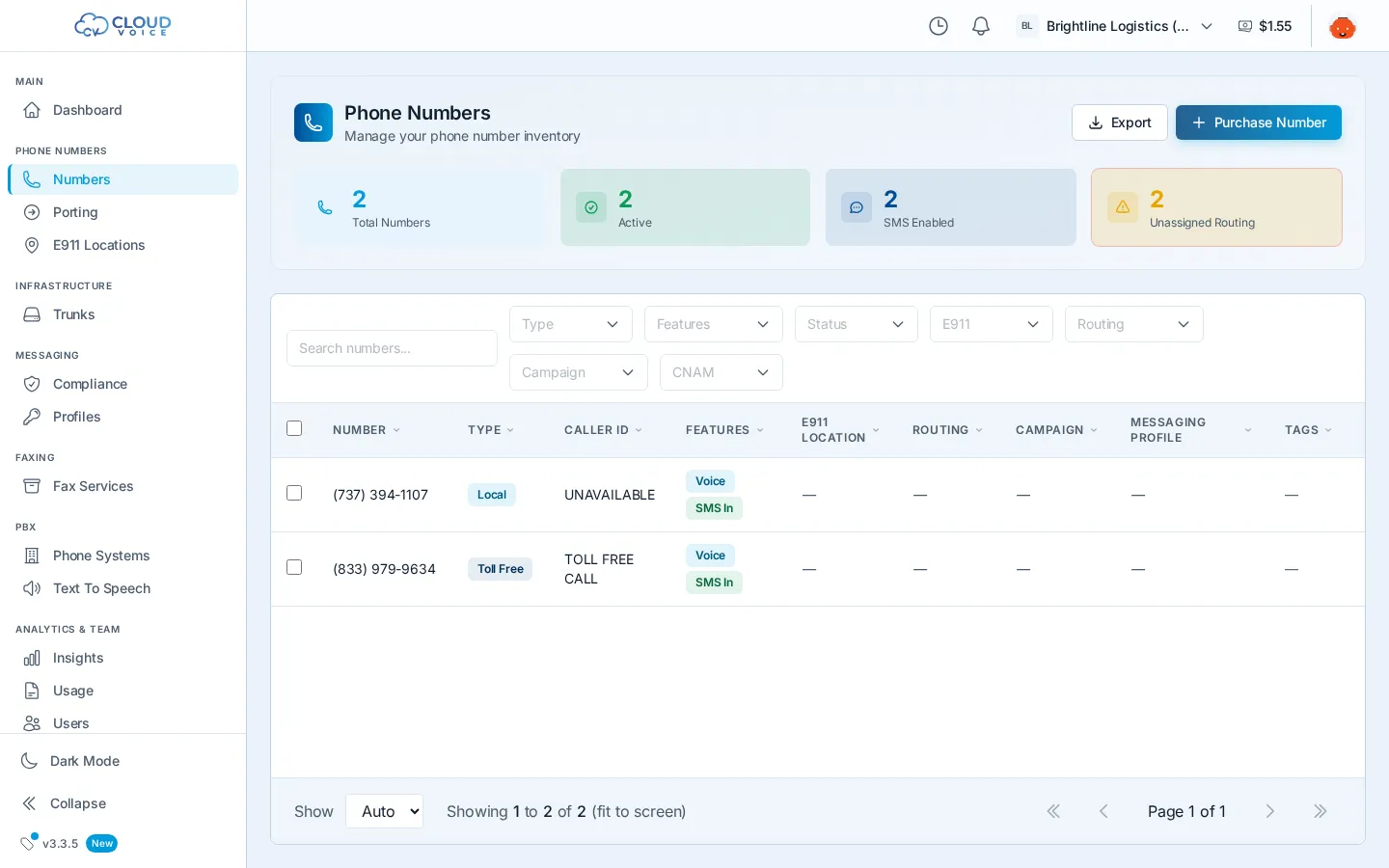
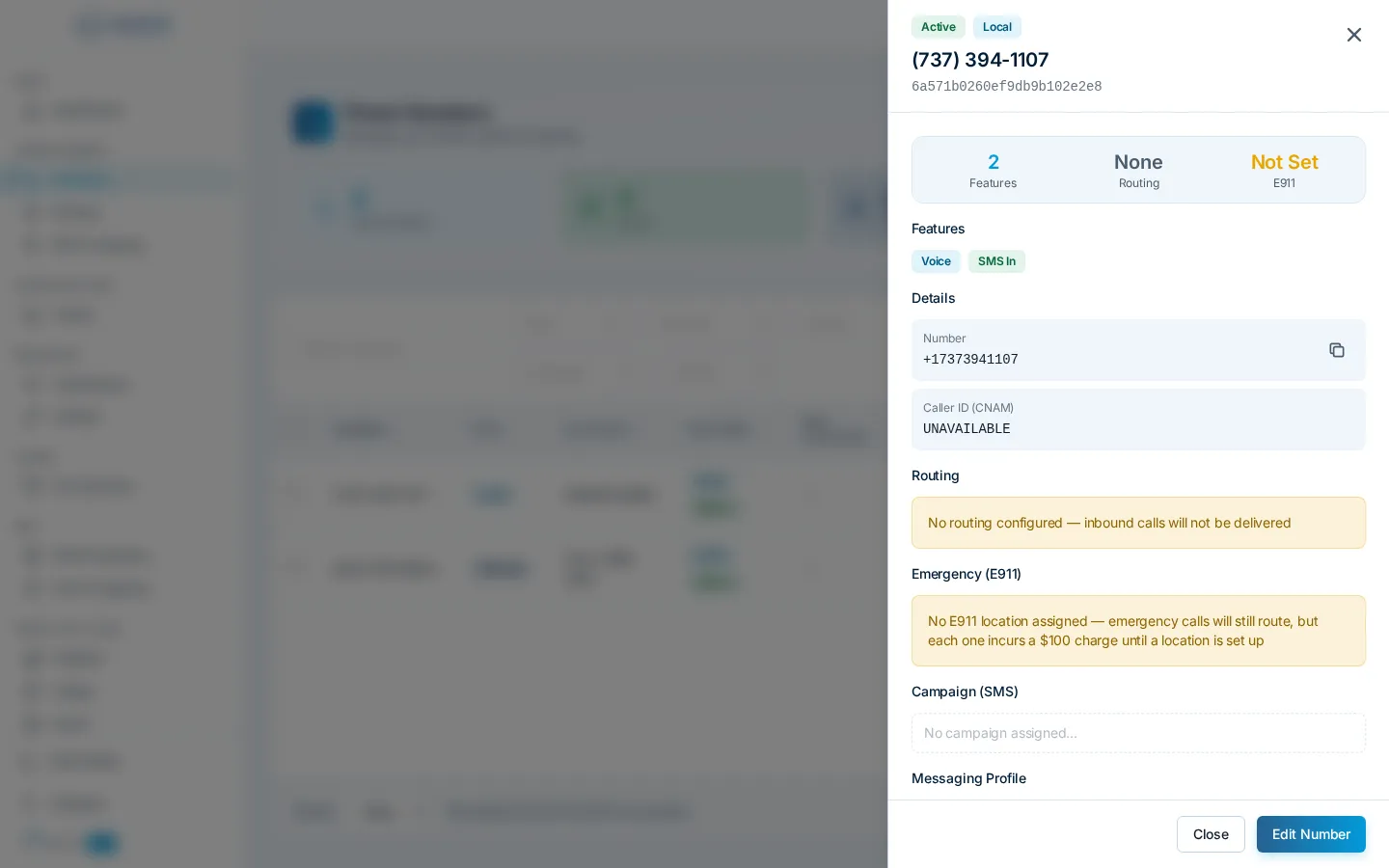
From the same panel you can also assign an E911 location, manage messaging, and apply tags. Select several numbers with the checkboxes to bulk-edit settings at once.
Numbers with no routing
Section titled “Numbers with no routing”A number set to outbound-only (or with no routing configured) rejects inbound calls outright, callers will not reach anything on your account. Double-check routing after purchasing or porting a number if you expect it to receive calls.
Question about this page?
Ask the AI assistant. It starts from this page, then searches the rest of the docs.
Ask Cloud Voice AI
Answers are AI-generated from the docs and may contain mistakes. Verify with the linked pages.