
Trunk Authentication
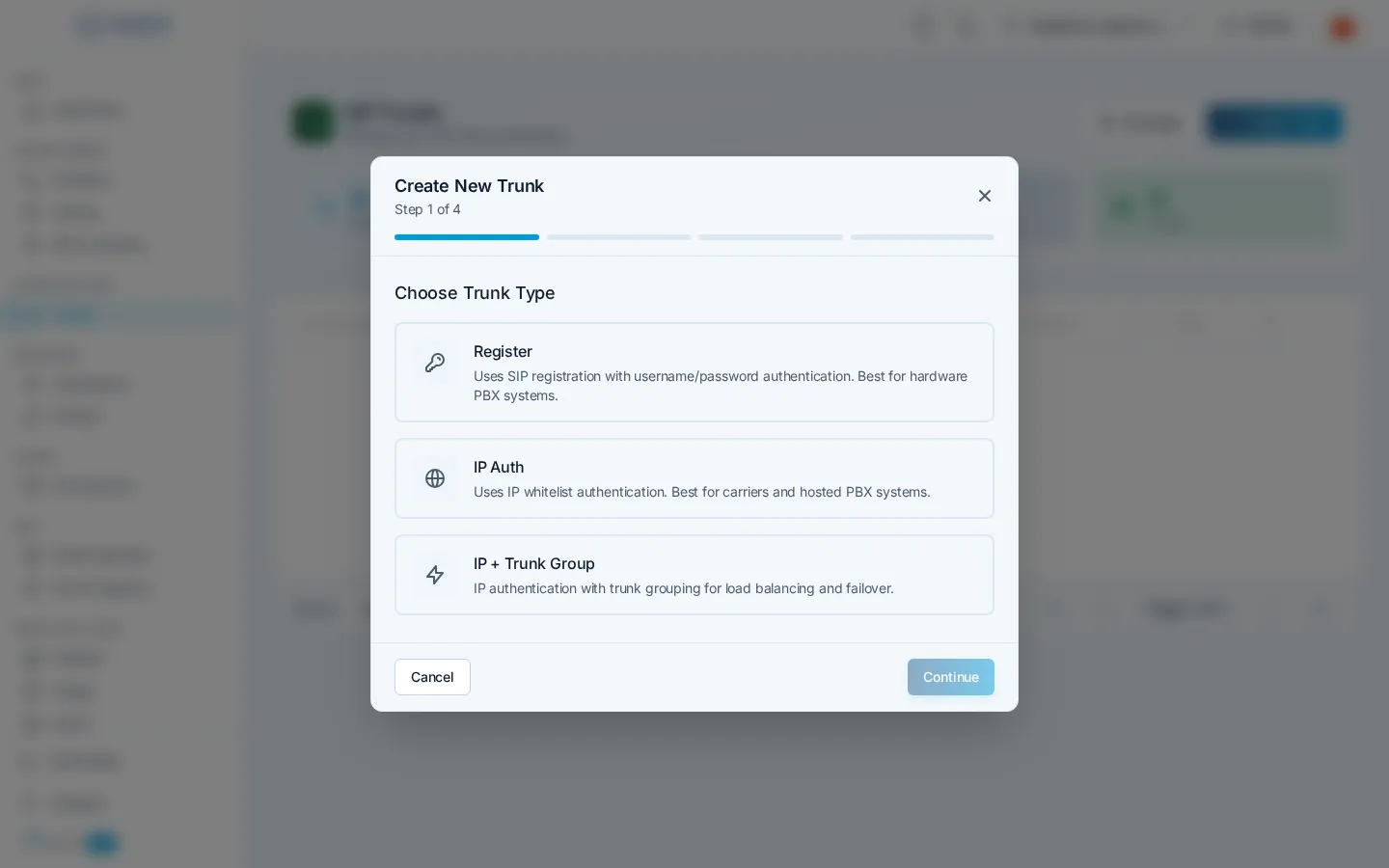
Every trunk authenticates your equipment before it can place or receive calls. Cloud Voice supports two mechanisms, an IP address allowlist and SIP registration with credentials, plus a trunk-group variant for setups where several trunks share the same IP range. You pick the mechanism when you create the trunk.
IP allowlist authentication
Section titled “IP allowlist authentication”An IP trunk authenticates by source address alone. You list the public IPv4 addresses or ranges your equipment sends from, in CIDR notation (for example 203.0.113.10/32 for a single address, or 203.0.113.0/24 for a range), and calls from those addresses are accepted, no SIP credentials, no registration.
- Add one or more CIDR entries; you can update the list at any time from the trunk’s detail panel.
- Set the trunk’s host so Cloud Voice knows where to deliver inbound calls, an IP address or hostname, optionally with a port (e.g.
pbx.example.com:5060).
Use IP trunks when your PBX or SBC has a static public IP: it’s the simplest setup and there are no credentials to manage.
Registration authentication
Section titled “Registration authentication”A Register trunk authenticates with a SIP username and password using standard digest authentication. Your PBX registers to Cloud Voice at the sip.voice.izt.cloud domain, and calls flow over that registration.
- Credentials are generated automatically when the trunk is created, you never choose a password. Copy them into your PBX; they remain viewable in the trunk’s detail panel.
- You can regenerate the password at any time; update your PBX immediately afterward.
- Registration works from anywhere, which makes it the right choice for equipment behind NAT or on a dynamic IP address.
- Because the trunk registers, the dashboard shows live registration status: contact address, user agent, reachability, and latency.
You can optionally add an IP allowlist to a Register trunk as an extra layer: when configured, a call must present valid credentials and originate from a listed address.
IP + Trunk Group
Section titled “IP + Trunk Group”When more than one trunk sends from the same IP range, source address alone can’t tell them apart. An IP + Trunk Group trunk adds a trunk-group identifier that your equipment includes with each call, so Cloud Voice can attribute the call to the right trunk, for billing, caller ID validation, and routing, even behind a shared range.
Use this when you operate multiple trunks behind one IP block, such as separate trunks per site or per customer behind a shared SBC.
Choosing a type
Section titled “Choosing a type”| Your situation | Recommended type |
|---|---|
| PBX/SBC with a static public IP | IP |
| Equipment behind NAT or a dynamic IP | Register |
| Several trunks behind one shared IP range | IP + Trunk Group |
| Static IP, but you want defense in depth | Register with an IP allowlist |
You make this choice on the first step of the trunk creation wizard.
Question about this page?
Ask the AI assistant. It starts from this page, then searches the rest of the docs.
Ask Cloud Voice AI
Answers are AI-generated from the docs and may contain mistakes. Verify with the linked pages.