
Messaging Compliance (TCR)
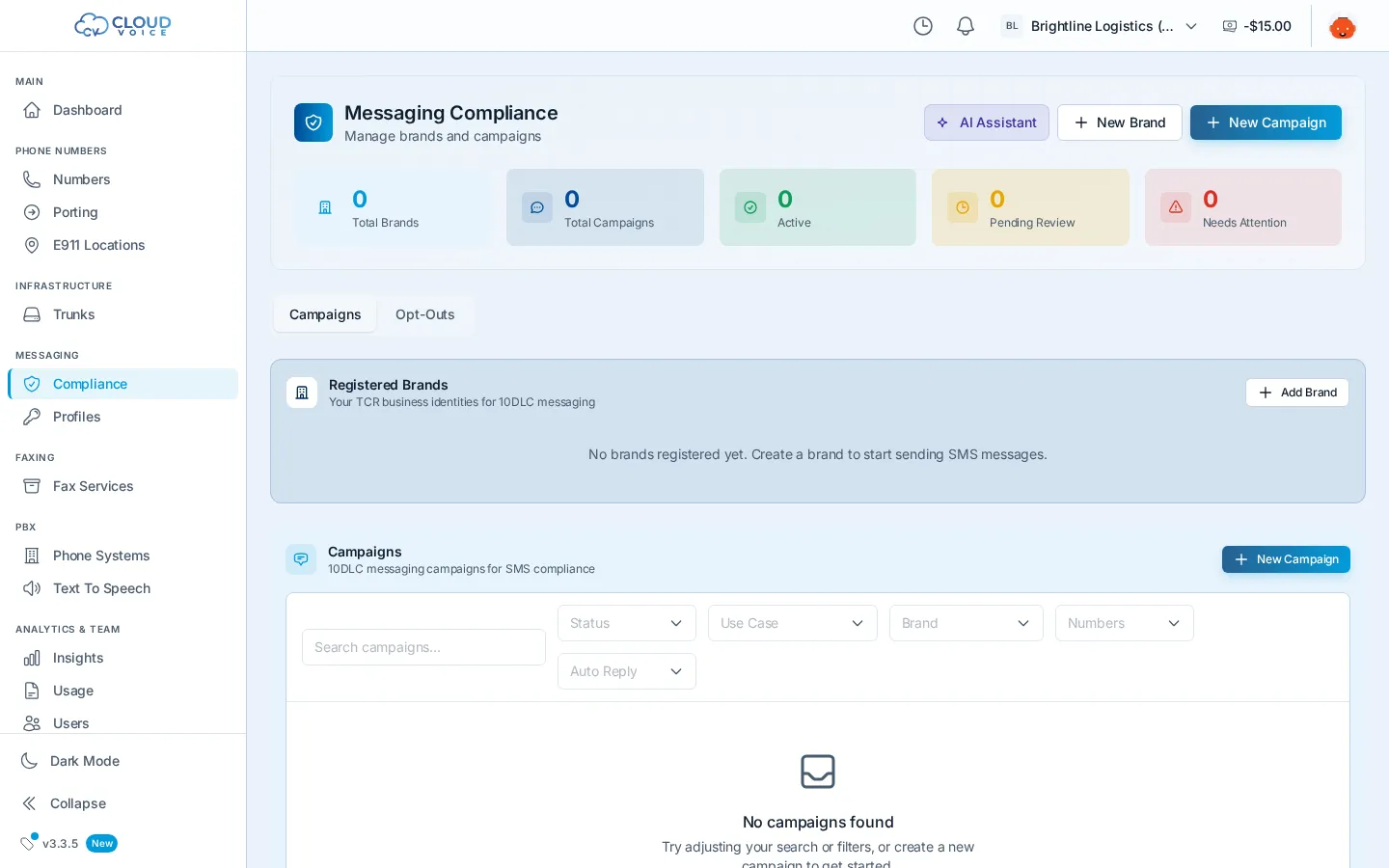
To send business SMS from local (10-digit) numbers in the US, carriers require registration with The Campaign Registry (TCR): first a brand (who you are), then one or more campaigns (what you send). The Compliance page walks you through both, tracks approval status, and is where you manage everything afterward. Unregistered traffic is subject to carrier filtering, so complete this before sending.
Register your brand
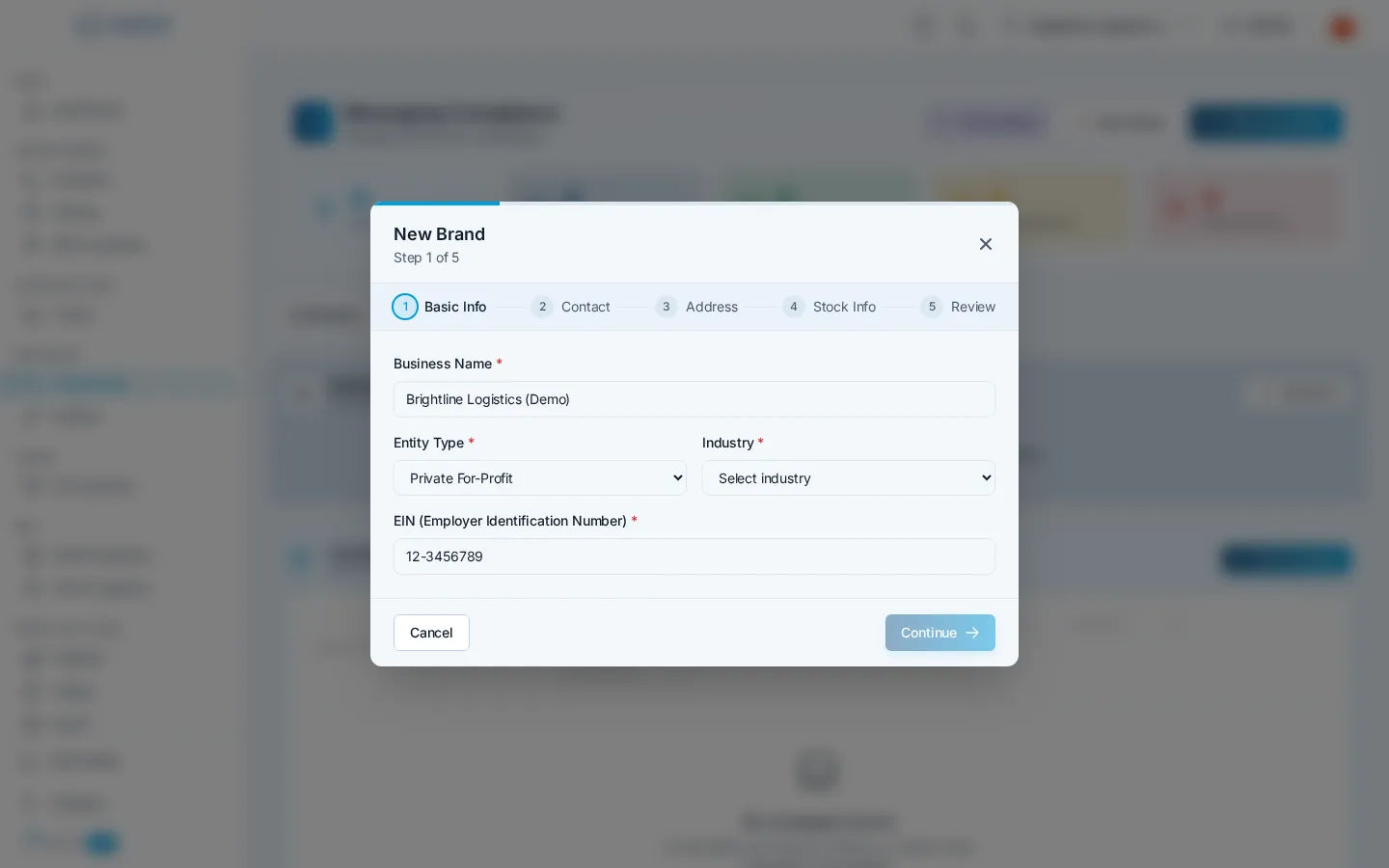
Section titled “Register your brand”A brand is your business identity in TCR. On the Compliance page, click New Brand:
- Business identity: legal business name, entity type, industry, and EIN.
- Contact details: business email, phone, and website.
- Business address: your registered business address.
- Stock info: exchange and symbol if you’re a public company; otherwise leave as None.
- Review & submit: click Create Brand to register it with TCR.
A new brand starts as Pending and must become Verified before you can attach campaigns to it.
Register a campaign
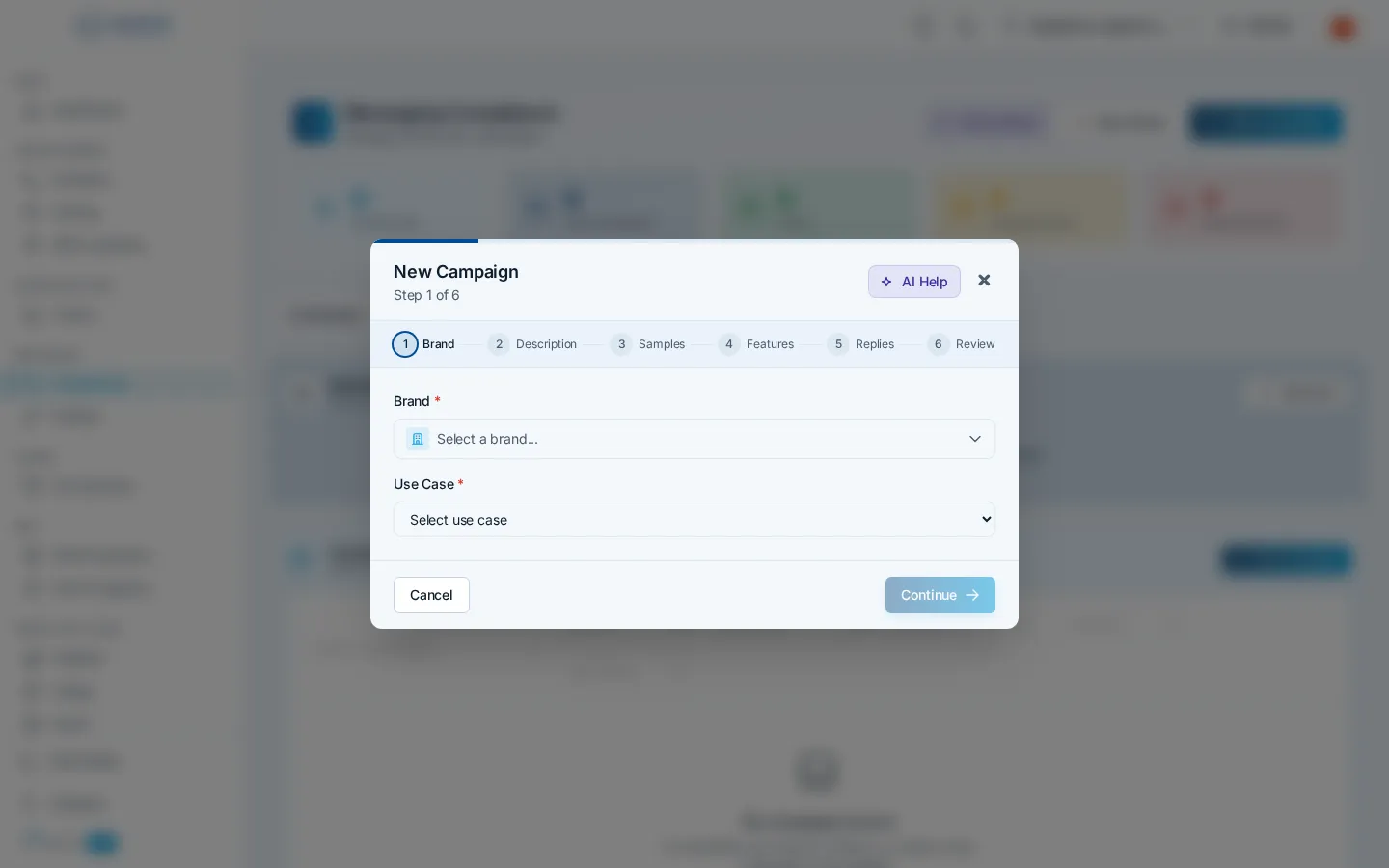
Section titled “Register a campaign”A campaign declares how you’ll use SMS (the “use case”). With a verified brand, click New Campaign:
- Brand & use case: pick the brand and choose a use case (customer care, marketing, 2FA, and so on).
- Describe it: write a clear description (40+ characters) and explain how users opt in.
- Sample messages: add at least one example of a message you’ll send. Carriers review these.
- Content features: flag what your messages contain: links, phone numbers, age-gated content, etc.
- Auto-replies: set your HELP, opt-in, and opt-out keywords and their reply messages.
- Legal & submit: choose auto-generated privacy policy and terms, or provide your own URLs, then click Create Campaign.
An AI assistant is available on the Compliance page to help you write descriptions and sample messages that pass review.
Track statuses
Section titled “Track statuses”Each campaign card shows its current status, and the detail panel adds a status pipeline and activity timeline:
| Status | Meaning |
|---|---|
| Pending | Created, but still missing required data |
| Ready to Submit | All data complete, submit it for review |
| Pending Review | Submitted and awaiting carrier/TCR review |
| Active | Approved, attached numbers can send |
| Rejected | Review failed, fix the flagged items and resubmit |
A few rules to know: campaigns can only be edited before they’re active, only draft campaigns can be deleted, and each campaign has a limit on how many numbers it can carry.
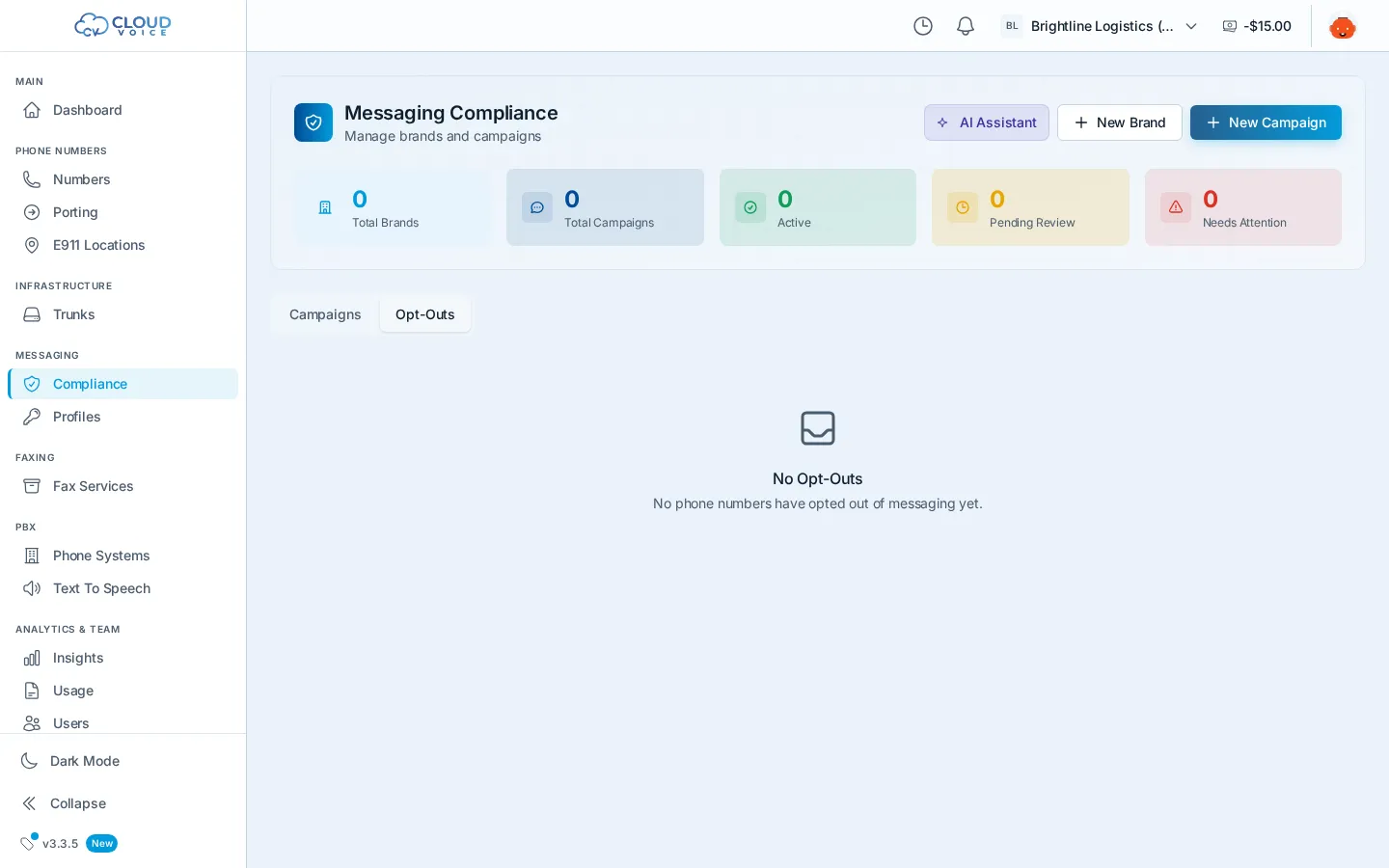
The Opt-Outs tab next to your campaigns lists any phone numbers that have opted out of receiving your messages.
After approval
Section titled “After approval”Attach numbers to an active campaign from each number’s detail panel on the Numbers page, and connect your sending integration through a messaging profile. Delivery activity shows up in Insights.
Question about this page?
Ask the AI assistant. It starts from this page, then searches the rest of the docs.
Ask Cloud Voice AI
Answers are AI-generated from the docs and may contain mistakes. Verify with the linked pages.