
Phone Numbers
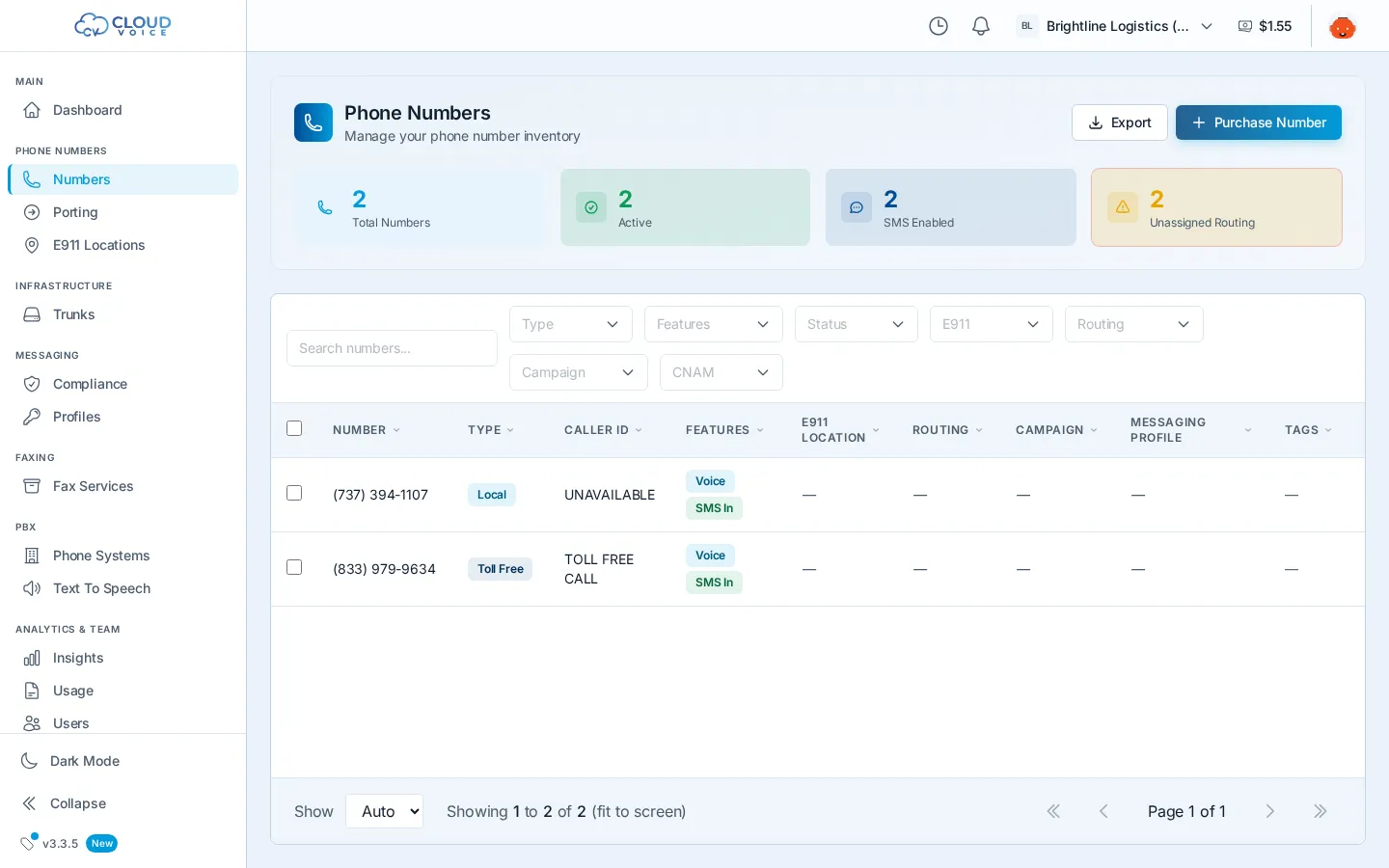
The Numbers page lists every phone number on your account, purchased and ported, with its type, status, and features. From here you can buy new local or toll-free numbers, set call routing, assign E911 locations, and make bulk changes across many numbers at once.
Search and purchase a number
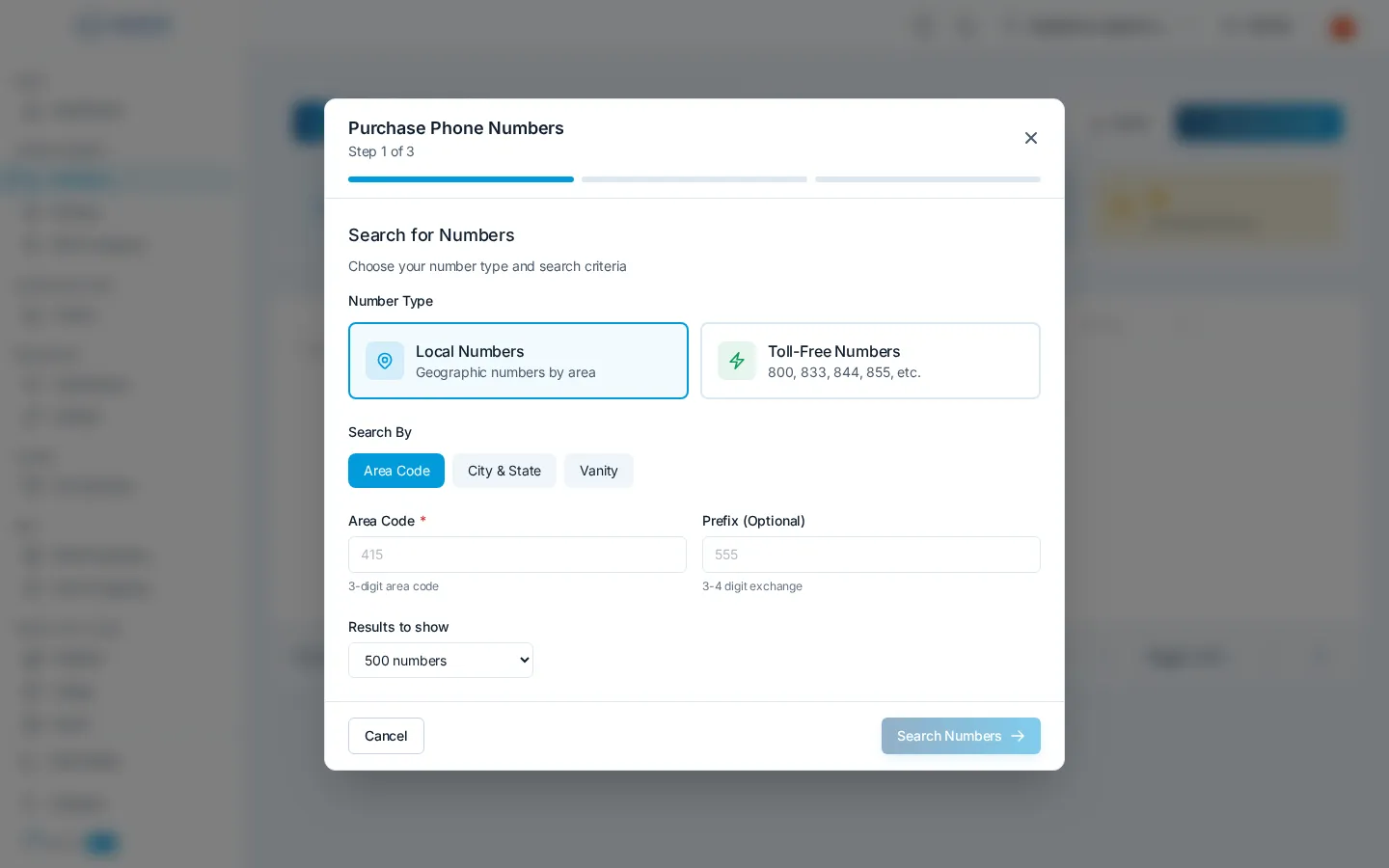
Section titled “Search and purchase a number”- On the Numbers page, click Purchase Number to open the search wizard.
- Pick Local or Toll-Free, then search by area code, prefix, or pattern. You can also pick a state to see its available area codes.
- Click numbers in the results to select them, a checkmark appears on each one. You can choose one or several.
- Review your selection and the monthly cost, then click Purchase.
Your new numbers appear in the list immediately, ready to configure.
Configure a number
Section titled “Configure a number”Click any row in the numbers table to open its detail panel.
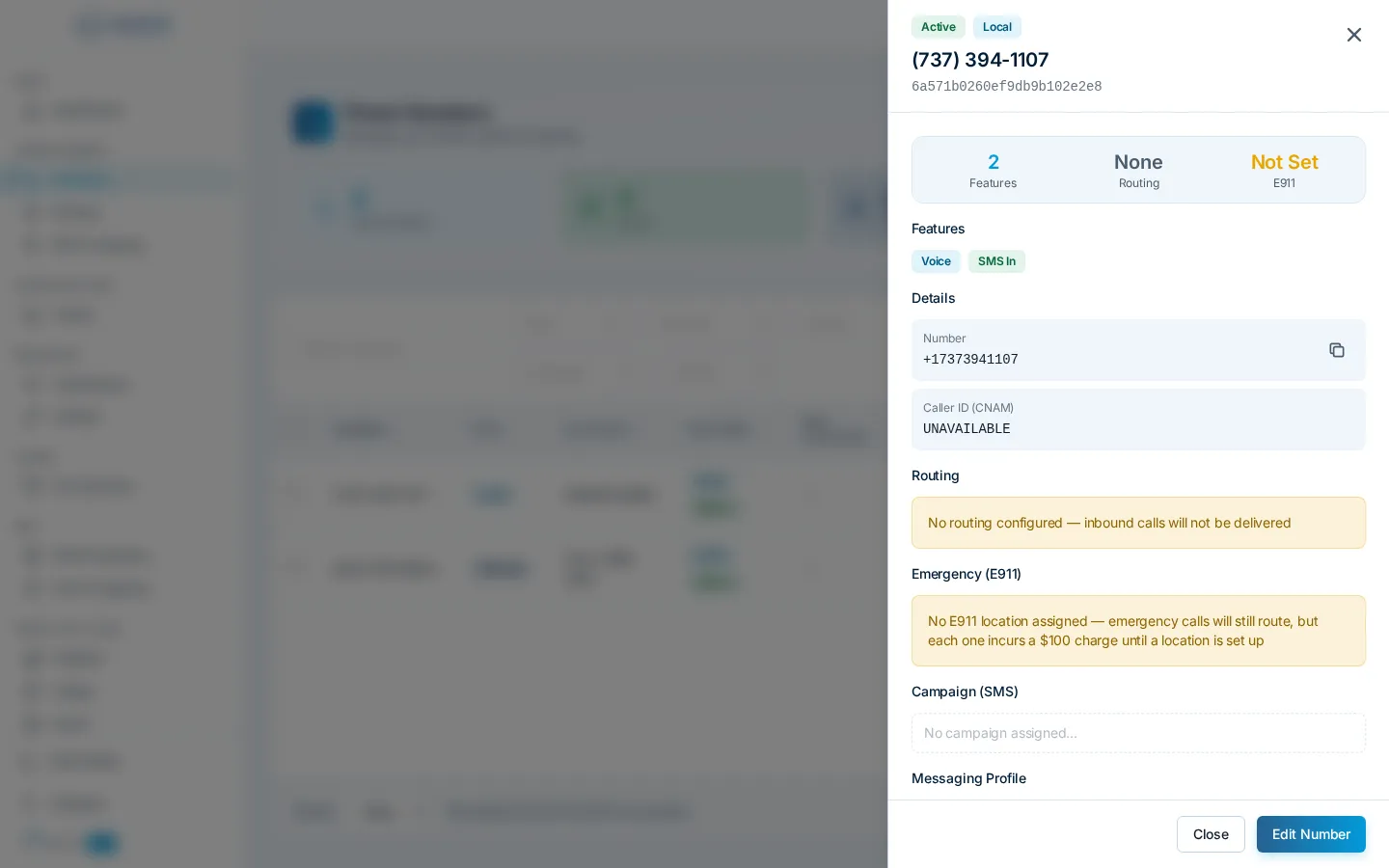
From one place you can:
- Call routing: point inbound calls at a SIP trunk, a SIP URI, a SIP domain, or forward them to another phone number. Changing the routing type switches the destination field to match. Numbers can also deliver to a hosted PBX or a fax service.
- E911 location: assign a registered emergency address from the dropdown. See E911 Emergency Locations for why this matters.
- Caller ID (CNAM): set the name shown to people you call.
- Messaging campaign: attach the number to an approved 10DLC campaign so it can send business SMS. Campaigns have a limit on how many numbers they can carry. See Messaging Compliance.
- Tags: label numbers so you can filter and organize them.
Changes save right in the panel.
Manage existing numbers
Section titled “Manage existing numbers”The toolbar gives you search plus filters for number type (local or toll-free), features (voice, SMS, MMS, emergency), status (active, porting, inactive), E911 assignment, routing, campaign, and CNAM, and filters combine, so you can answer questions like “which active local numbers have no E911 location?”
- Bulk edits: select multiple numbers with the checkboxes, then edit routing, E911, and settings for all of them at once. Fields where the selected numbers differ show as “Mixed” until you set a value.
- Sorting and pagination: sort by number, type, or status, and page through large inventories.
- Disconnect: release a number you no longer need from its detail panel. You’ll be asked to confirm before the number is disconnected.
Question about this page?
Ask the AI assistant. It starts from this page, then searches the rest of the docs.
Ask Cloud Voice AI
Answers are AI-generated from the docs and may contain mistakes. Verify with the linked pages.