
Cloud Voice 84.21.0.117-beta1
This is a beta build of firmware 84.21.0.117. The sections below summarize the new features, improvements, and bug fixes it introduces.
- Release date: January 13, 2026
- Release version: V22.3-Beta
New features
Section titled “New features”Theme mode
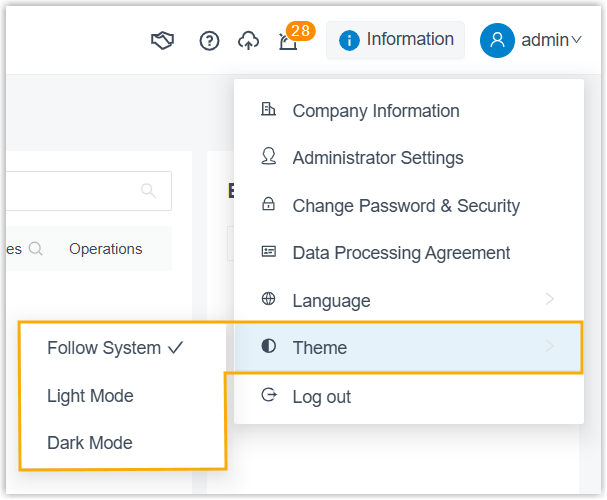
Section titled “Theme mode”Cloud Voice can now match its appearance to your preferred color scheme. Out of the box, the admin portal follows the theme configured in your web browser, but you can override this and pin the interface to Light Mode or Dark Mode at any time.
Encrypted tunnel for the mobile app
Section titled “Encrypted tunnel for the mobile app”You can now establish an encrypted tunnel between Cloud Voice and the Cloud Voice App (Mobile) that carries all SIP (Session Initiation Protocol) signaling and RTP (Real-time Transport Protocol, the audio stream) media. Wrapping this VoIP (Voice over IP) traffic in a dedicated tunnel port hardens communication and works around carrier SIP blocking, so extensions can keep registering and calls stay stable even on restricted networks.
Advanced CDR and call reporting
Section titled “Advanced CDR and call reporting”Call Detail Records (CDR) and call reports have been rebuilt to give you unified call logging, deeper call detail, and more flexible report management. These changes apply only to CDRs and call reports created from this release onward.
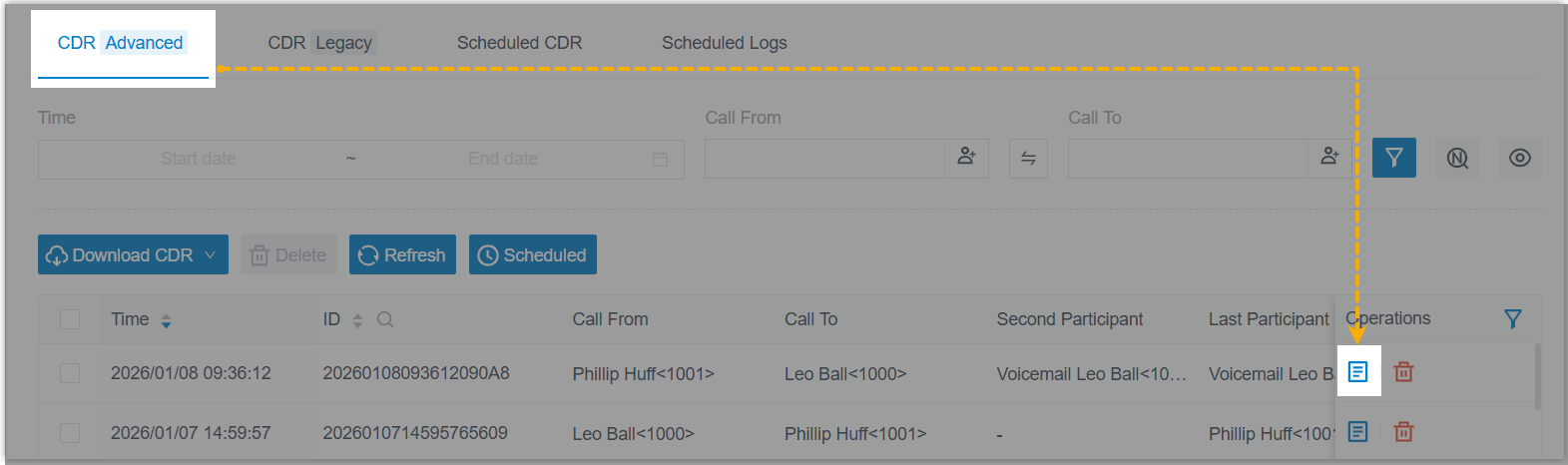
A dedicated CDR Details page. Each record now opens its own detail view from Reports and Recordings > CDR > CDR (Advanced) > Operations, using the details icon  . The page pulls a complete call together in one place: basic call information, recordings, every call leg, AI transcription and summary, call notes, and a visual time breakdown.
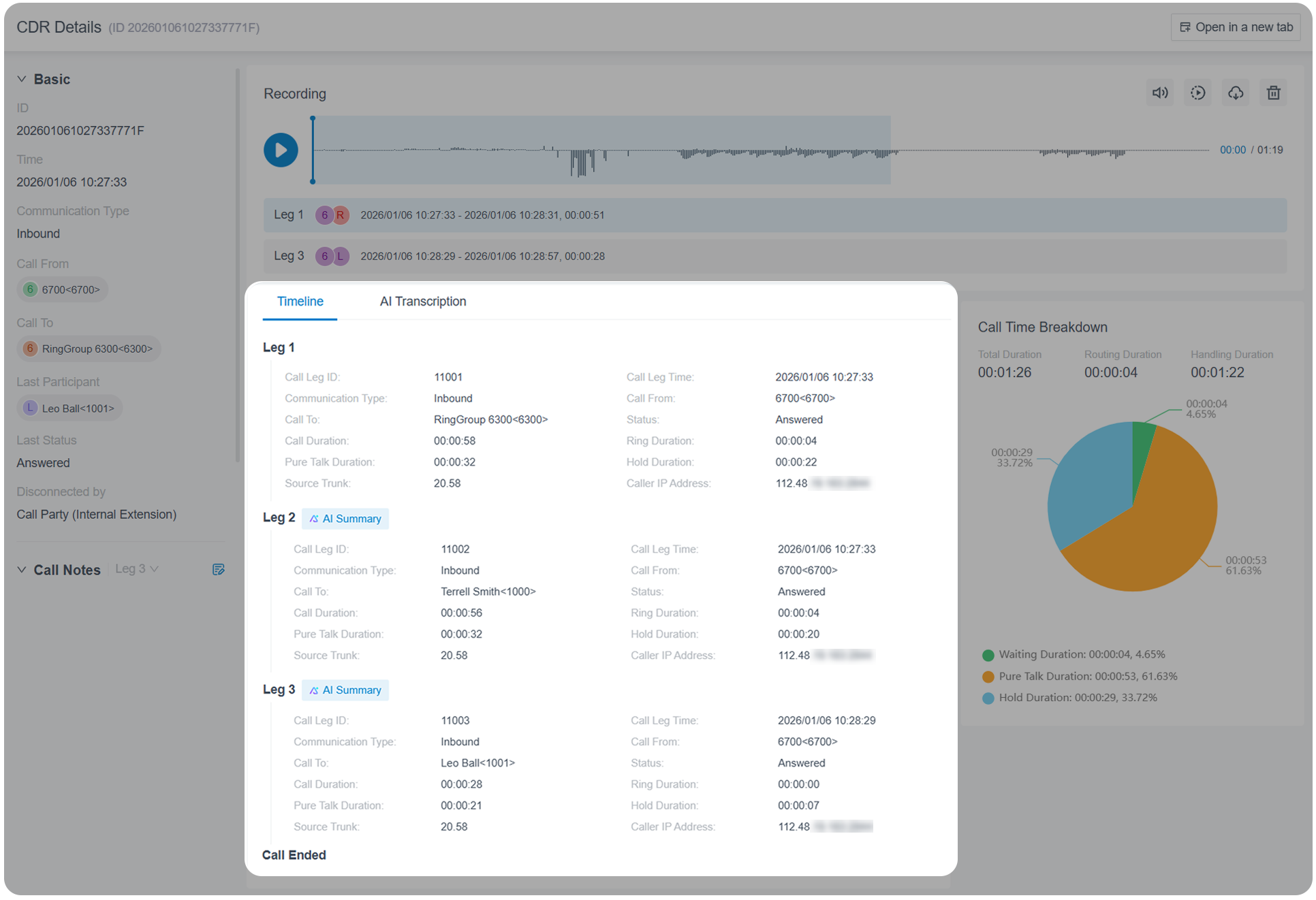
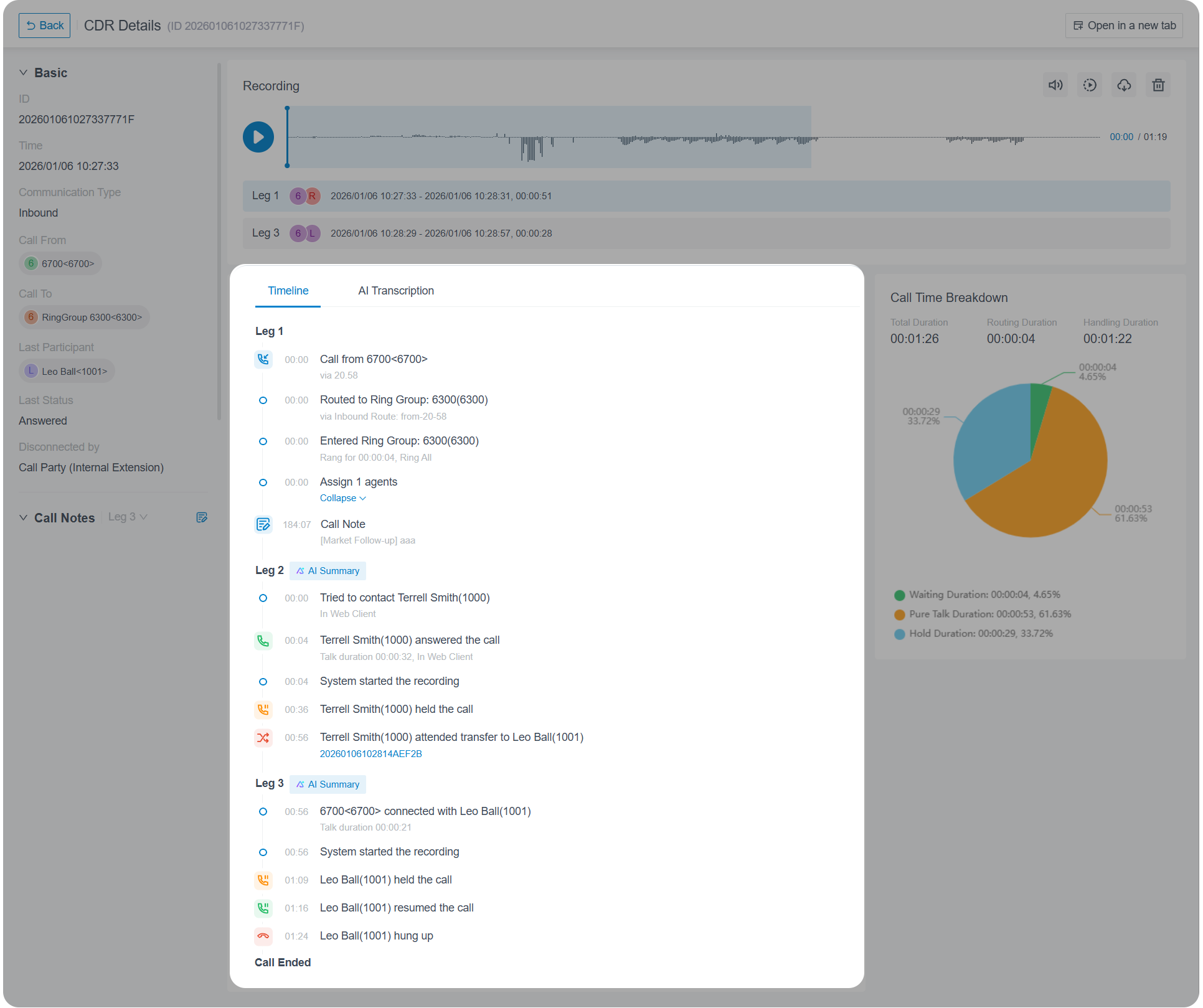
Timeline view. Turn on the Timeline option to see a chronological sequence of every event from the start of a call to its end, giving you granular visibility into what happened and when.
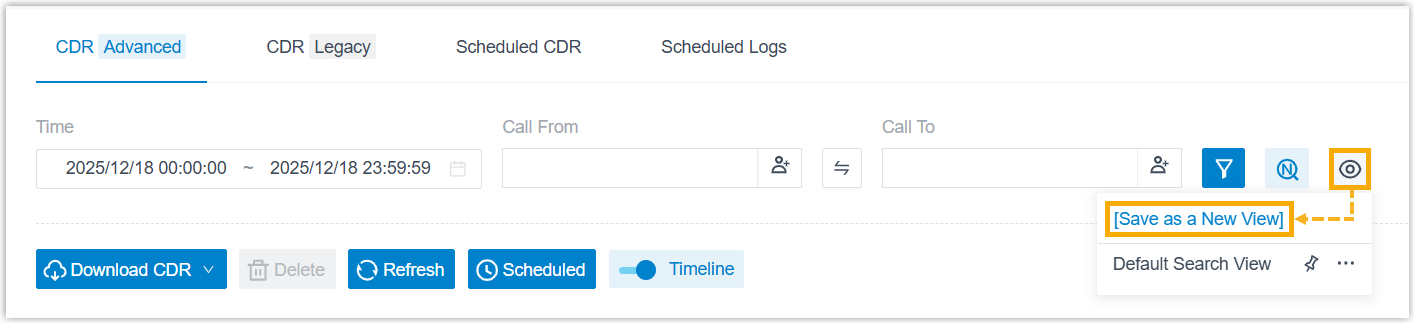
Saved filter views. Frequently used CDR filter combinations can be saved as custom views for one-click access.
Improved exporting.
-
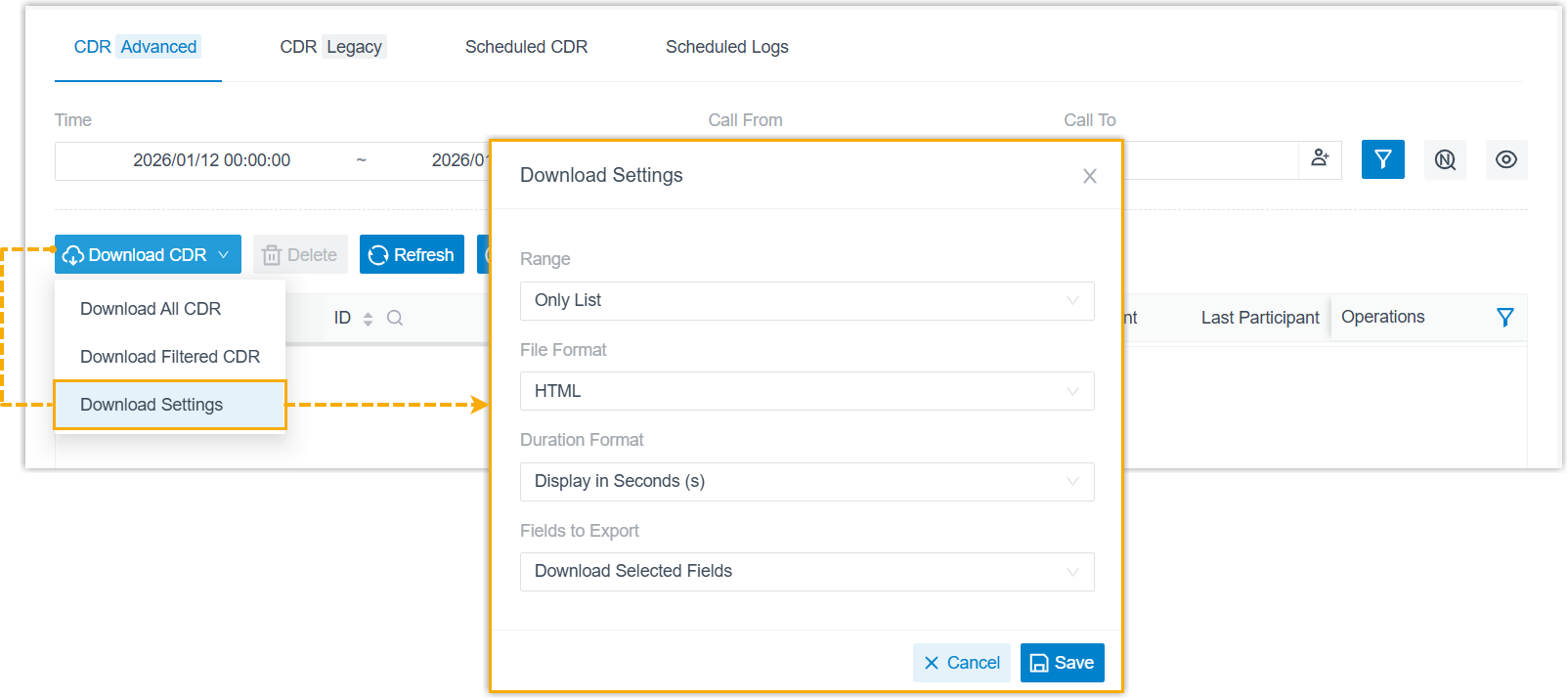
Set your own download preferences and have them applied whenever you export CDRs from the list.
-
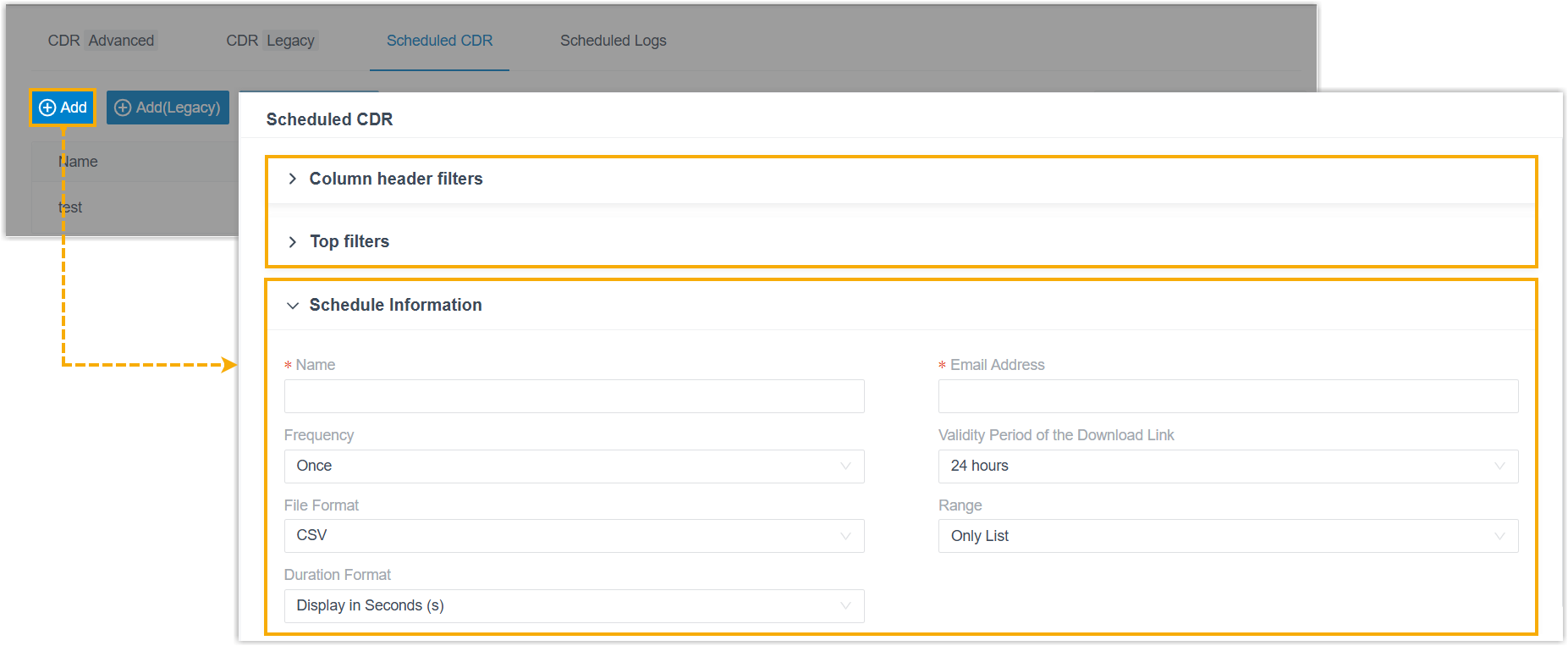
Scheduled CDR tasks (Reports and Recordings > CDR > Scheduled CDR > Add) now use a modular layout that separates filter configuration from the export schedule.
-
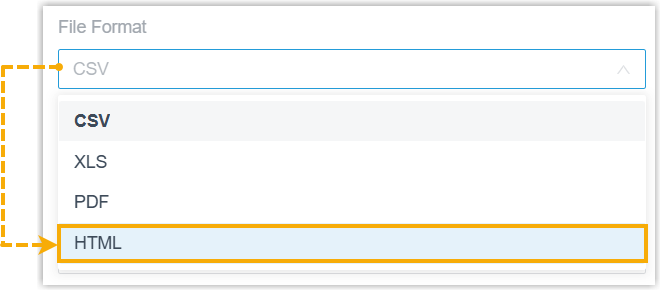
CDRs can now be exported in HTML format, both for direct downloads from the portal and for scheduled deliveries.
How the logic changed. The tables below compare CDR and call-report behavior before and after this release.
CDR
| Area | Before this release | After this release |
|---|---|---|
| Logging structure | Multi-stage calls (for example, queue or transferred calls) were broken into separate records. | A single CDR captures every leg of a complete call, with Timeline-based detail (basic call information, recordings, all call legs, AI transcription/summary, and call notes). |
| Auto cleanup | Counted per call leg. When the CDR count hit the limit, the oldest record was deleted. | Counted per complete call. If legacy data remains after the upgrade, the system clears it gradually: once the combined new and legacy total reaches the limit, legacy CDRs are removed at a 1:5 ratio (each new CDR triggers deletion of five legacy CDRs) until none remain. |
| Event notifications | None. | Two new events: Legacy CDR Will Be Cleaned Up Gradually (raised after the upgrade when legacy CDR data is present) and Legacy CDRs Have Been Fully Cleaned Up (raised once all legacy CDR data is gone). |
Call report
| Area | Before this release | After this release |
|---|---|---|
| Storage | Report data was stored alongside CDRs. | Report data is decoupled from CDRs and stored independently. |
| Auto cleanup | Removed together with CDRs. | Removed under its own policy at System > Storage > Auto Cleanup > Call Reports Auto Cleanup. |
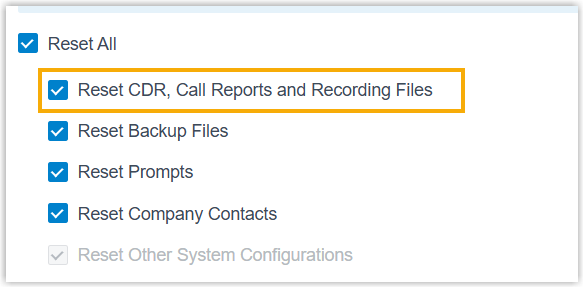
Reset option. To match the new structure, the reset choice previously labeled Reset CDR and Recording Files is now Reset CDR, Call Reports and Recording Files.
API updates. The following interfaces were adjusted for the restructured CDR and call reports:
| Feature | Changes |
|---|---|
| CDR | Added a request parameter from to cdr/list to filter records created before or after this release. Added a response parameter new_id to cdr/list and cdr/search to flag records created after this release. Added a request parameter enb_new_cdr_fuzzy_search to cdr/getoption and cdr/updateoption to read or set fuzzy number matching for the new CDRs. |
| Call report | Introduced Call Report API v2.0 for report data created after this release. The endpoint paths are identical to v1.0, only the version identifier changes from v1.0 to v2.0. The v1.0 interfaces stay available for legacy report data created before this release. |
Virtual fax integration
Section titled “Virtual fax integration”Cloud Voice now integrates with the online fax provider IXICA, letting your team send and receive faxes securely over the internet from the Cloud Voice App (Desktop or Web), no physical fax machine required.
Omnichannel messaging
Section titled “Omnichannel messaging”You can now add SMS channels for the providers Alhambra IT and Aspsms, extending omnichannel messaging to businesses that use those services.
Improvements and bug fixes
Section titled “Improvements and bug fixes”Added an Ignore 100 Trying Response option for register and account trunks at Extension and Trunk > Trunk > Register Trunk/Account Trunk > Advanced > VoIP Settings. When enabled, the system disregards incoming 100 Trying responses during SIP registration and call setup.
Auto provisioning
Section titled “Auto provisioning”- PBX contacts can now be pushed to the remote phonebook of auto-provisioned Fanvil IP phones over XML, so users can look up and dial PBX contacts straight from the handset.
- Improved the DOD (Direct Outward Dialing, the outbound caller ID an extension presents) BLF (Busy Lamp Field, a programmable status key on a phone) key: besides showing whether a specific DOD is currently the default for an extension, pressing the key now sets that DOD as the default directly.
- Fixed a failure that occurred when the assigned extension name contained an
&character.
Inbound route
Section titled “Inbound route”Fixed an issue where an inbound route using custom time periods with a call flow as its default destination could drop incoming calls after the time condition was switched with a feature code.
Feature code
Section titled “Feature code”Fixed an issue where forwarding an inbound call to an external number via feature code played a ringback tone to the caller instead of a busy tone.
Ring group and queue
Section titled “Ring group and queue”On systems with fewer than 50 extensions, the maximum number of ring groups and queues you can create has been raised from 16 to 32.
Recording
Section titled “Recording”-
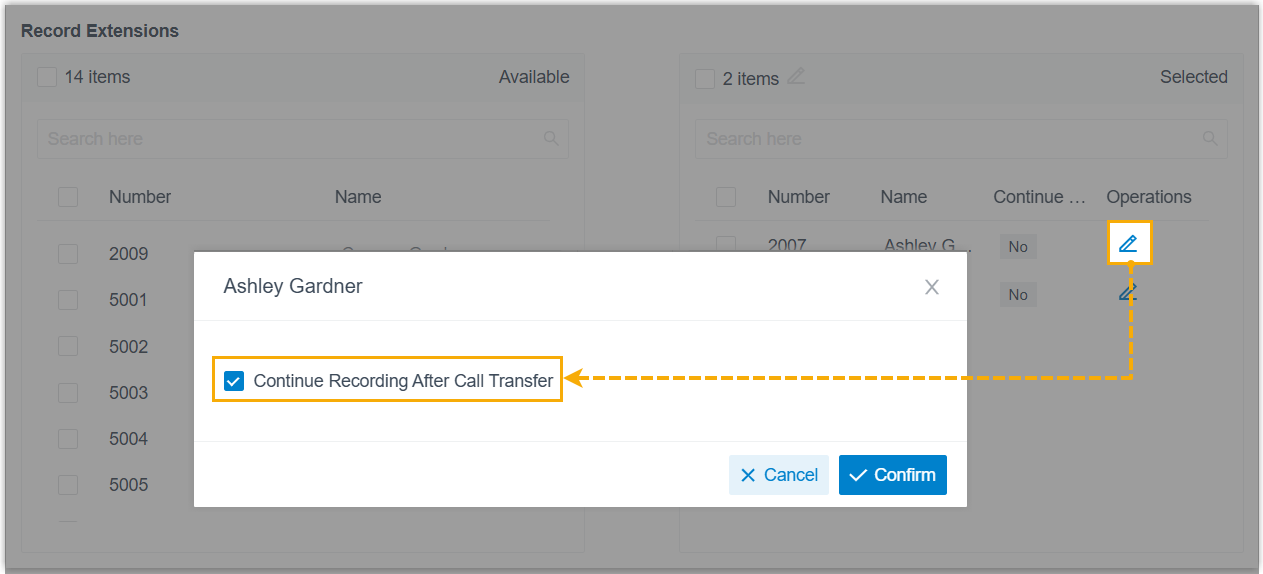
Added a Continue Recording After Call Transfer option at Call Features > Recording > Recording Scope > Record Extensions/Record Queues > Operations. Use it to decide whether recording should continue when an incoming call is transferred, blind or attended, from a given queue or extension to another destination.
-
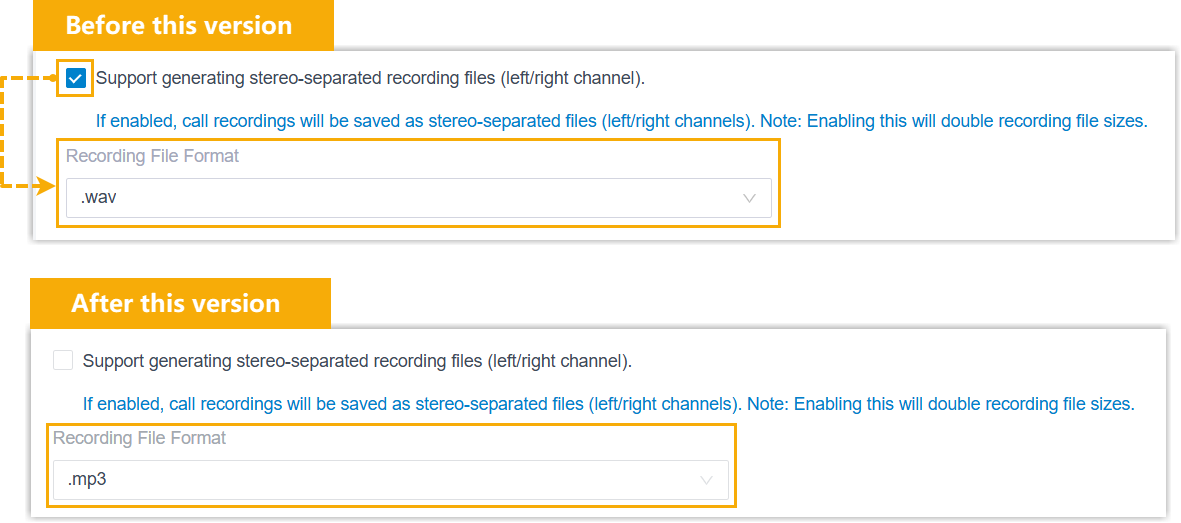
The Recording File Format setting at Call Features > Recording > Recording Settings is now always available, regardless of whether stereo-separated recording is turned on.
Preferences
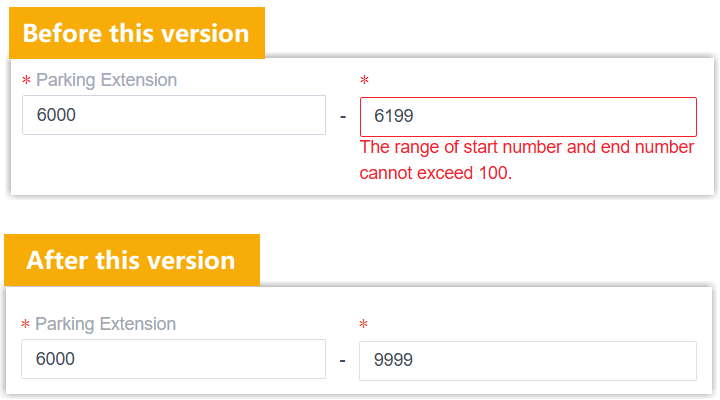
Section titled “Preferences”The maximum number of parking extensions has been increased from 100 to 10,000 at PBX Settings > Preferences > Extension Preferences > Parking Extension.
Archive
Section titled “Archive”-
Added retention controls for archive tasks at System > Archive > Archive Task > Retention Settings, so you can set a cleanup policy for the files and folders on the archive server.

Retention type Behavior Retention by Quantity (formerly File Overwrite) Choose the retention unit (files or folders) and a maximum count. When the limit is hit, the oldest items on the archive server are deleted automatically. Retention by Days Choose the retention unit (files or folders) and a maximum number of days. Items older than that limit (measured from their archive time) are removed automatically. -
The recording archive task now always exposes the Recording File Format setting, regardless of whether stereo-separated recording is enabled.
-
Fixed a failure when archiving backup files to an FTP server.
System log
Section titled “System log”- Added a CDR Log option to the log level at Maintenance > System Logs > Log Level, controlling whether CDR-related information is written to the system logs.
- Added a dedicated
analytics.logcategory. With the Debug log level enabled, events related to CDR data processing are written toanalytics.log.
Google Workspace integration
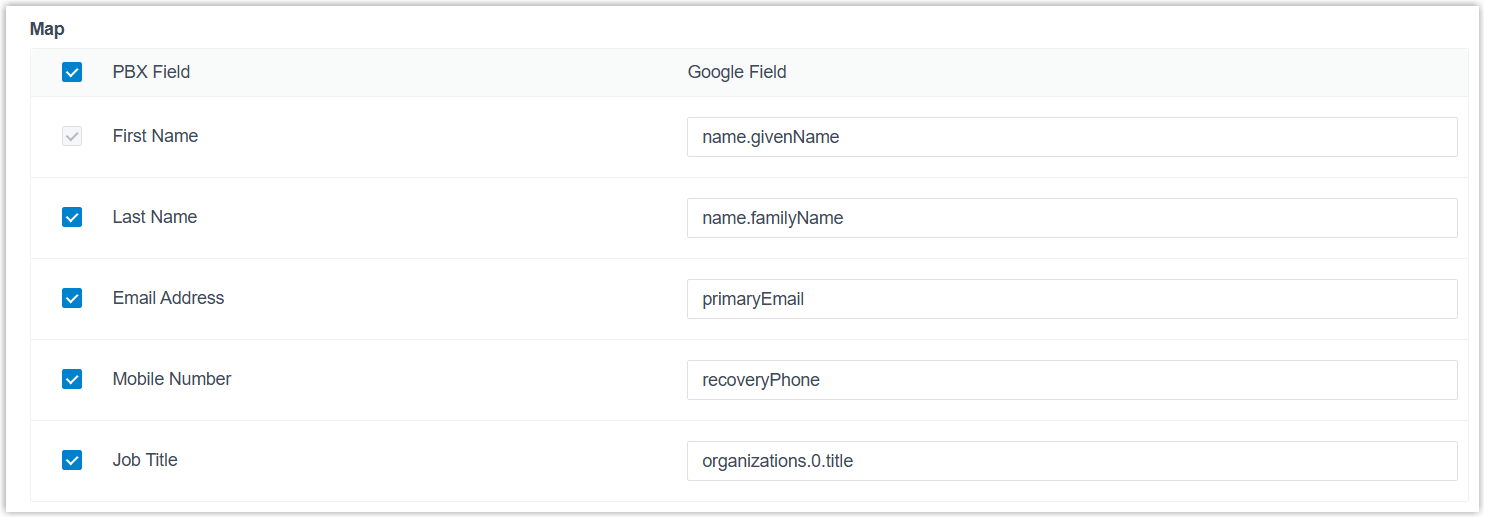
Section titled “Google Workspace integration”Improved user synchronization with a new Map setting that lets you align specific Google user attributes with the matching PBX user fields for more precise syncing.
Microsoft Entra ID (Azure AD) integration
Section titled “Microsoft Entra ID (Azure AD) integration”Fixed an issue where the system could not synchronize all selected Microsoft contacts in a single operation.
Custom CRM template integration
Section titled “Custom CRM template integration”Fixed a Bearer Token authentication issue where the system called the refresh-token endpoint instead of the token-acquisition endpoint during the first authentication, causing it to fail.
-
Adjusted several interfaces:
Feature Changes Trunk Added ignore_100_responsetotrunk/get,trunk/query,trunk/create, andtrunk/updateto read or set whether the system ignores incoming100 Tryingresponses on register and account trunks.Auto recording Added enb_continue_record_on_transfertoautorecord/getandautorecord/updateto read or set whether recording continues when a call is transferred (blind or attended) from a queue or extension to another destination.CDR Added pincodetocdr/listandcdr/searchto filter CDRs by PIN code or return the PIN used on outbound calls placed through restricted outbound routes. Addedpageandpage_sizetocdr/searchfor paginated queries. -
Fixed a missing event
30013(Call Transfer Report) after an extension performed a blind transfer on an inbound call.
Cloud Voice App (Web)
Section titled “Cloud Voice App (Web)”-
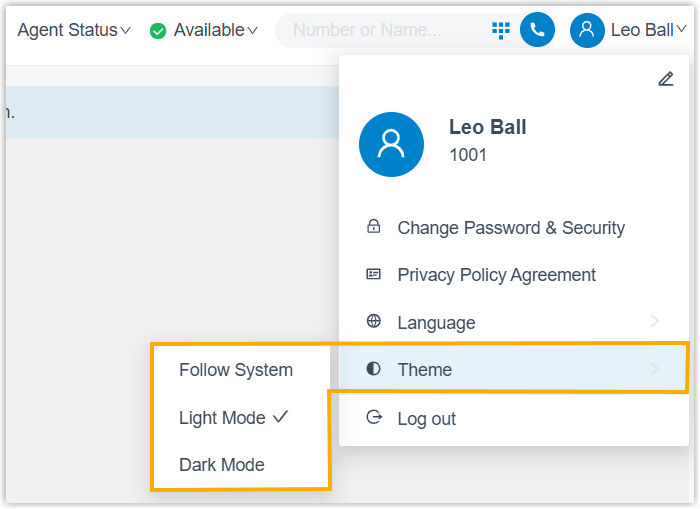
Extension users can now set a theme for the web app. By default it follows the browser’s theme, and users can switch it manually to Light Mode or Dark Mode.
-
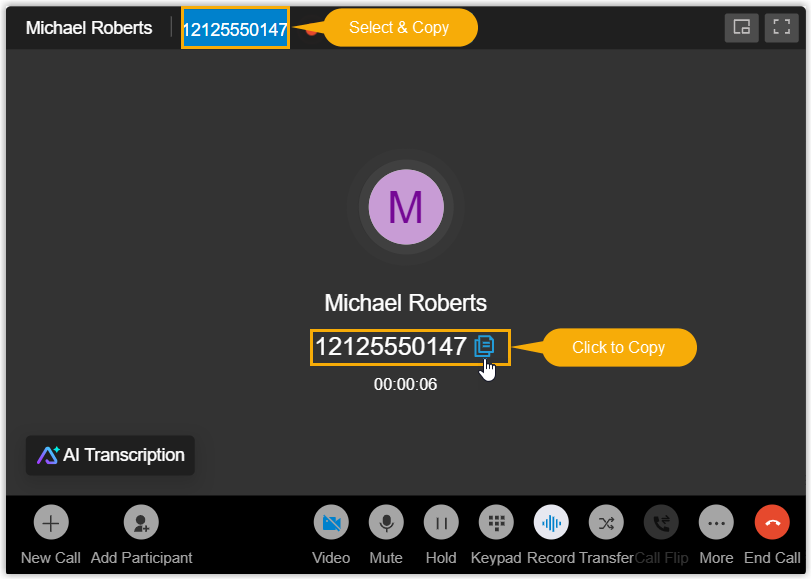
The call window now shows the other party’s caller ID and makes it easy to copy, either with a Click to Copy button beside the number or by selecting the number and using a keyboard shortcut.
-
Fixed an issue where all video feeds appeared mirrored in a video conference.
Question about this page?
Ask the AI assistant. It starts from this page, then searches the rest of the docs.
Ask Cloud Voice AI
Answers are AI-generated from the docs and may contain mistakes. Verify with the linked pages.