
Cloud Voice 84.23.0.24-beta1
This page summarizes what changed in the first beta build of firmware 84.23.0.24 (release version V24.1-Beta), released April 23, 2026. To install it, open your Cloud Voice admin portal and check for a firmware update. Updates to the Cloud Voice App are tracked in the app’s own release notes.
New features
Section titled “New features”Onsite Proxy
Section titled “Onsite Proxy”Onsite Proxy lets you connect remote IP phones to your phone system without setting up port forwarding. You install the Onsite Proxy software on the same subnet as the remote phones, and it opens a secure channel back to the PBX (Private Branch Exchange, your phone system). From that point on, the phones can be auto-provisioned and reached over the internet as though they shared the local network with the PBX.
This release also adds the following capabilities around Onsite Proxy:
- Remote provisioning. Remote IP phones can now be auto-provisioned through Onsite Proxy.
- Error alerting. A new Onsite Proxy Error event notification (System > Event Notification > Event Type > System) fires when the link between the PBX and Onsite Proxy drops, or when Onsite Proxy’s resource usage crosses the configured thresholds.
- API support. New API (Application Programming Interface, for driving the PBX from your own tools) interfaces let you list Onsite Proxy instances, search for a specific instance, read the details of one or more instances, view or reset an instance’s secret key, and add, edit, or delete an instance.
Improvements and bug fixes
Section titled “Improvements and bug fixes”Extension
Section titled “Extension”-
The maximum extension-number length is now 11 digits, up from 8.
-
You can copy the IP address of an extension’s online device with a single click.

-
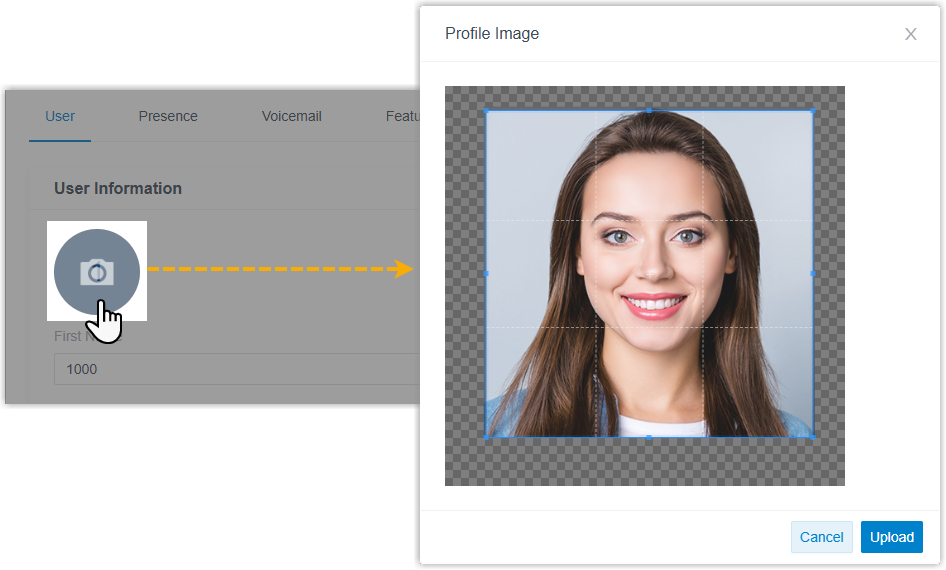
You can upload an avatar when you create or edit extensions, one at a time or in bulk, under Extension and Trunk > Extension > User > User Information.
-
Call forwarding (Extension and Trunk > Extension > Presence > Call Forwarding) has two behavior changes:
-
A new Busy destination is available. When a forwarding condition is met and this destination is set, the PBX rejects the call and replies with the SIP (Session Initiation Protocol, the signaling that sets up and tears down calls) response
486 Busy Here.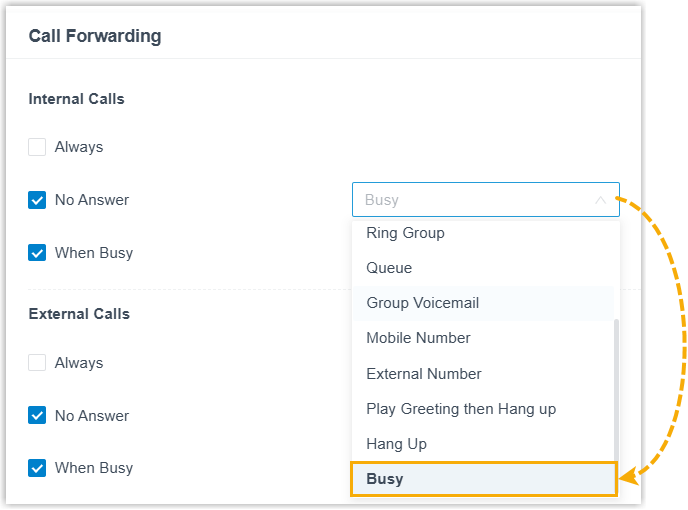
-
For the When Busy condition with a Hang Up destination, the PBX now replies with SIP
480 Temporarily Unavailableinstead of the previous486 Busy Here.
-
-
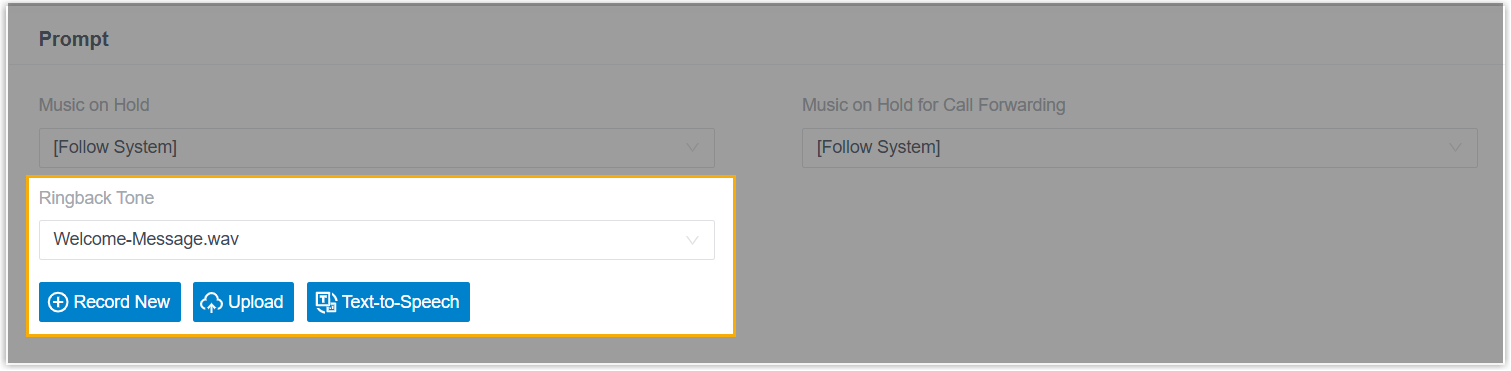
You can set a ringback tone per extension under Extension and Trunk > Extension > Features > Prompt. The tone plays to the caller while the extension rings, before the call is answered.
-
An extension can now use more than one transport protocol (UDP, TCP, or TLS: the different ways a phone’s SIP messages travel to and from the PBX) at a time (Extension and Trunk > Extension > Advanced > VoIP Settings > Transport).

-
Fixed: with Accept calls from Ring Group disabled, an extension could not receive a ring group call that had been forwarded into a queue the extension belonged to.
-
Fixed: after an extension’s mobile number was cleared to
nullthrough the API, member-selection lists for queues, ring groups, extension groups, outbound routes, and similar features showed no extensions.
Cloud Voice App Server
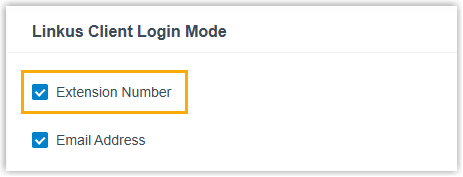
Section titled “Cloud Voice App Server”Extension users can now sign in to the Cloud Voice App with their extension number. Turn this on with the Client Login Mode setting under Extension and Trunk > Extension > Cloud Voice App Server > Basic.
Client Permissions
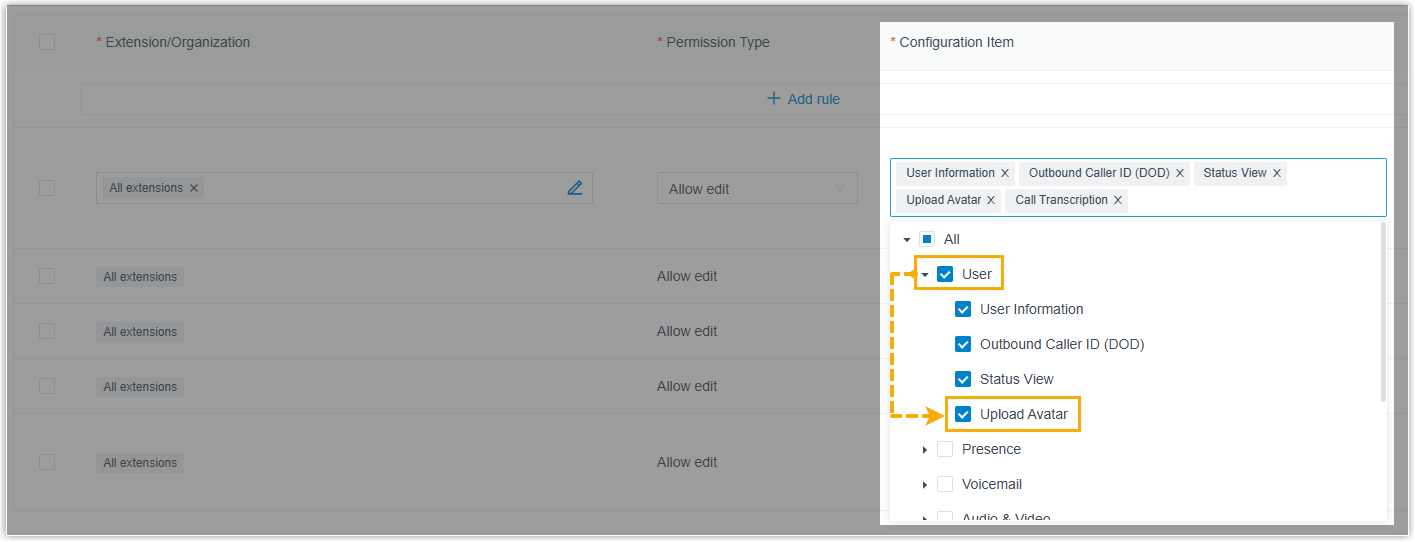
Section titled “Client Permissions”A new Upload Avatar permission (Extension and Trunk > Client Permission > Preference Settings > Configuration Item) controls whether the selected extension users can change their extension avatar from the Cloud Voice App.
-
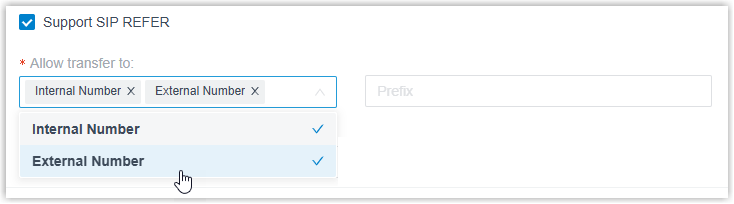
SIP trunks gain a Support SIP REFER setting (Extension and Trunk > Trunk > Advanced > VoIP Settings). When enabled, you choose which transfer destinations are allowed, Internal Number, External Number, or both, and the PBX honors REFER requests on that trunk by transferring the call accordingly.
-
Fixed: on outbound calls over a SIP trunk with SRTP (Secure Real-time Transport Protocol, which encrypts the call audio) enabled, audio dropped to one-way after 15 minutes and the caller could no longer hear the callee.
Auto Provisioning
Section titled “Auto Provisioning”-
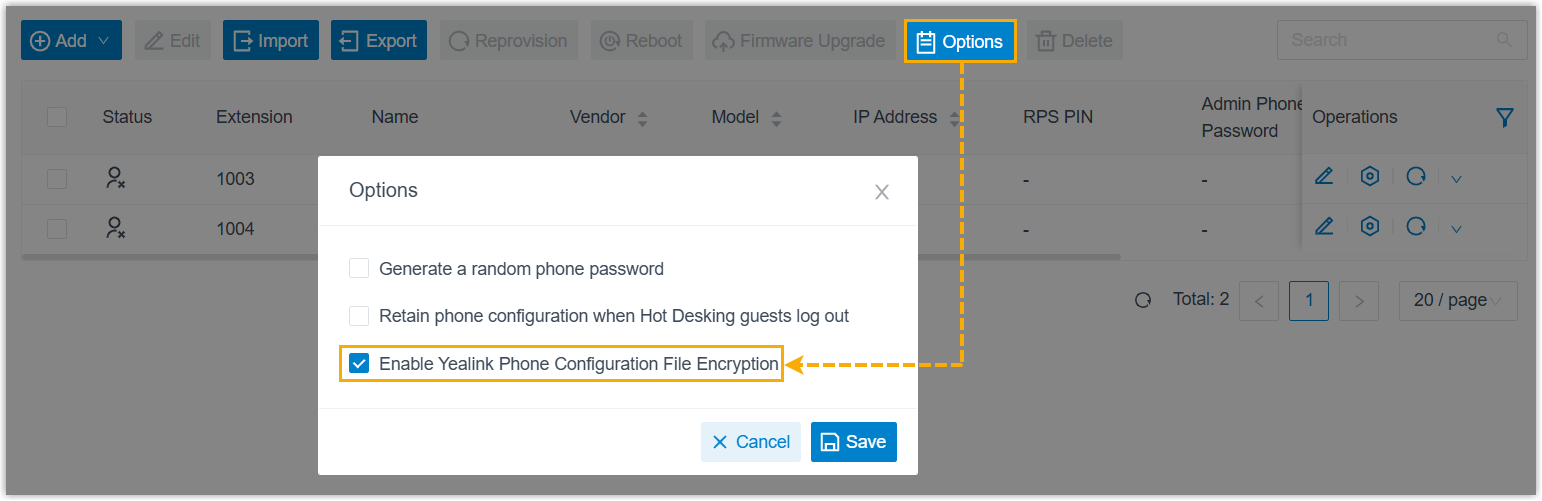
A new Enable Yealink Phone Configuration File Encryption option (Auto Provisioning > Phones > Options) controls whether the PBX encrypts configuration files for Yealink phones during provisioning.
-
You can copy an IP phone’s IP address from the phone list with one click.

-
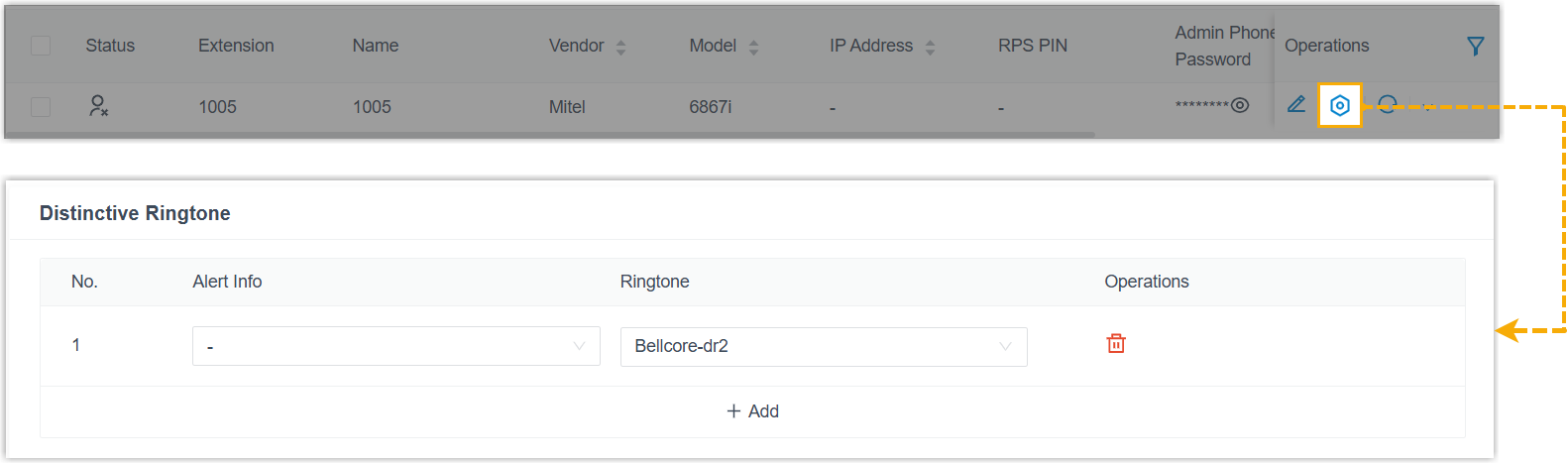
Auto-provisioned Mitel phones now support a Distinctive Ringtone setting (open the phone’s settings gear under Auto Provisioning > Phones), where you map alert-info values to ringtones.
-
The PBX now handles the 48 kHz sampling rate of the Opus audio codec from IP phones, processing those RTP (Real-time Transport Protocol, the media stream that carries call audio) streams correctly for clearer audio.
-
Fixed: provisioning an Avaya phone with the language set to J169/J179 French failed to save.
Inbound Route
Section titled “Inbound Route”Fixed: a very long inbound route name caused calls through that route to fail.
Call Queue
Section titled “Call Queue”-
Queue manager permissions gain two settings for queue call logs (Call Features > Queue > Queue Panel Permissions > Manager):
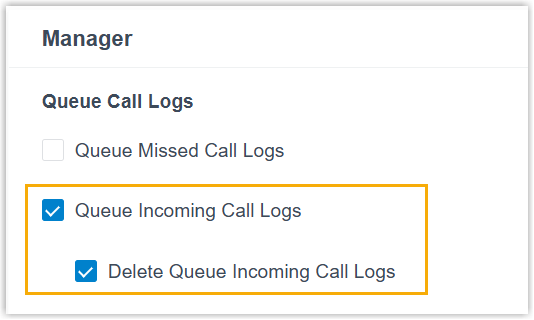
Setting Description Queue Incoming Call Logs Lets queue managers view the logs of all answered calls in the queue. Only logs created in version 84.21.0.117 or later are available; older logs are not. Delete Queue Incoming Call Logs Lets queue managers delete the logs of answered calls in the queue. Deleted records disappear for all agents and managers but remain in the CDR (Call Detail Record, the master log the system keeps for every call). -
Queue agent permissions now offer finer control over which answered-call logs an agent can see (Call Features > Queue > Queue Panel Permissions > Agent):
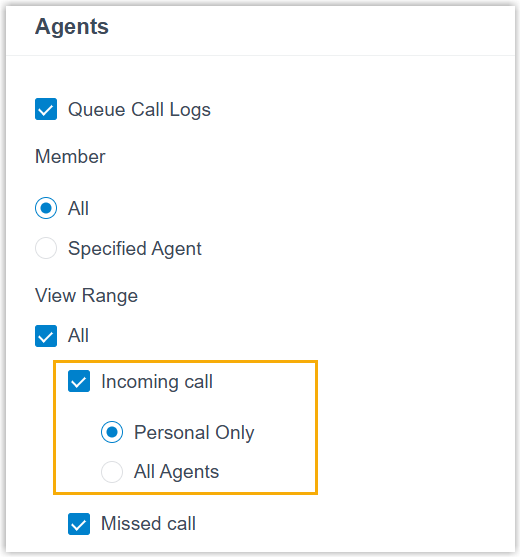
Option Description Personal Only Authorized agents see only the queue calls they answered themselves in the Cloud Voice App. All Agents Authorized agents see the queue calls answered by any agent in the queue. Only logs created in version 84.21.0.117 or later are available. -
Fixed: the time shown on the Wallboard was one hour ahead of the PBX system time.
Voicemail
Section titled “Voicemail”-
Users can forward their voicemails to one or more extensions from the Cloud Voice App.
-
When a user listens to a forwarded voicemail through a feature code, the system now announces who forwarded it at the start of playback.
Call Recording
Section titled “Call Recording”- The download size limit for recording files is now 2 GB, up from 600 MB.
- Fixed: a filename format that a third-party platform could not parse left multi-party conference recordings incompletely synced to that platform.
Call Disposition
Section titled “Call Disposition”The maximum number of call dispositions is now 200, up from 20.
Hot Desking
Section titled “Hot Desking”Fixed: users occasionally failed to log in or out when hot desking on Yealink IP phones.
Messaging
Section titled “Messaging”-
SMS and WhatsApp channels gain an Allow the Creation of Duplicate Active Sessions setting (Messaging > Message Channel > SMS Channel/WhatsApp Channel > Messaging Settings).
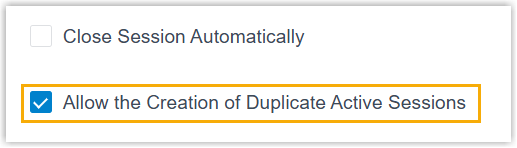
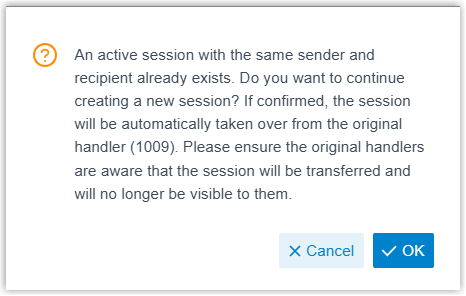
When it is enabled and a user starts a session in the Cloud Voice App that already exists for the same sender and receiver, the app prompts the user. If the user continues, they take over the existing session along with its full chat history.
-
External chat log management improved (Reports and Recordings > External Chat Logs):
-
You can filter sessions by Current Session Handler.

-
A quick filter button surfaces chat sessions belonging to deleted extensions and queues.

-
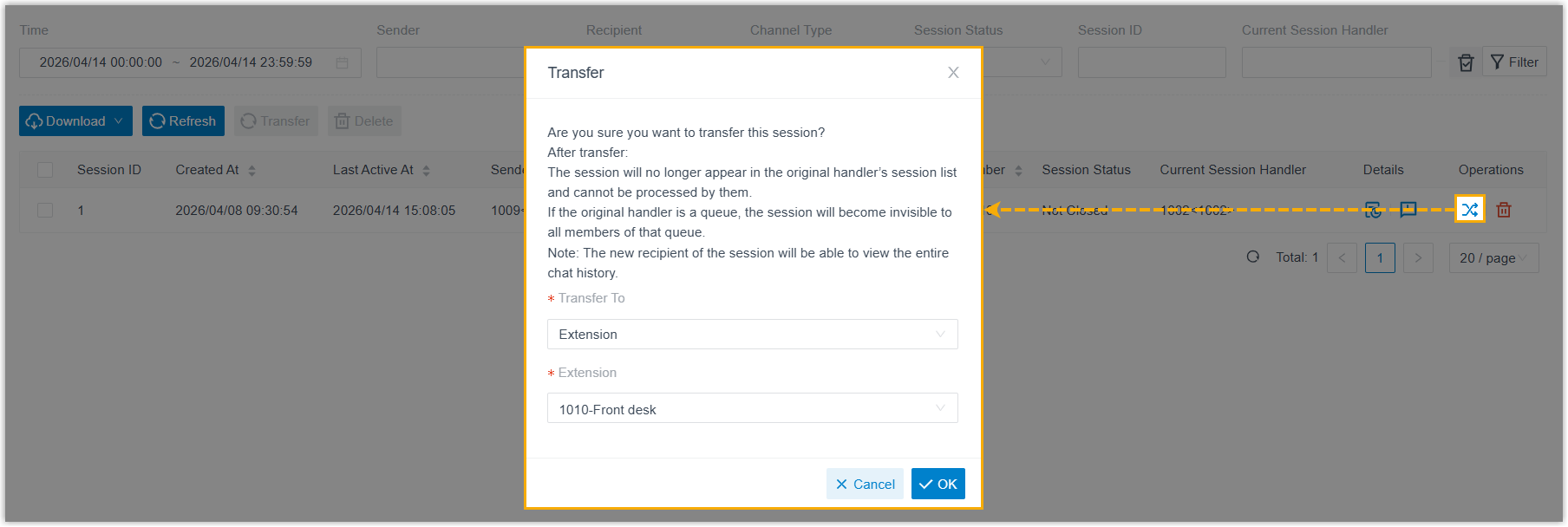
You can transfer one or more chat sessions to a chosen destination.
-
PBX Settings
Section titled “PBX Settings”-
Distinctive Caller ID Name gains a Display the Diversion SIP Header for Extension Forwarding option (PBX Settings > Preferences > Caller ID Name).
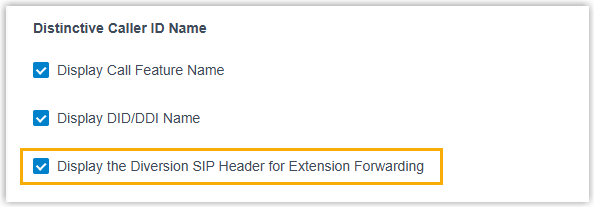
When it is enabled and an incoming call is forwarded directly to a destination type listed in Extension Forwarding with Diversion SIP Header (PBX Settings > SIP Settings > Advanced > Other Options), the Caller ID shows the name and number of the extension the call was forwarded from.
-
Queue is now a valid destination type for Extension Forwarding with Diversion SIP Header (PBX Settings > SIP Settings > Advanced > Other Options). When an incoming call to an extension is forwarded to a queue, the INVITE carries a
Diversionheader identifying the extension the call came from.
-
Fixed: with Calls initiated via “Open API” enabled, Masked Number did not hide the phone number in the caller-name field in the Cloud Voice App web experience for API-initiated calls.
Email Template
Section titled “Email Template”- Notification email templates now support Spanish (System > Email > Email Templates > Notification Email Language).
- The email signature has been removed from the bottom of every template.
Archive
Section titled “Archive”Fixed: recording files failed to archive to Amazon S3.
Active Directory Integration
Section titled “Active Directory Integration”User synchronization improved:
-
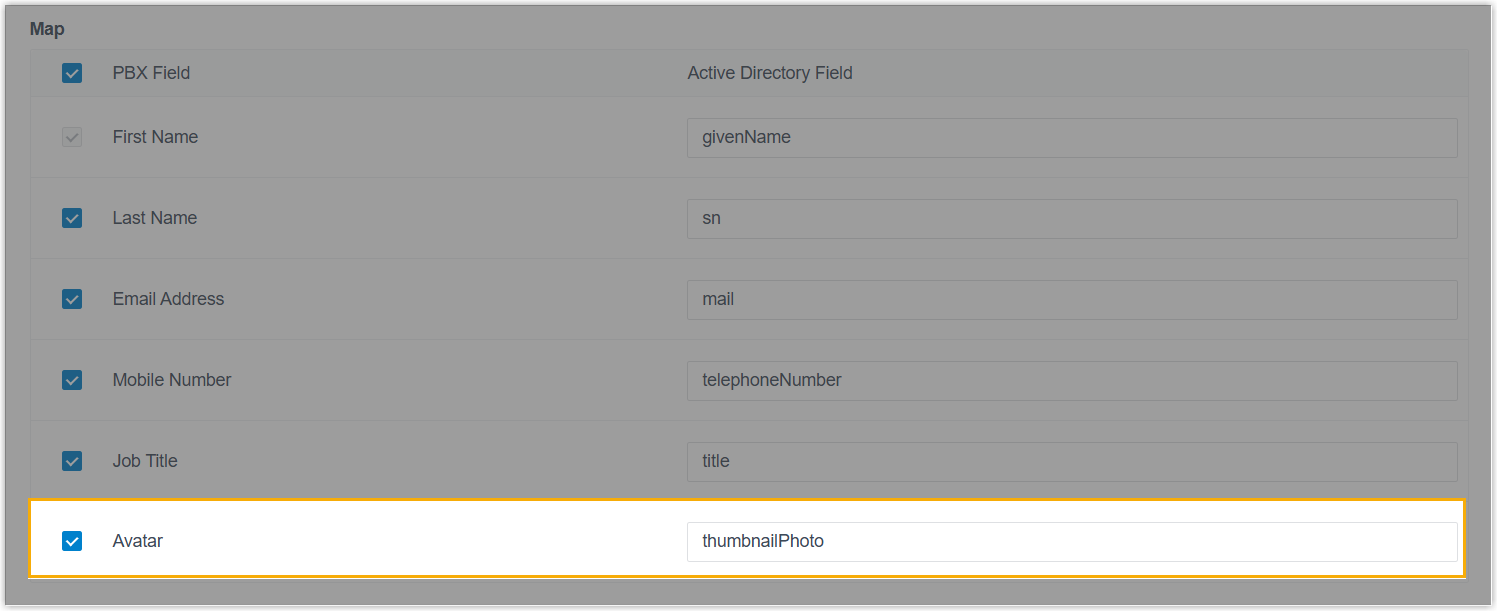
The Map section adds an Avatar field, so user avatars sync from Active Directory to the matching PBX extensions.
-
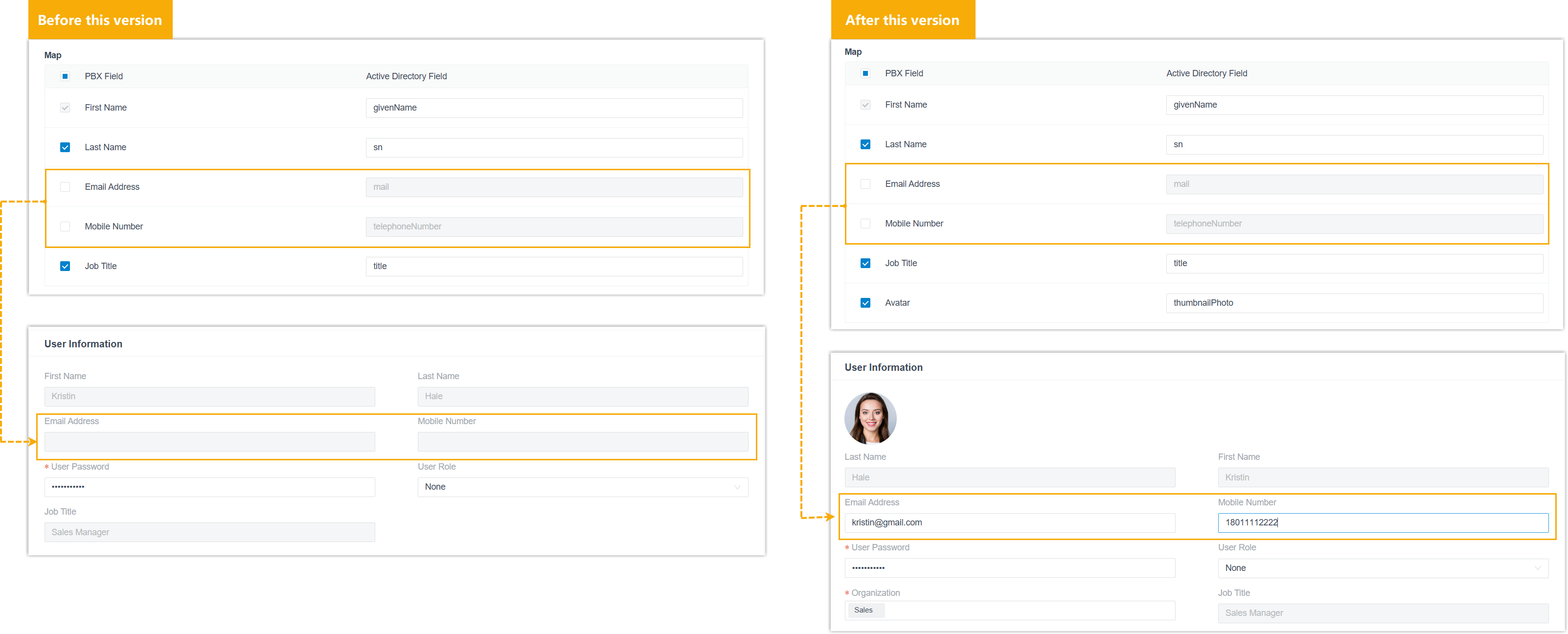
You can now edit the extension details of synced users. If you turn off mapping for a field, that field no longer syncs and you can set it directly on the PBX.
Collaboration Integration
Section titled “Collaboration Integration”The user-matching logic changed when Auto associate Extensions with the Users that share the same email address is enabled:
| Integration | How matching works |
|---|---|
| Microsoft Entra ID (Azure Active Directory) | Matches on the Entra ID user’s User principal name rather than the Email Address field configured in the Map section. |
| Google Workspace | Matches on the Workspace Primary email rather than the Email Address field configured in the Map section. |
Custom CRM/Helpdesk Integration Template
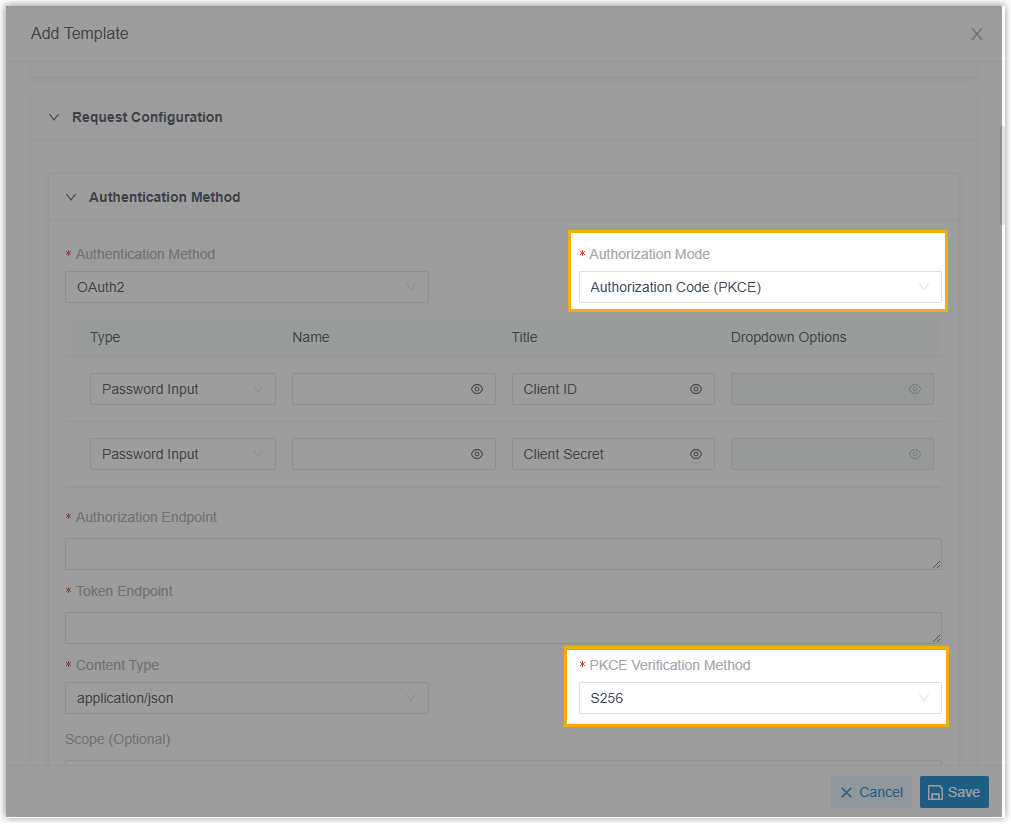
Section titled “Custom CRM/Helpdesk Integration Template”OAuth 2.0 authorization now supports Authorization Code Flow with Proof Key for Code Exchange (PKCE). When you configure OAuth 2.0 in an integration template, set it up with the Authorization Mode and PKCE Verification Method items under Request Configuration > Authentication Method. PKCE authorizes using a challenge-verifier pair instead of a client secret, which guards against authorization-code interception.
Dynamics 365 CRM Integration
Section titled “Dynamics 365 CRM Integration”Fixed: even with Play Call Recording enabled, the recording field on Dynamics 365 phone-call activities stayed empty.
Several API interfaces were extended:
- Extension.
- Manage avatars: a new
extension/uploadtempavatarfileinterface uploads an avatar image and returns a file ID, and a newavatarparameter onextension/get,extension/query,extension/create, andextension/updatereads or sets the extension’s avatar by file ID. - A new
send_busyvalue is available for the destination parameters in extension presence settings onextension/get,extension/query,extension/create, andextension/update. Withsend_busy, the PBX rejects incoming calls and returns SIP486 Busy Here.
- Manage avatars: a new
- Trunk. New
refer_to_support,refer_to_mode_list, andrefer_to_prefixparameters ontrunk/get,trunk/query,trunk/create, andtrunk/updateread or set the SIP REFER options, whether the trunk processes REFER requests, which destination types are allowed, and the prefix for external transfers. - Voicemail. A new
vm/forwardinterface forwards a voicemail to one or more extensions, and a newvm_detailInfoparameter onvm/getandvm/queryreturns the forwarding source (name and number) for forwarded voicemails. - Message Channel. A new
enb_duplicate_active_sessionparameter onmessage_channel/get,message_channel/query,message_channel/create, andmessage_channel/updatereads or sets whether duplicate sessions are allowed on the channel.
Fixed: a contact’s call records appeared in a CDR search, but the scheduled report downloaded for the same contact came back empty.
Call Report
Section titled “Call Report”Fixed: running the Queue Performance report failed with a “request timeout” error even though the actual request limit had not been reached.
Question about this page?
Ask the AI assistant. It starts from this page, then searches the rest of the docs.
Ask Cloud Voice AI
Answers are AI-generated from the docs and may contain mistakes. Verify with the linked pages.