
Enable Cloud Voice Live Chat on Joomla Website
Cloud Voice Live Chat is a small chat window that appears in the lower-right corner of your website. Once you have generated the Live Chat code snippet (a short block of HTML/JavaScript), you paste it into your Joomla site’s template. From then on, visitors can open the widget and start a real-time conversation with your agents without leaving the page.
Before you begin
Section titled “Before you begin”Make sure you already have the Live Chat code snippet. If you don’t, set up a live chat channel first to generate it.
Add the snippet to your Joomla template
Section titled “Add the snippet to your Joomla template”-
Sign in to the administrator panel of your Joomla site.
-
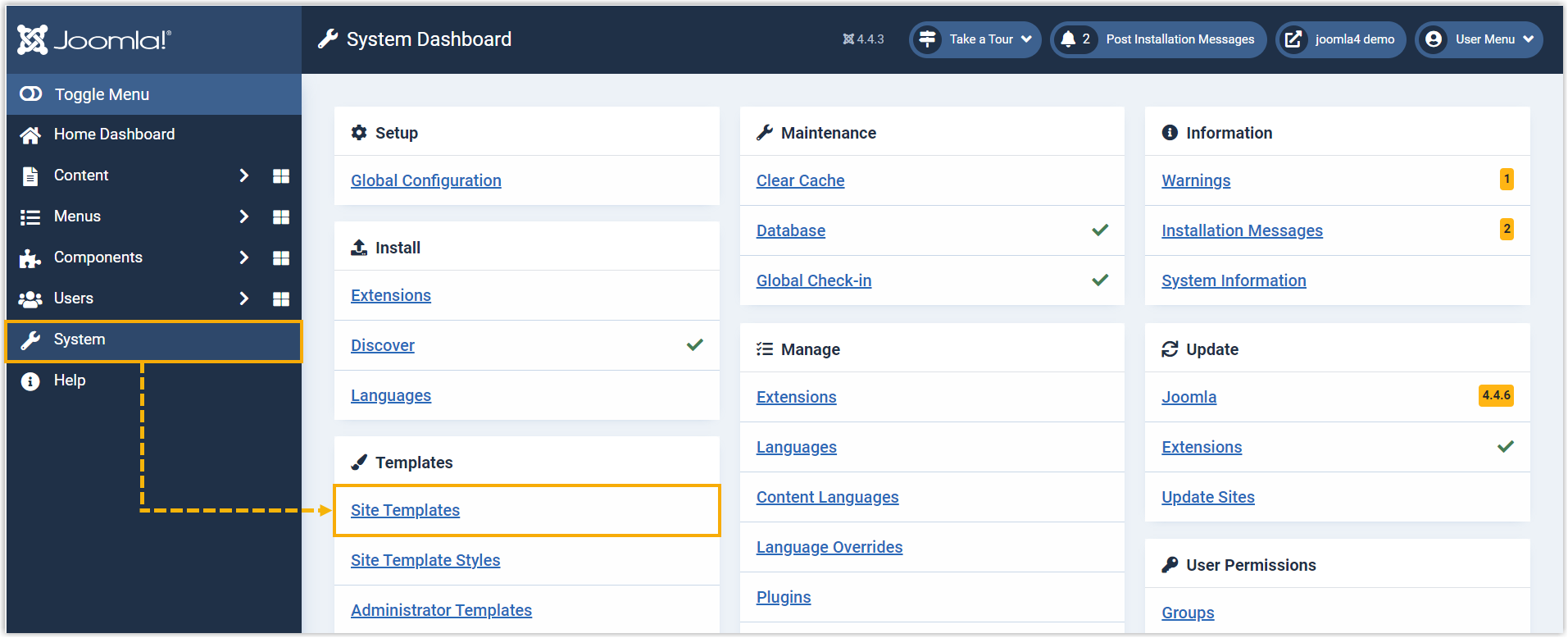
In the left-hand menu, go to System, then select Site Templates.
-
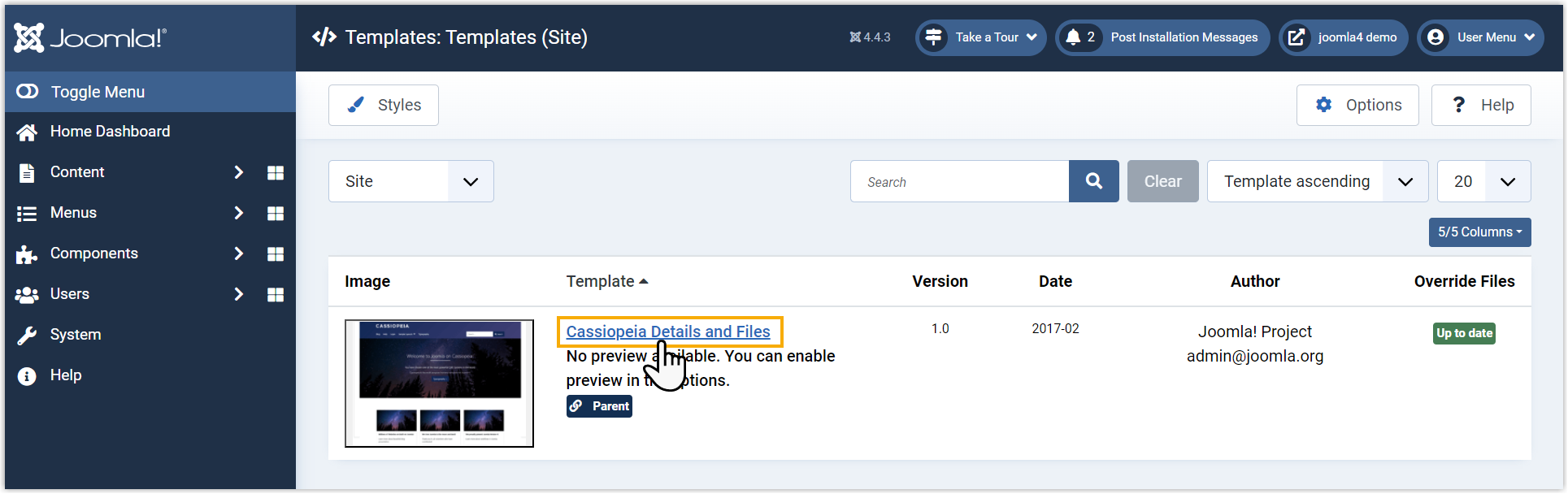
Choose the template where you want the widget to appear.
-
Open index.php and paste the code snippet immediately before the closing
</body>tag. This is the tag near the end of the file that marks the end of the page body, so placing the snippet just above it lets the widget load after the rest of the page.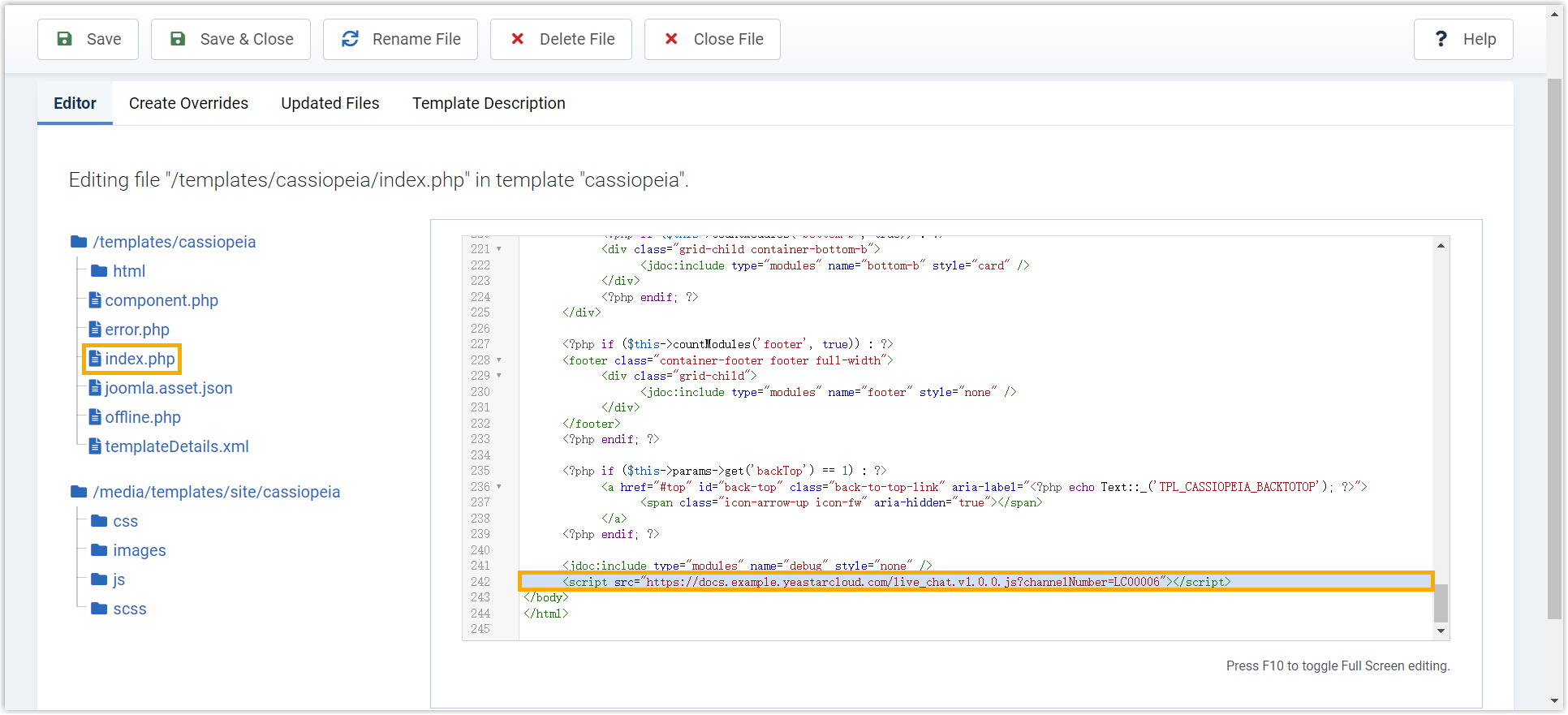
-
Click Save in the top-left corner.
Result
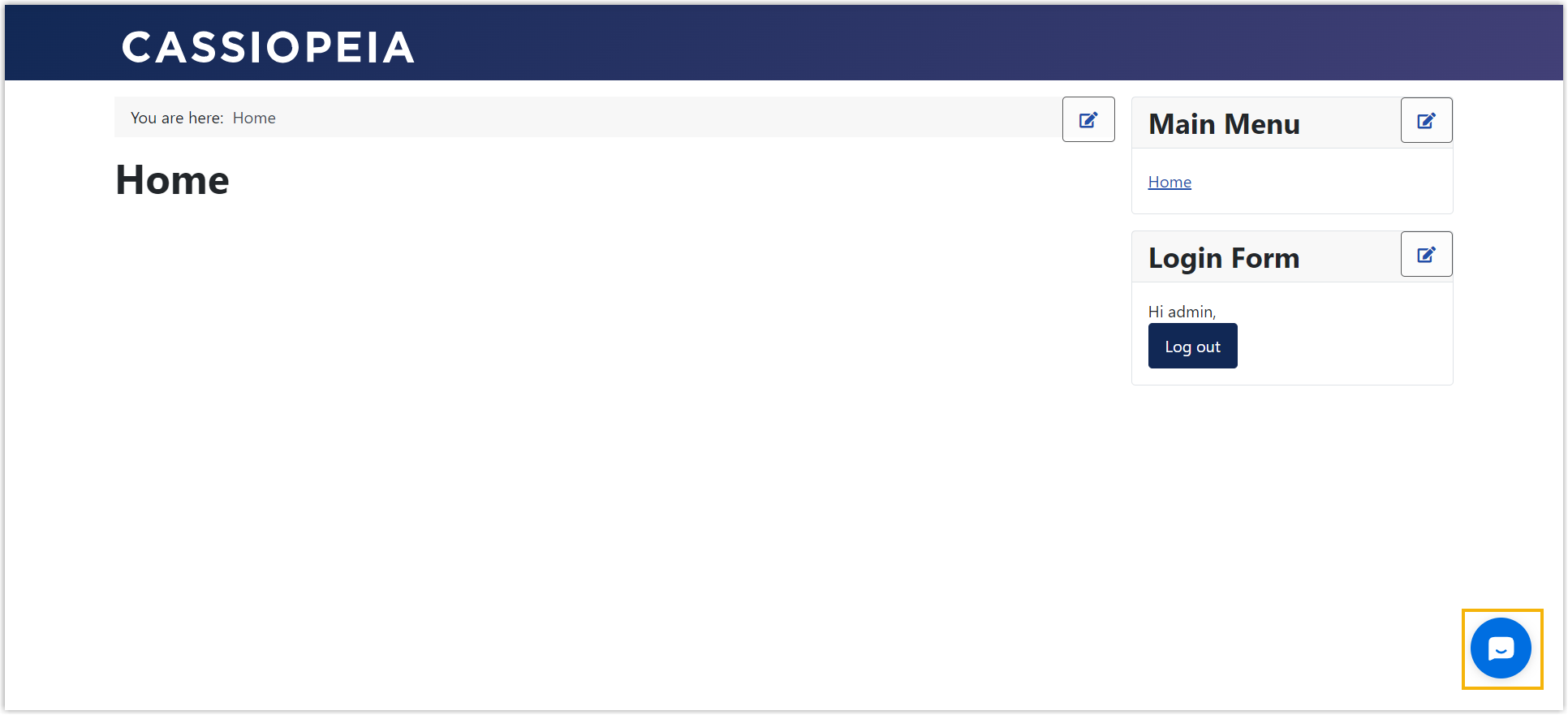
Section titled “Result”Open your Joomla site and you’ll see the live chat widget in the bottom-right corner, ready for visitors to reach your agents.
Question about this page?
Ask the AI assistant. It starts from this page, then searches the rest of the docs.
Ask Cloud Voice AI
Answers are AI-generated from the docs and may contain mistakes. Verify with the linked pages.