
Add Notes to a Call
As an agent, you can attach notes to a queue call (a call routed to you through a call queue) to record the outcome, decisions, or any detail worth keeping. Notes can be added while you are still on the call or afterward, during wrap-up time. Each note combines a disposition code that categorizes the call and a free-text remark.
Before you begin
Section titled “Before you begin”Confirm the following are in place:
- The Cloud Voice server is running firmware 84.18.0.102 or later.
- Your administrator has set up call disposition codes and given you permission to use the call note feature.
Add notes while on a call
Section titled “Add notes while on a call”You can annotate a queue call at any point during the live conversation.
-
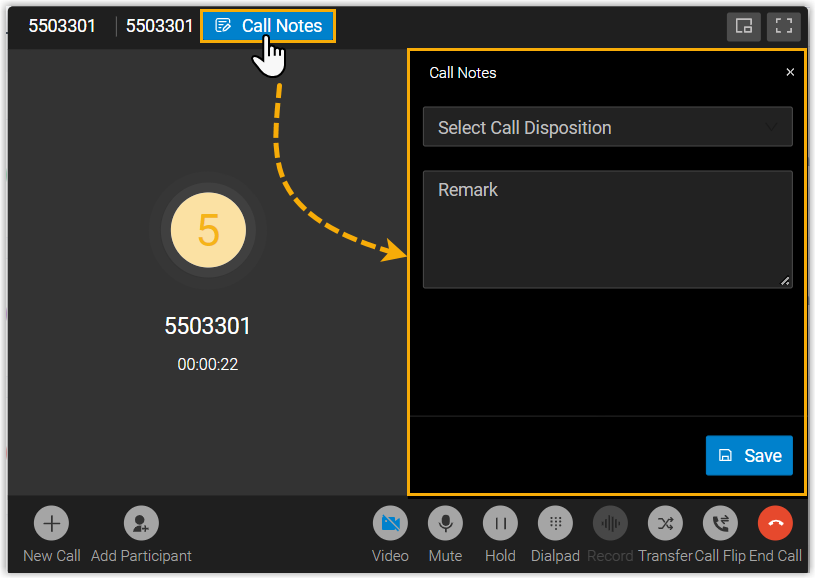
On the active call, select Call Notes to reveal the call note panel.
-
In the panel, tag and describe the call:
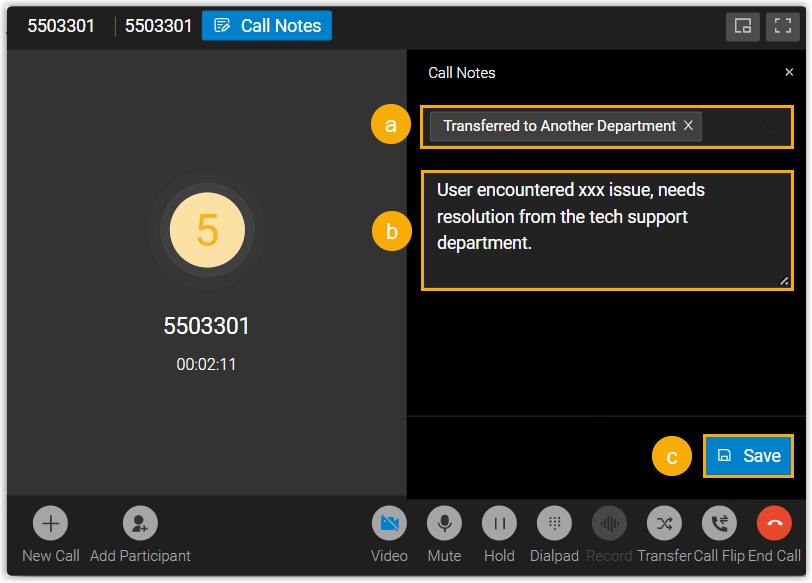
a. From the Select Call Disposition drop-down list, choose a disposition code.
b. In the Remark field, type a brief description of the important points from the call.
c. Select Save. An “Edited Successfully” message confirms that the note has been stored.
Add notes during wrap-up time
Section titled “Add notes during wrap-up time”When a queue call ends and you move into wrap-up time (the short pause after a call before the queue offers you the next one), the call note panel opens on its own so you can create or revise notes.
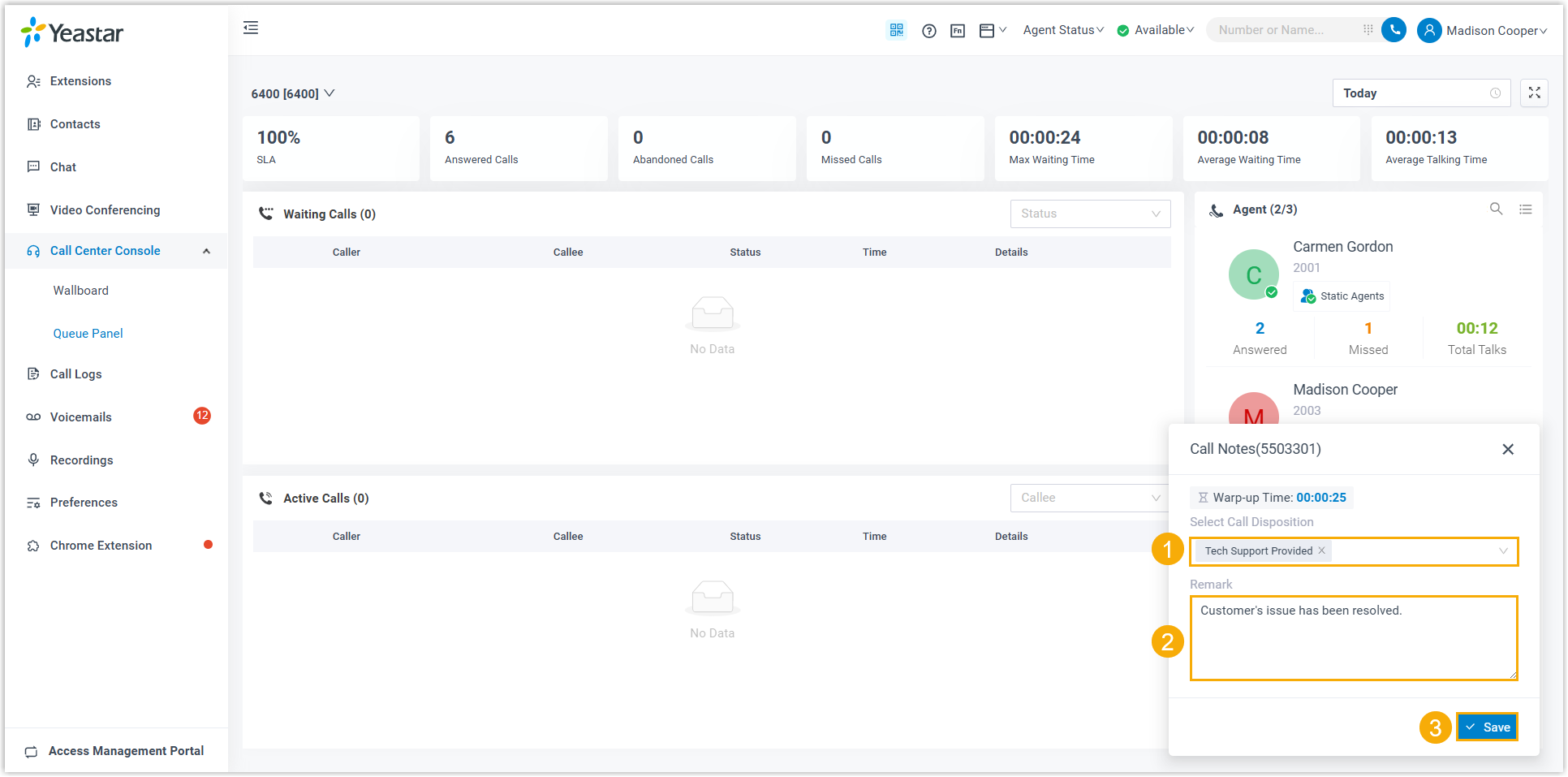
- From the Select Call Disposition drop-down list, choose a disposition code.
- In the Remark field, type a brief description of the important points from the call.
- Select Save.
Question about this page?
Ask the AI assistant. It starts from this page, then searches the rest of the docs.
Ask Cloud Voice AI
Answers are AI-generated from the docs and may contain mistakes. Verify with the linked pages.