
Transfer a call
When a call reaches you but belongs with someone else, you can hand it off from the Cloud Voice App instead of asking the caller to hang up and dial again. Transferring works for any live call and lets you send it to another extension (an internal user on your phone system) or to an outside phone number.
Choose a transfer type
Section titled “Choose a transfer type”The Cloud Voice App offers two ways to pass a call along:
- Blind transfer: Sends the call straight to the third party without checking with them first. Use this when you already know the call belongs with that person or team.
- Attended transfer: Holds the original caller while you place a separate call to the third party, so you can brief them and confirm they can take the call before you connect the two.
Perform a blind transfer
Section titled “Perform a blind transfer”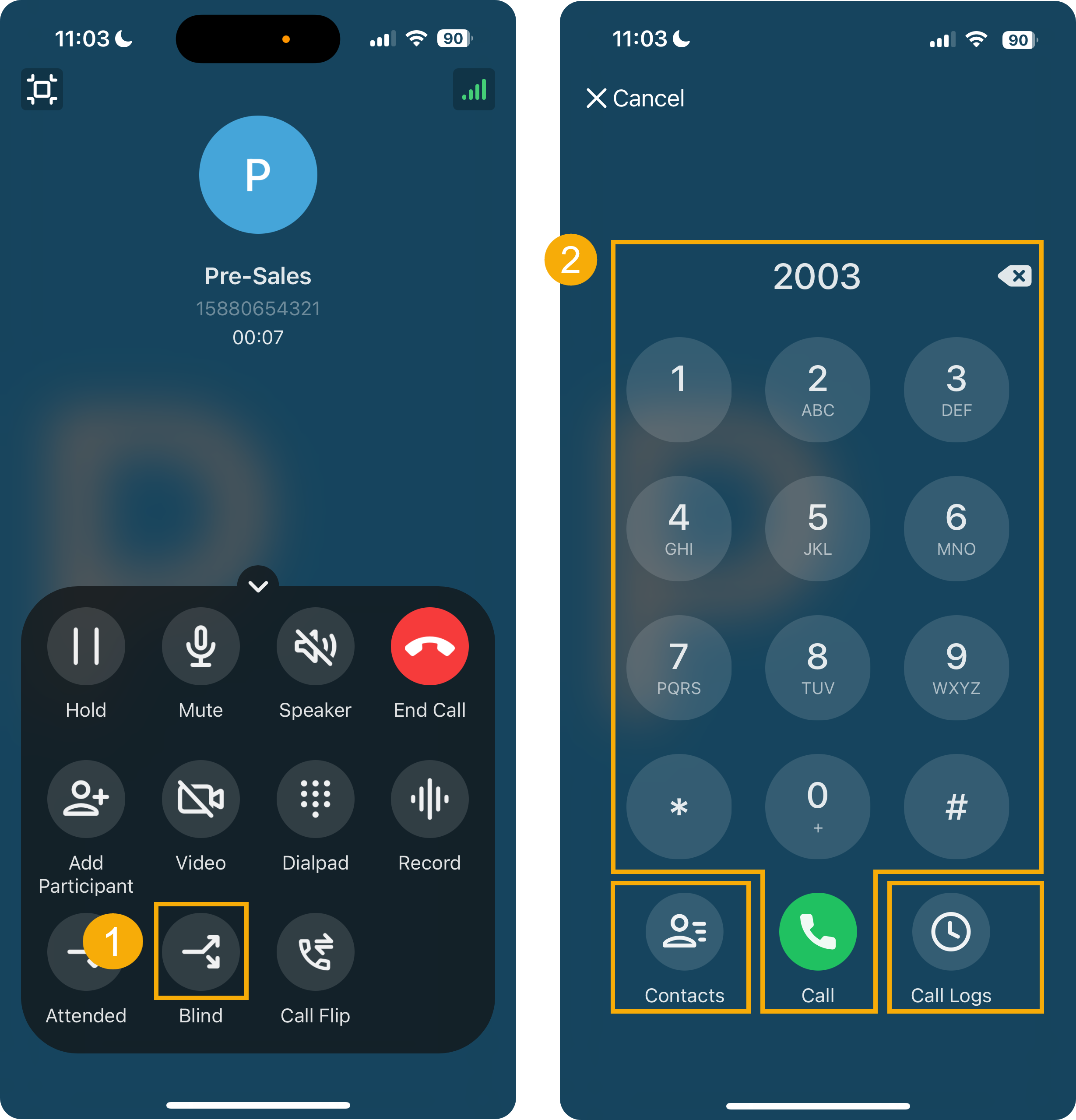
- On the call screen of an active call, tap
 (Blind). The current call goes on hold.
 - Choose the person to receive the call using any of these options:
- Contacts: Pick someone from your Cloud Voice App directory.
- Dialpad: Type the phone number, then tap
 .
. - Call Logs: Pick a contact from your recent call history.
Your original call ends and the call rings through to the person you selected. Once they answer, the caller and the new party are joined.
Perform an attended transfer
Section titled “Perform an attended transfer”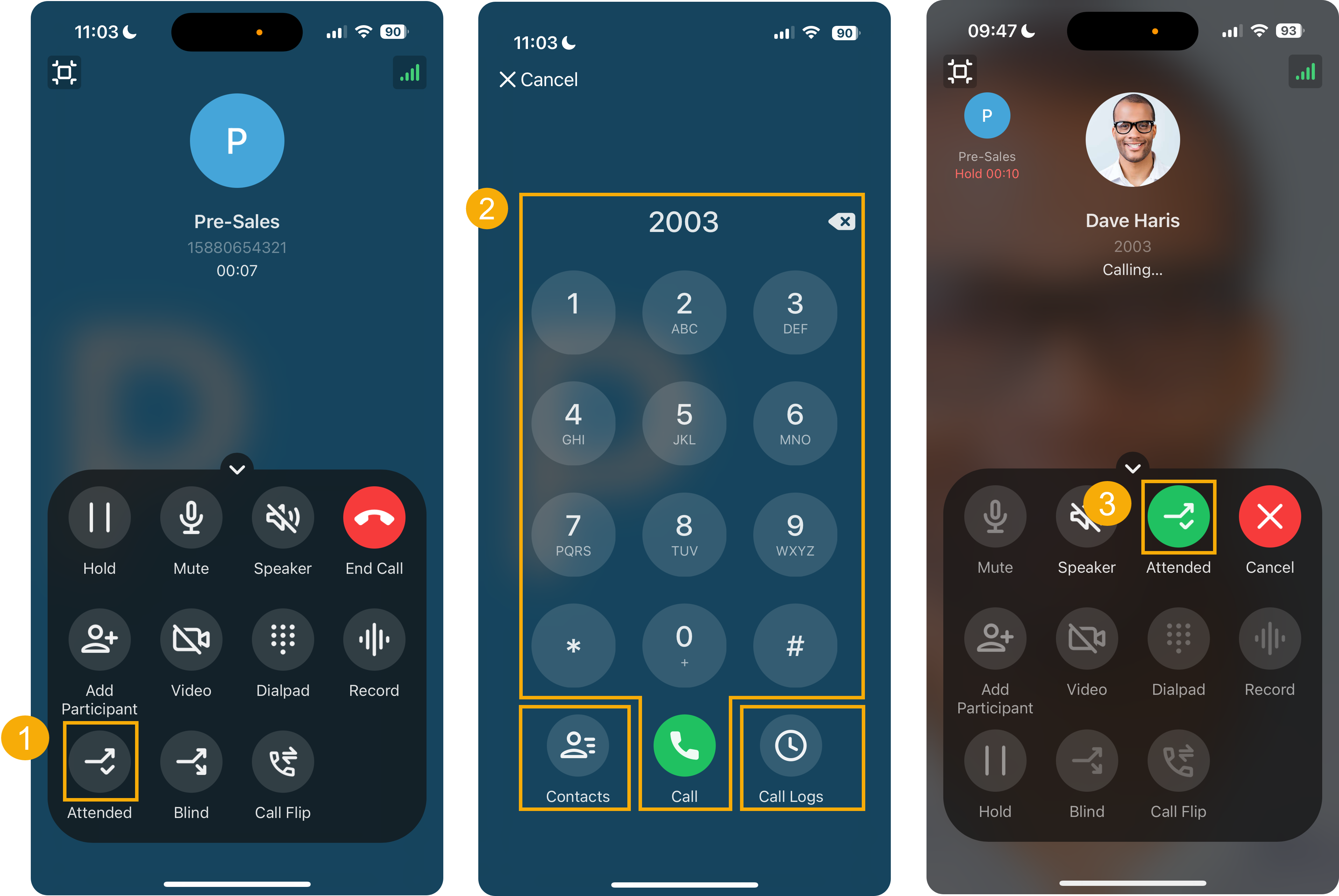
-
On the call screen of an active call, tap
 (Attended). The current call goes on hold.
 -
Choose the person to receive the call using any of these options:
- Contacts: Pick someone from your Cloud Voice App directory.
- Dialpad: Type the phone number, then tap .
- Call Logs: Pick a contact from your recent call history.
The person you selected receives a call from you.
-
When they answer, brief them and share any details they need, then tap Attended to complete the transfer.
Your original call ends and the caller is connected with the party you briefed.
Question about this page?
Ask the AI assistant. It starts from this page, then searches the rest of the docs.
Ask Cloud Voice AI
Answers are AI-generated from the docs and may contain mistakes. Verify with the linked pages.