
Configure Function Keys
Function keys give you one-click shortcuts to everyday call tasks and let you keep an eye on the live status of extensions, queues, parking slots, voicemail, and more. This page walks you through creating your own function keys in the Cloud Voice App and lists every key type you can assign.
Where function keys apply
Section titled “Where function keys apply”You can assign function keys to any of the endpoints below. Each endpoint has its own maximum.
| Endpoint | Maximum number of function keys |
|---|---|
| Cloud Voice App (Web, Desktop, and Mobile) | 120 |
| Cloud Voice App for Google | 120 |
| IP (Internet Protocol) phones that support Auto Provisioning | Varies, limited by the number of line keys on your phone |
Add function keys
Section titled “Add function keys”-
In the Cloud Voice App, open Preferences > Function Keys.
Any function keys your system administrator has already set up for your extension appear in the list.
-
Set up each key to suit how you work.
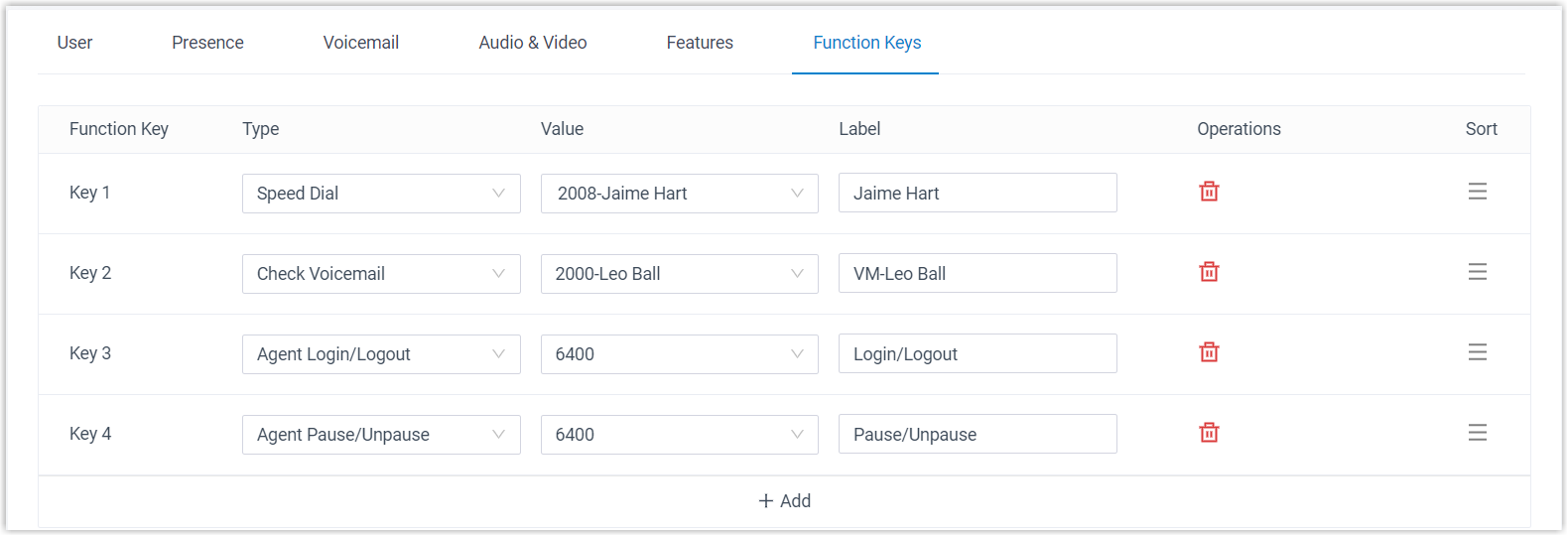
- Type: Choose a key type. See Function key types for the full list.
- Value: Enter the target that matches the type you picked, such as an extension, a queue, or a parking number.
- Label: Optional. Give the key a name that helps you recognize it at a glance.
-
Click Save.
What happens after you save
Section titled “What happens after you save”-
Your keys sync to every Cloud Voice App client and to Cloud Voice App for Google. Click
 in the top toolbar to open a mini panel where you can watch status and trigger actions.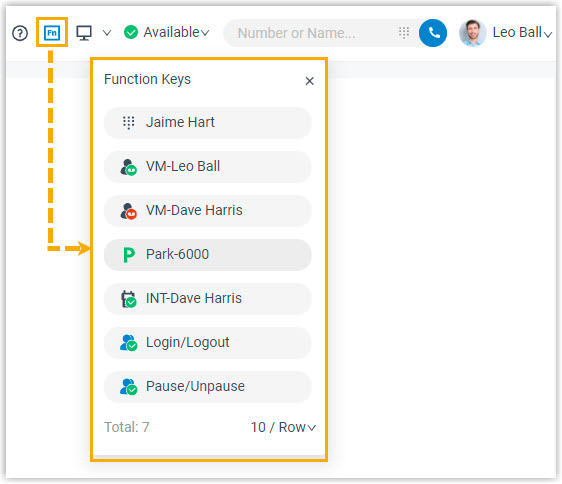
-
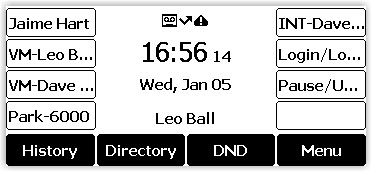
If your extension is also registered on an IP phone through Auto Provisioning, the phone picks up your changes automatically.
Function key types
Section titled “Function key types”Pick a type for each key. A few types work only on IP phones, as noted below. Several types rely on BLF (Busy Lamp Field), a lamp that changes to show whether a monitored line is free, ringing, or busy.
| Type | What it does | Status indicators |
|---|---|---|
| None | The key has no function until you configure it. |  No function assigned yet. No function assigned yet. |
| Line | Sets up a line key on an IP phone. Available on IP phones only. |  Line key. Line key. |
| BLF (Busy Lamp Field) | Monitors a specific extension or a specific extension group so you can see at a glance whether it is free, ringing, or busy. Not available during an audio conference call. | Extension: Unregistered Unregistered Online and ready, click to call the extension Online and ready, click to call the extension Away from desk Away from desk Do Not Disturb, won’t receive calls Do Not Disturb, won’t receive calls On lunch break On lunch break On a business trip On a business trip Off work Off work Receiving a call, click to pick it up (on Mobile, tap the key, then tap the incoming call) Receiving a call, click to pick it up (on Mobile, tap the key, then tap the incoming call) On a call On a call Call is on hold Call is on holdExtension group:  No ringing calls (calls already in progress don’t change this) No ringing calls (calls already in progress don’t change this) One member has a ringing call One member has a ringing call Two ringing calls Two ringing calls Three or more ringing calls, hover for details, then click a call to pick it up Three or more ringing calls, hover for details, then click a call to pick it up The group doesn’t exist The group doesn’t exist |
| Speed Dial | Speed-dials a number you call often. |  Click to call the saved number or extension. Click to call the saved number or extension. |
| Set Presence | Switches your own extension presence. | Set presence to Available Set presence to Away Set presence to Business Trip Set presence to Do Not Disturb Set presence to Lunch Break Set presence to Off Work |
| Check Voicemail | Monitors and opens the voicemail of a monitored extension. |  The monitored extension has been deleted The monitored extension has been deleted All voicemails read All voicemails read Unread voicemails waiting, in the Cloud Voice App, click the key and enter the voicemail PIN when prompted Unread voicemails waiting, in the Cloud Voice App, click the key and enter the voicemail PIN when prompted |
| Check Group Voicemail | Monitors and opens a shared-mode group voicemail. |  The group voicemail has been deleted The group voicemail has been deleted All voicemails read All voicemails read Unread voicemails waiting, in the Cloud Voice App, click the key and enter the group voicemail PIN when prompted Unread voicemails waiting, in the Cloud Voice App, click the key and enter the group voicemail PIN when prompted |
| Park & Retrieve | Monitors a parking number and lets you park or retrieve a call on it. Not available during an audio conference call. |  Parking number is invalid Parking number is invalid Parking number is free, click to park the current call Parking number is free, click to park the current call Parking number is in use, click to retrieve the call Parking number is in use, click to retrieve the call |
| Intercom | Monitors an extension and places an intercom call to it for announcements. |  Unregistered Unregistered Available Available Receiving a call Receiving a call On a call On a call |
| DTMF (Dual-Tone Multi-Frequency) | Sends preset DTMF tones (the tones a phone keypad makes) during a call so you don’t have to key them in each time. Not available during an audio conference call. |  During a call, click to send the DTMF tones. During a call, click to send the DTMF tones. |
| Agent Login/Logout | Shows your login status in a queue and lets you log in or out. |  Not a member of the queue Not a member of the queue Logged in Logged in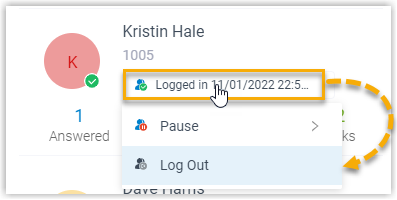 Logged out Logged out |
| Agent Pause/Unpause | Shows your service status in a queue and lets you pause or resume taking calls. | Resume taking calls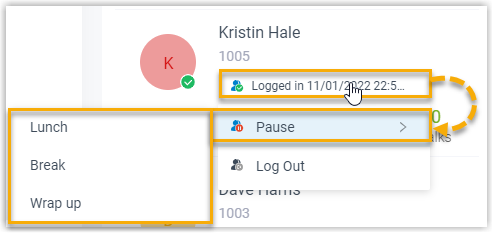 Pause taking calls Not a member of the queue Not logged in to the queue Pause taking calls Not a member of the queue Not logged in to the queue |
| LDAP Directory | Opens the LDAP (Lightweight Directory Access Protocol) phonebook to look up contact details on an IP phone. Available on IP phones only. |  LDAP directory key. LDAP directory key. |
| Boss-Secretary Feature | Lets a boss and a secretary watch each other’s call status. | As a boss, watching your secretary: Not handling any calls for you Not handling any calls for you Answering calls for you Answering calls for you Holding a call, waiting for you to answer Holding a call, waiting for you to answerAs a secretary, watching your boss:  Not holding any calls for you to resume Not holding any calls for you to resume Holding a call, waiting for you to resume Holding a call, waiting for you to resume |
| Call Forward | Turns call forwarding on or off. Available on IP phones only. |  Call forward key. Call forward key. |
| Action URL | Sends an HTTP (web) GET request to a URL you specify to report an event. Available on IP phones only. |  Action URL key. Action URL key. |
Question about this page?
Ask the AI assistant. It starts from this page, then searches the rest of the docs.
Ask Cloud Voice AI
Answers are AI-generated from the docs and may contain mistakes. Verify with the linked pages.