
Merge Calls into an Audio Conference Call
If you are handling more than one call at once in the Cloud Voice App, you can bring the parties together into a single audio conference instead of switching back and forth between them. Once the calls are combined, you become the conference host and can manage the session from the call panel.
Before you begin
Section titled “Before you begin”Your desktop client must meet a minimum version:
- Windows: version 1.7.3 or later
- Mac: version 1.7.3 or later
You also need to have the following in place:
-
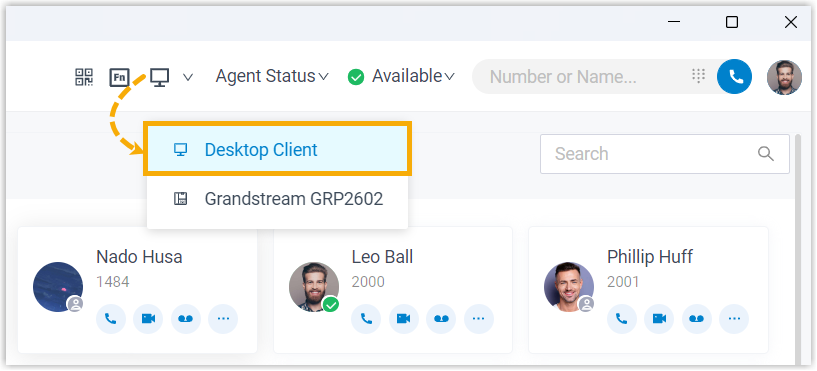
The Cloud Voice App is running in Desktop Client mode. The Merge Calls control is only available in this mode.
-
At least two active calls of the same type are in progress.
Merge the calls
Section titled “Merge the calls”-
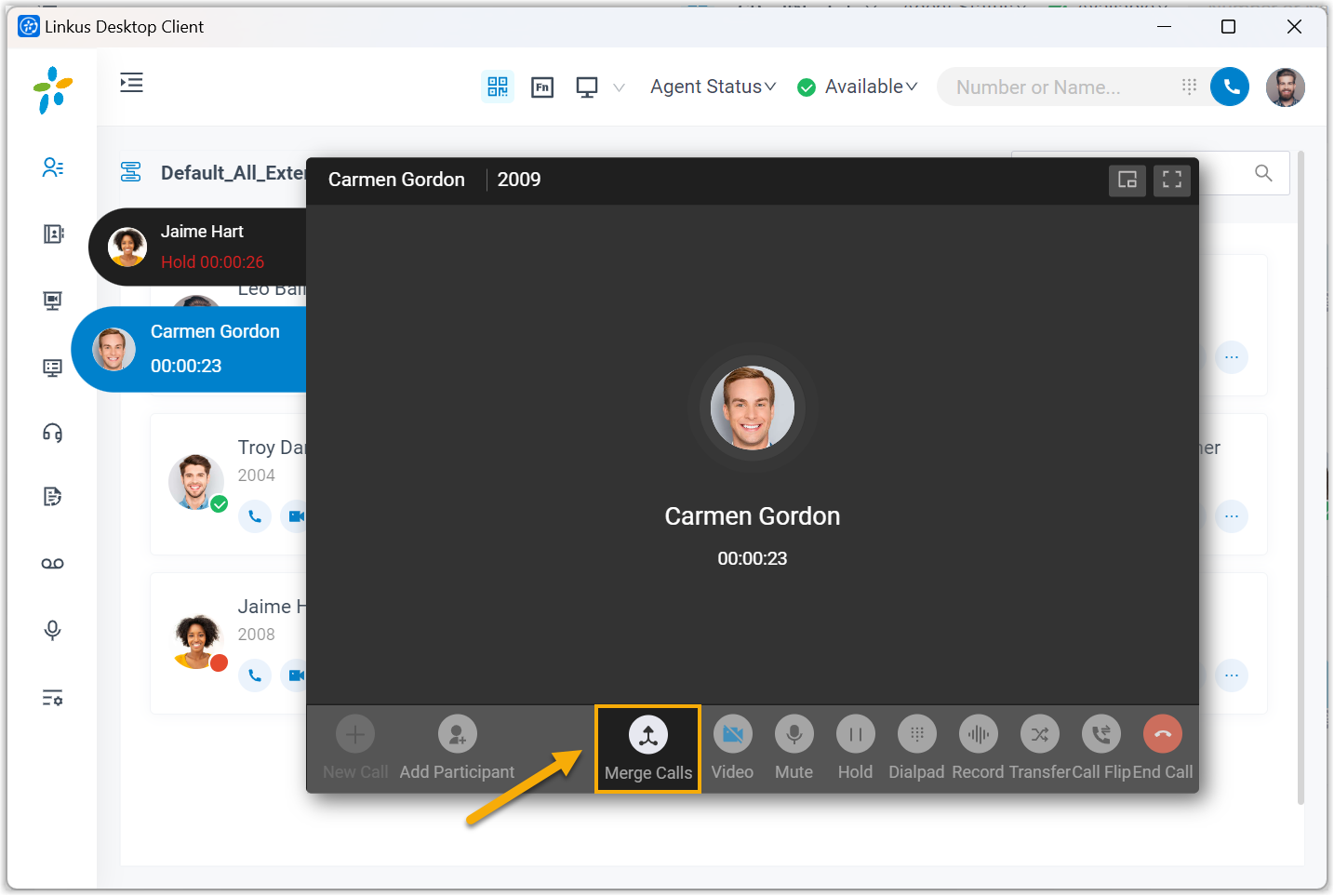
At the bottom of the call panel, click Merge Calls.
-
Choose how the calls are merged:
-
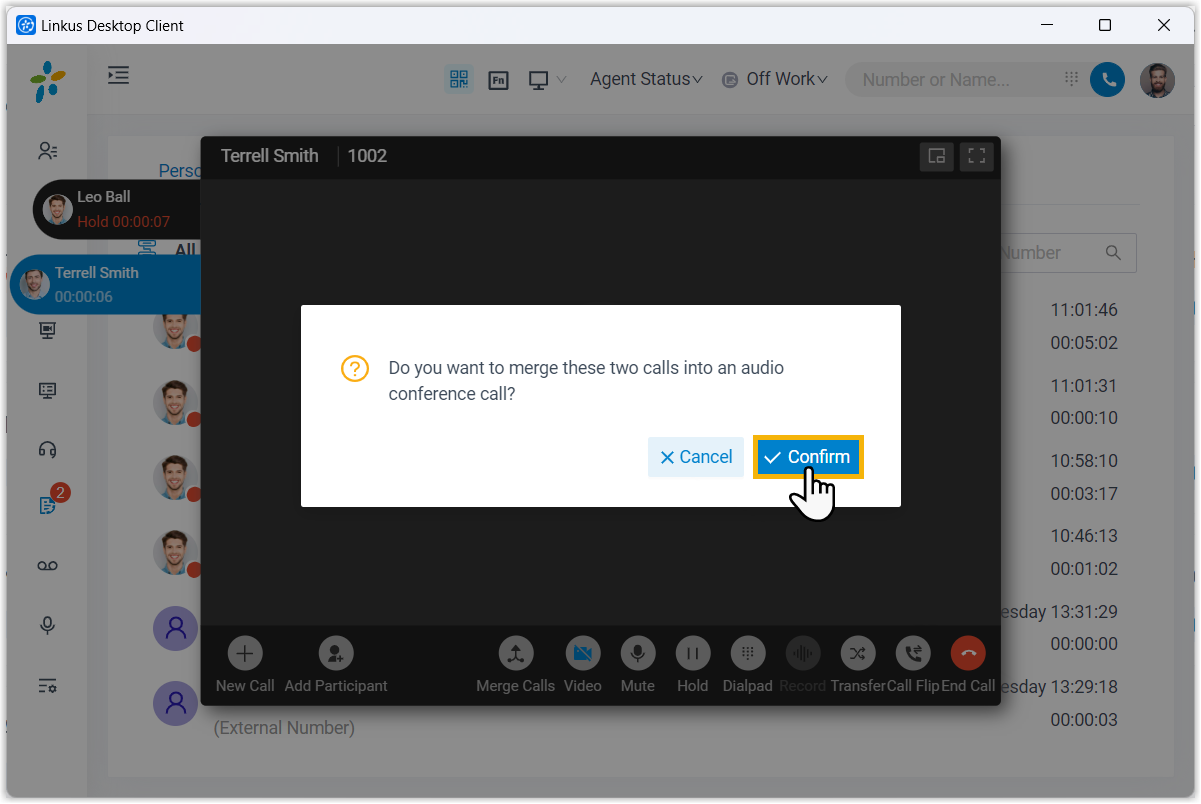
With exactly two active calls, click Confirm in the window that appears.
-
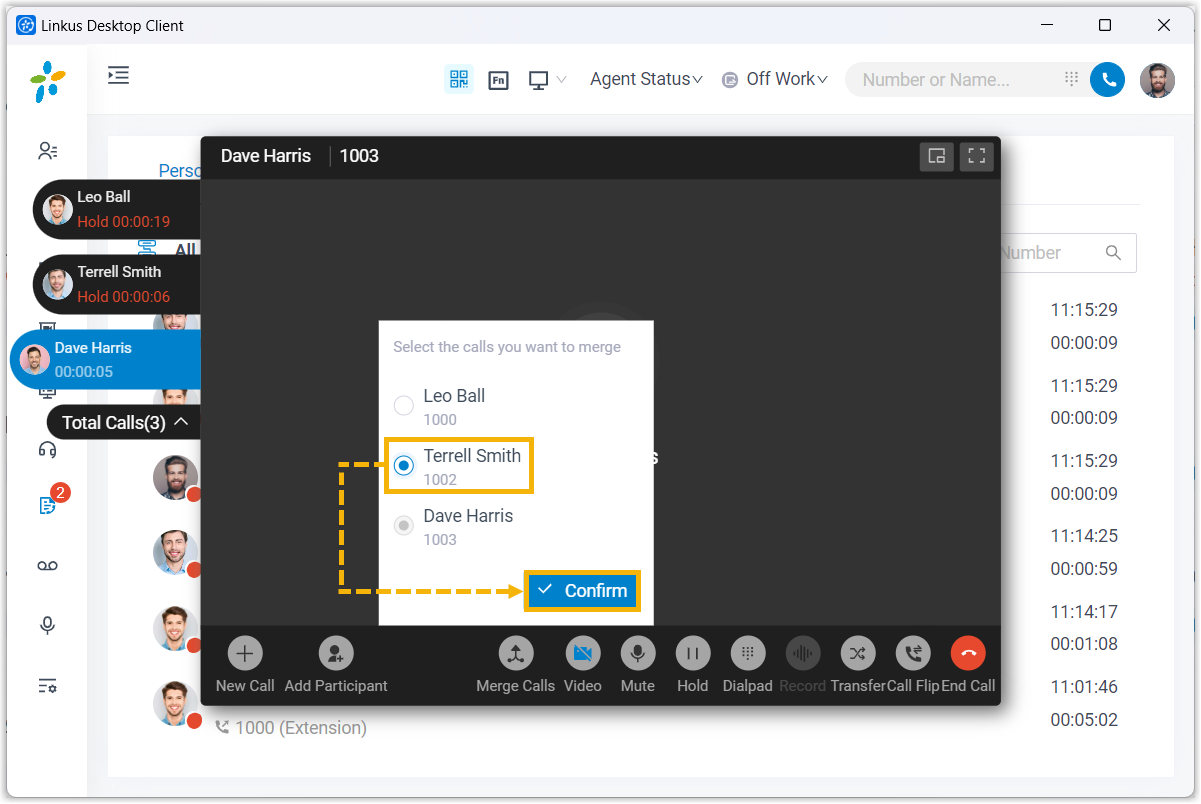
With more than two active calls, select the one call you want to bring in, then click Confirm.
-
Result
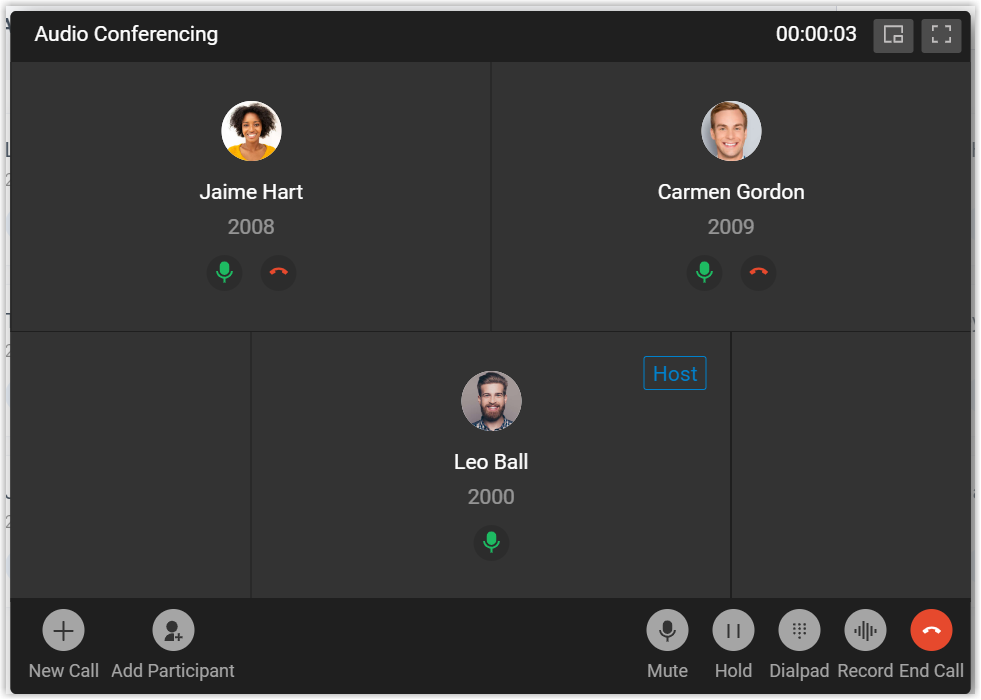
Section titled “Result”The selected calls join into a single 3-way audio conference, with you as the host.
Question about this page?
Ask the AI assistant. It starts from this page, then searches the rest of the docs.
Ask Cloud Voice AI
Answers are AI-generated from the docs and may contain mistakes. Verify with the linked pages.