
View and Manage Call History
The Cloud Voice App keeps a running log of your placed, received, and missed calls. Use it to look up who you spoke with, open the details of any single call, and remove entries you no longer want to keep.
View your call history
Section titled “View your call history”-
In the Cloud Voice App, open Calls > Call Logs.
-
To narrow the list, tap the communication type selector in the top-left corner and choose the category you want to see.
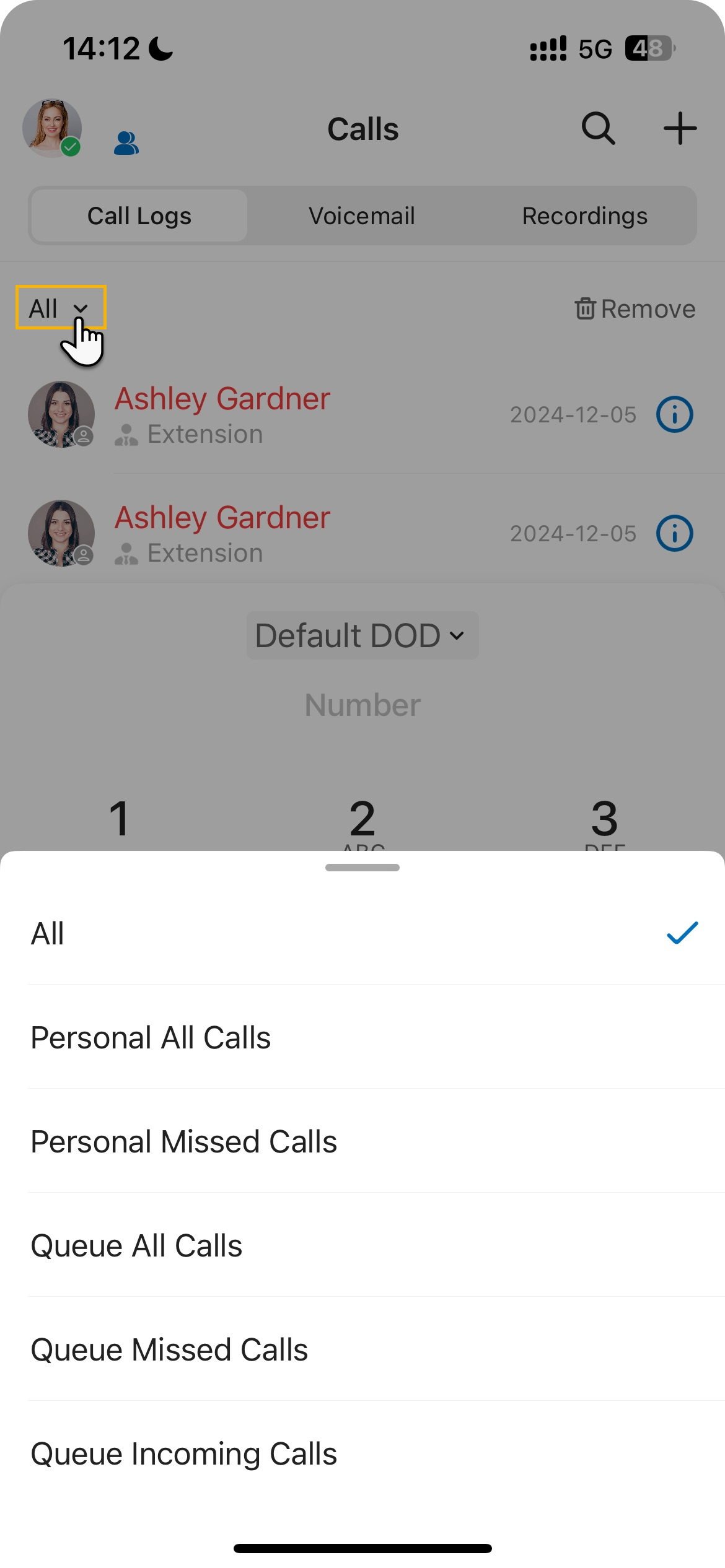
-
Tap the information icon
 beside an entry to open its full details.
Delete call history
Section titled “Delete call history”-
In the Cloud Voice App, open Calls > Call Logs.
-
To remove one entry, swipe left on it and tap Delete. The call is cleared from your personal history in the Cloud Voice App.
-
To clear every entry at once, do the following:
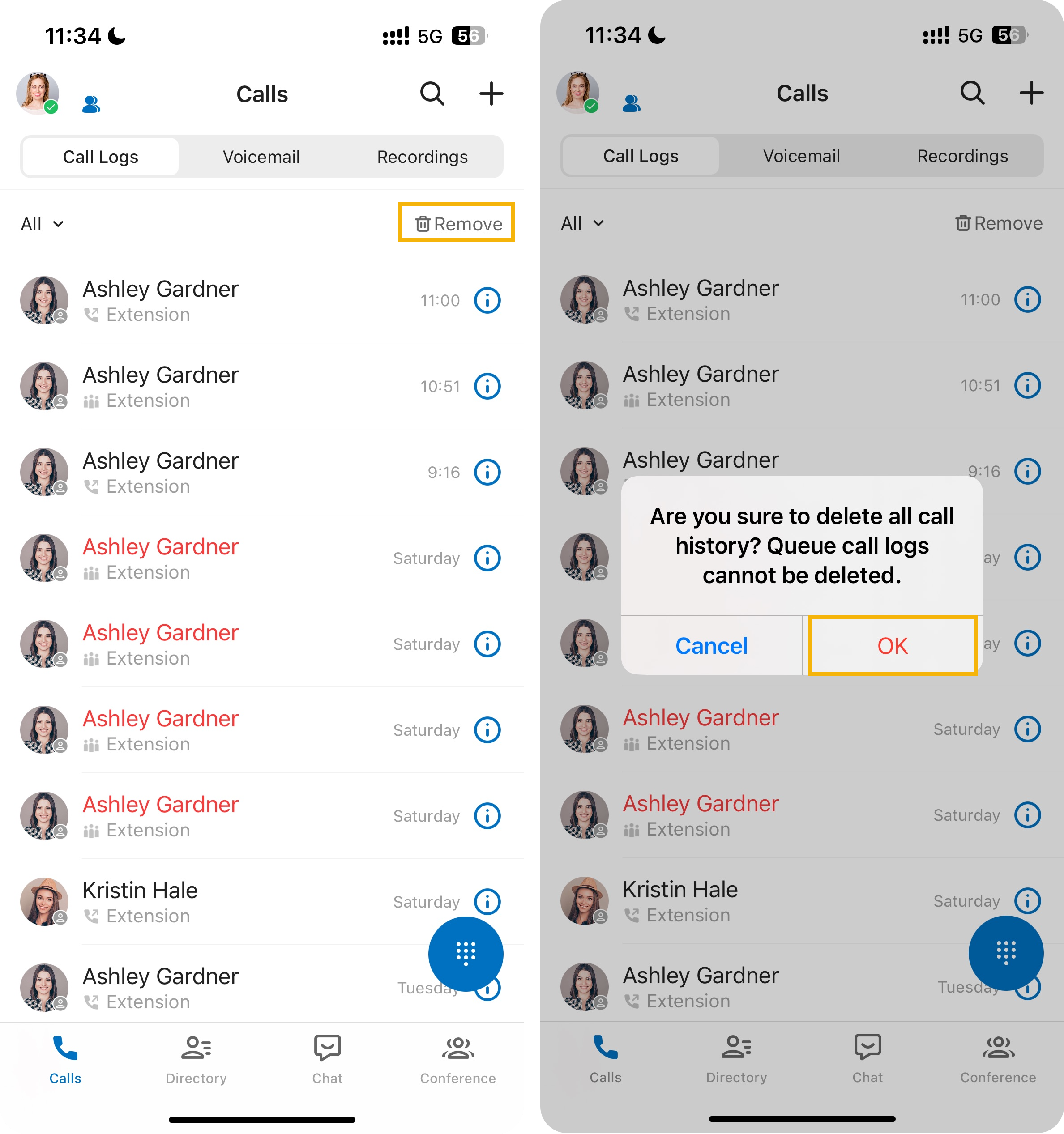
- Tap Remove in the top-right corner.
- Confirm when prompted. Your entire personal call history is cleared.
Question about this page?
Ask the AI assistant. It starts from this page, then searches the rest of the docs.
Ask Cloud Voice AI
Answers are AI-generated from the docs and may contain mistakes. Verify with the linked pages.