
Enable Email Notifications for Missed Calls and Password Changes
The Cloud Voice App can email you when key account events happen, so you stay informed even while you are away from your desk. This page shows you how to switch on alerts for two events: missed calls and password changes.
Turn on email notifications
Section titled “Turn on email notifications”-
Sign in to the Cloud Voice App on your desktop, then go to Preferences > Features.
-
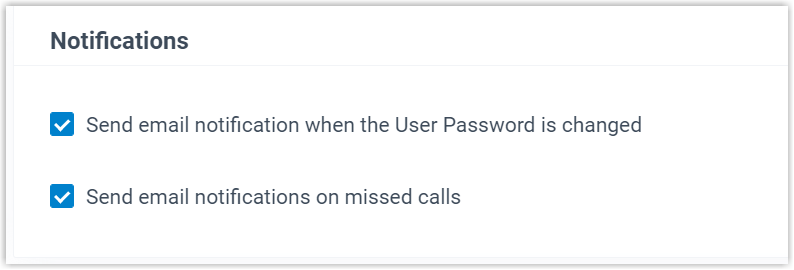
Find the Notifications section and select the checkbox for each event you want to be alerted about. You can turn on one or both:
- Missed calls: an email is sent whenever a call to you goes unanswered.
- Password changes: an email is sent whenever your account password is changed.
-
Click Save. Your choices take effect immediately.
What happens next
Section titled “What happens next”Once enabled, the system emails the matching alert to the address on your Cloud Voice App account whenever one of the selected events occurs.
Question about this page?
Ask the AI assistant. It starts from this page, then searches the rest of the docs.
Ask Cloud Voice AI
Answers are AI-generated from the docs and may contain mistakes. Verify with the linked pages.