
Mark or Remove Favorite Contacts
Favorites give you a shortcut to the people you call the most. Once you flag a contact, it appears in a dedicated Favorite Contacts list, so you don’t have to scroll or search each time you want to reach them. You can add or drop favorites at any point from the Cloud Voice App.
Add a contact to your favorites
Section titled “Add a contact to your favorites”-
Sign in to the Cloud Voice App and open Contacts.
-
Locate the contact you want, click the more icon
 , and choose Add to Favorite Contacts.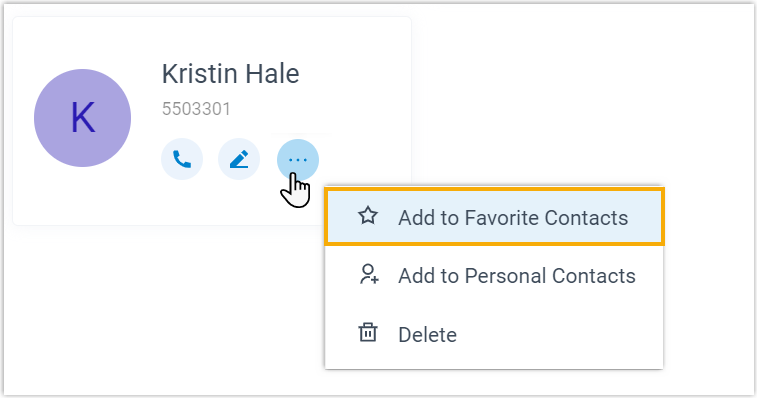
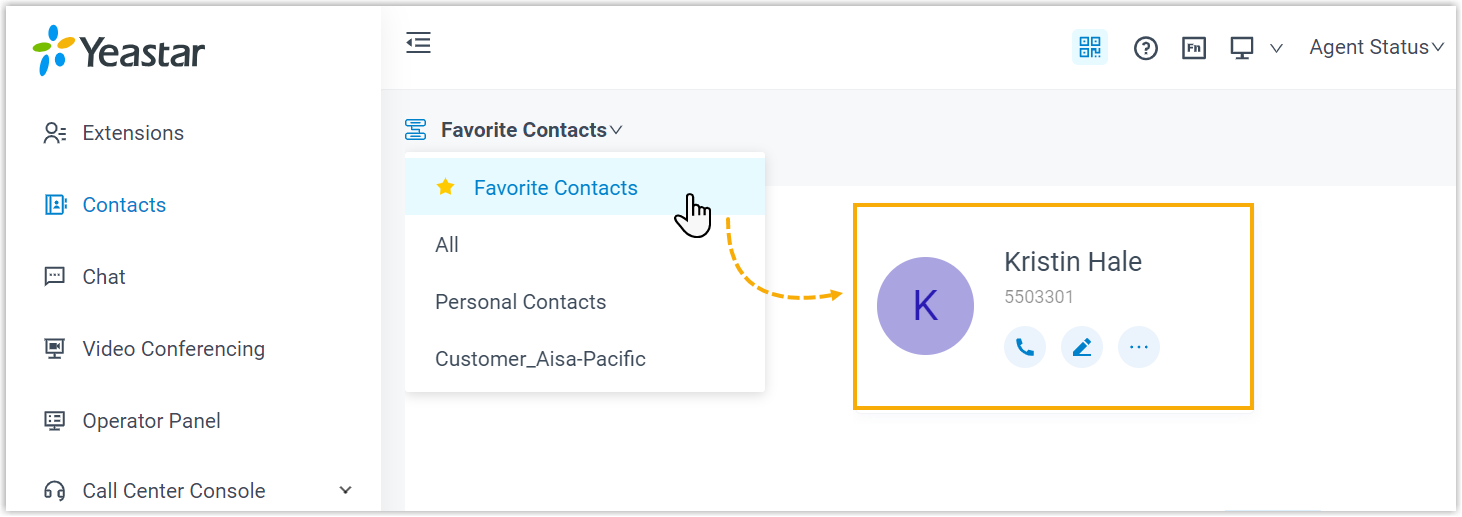
The contact is now flagged as a favorite and shows up in the Favorite Contacts list.
Remove a contact from your favorites
Section titled “Remove a contact from your favorites”-
Sign in to the Cloud Voice App and open Contacts.
-
In the top-left corner of the workspace, open the group drop-down
 and select Favorite Contacts.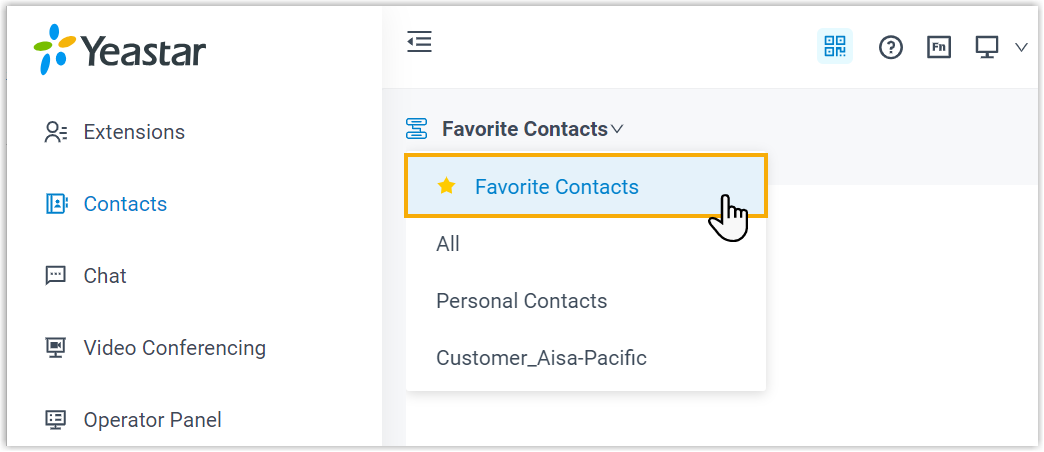
-
Find the contact, click the more icon
, and choose Remove from Favorite Contacts.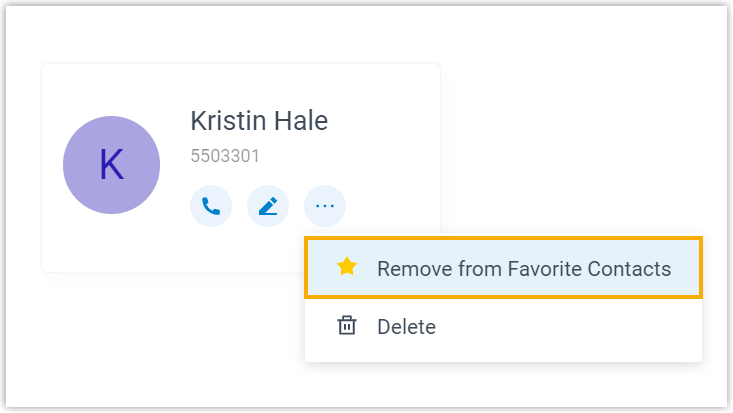
The contact is dropped from your Favorite Contacts list.
Question about this page?
Ask the AI assistant. It starts from this page, then searches the rest of the docs.
Ask Cloud Voice AI
Answers are AI-generated from the docs and may contain mistakes. Verify with the linked pages.