
Network anomaly notifications during a call
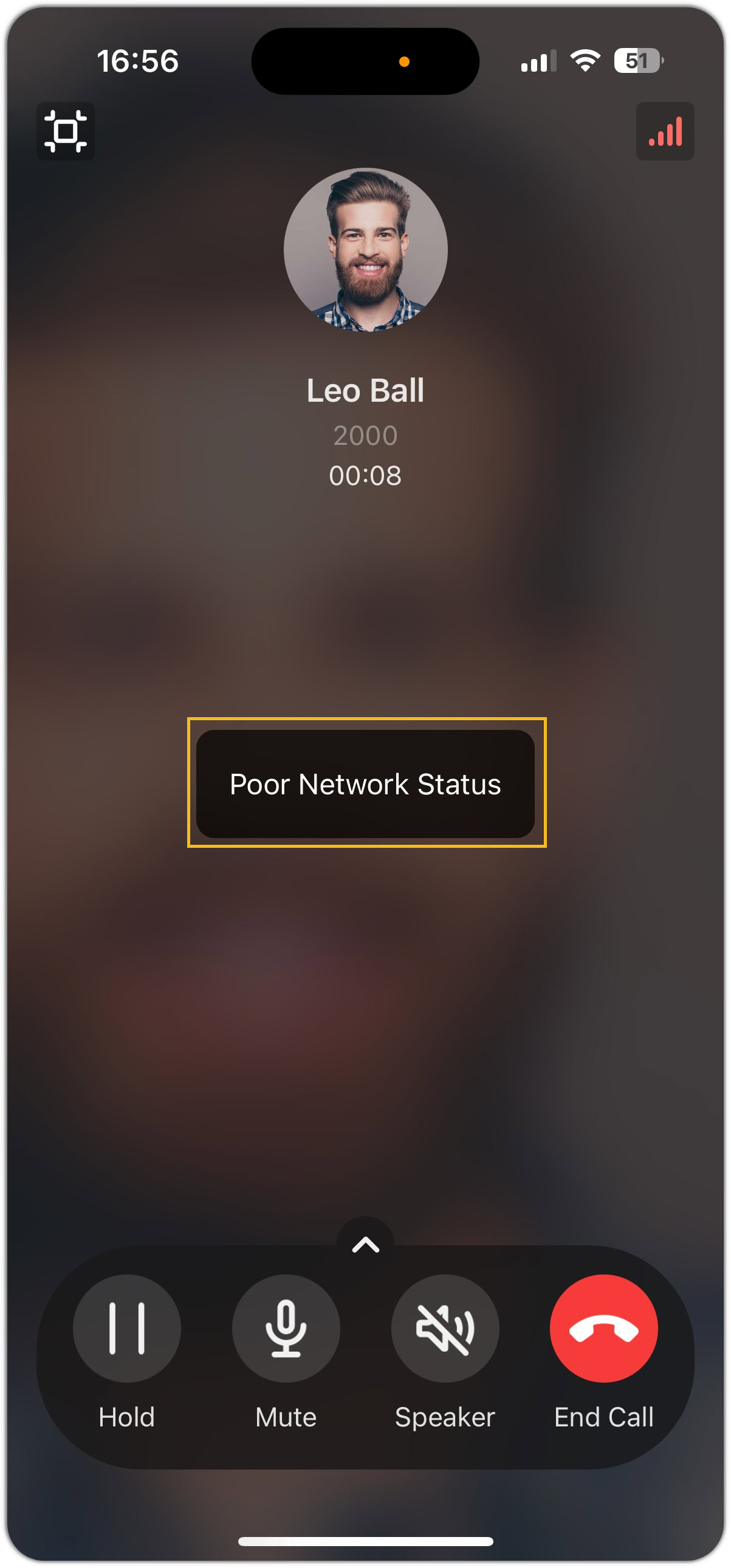
When your connection degrades in the middle of a call, the Cloud Voice App lets you know so you can react before call quality suffers. Out of the box, the app shows an on-screen alert, but you can add an audible cue if you prefer.
Default behavior
Section titled “Default behavior”When the app detects a poor network connection during an active call, it displays a pop-up message directly on the call screen.
Add a beep tone alert
Section titled “Add a beep tone alert”If you would rather hear a tone in addition to seeing the message, change the notification style. This is useful when you are on speakerphone or holding the phone away from your face, where you might not see the on-screen pop-up.
- On the Call page, tap your account in the top-left corner.
- Open Settings > Audio Options.
- Tap Network Tip, then choose Pop-up and Prompt.
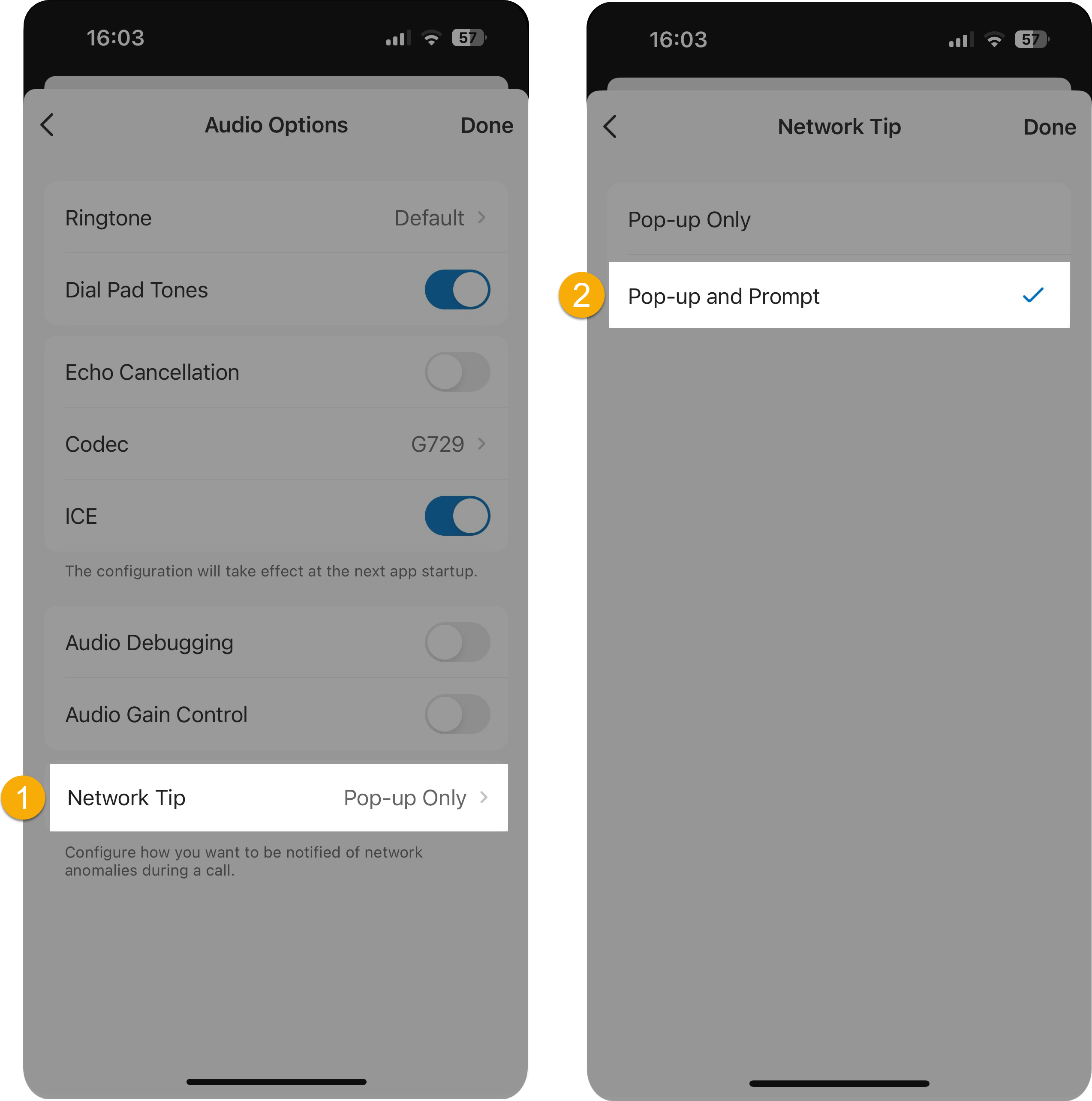
With this option selected, the app plays a beep alongside the on-screen message whenever it detects a network problem during a call.
Question about this page?
Ask the AI assistant. It starts from this page, then searches the rest of the docs.
Ask Cloud Voice AI
Answers are AI-generated from the docs and may contain mistakes. Verify with the linked pages.