
Set up Auto Answer for Non-paging/intercom Calls
Auto Answer lets the Cloud Voice App pick up incoming calls for you, so you no longer have to click to answer every call. Callers connect faster, and you can set a short delay before the app answers. The steps below walk through turning the feature on and tuning it.
This feature applies to non-paging/intercom calls, meaning ordinary calls that are neither paging announcements (a one-way broadcast sent to a group of phones) nor intercom calls (a direct call the other phone answers hands-free).
Requirements
Section titled “Requirements”Auto Answer is available in the Cloud Voice App desktop client, version 1.8.3 or later.
Set up Auto Answer
Section titled “Set up Auto Answer”-
Sign in to the Cloud Voice App desktop client and open Preferences > Features.
-
Under Call, tick the Auto Answer checkbox, then adjust the options to suit how you work.
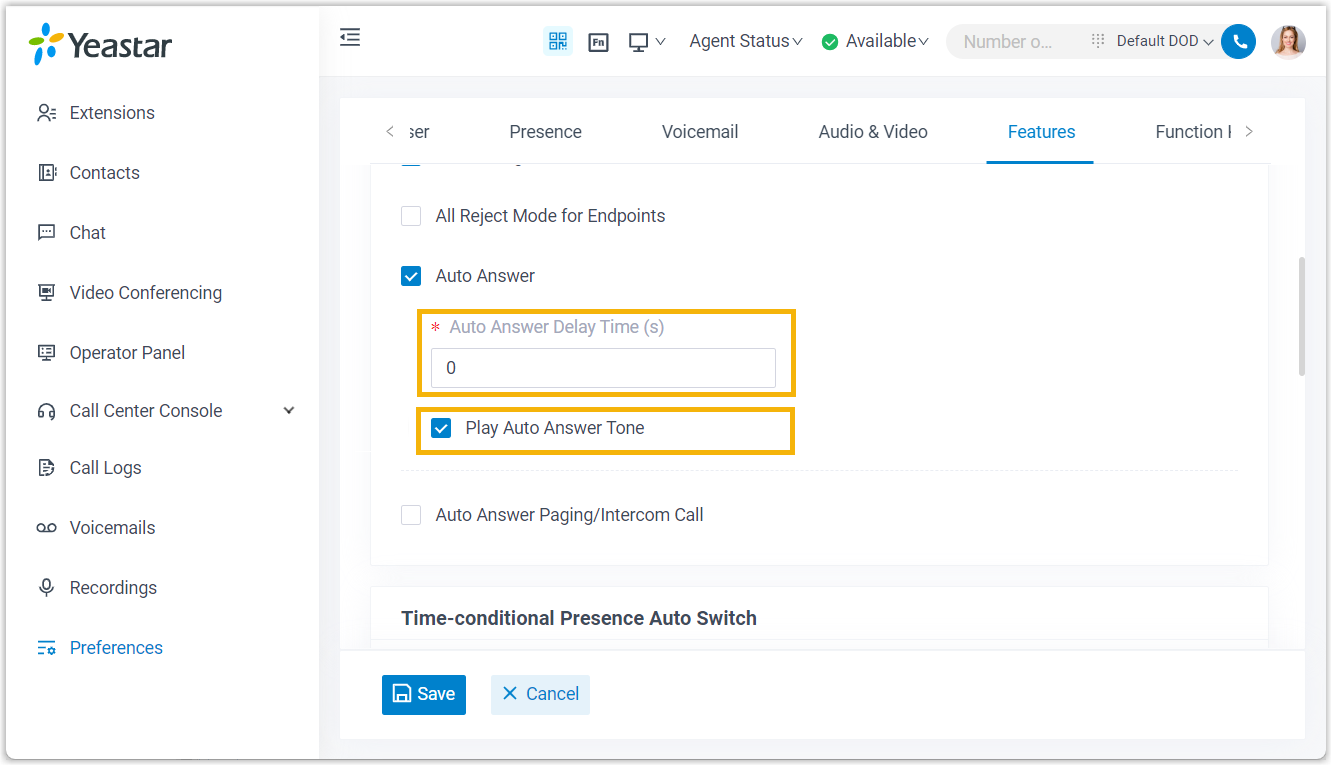
- Auto Answer Delay Time(s): The number of seconds a caller waits before the app answers the call. Enter any value from 0 to 60. A value of
0answers the call the moment it arrives. - Play Auto Answer Tone: Turn this on to hear a short beep whenever the app answers a call for you.
- Auto Answer Delay Time(s): The number of seconds a caller waits before the app answers the call. Enter any value from 0 to 60. A value of
-
Click Save.
What to expect
Section titled “What to expect”Once enabled, incoming calls are answered automatically after the delay you set.
Question about this page?
Ask the AI assistant. It starts from this page, then searches the rest of the docs.
Ask Cloud Voice AI
Answers are AI-generated from the docs and may contain mistakes. Verify with the linked pages.