
Use Microsoft Outlook Integration
Once the Cloud Voice App Desktop Client is connected to Outlook for Windows, you can work with your phone calls without leaving Outlook. This page walks through the everyday features that integration unlocks: dialing contacts, seeing who’s calling, keeping a call history, and creating contacts on the fly.
Make calls in Outlook
Section titled “Make calls in Outlook”Dial any of your Outlook contacts straight from Outlook, and the Cloud Voice App places the call for you.
Before you start: Keep the Cloud Voice App Desktop Client signed in.
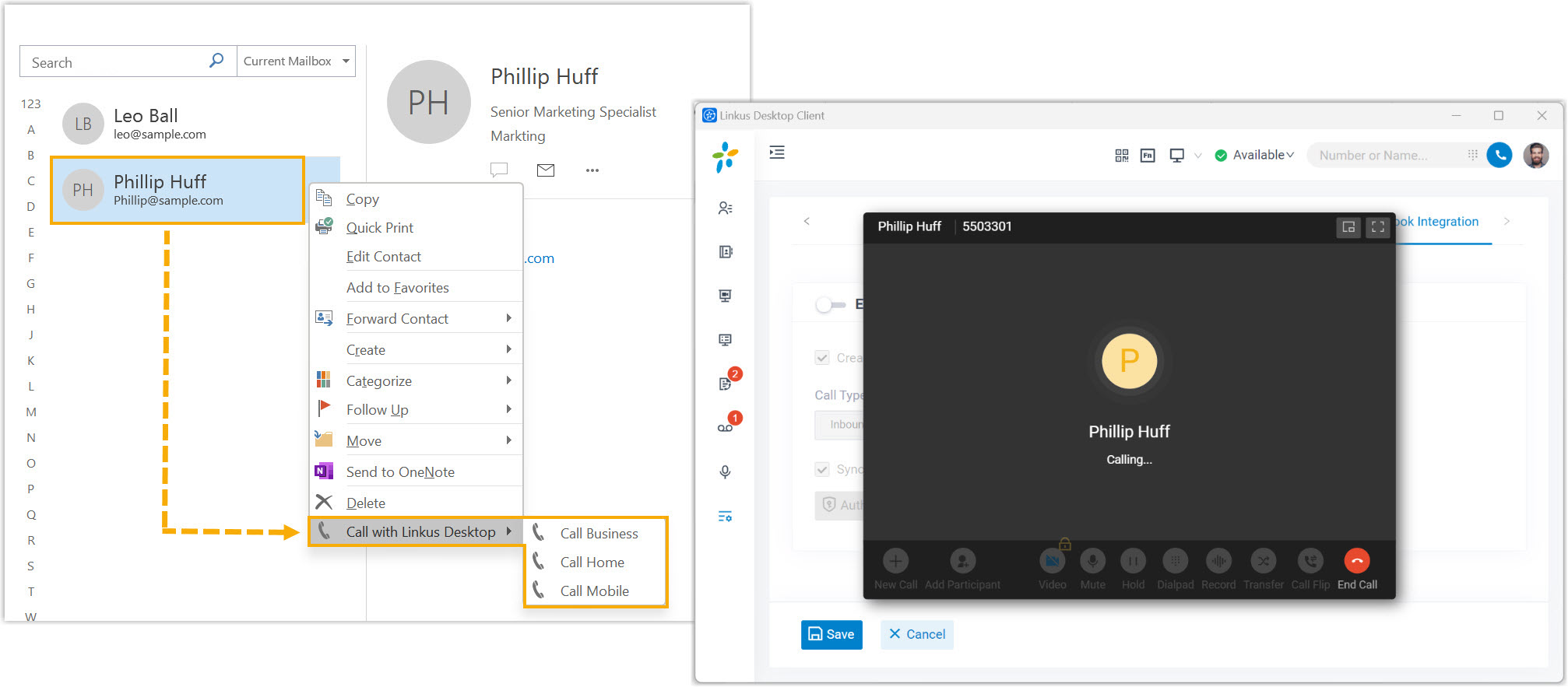
- In your Outlook contact list, right-click the contact you want to reach.
- Choose Call with Cloud Voice App Desktop, then pick the number to dial.
The Cloud Voice App Desktop Client opens on its own and starts the call.
Call Popup
Section titled “Call Popup”When an Outlook contact calls you, Outlook surfaces their details so you know who’s on the line before you answer.
Before you start: Keep Outlook for Windows signed in.
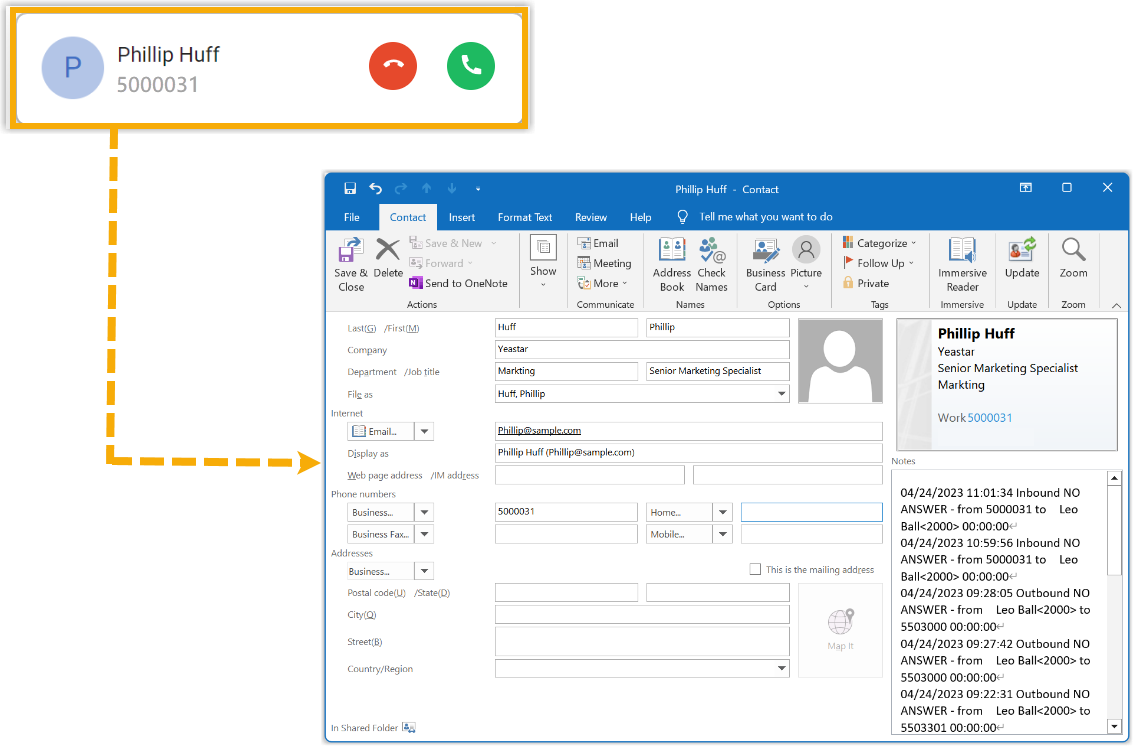
On an incoming call from an Outlook contact, Outlook pops up a window with that contact’s information.
Call Journal
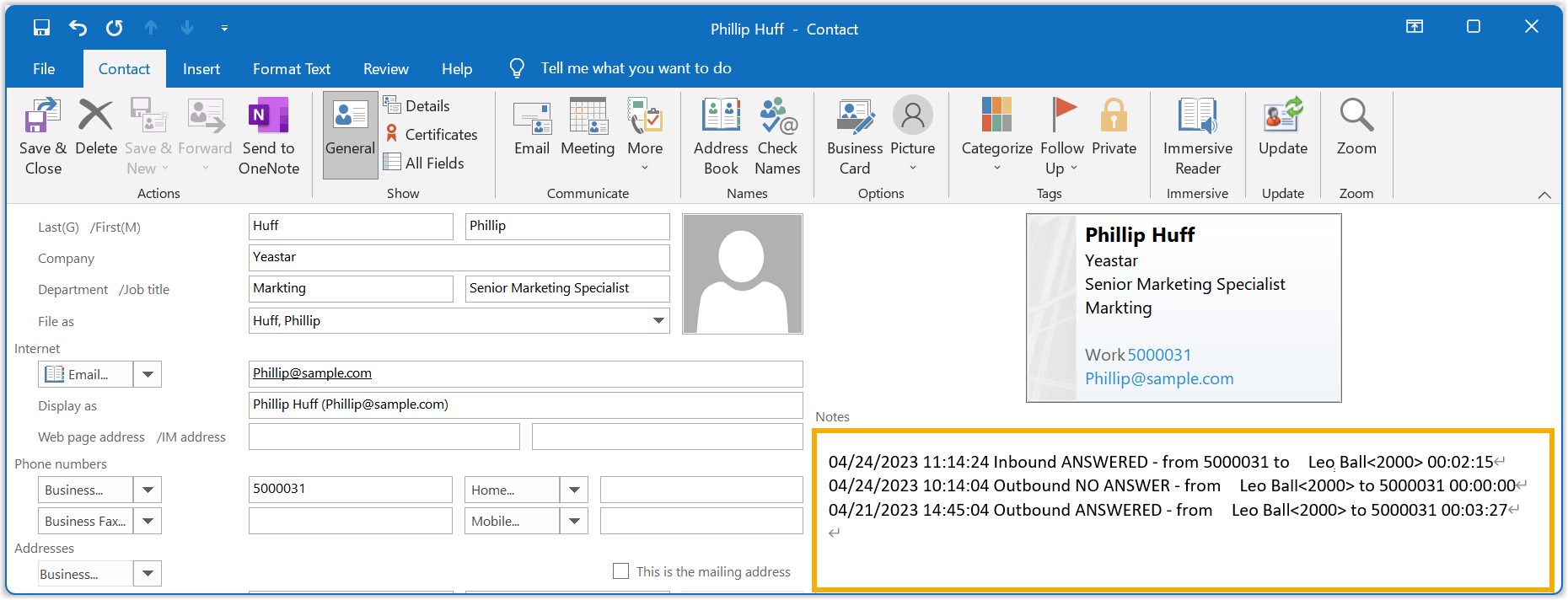
Section titled “Call Journal”Every call you have with an Outlook contact is recorded in Outlook automatically, giving you a running history of your conversations.
Before you start:
- Keep Outlook for Windows signed in.
- Turn on call log synchronization.
Outbound, inbound, and missed calls involving your Outlook contacts are logged to Outlook without any extra steps, so you can track each interaction. To review them, sign in to Outlook, open the contact for editing, and look in the Notes section.
Automatic Contact Creation
Section titled “Automatic Contact Creation”When you talk to a number that isn’t in Outlook yet, Outlook offers to save it for you.
Before you start:
- Keep Outlook for Windows signed in.
- Configure automatic contact creation.
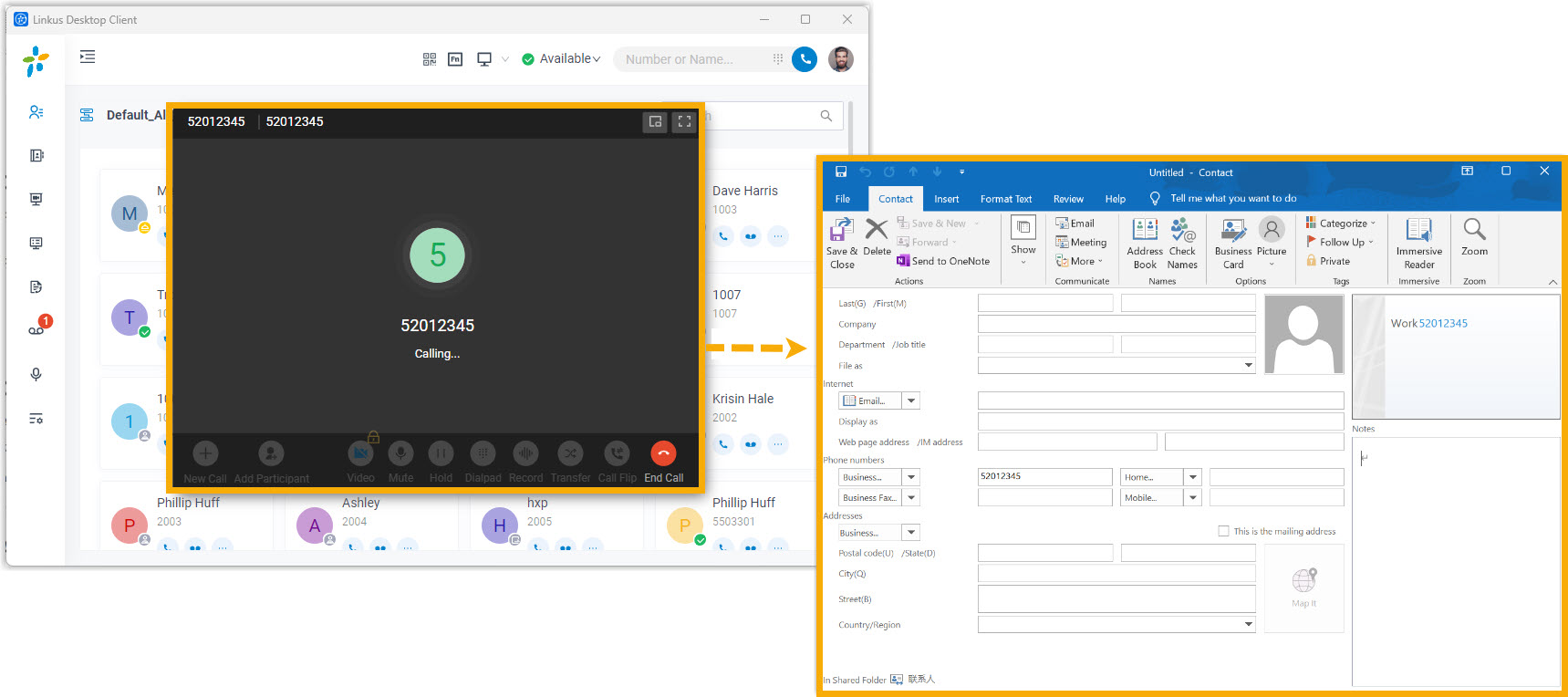
If you place or receive a call with a number that doesn’t match an existing Outlook contact, Outlook opens a new contact page with the phone number already filled in. Add any other details and save it to your contacts.
Question about this page?
Ask the AI assistant. It starts from this page, then searches the rest of the docs.
Ask Cloud Voice AI
Answers are AI-generated from the docs and may contain mistakes. Verify with the linked pages.