
Start a Chat Session with Your Colleagues
When something can wait, a quick message is often better than a call. The Cloud Voice App lets you reach coworkers with instant messages, so you can pass along information without interrupting whatever they are doing. This page walks through both a private, one-on-one conversation and a chat that includes several people at once.
Open the internal chat
Section titled “Open the internal chat”- Sign in to the Cloud Voice App.
- In the left navigation bar, select Chat, then open the Internal Chat tab.
Message a single colleague
Section titled “Message a single colleague”-
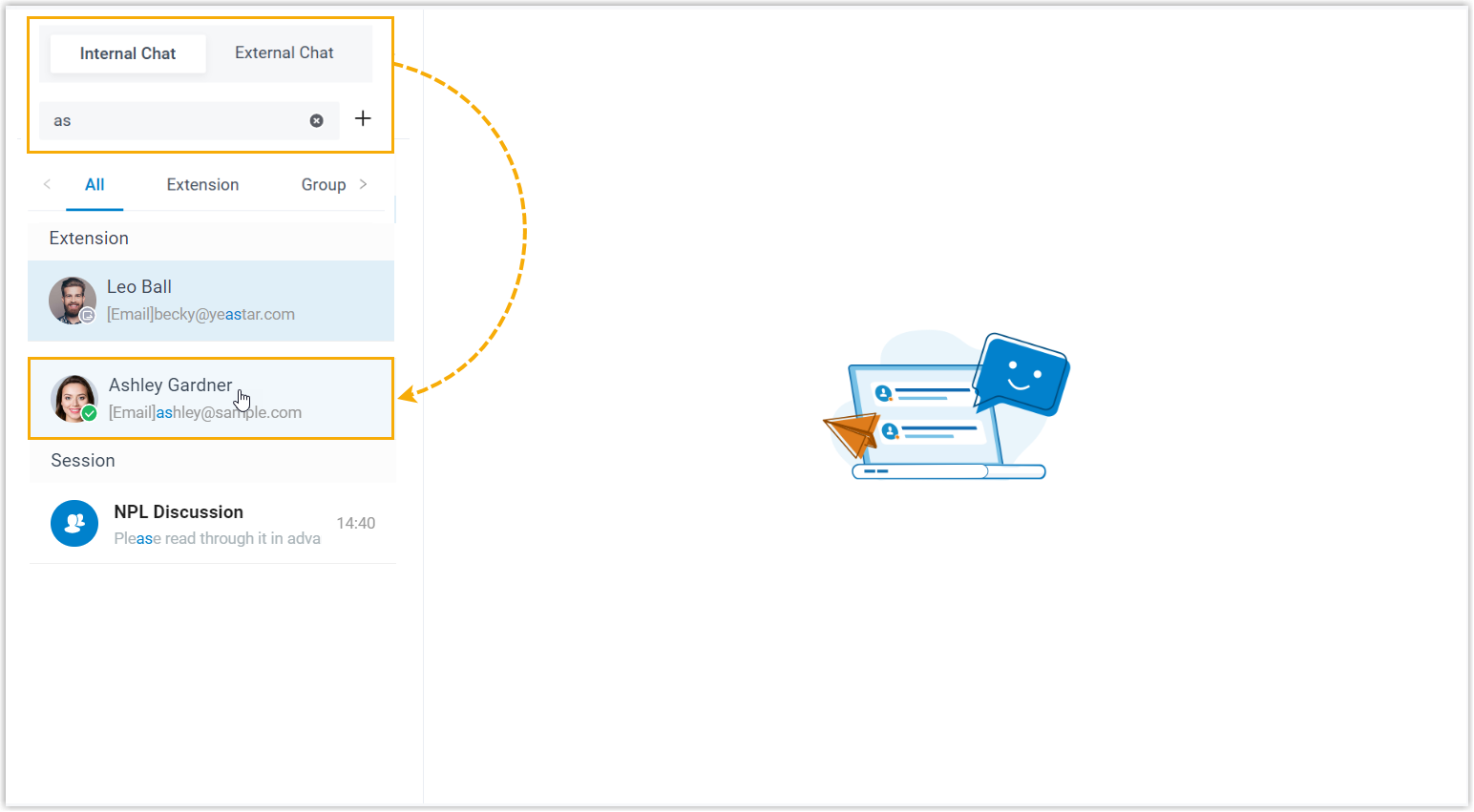
Type into the search bar to look up the person you want to reach.
-
Select the colleague from the results to open the conversation.
Create a group chat
Section titled “Create a group chat”-
Select the add icon
 next to the search bar.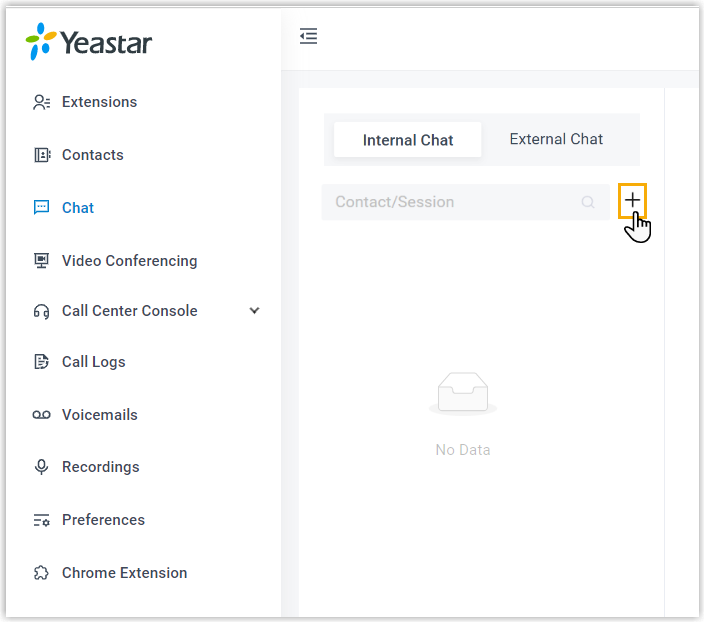
-
In the dialog that appears, choose the coworkers you want to include, then select Create.
Question about this page?
Ask the AI assistant. It starts from this page, then searches the rest of the docs.
Ask Cloud Voice AI
Answers are AI-generated from the docs and may contain mistakes. Verify with the linked pages.