
Transcribe a Call
AI call transcription writes out what you and the other party say as the conversation happens, then builds an automatic summary once the call ends. This page covers starting transcription from within an active call and working with the results afterward.
Before you start
Section titled “Before you start”- Your Cloud Voice system is running firmware 84.20.0.74 or later.
- Your administrator has enabled Call Transcription for your extension.
- Enough transcription time is left in your allowance for the AI service to run.
Transcribe a live call
Section titled “Transcribe a live call”-
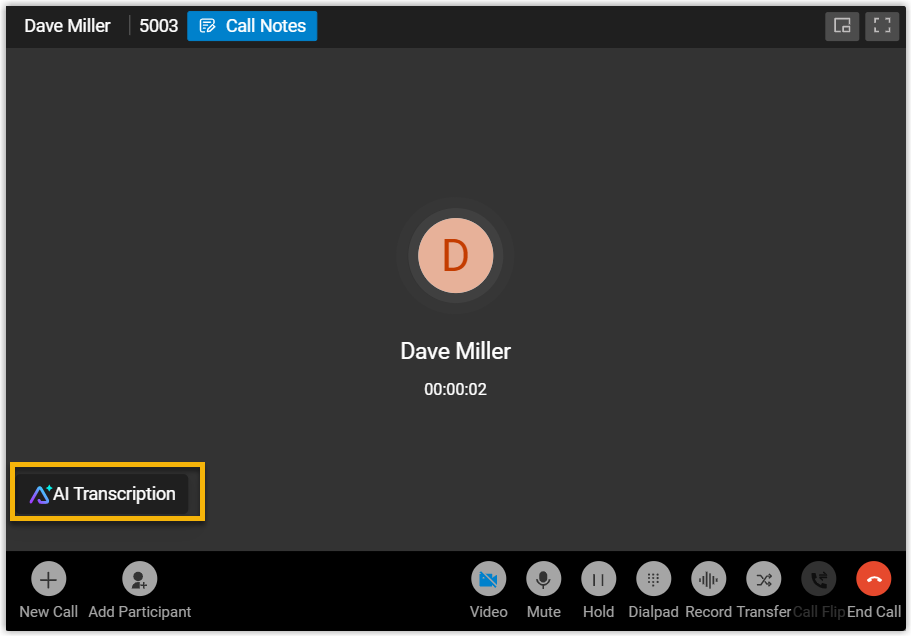
While you’re on a call, select AI Transcription to reveal the transcription panel.
-
Set up transcription for this call:
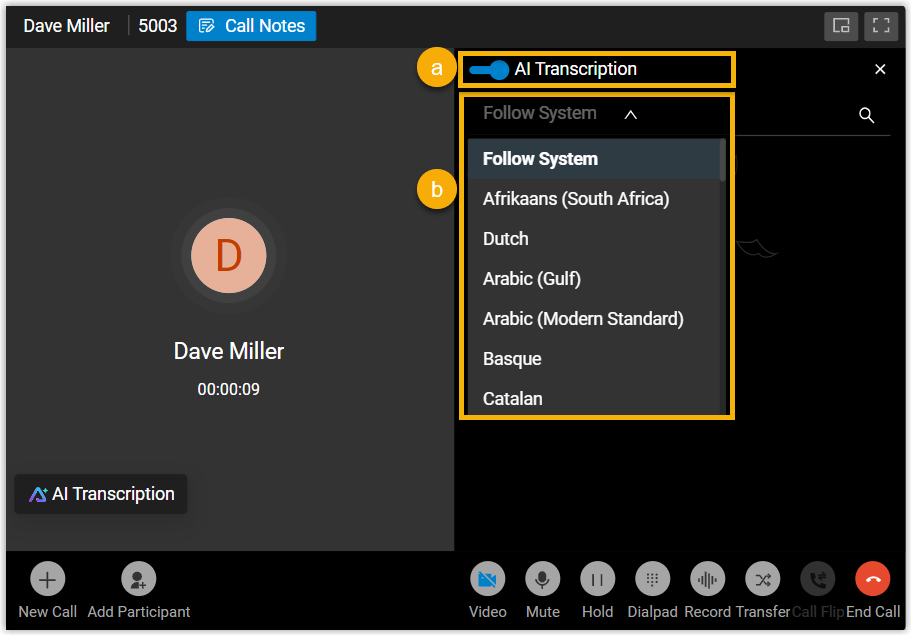
a. Switch on AI Transcription. From this point, audio from both sides is converted to text as you speak.
b. Optional: pick a different language from the drop-down list to transcribe the current call.
What you’ll see
Section titled “What you’ll see”-
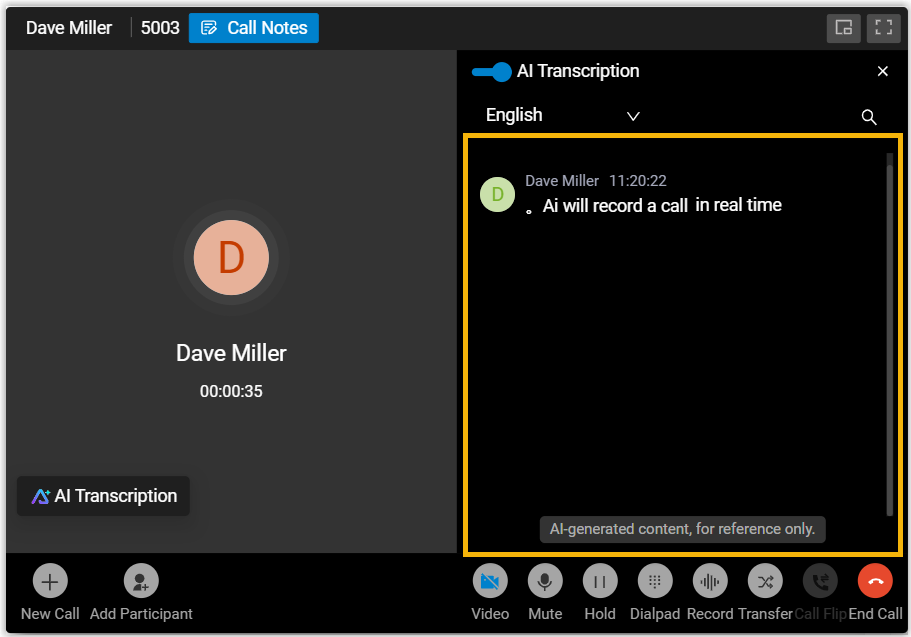
As the call continues, the recognized text streams into the panel on the right in real time.
-
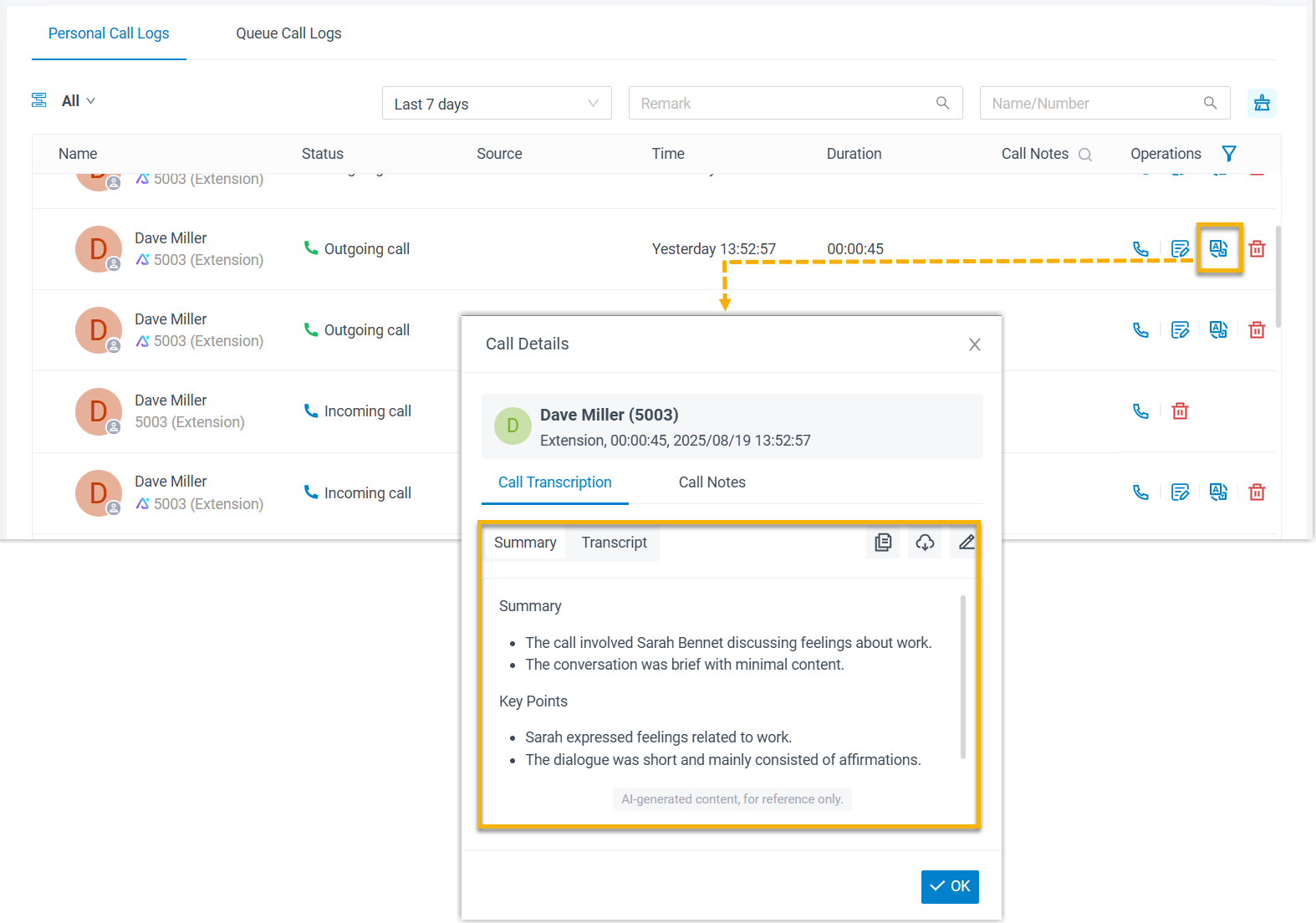
Once you hang up, the AI-generated summary and full transcript are saved to the call log. Transcribed calls carry an AI marker in the list.
Question about this page?
Ask the AI assistant. It starts from this page, then searches the rest of the docs.
Ask Cloud Voice AI
Answers are AI-generated from the docs and may contain mistakes. Verify with the linked pages.