
Flip an Active Call between Devices
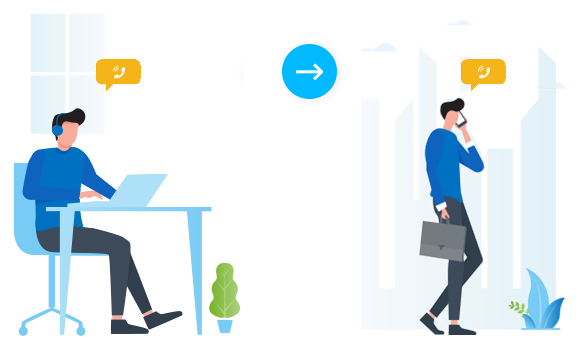
Call Flip hands off an active call from the device you are currently using to any other device where your extension is registered. The transfer happens mid-conversation, so the other party never hears a break.
When to use it
Section titled “When to use it”Picture yourself on a call with a customer when you need to step out of the office. Flip the call to your mobile phone and keep talking. The switch is invisible to the person on the other end.
Before you start
Section titled “Before you start”- Your Cloud Voice system must be running version 84.8.0.25 or later.
- Your extension must be registered on more than one device. Call Flip has no target to send the call to otherwise.
Flip the call
Section titled “Flip the call”-
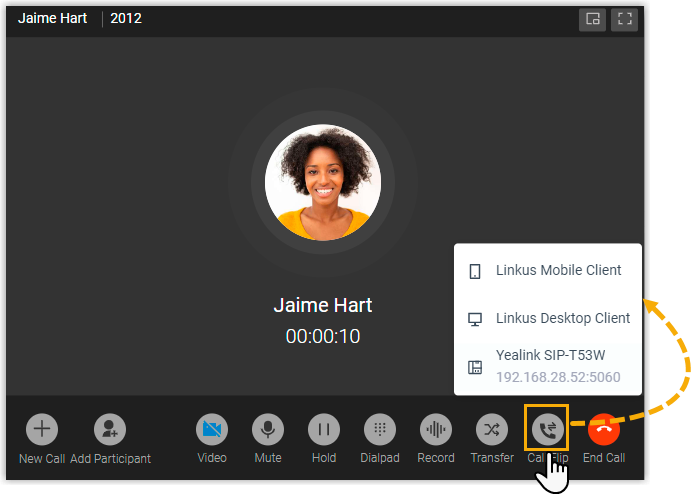
While the call is connected, click Call Flip. Every other device that your extension is signed in to appears in the list.
-
Choose the IP (Internet Protocol) phone or Cloud Voice App client you want to move the call to. Cloud Voice rings the selected client or registered IP phone.
-
Answer the incoming call on the device you picked.
Result
Section titled “Result”The call moves from the Cloud Voice App Web Client to the device you selected, and the conversation continues without interruption.
Question about this page?
Ask the AI assistant. It starts from this page, then searches the rest of the docs.
Ask Cloud Voice AI
Answers are AI-generated from the docs and may contain mistakes. Verify with the linked pages.