
Merge Calls into an Audio Conference Call
When you have more than one call going at the same time, you can pull them together into a single audio conference instead of juggling them separately. Once merged, the calls become a 3-way audio conference (you plus the two other people, three participants in total) and you take the role of host, so you can run and manage the conversation from one place.
Before you start
Section titled “Before you start”Keep the following requirements in mind:
- Merging is available when the Cloud Voice platform is running version
84.12.0.32or later. If the Merge Calls control is missing, check the platform version before troubleshooting anything else. - You can only merge calls of the same type. Two voice calls can be combined, or two video calls can be combined, but you cannot mix a voice call with a video call.
Make sure both of these are in place first:
-
The Cloud Voice App is set to Web Client mode.

-
You have at least two active calls of the same type in progress.
Merge the calls
Section titled “Merge the calls”-
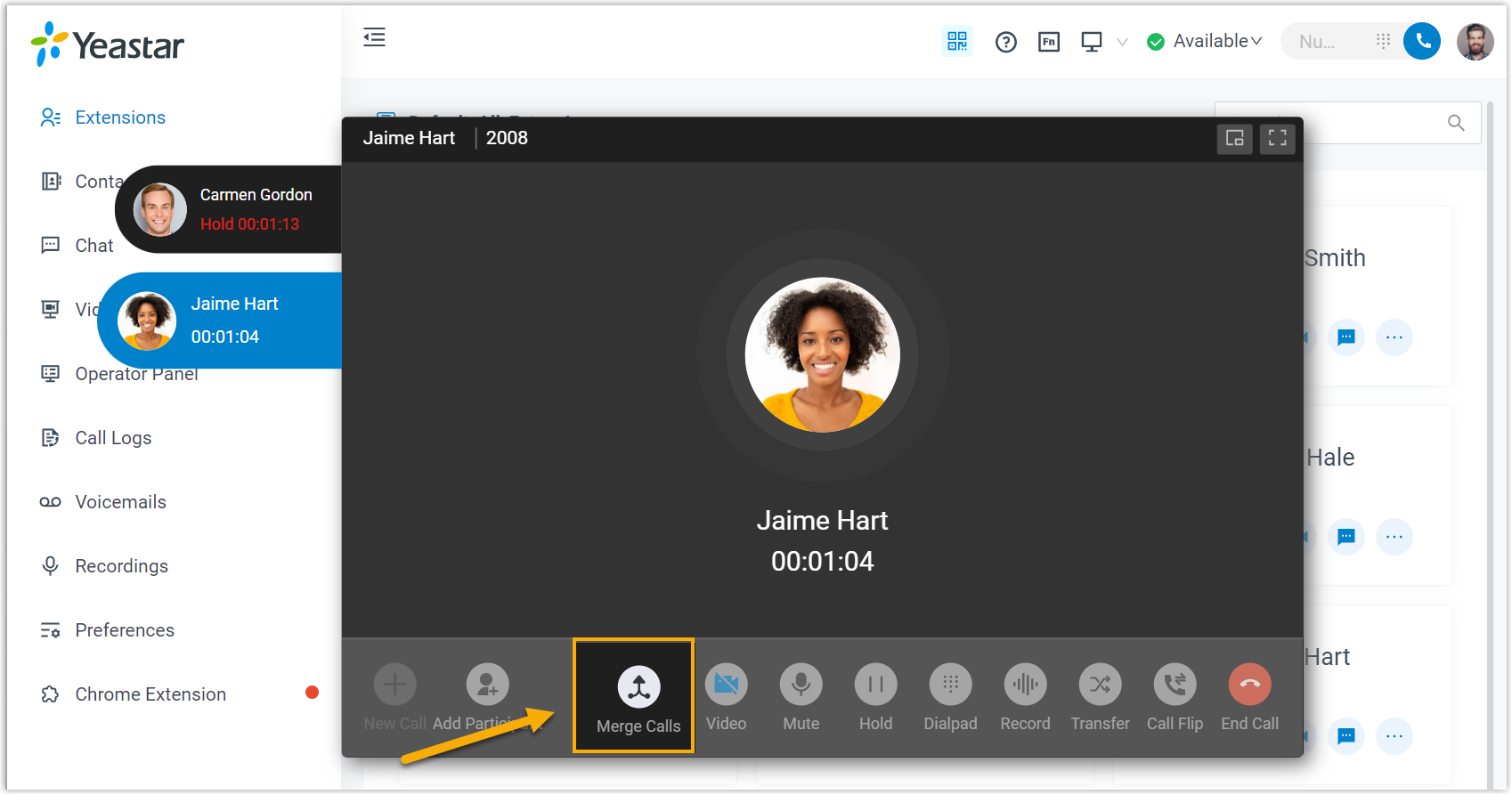
Find the Merge Calls control at the bottom of the call panel and click it.
-
Confirm which calls to bring together:
-
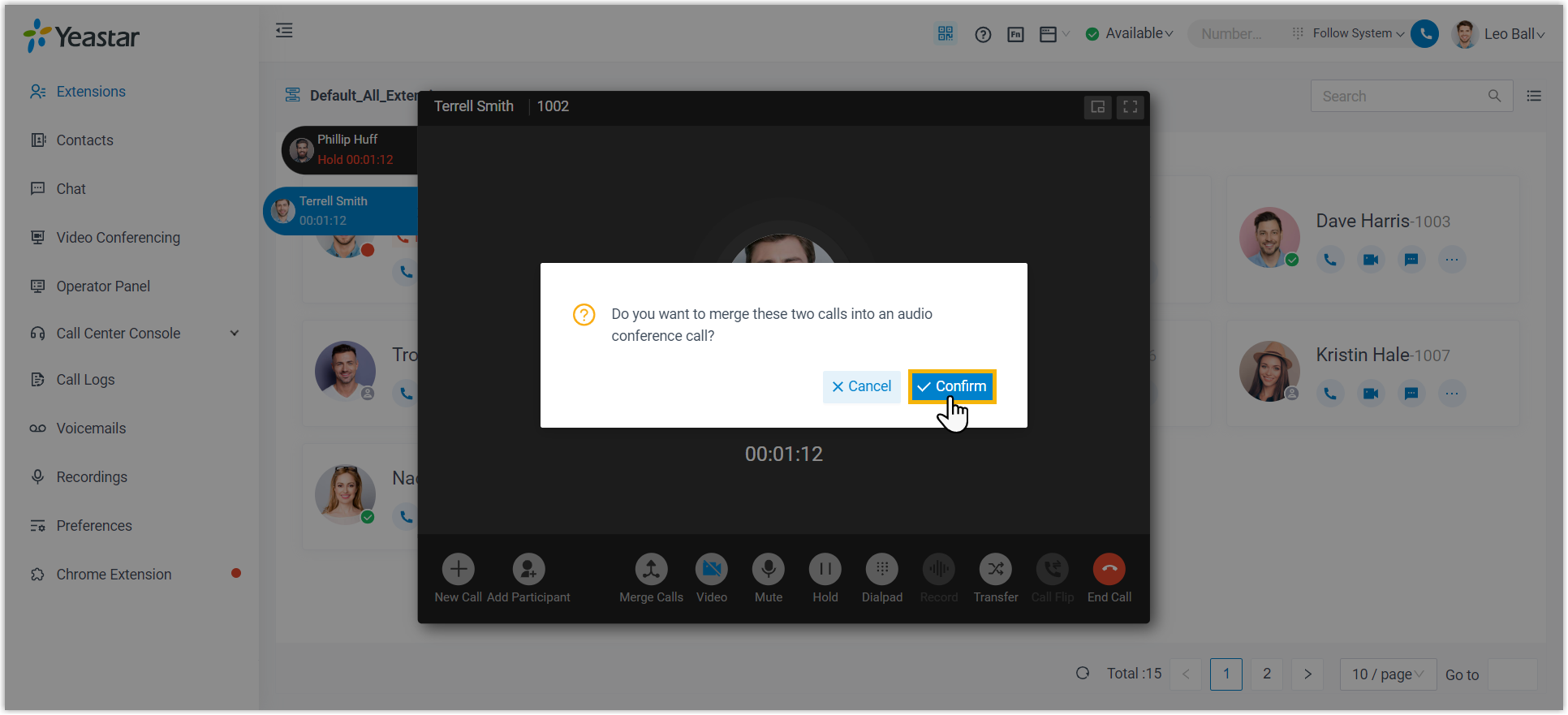
With exactly two active calls, click Confirm in the window that appears.
-
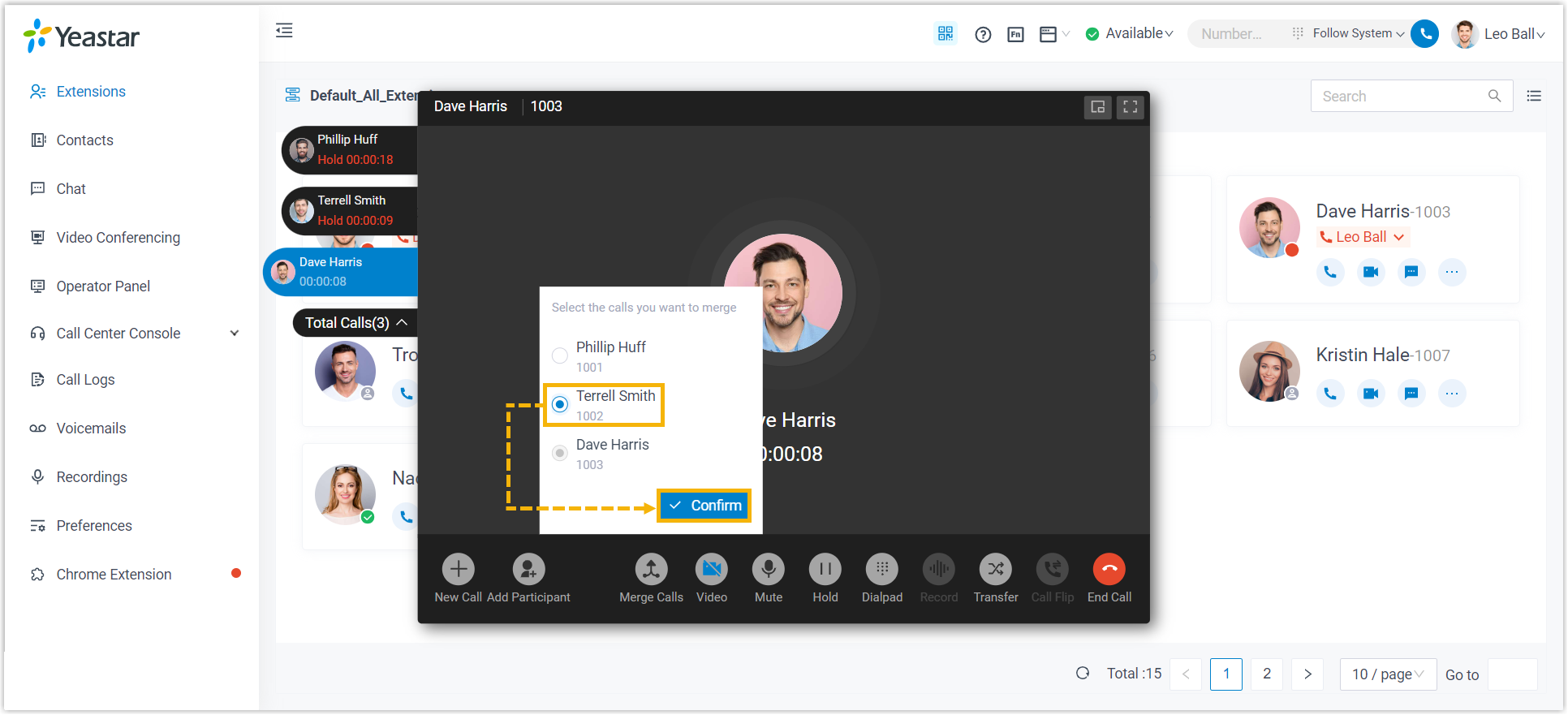
With more than two active calls, choose the call you want to add, then click Confirm.
-
Result
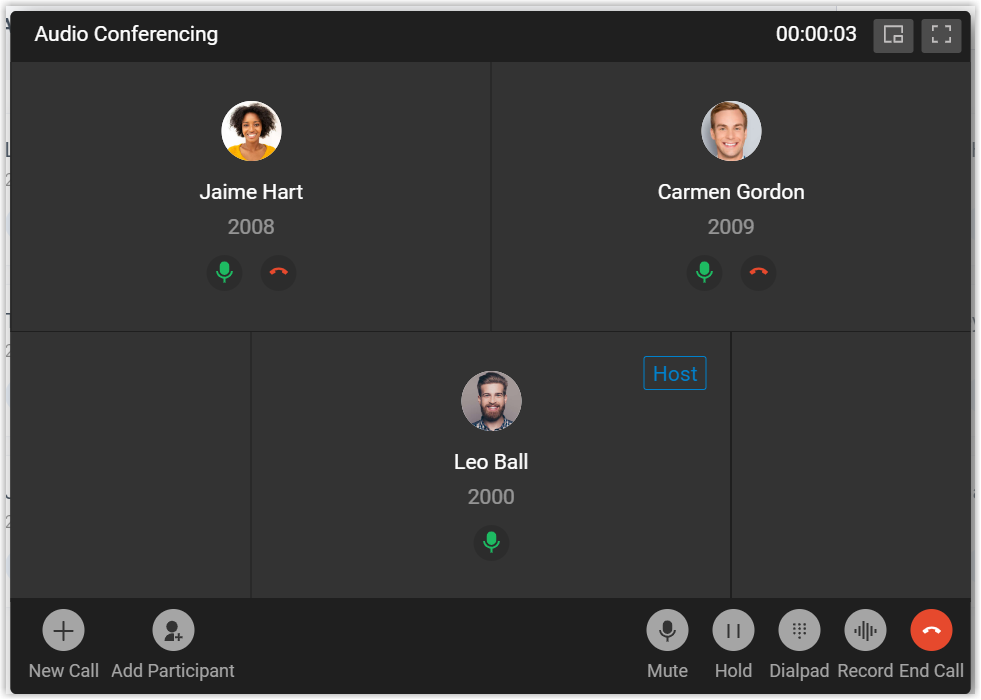
Section titled “Result”The selected calls join into a single 3-way audio conference, and you are set as its host.
Question about this page?
Ask the AI assistant. It starts from this page, then searches the rest of the docs.
Ask Cloud Voice AI
Answers are AI-generated from the docs and may contain mistakes. Verify with the linked pages.