
Configure Call Panel Type
The call panel is the in-call screen you see once a call connects. It holds the buttons for actions such as mute, hold, transfer, and keypad. The Cloud Voice App lets you decide how those buttons are arranged so you can choose the layout that feels most natural for the way you take and manage calls.
Before you start
Section titled “Before you start”Confirm that your Cloud Voice App is up to date. This setting is available on the following versions or newer:
- iOS: 5.27.18 or later
- Android: 5.27.12 or later
Change the call panel layout
Section titled “Change the call panel layout”-
Sign in to the Cloud Voice App.
-
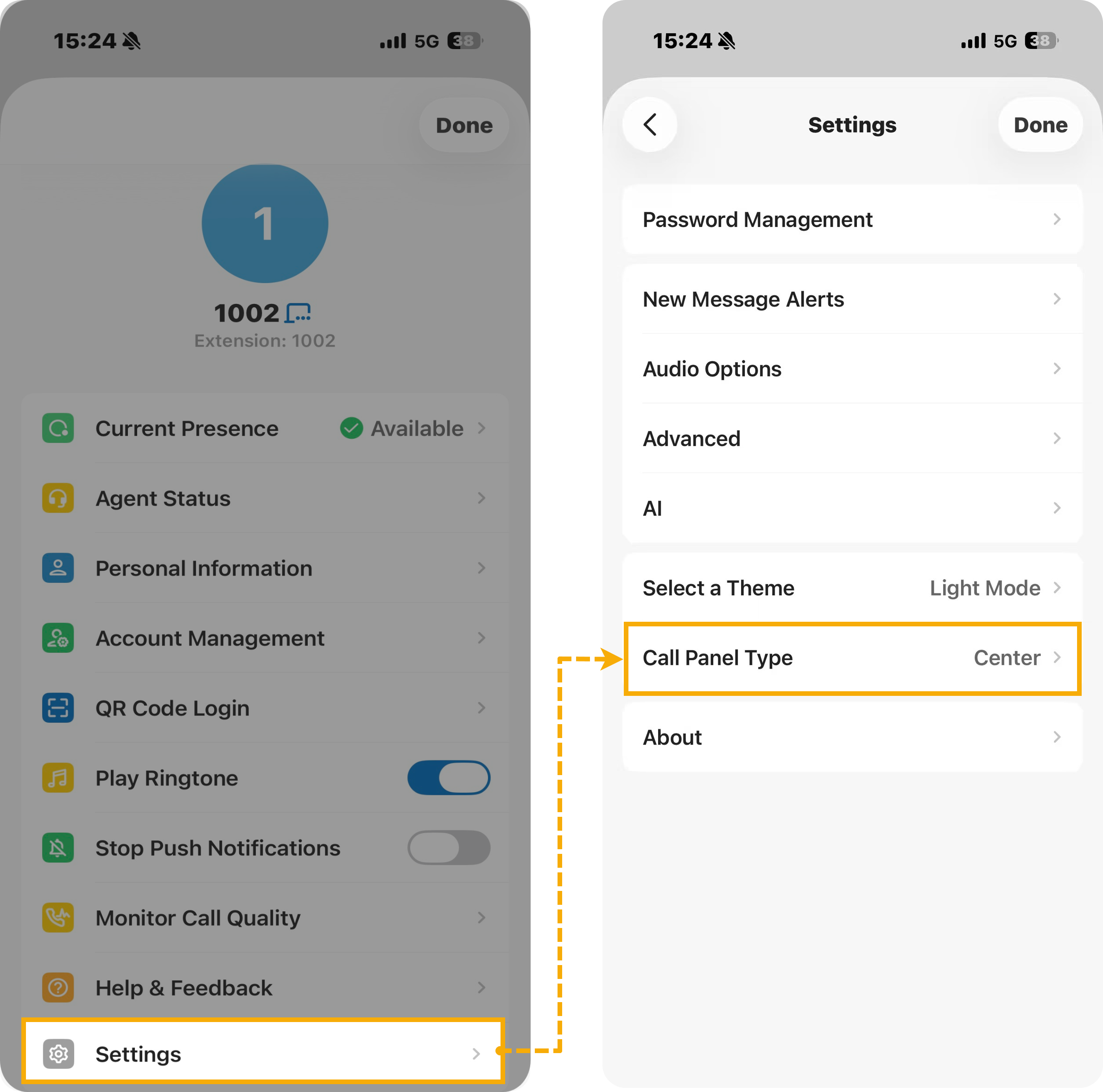
On the Calls screen, tap your account in the top-left corner.
-
Open Settings > Call Panel Type.
-
Tap the layout you want, then tap Done.
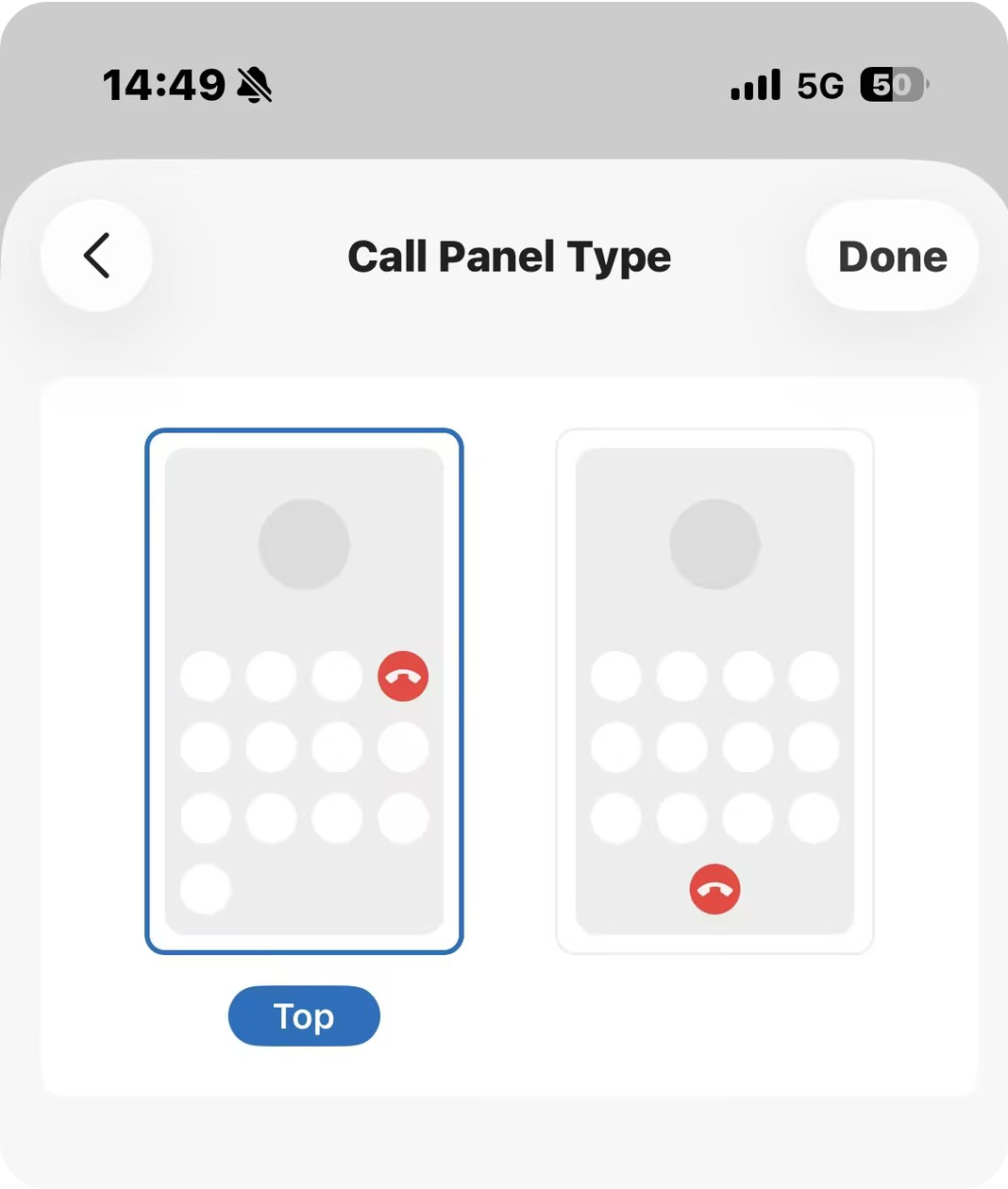
Your choice is saved to the Cloud Voice App on this device and applies the next time you are on a call. A call already in progress keeps its current layout until it ends.
Question about this page?
Ask the AI assistant. It starts from this page, then searches the rest of the docs.
Ask Cloud Voice AI
Answers are AI-generated from the docs and may contain mistakes. Verify with the linked pages.