
Continue an Active Call on the Desktop App
Call Switch lets you pull a call that is already in progress on one of your devices onto the Cloud Voice App desktop client. Because your extension carries the call, the handoff happens mid-conversation and the person on the other end hears no break.
When to use it
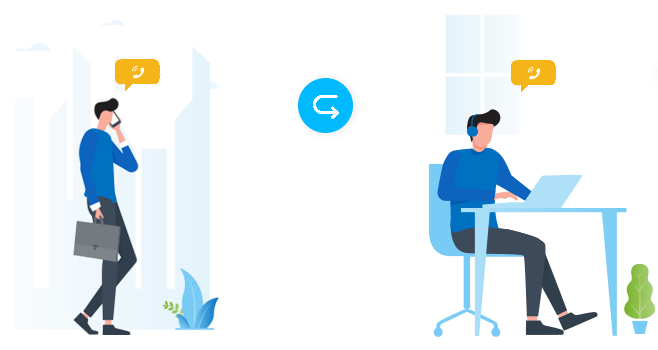
Section titled “When to use it”Picture answering a customer on your mobile while you’re out, then arriving at your desk and wanting both hands free. Call Switch lets you lift that live call onto the desktop app and keep talking, and the caller never notices the change.
Before you start
Section titled “Before you start”-
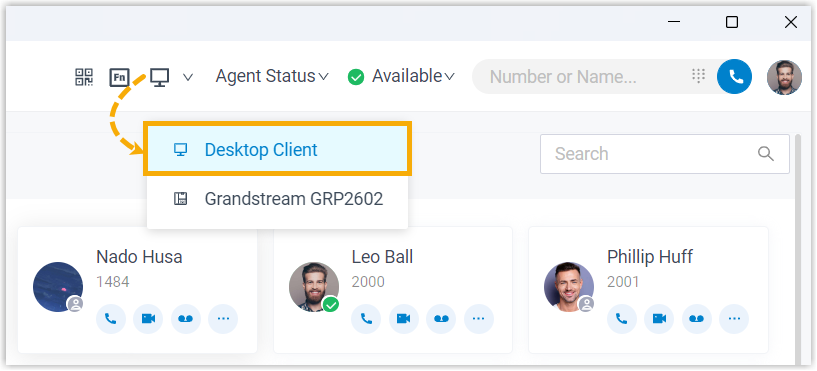
Run the Cloud Voice App in Desktop Client mode.
-
Register your extension on more than one device, so there is another device to pull the call from.
-
Have a call already connected on one of those other devices.
Switch the call to the desktop app
Section titled “Switch the call to the desktop app”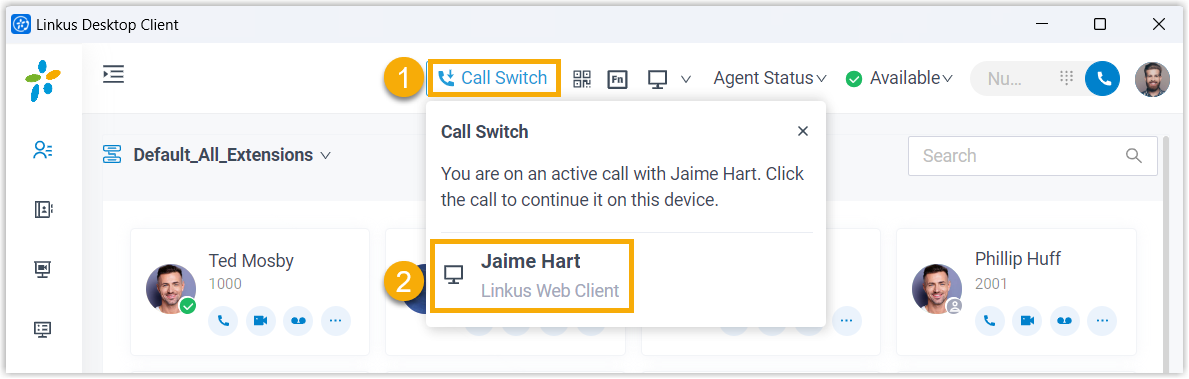
- At the top of the Cloud Voice App, select Call Switch. The call currently active on your other device appears.
- Select that call.
The conversation transfers from the original device to the desktop app, and you carry on from there.
Question about this page?
Ask the AI assistant. It starts from this page, then searches the rest of the docs.
Ask Cloud Voice AI
Answers are AI-generated from the docs and may contain mistakes. Verify with the linked pages.