
Why can't my iPhone receive Cloud Voice App calls?
If your iPhone silently misses the first incoming call, shows no missed-call alert for it, and then rings normally on every call after that, the culprit is almost always iOS Focus mode. When Focus is active it suppresses notifications from apps you haven’t explicitly allowed, which stops the Cloud Voice App from waking your device for that first call.
You have two ways to fix this: permit the Cloud Voice App to notify you while Focus is on, or turn Focus off entirely.
Allow the Cloud Voice App to notify you during Focus
Section titled “Allow the Cloud Voice App to notify you during Focus”Keep Focus mode enabled but add the Cloud Voice App to its list of allowed apps. This lets Focus keep silencing everything else while still letting calls through.
-
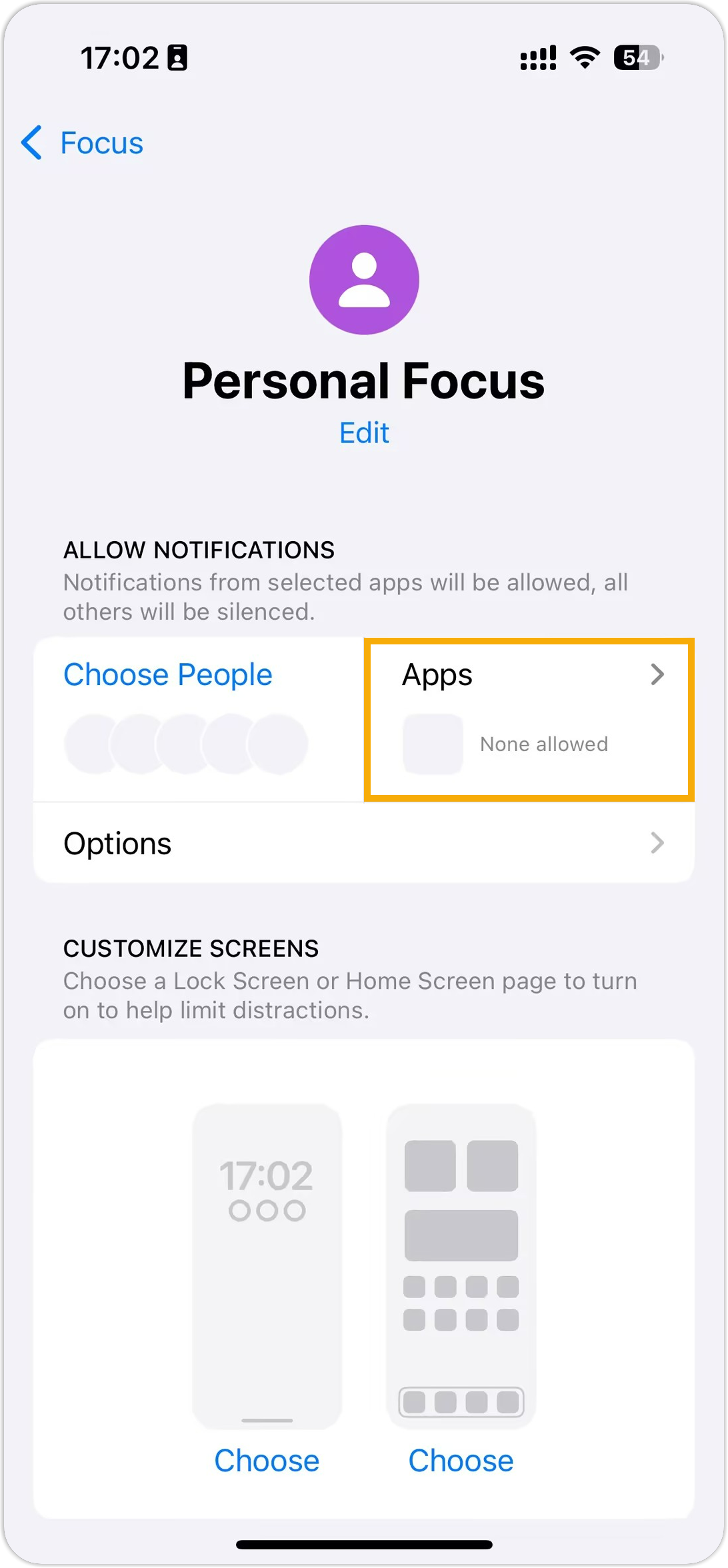
Open Settings > Focus and tap the Focus mode you use.
-
Tap the Apps pane.
-
On the notifications page, choose Allow Notifications From, then tap the add button (
 ) and select the Cloud Voice App.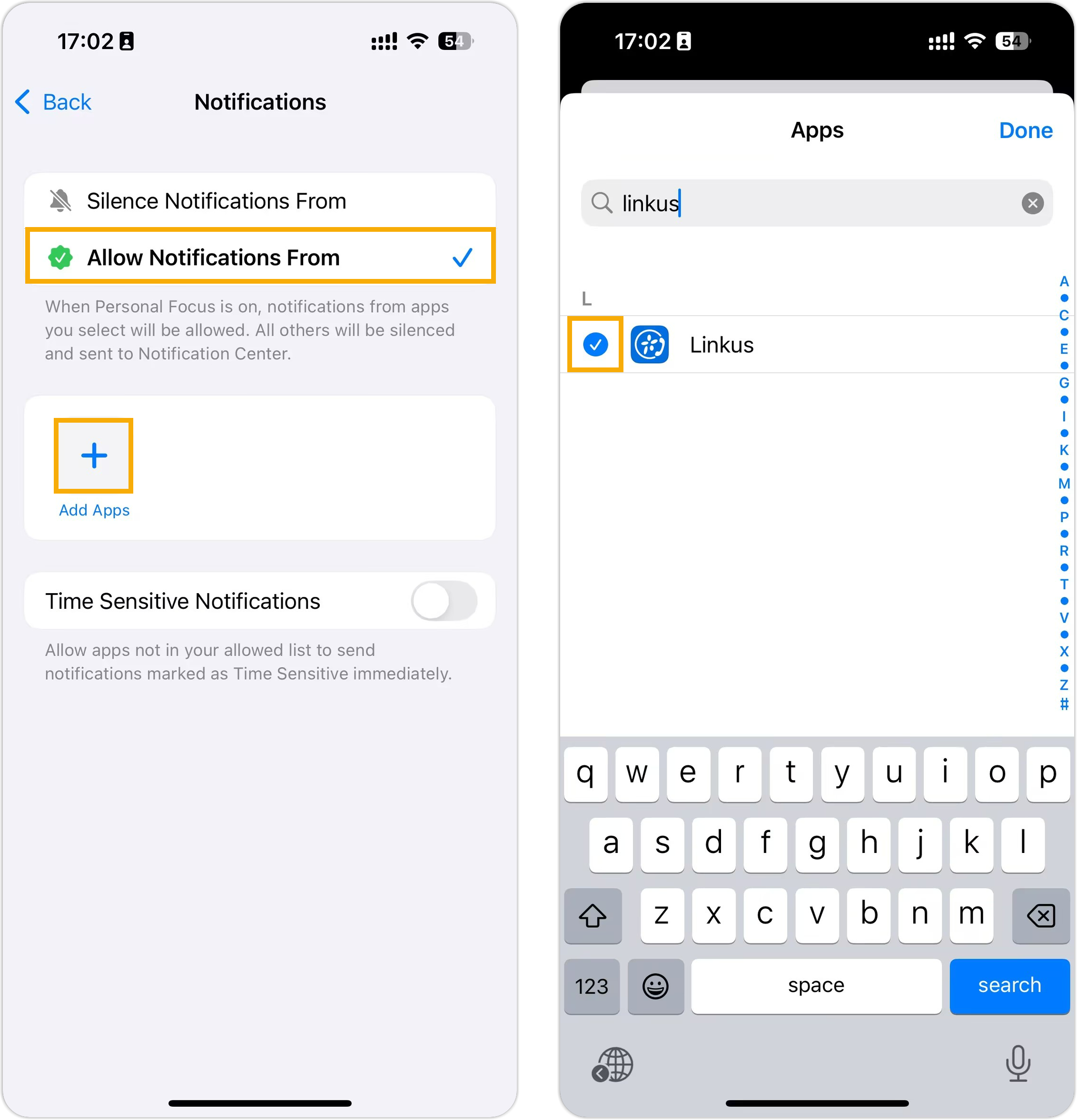
Turn off Focus mode
Section titled “Turn off Focus mode”If you’d rather disable Focus completely, switch it off from Control Center.
-
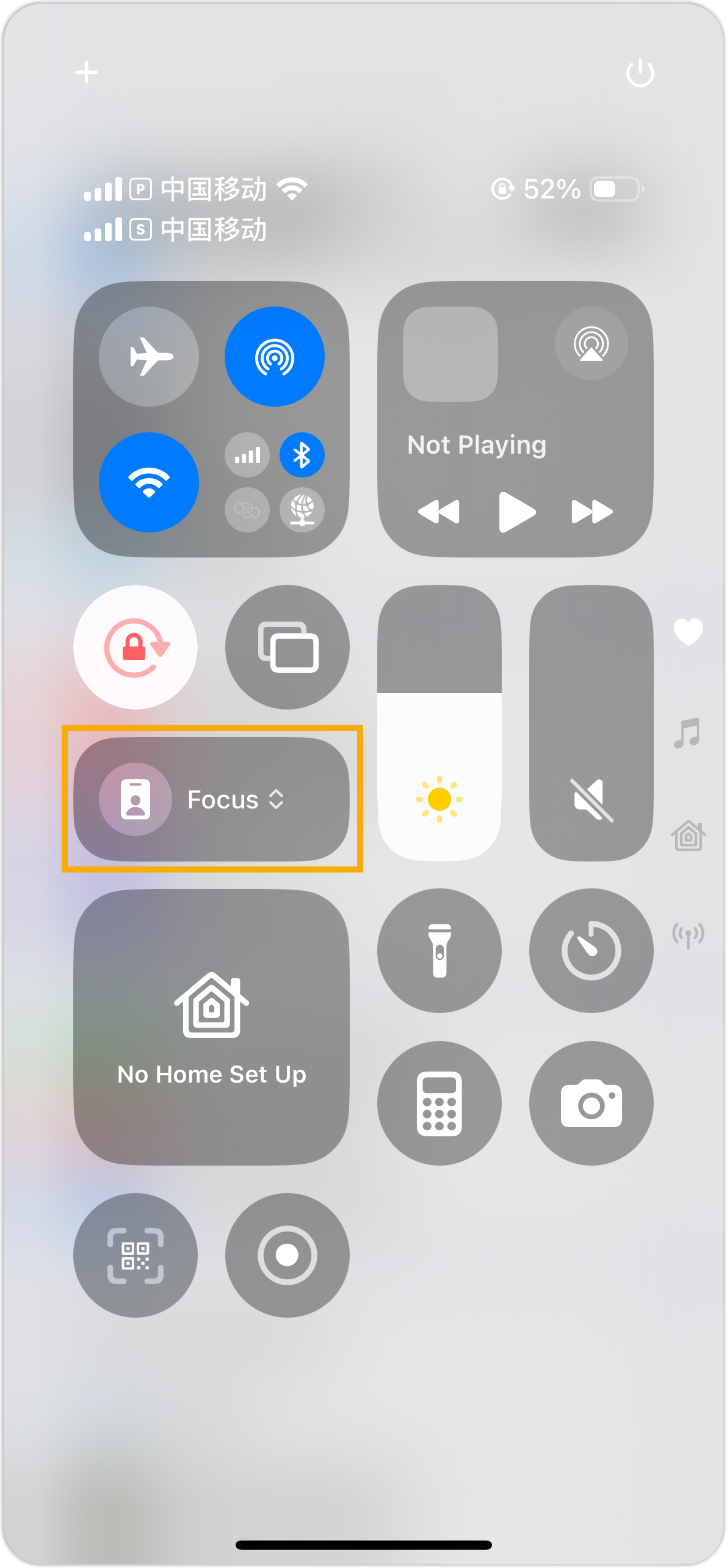
Swipe down from the top-right corner of the screen to open Control Center.
-
Tap the Focus button to toggle it off.
Question about this page?
Ask the AI assistant. It starts from this page, then searches the rest of the docs.
Ask Cloud Voice AI
Answers are AI-generated from the docs and may contain mistakes. Verify with the linked pages.