
View and Manage a Colleague's Calls
The Extensions panel in the Cloud Voice App lets an authorized user see, at a glance, which colleagues are ringing or already talking, identify the other party by name and number, and act on those calls in a couple of clicks. This is useful at a front desk or for a team lead: you can clear a stuck call, catch a ringing phone for someone who stepped away, or route a call for a colleague without walking over to their desk. This page explains how to watch and manage a colleague’s calls.
Before you begin
Section titled “Before you begin”Confirm the following before you try to manage another extension’s calls:
- Your Cloud Voice system is running version 84.16.0.25 or later.
- Your extension has the Allow Call Operations in the Extension Page permission.
View a colleague’s call activity
Section titled “View a colleague’s call activity”-
Sign in to the Cloud Voice App (Web).
-
In the left navigation bar, select Extensions.
Each colleague’s call state appears next to their extension. A colleague who has started a call or is connected on one is flagged with the
 icon, and a colleague whose incoming call is still ringing is flagged with the
  icon.
icon.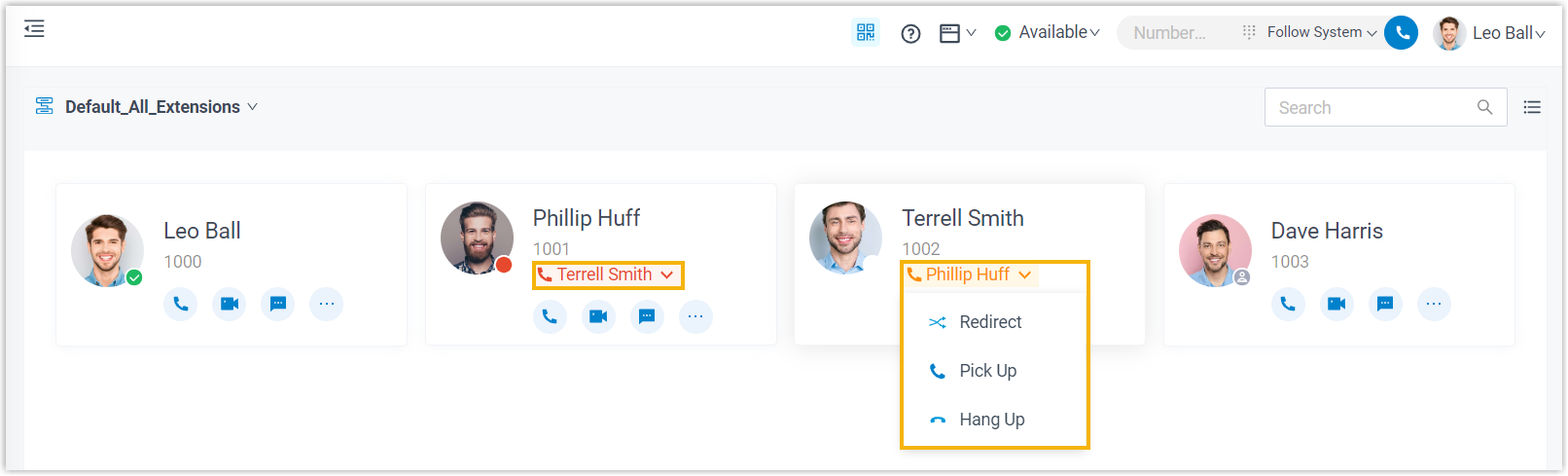
Manage a colleague’s call
Section titled “Manage a colleague’s call”On the Extensions panel, click a colleague’s call status label to open the actions available for that call state. The actions you see depend on whether the colleague is placing a call, connected, or ringing.
-
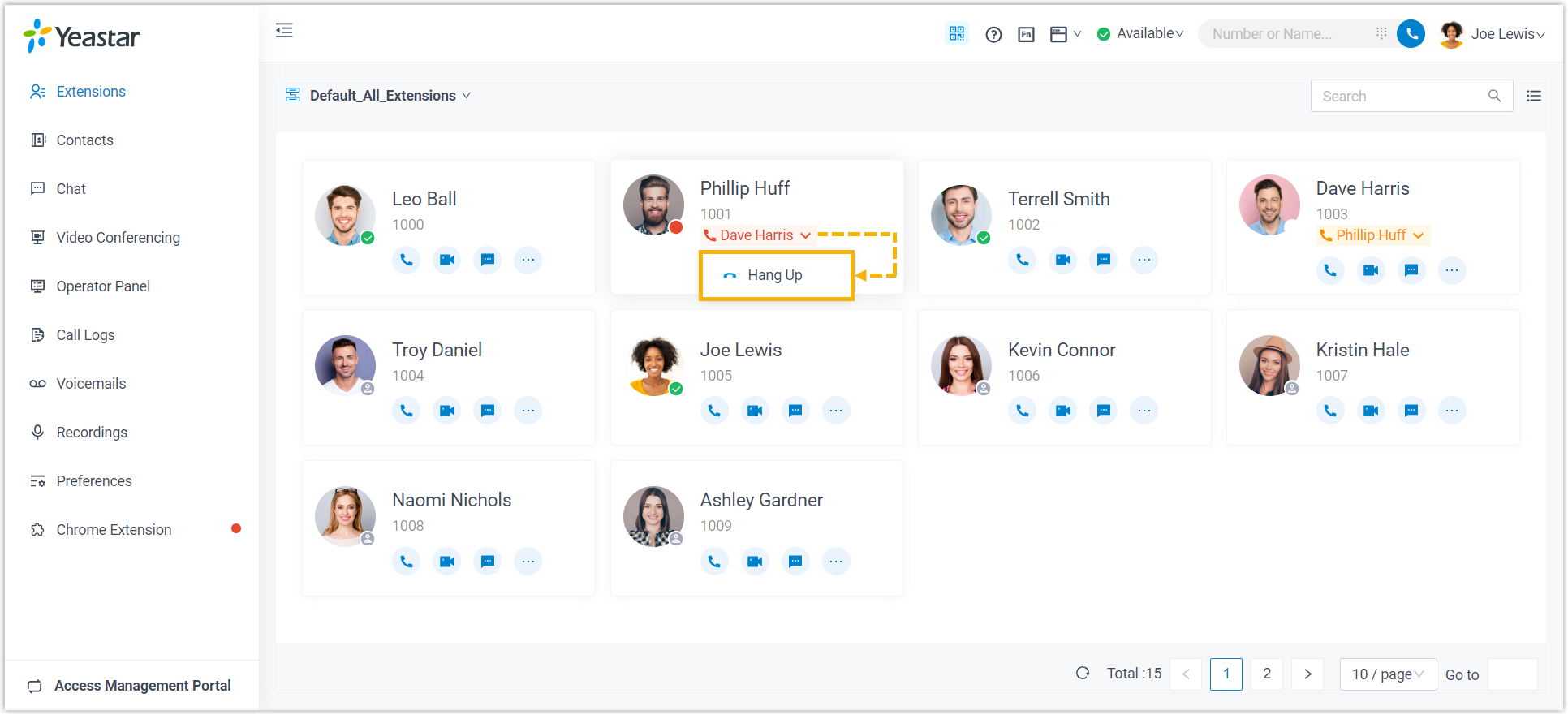
Making a call. For a colleague who is placing an outbound call, you can hang up (end) the call.
-
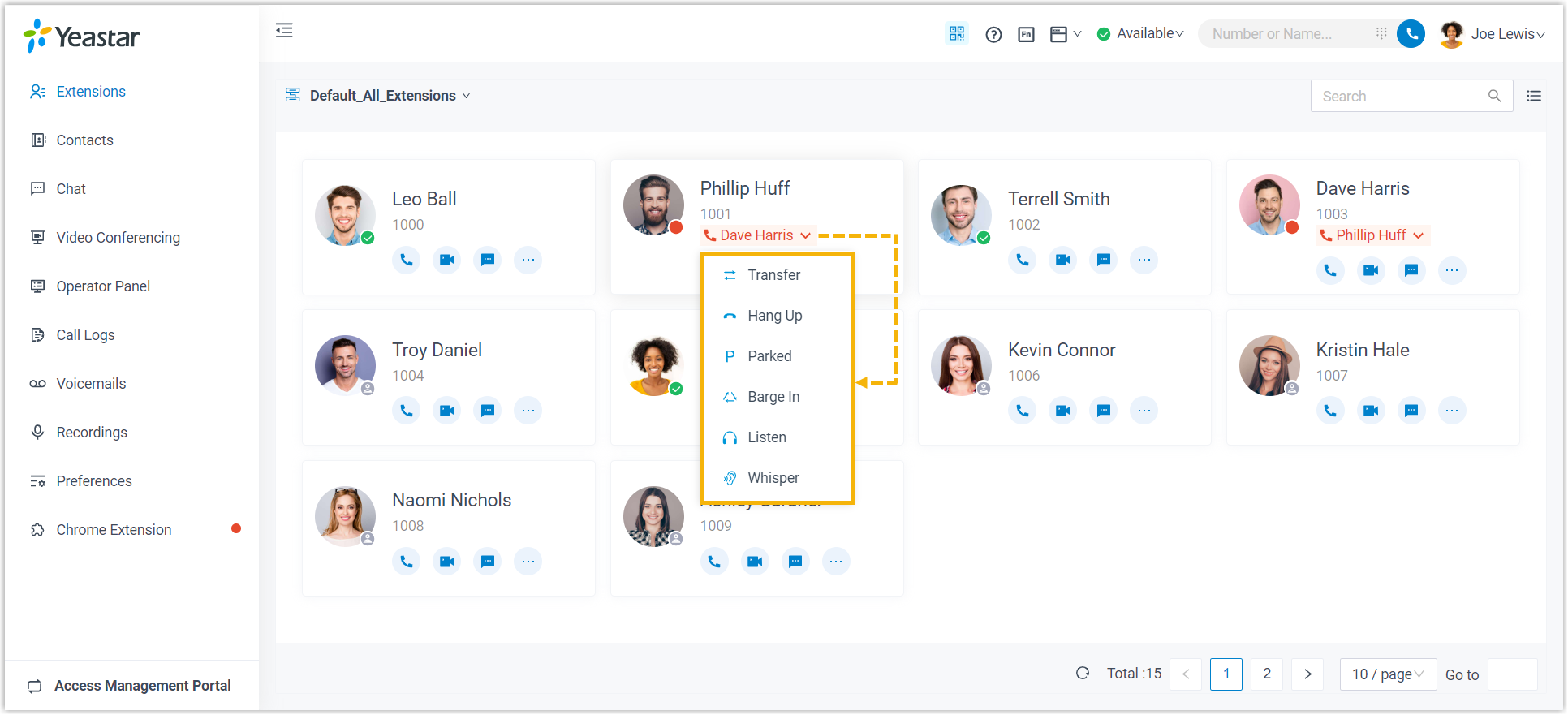
On a call. For a colleague who is connected, you can:
- Transfer: send the connected call to another extension or external number.
- Park: place the call on a shared hold slot that any extension can retrieve later.
- Monitor: silently listen in on the live conversation.
- Hang up: end the call for both parties.
-
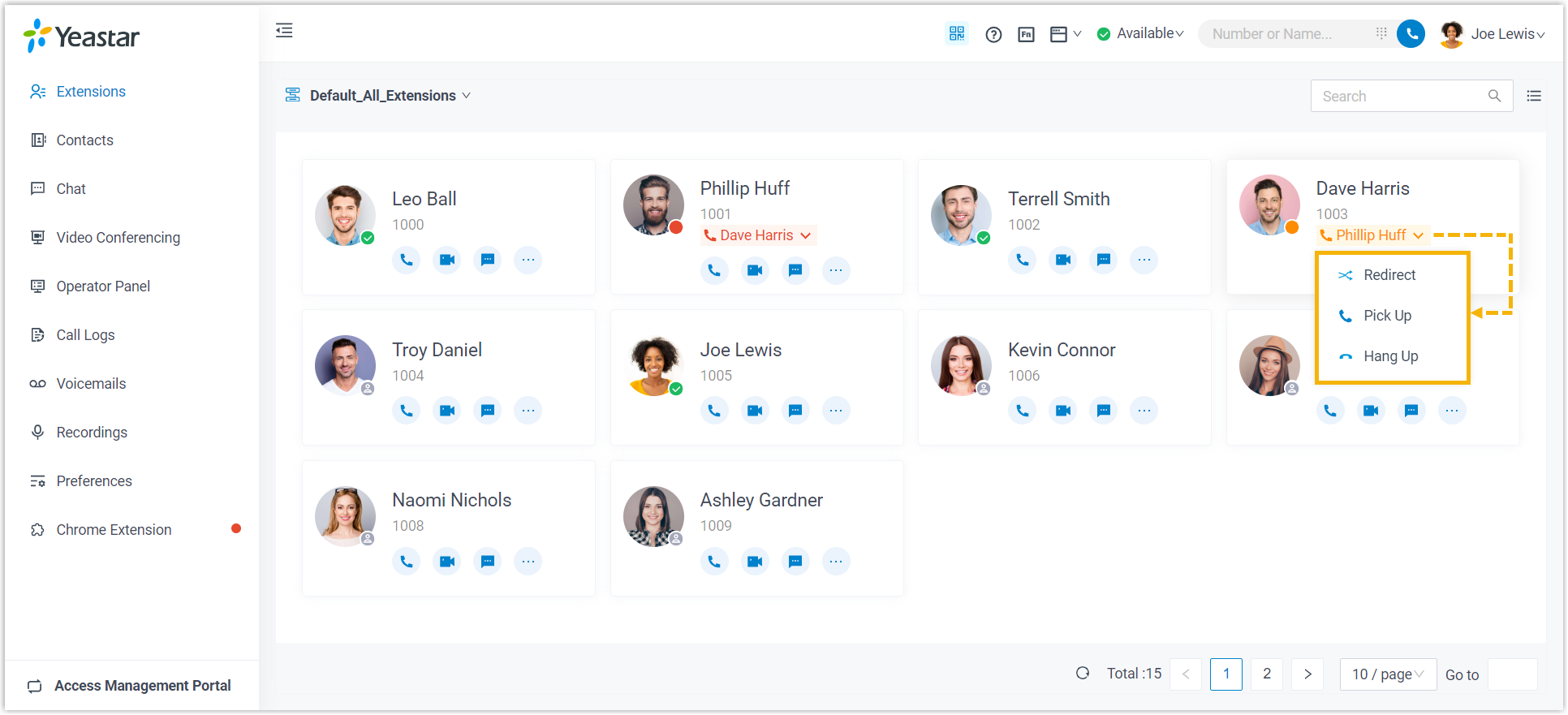
Ringing. For a colleague who has an incoming call ringing, you can:
- Redirect: send the still-ringing call to a different destination (such as another extension or voicemail) before it is answered.
- Pick up: answer the colleague’s ringing call from your own device.
- Hang up: stop the call from ringing (the caller is disconnected).
Question about this page?
Ask the AI assistant. It starts from this page, then searches the rest of the docs.
Ask Cloud Voice AI
Answers are AI-generated from the docs and may contain mistakes. Verify with the linked pages.