
Edit Personal Information
Your account profile controls how you appear to coworkers and where the system reaches you. Keeping it current means colleagues can recognize you and the platform can deliver calls and notifications to the right place. You can refresh any of these details directly from the mobile app whenever they change.
Before you start
Section titled “Before you start”You need the Cloud Voice App (the mobile client) installed on your phone and signed in with your account. The details you edit here belong to your own user account only.
Edit your details
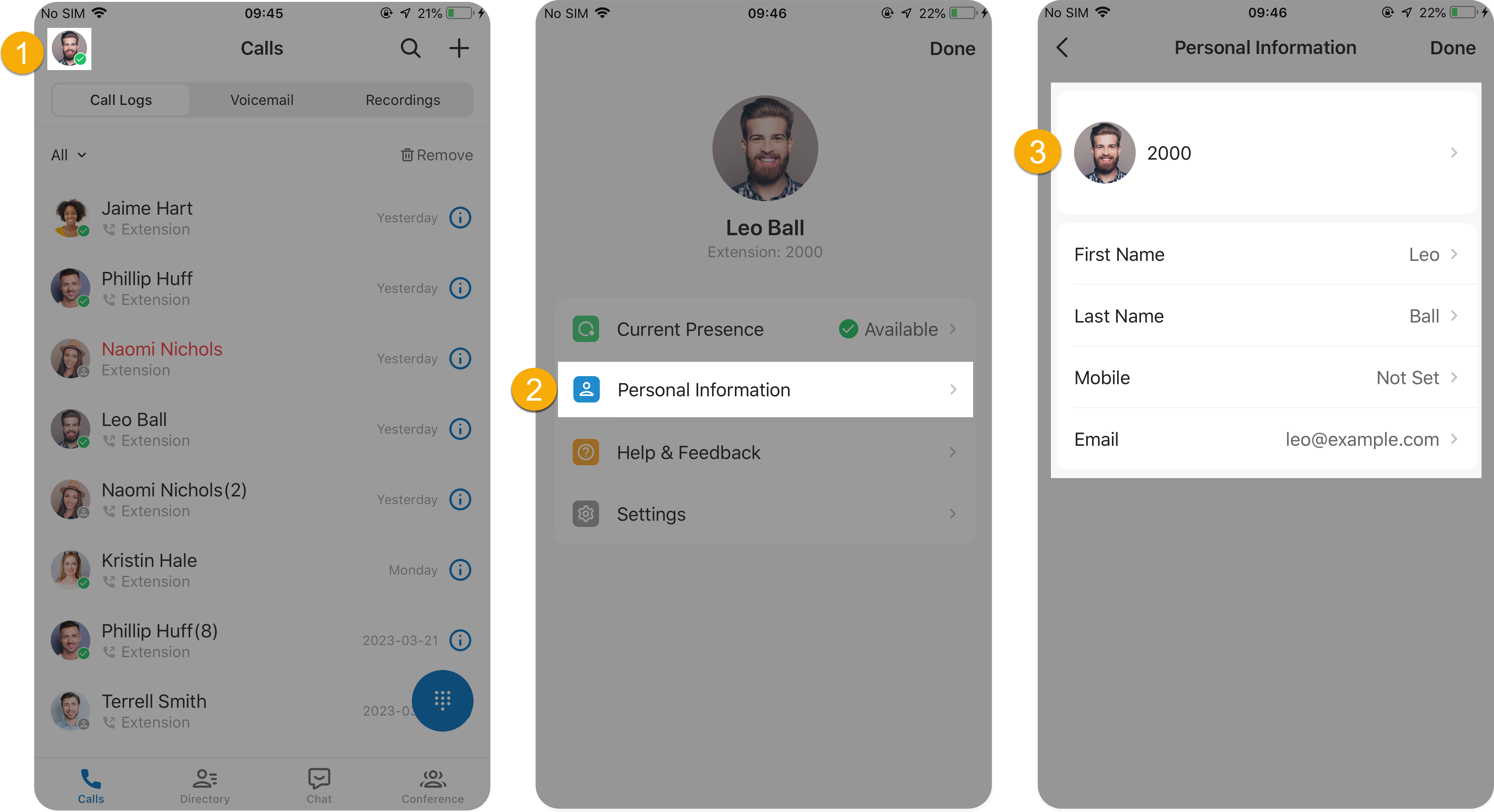
Section titled “Edit your details”- Sign in to the Cloud Voice App on your mobile device.
- On the Calls page, tap your account in the top-left corner to open your account menu.
- Tap Personal Information.
- Update whatever you need: swap out your profile picture, or revise your name, mobile number, or email address.
Question about this page?
Ask the AI assistant. It starts from this page, then searches the rest of the docs.
Ask Cloud Voice AI
About
Answers are AI-generated from the docs and may contain mistakes. Verify with the linked pages.