
Select an Outbound Caller ID (DOD) to Call
When you place an outbound call from the Cloud Voice App, the number the recipient sees is your Direct Outward Dialing (DOD) caller ID. You can lock in a single DOD for everything you dial, or pick a different one for an individual call.
Requirements
Section titled “Requirements”Before you begin, confirm the following:
- PBX server (PBX is your hosted phone system, short for Private Branch Exchange): version 84.21.0.16 or later.
- Cloud Voice App (mobile): version 5.6.6 or later.
- Extension permission: your administrator has granted your extension the ability to choose its outbound caller ID.
Set one DOD for all outbound calls
Section titled “Set one DOD for all outbound calls”To apply a different DOD to everything you dial, use either method below.
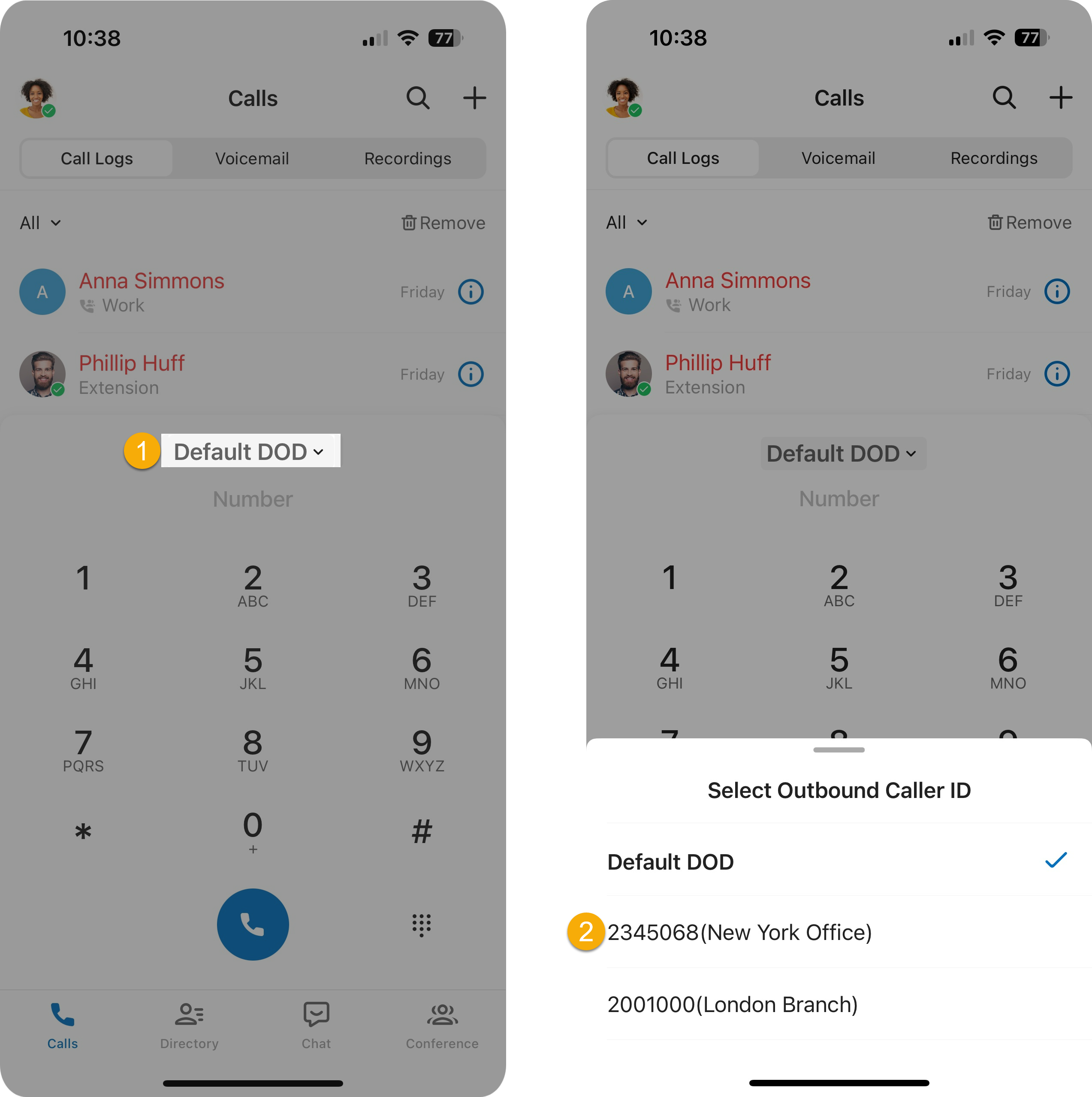
Pick from the dialpad list
Section titled “Pick from the dialpad list”- On the dialpad, tap Default DOD.
- Choose the DOD number you want to use.
Dial a feature code
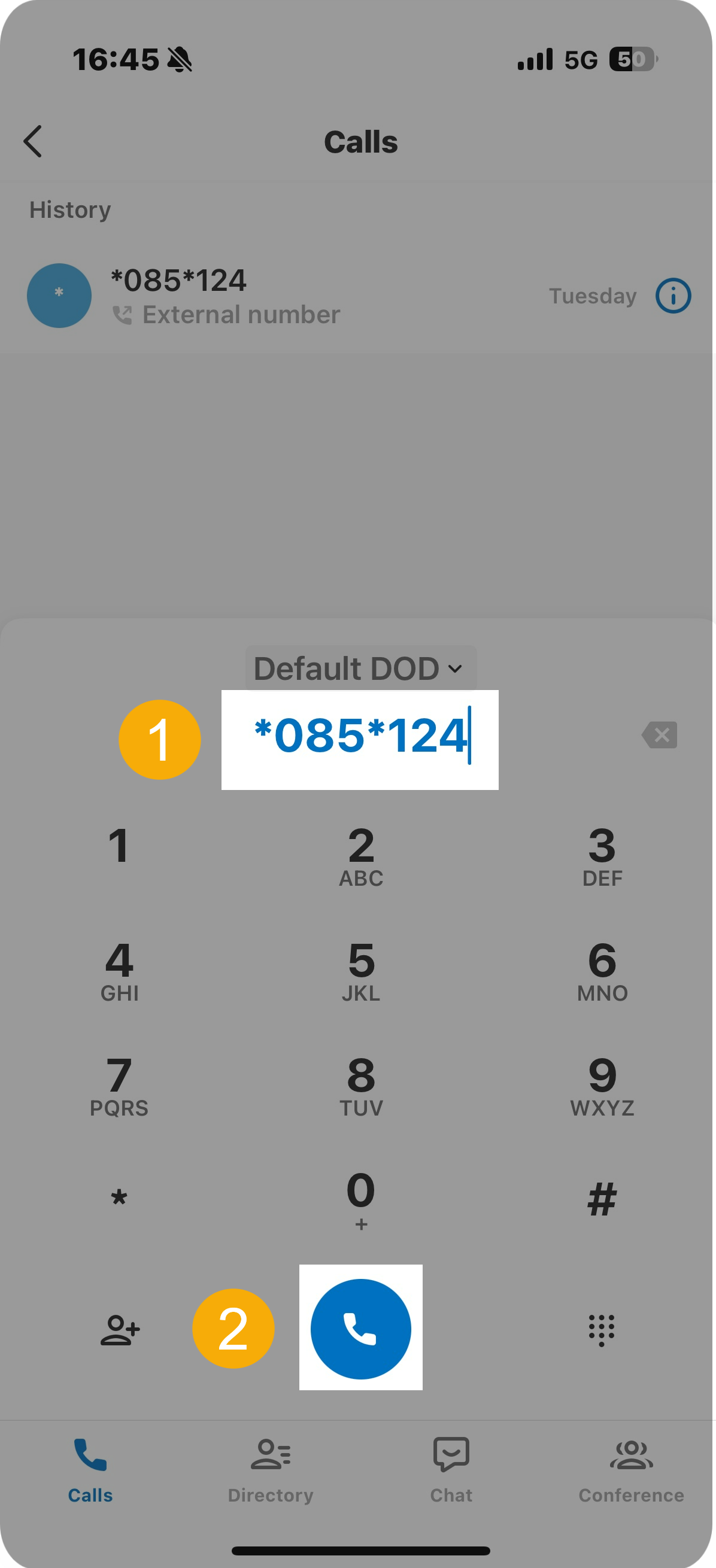
Section titled “Dial a feature code”A feature code is a short star code (such as *085) that tells the phone system to run an action. A short code is your administrator’s shorthand for a specific DOD number.
-
On the dialpad, enter the feature code followed by the short code (or the full DOD number). The format is:
{dod_prefix_feature_code}*{short_code / specific_dod_number}For example,
*085*124or*085*5503302. -
Tap the call button.
Choose a DOD for a single call
Section titled “Choose a DOD for a single call”To send a specific caller ID on just one call, select the DOD as you start the call from Contacts, Call Logs, Voicemails, or Recordings, or dial a feature code that includes the destination number. This choice applies to that one call only and does not change your default DOD.
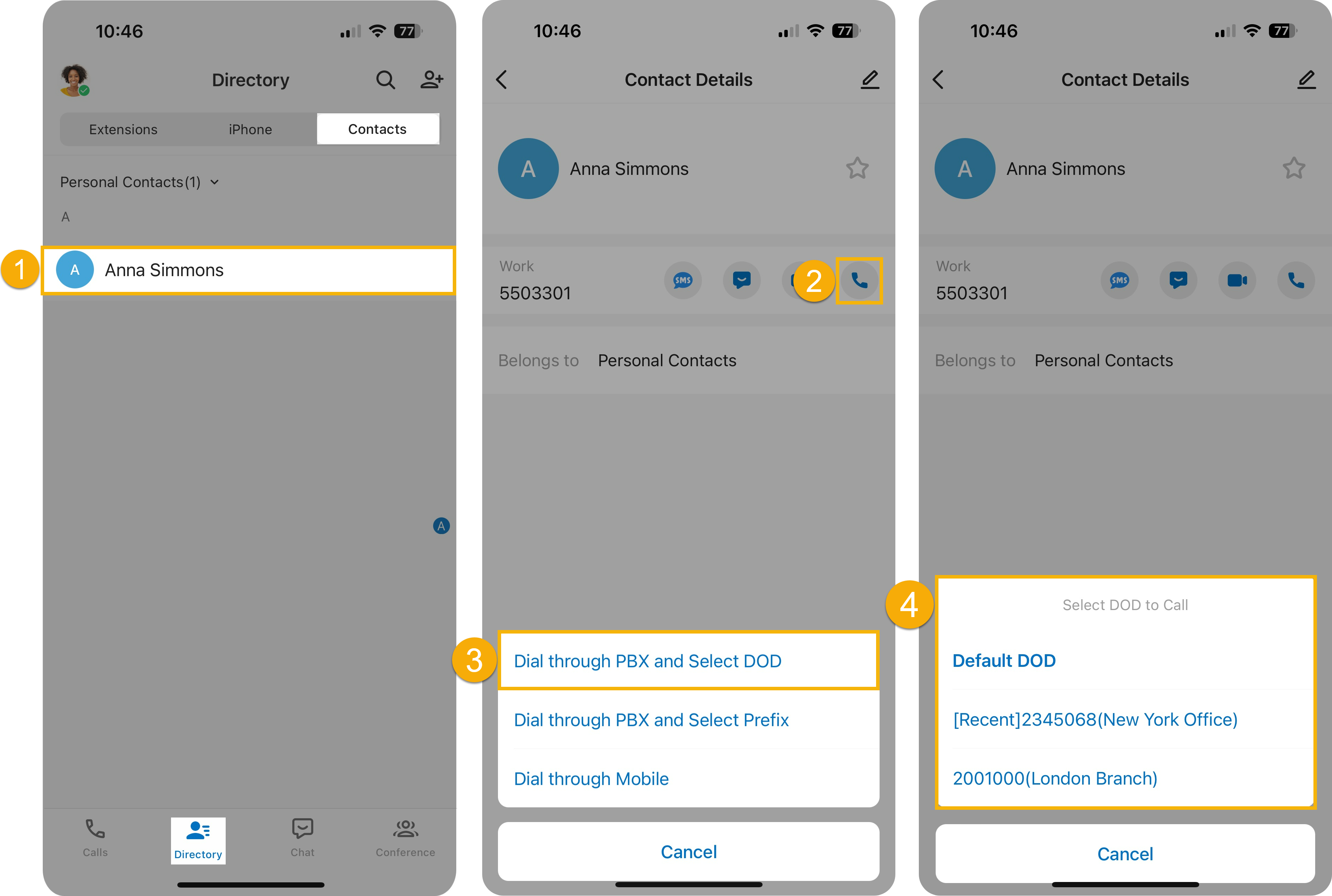
From Contacts
Section titled “From Contacts”- Go to Directory > Contacts and tap the contact you want to call.
- Press and hold the call icon.
- Tap Dial through PBX and Select DOD.
- Select the DOD number to call with.
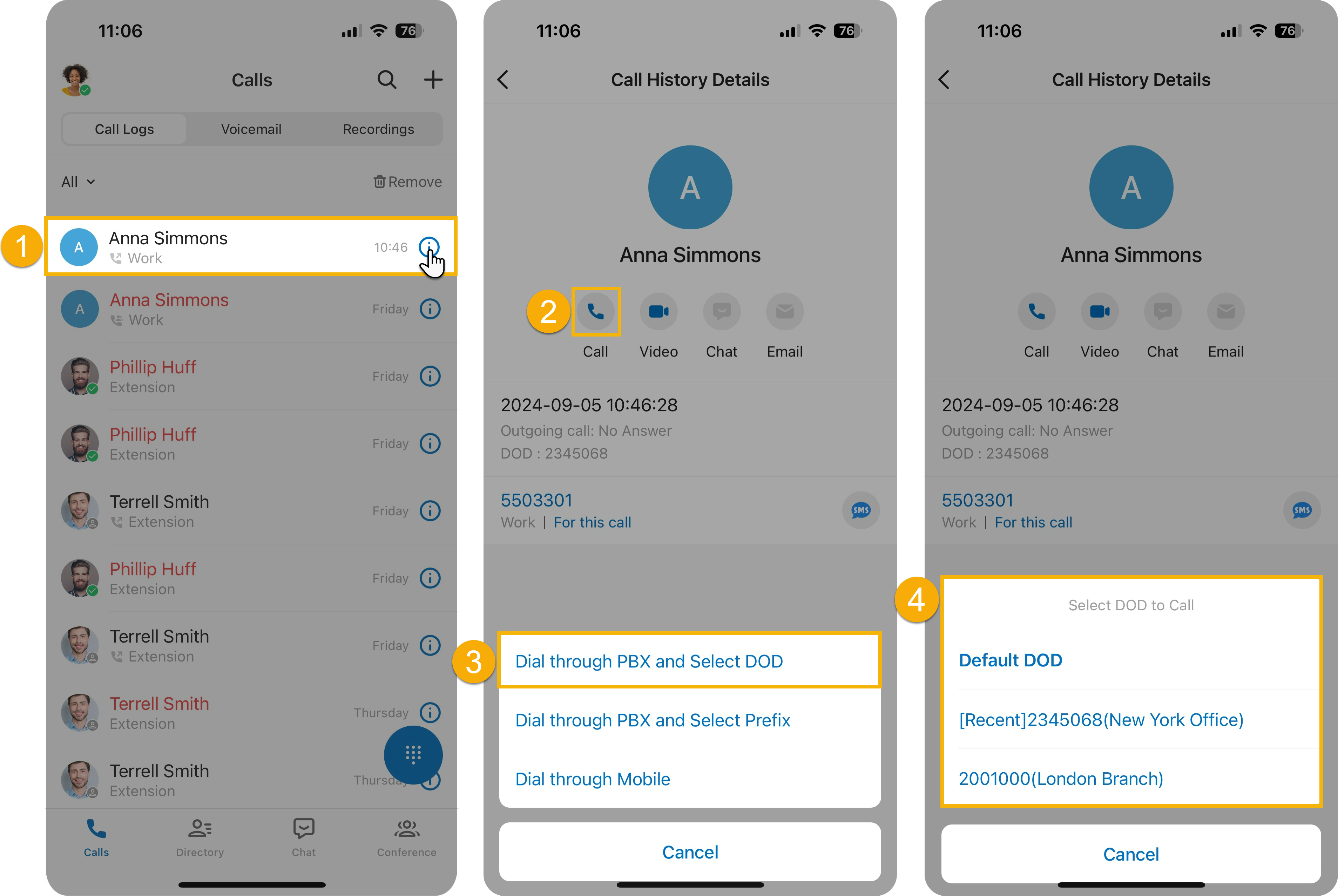
From Call Logs, Voicemail, or Recordings
Section titled “From Call Logs, Voicemail, or Recordings”- On the Call Logs, Voicemail, or Recordings tab, tap the info icon next to the entry you want.
- Press and hold the call icon.
- Tap Dial through PBX and Select DOD.
- Select the DOD number to call with.
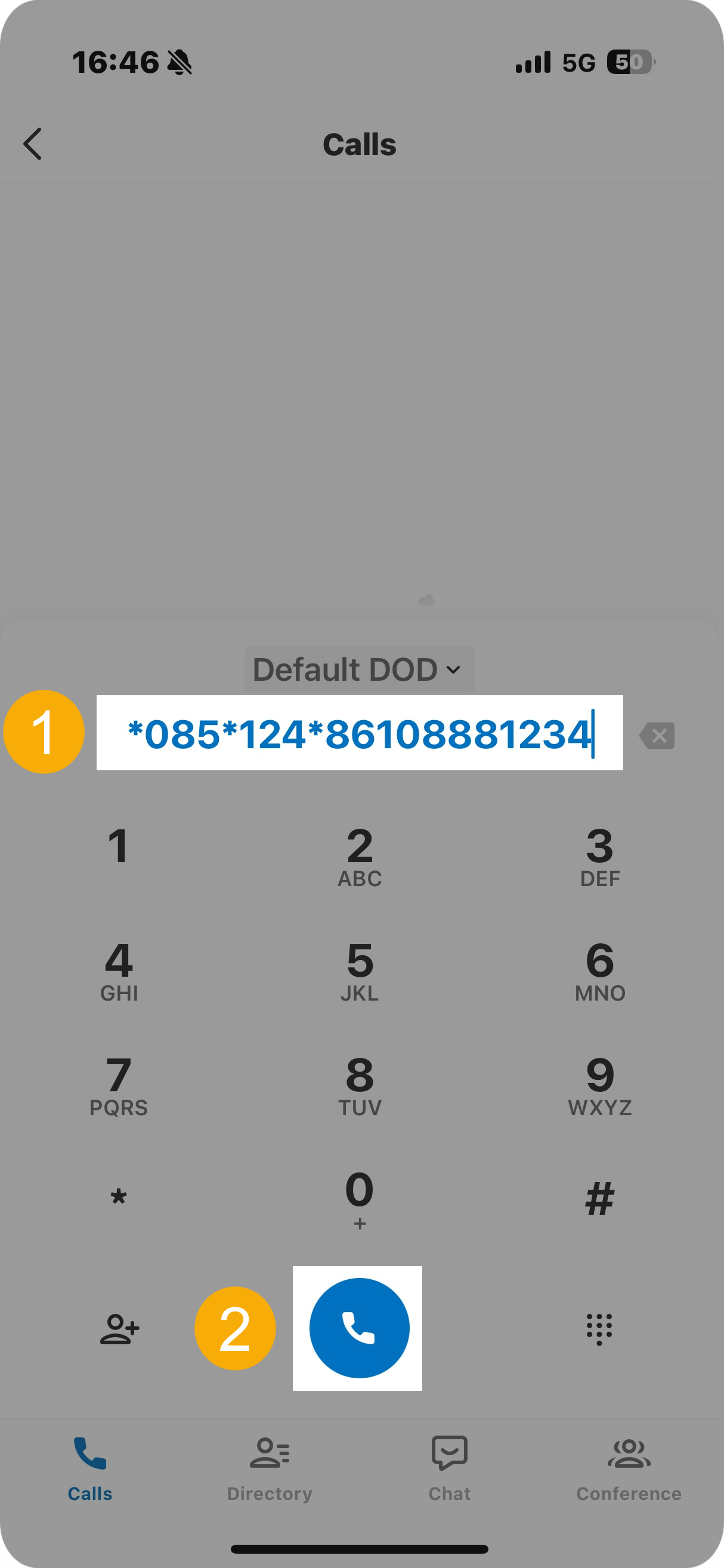
Dial a feature code
Section titled “Dial a feature code”-
On the dialpad, enter the feature code and short code (or the full DOD number), then the destination number. The format is:
{dod_prefix_feature_code}*{short_code / specific_dod_number}*{destination_number}For example,
*085*124*861088881234or*085*5503302*861088881234. -
Tap the call button.
Question about this page?
Ask the AI assistant. It starts from this page, then searches the rest of the docs.
Ask Cloud Voice AI
Answers are AI-generated from the docs and may contain mistakes. Verify with the linked pages.