
Rejoin a Conference Call
A weak signal or an unexpected shutdown of the Cloud Voice App can knock you out of an active conference call. As long as the meeting is still running, the app remembers your seat, so you can step back in once your connection recovers or the app is open again.
Rejoin the call
Section titled “Rejoin the call”- Get your device back on a stable connection: reopen the Cloud Voice App if it closed, and confirm you have working WiFi or cellular data.
- Look at the top of the app screen for the banner that reads You have a conference going on. Click to rejoin.
- Tap the banner.
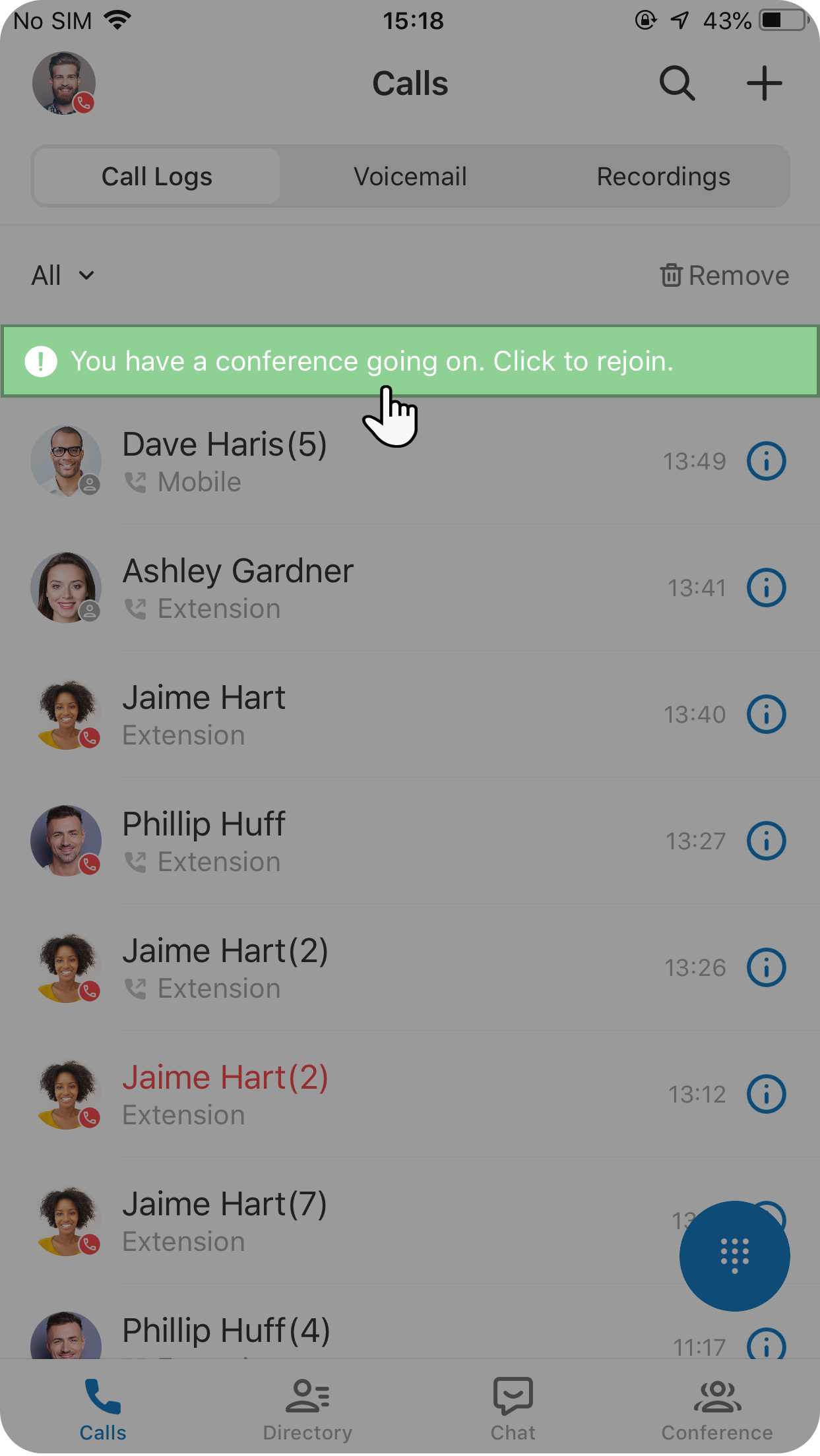
The app places you back into the conference call.
Question about this page?
Ask the AI assistant. It starts from this page, then searches the rest of the docs.
Ask Cloud Voice AI
About
Answers are AI-generated from the docs and may contain mistakes. Verify with the linked pages.