
AI Text-to-Speech
AI Text-to-Speech (TTS) converts the text you type into lifelike spoken audio. Instead of recording a message or uploading an audio file, you write the greeting you want and the system produces the prompt for you. This page walks through generating greetings with AI TTS in the Cloud Voice App.
Where you can use it
Section titled “Where you can use it”You can generate greetings with AI TTS for two features:
-
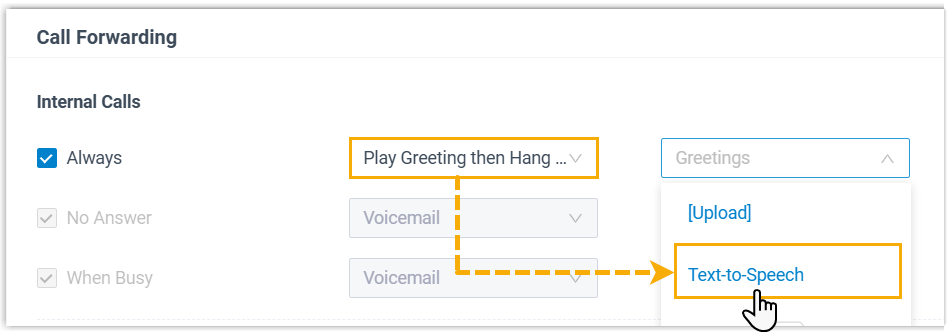
Call forwarding: a greeting played before a call is routed to its forwarding destination. Set it under Preferences > Presence > Call Forwarding.
-
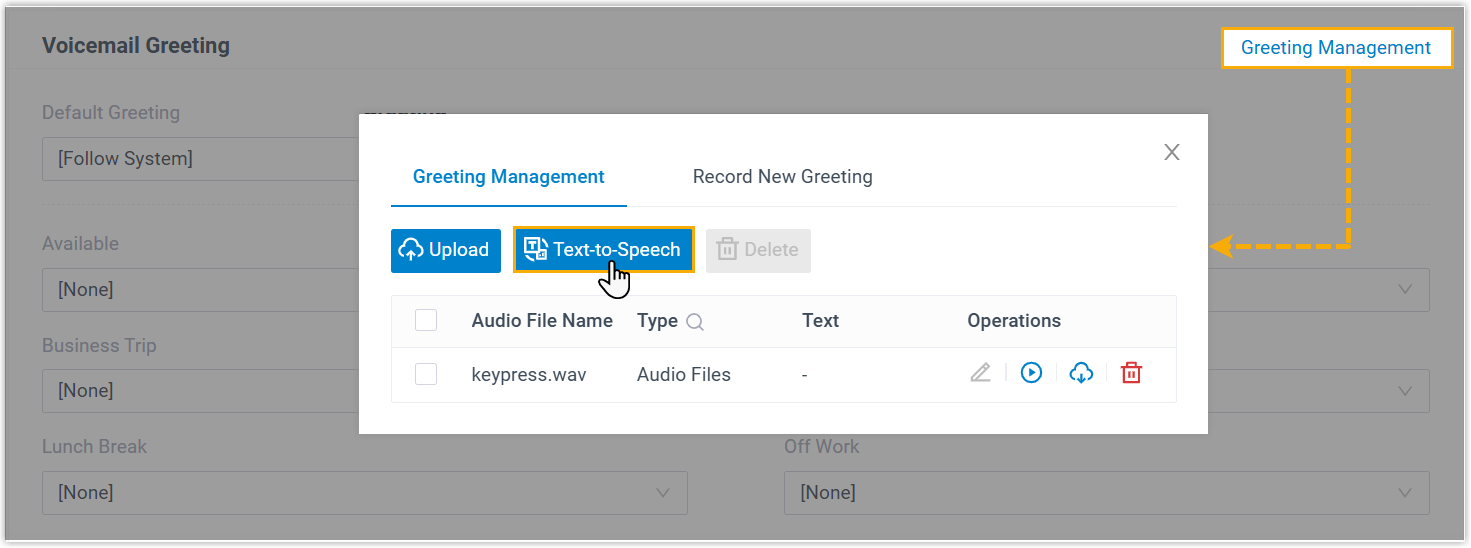
Voicemail: the greeting callers hear when they reach your voicemail. Set it under Preferences > Voicemail > Voicemail Greeting.
Before you begin
Section titled “Before you begin”- Your Cloud Voice platform must be running version 84.20.0.128 or later. IZT keeps the platform up to date, so this requirement is normally already met.
- Your administrator must enable the AI Text-to-Speech feature for your Cloud Voice platform before the option appears.
Generate a greeting
Section titled “Generate a greeting”-
Open the menu for the feature you want a greeting for (call forwarding or voicemail), then click Text-to-Speech.
-
In the window that opens, fill in the prompt details.
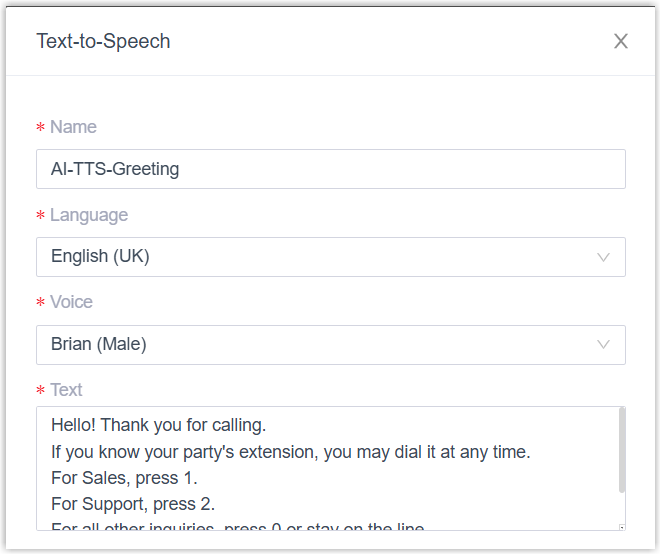
- Name: a label that helps you recognize the prompt later.
- Language: the language the prompt is spoken in.
- Voice: the voice profile used to read the text.
- Text: the words to convert into audio.
-
Optional: fine-tune the audio and preview it.
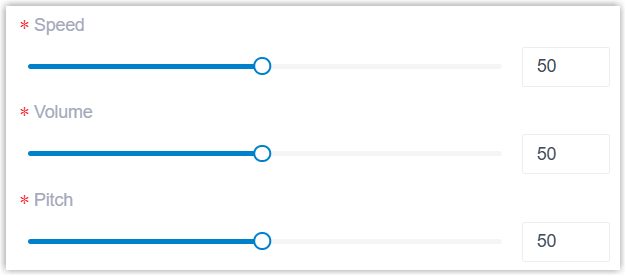
a. Drag the Speed, Volume, and Pitch sliders to the values you want.
b. Click Listen to generate a preview. The button reads Generating while the audio is created, then changes to Play once it is ready.
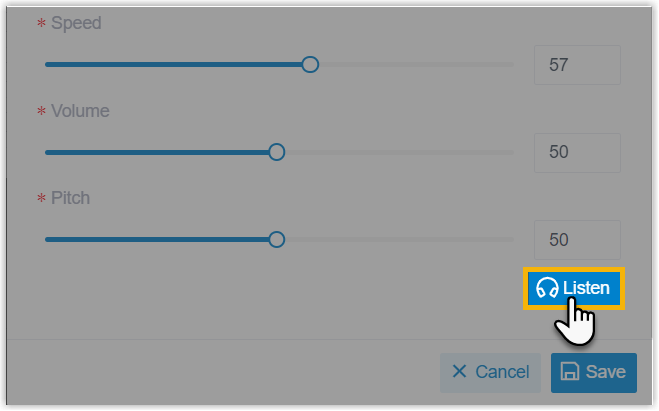

c. Click Play, then click
 in the pop-up to hear the prompt in your browser.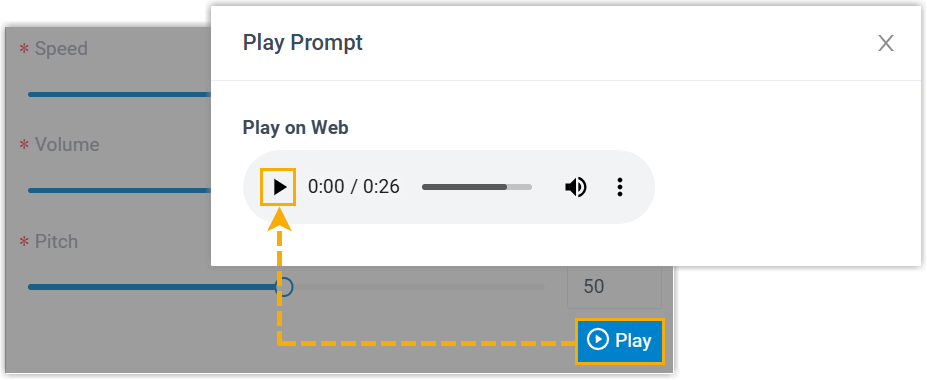
-
Click Save.
After you save
Section titled “After you save”The generated prompt is stored and ready to apply to the feature you created it for.
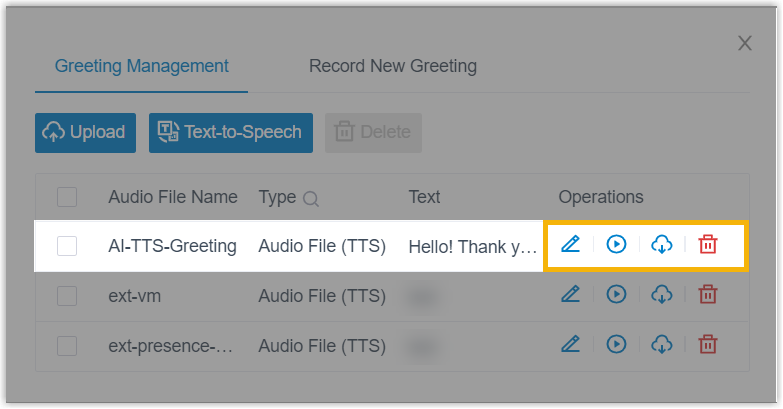
You can also review and organize your saved prompts under Preferences > Voicemail > Voicemail Greeting > Greeting Management. For details, see Manage Personal Voicemail Greetings.
Question about this page?
Ask the AI assistant. It starts from this page, then searches the rest of the docs.
Ask Cloud Voice AI
Answers are AI-generated from the docs and may contain mistakes. Verify with the linked pages.