
View Emergency Outbound Caller ID
If your organization has enhanced emergency service enabled, your extension is tied to a dedicated Emergency Location Identification Number (ELIN). You can look up that number directly in the Cloud Voice App so you know which location will be reported when you dial for help.
How it works
Section titled “How it works”When you subscribe to enhanced emergency service, your administrator links your office extension to a unique ELIN that corresponds to your physical office location. If you dial an emergency number from that extension, the number sent identifies where you are, so responders can be routed to the correct address.
View your Emergency Outbound Caller ID
Section titled “View your Emergency Outbound Caller ID”-
Sign in to the Cloud Voice App desktop client.
-
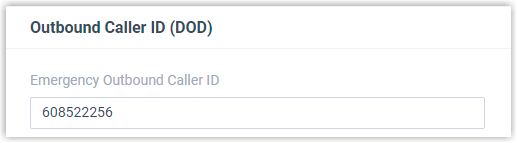
Navigate to Preferences > User > Outbound Caller ID (DOD) > Emergency Outbound Caller ID.
Outcome
Section titled “Outcome”When you place an emergency call, the Public Safety Answering Point (PSAP) uses your ELIN to determine your location and dispatch the appropriate emergency response.
Question about this page?
Ask the AI assistant. It starts from this page, then searches the rest of the docs.
Ask Cloud Voice AI
Answers are AI-generated from the docs and may contain mistakes. Verify with the linked pages.