
Log in to the Cloud Voice App with a QR Code
Your welcome email includes a QR code that lets you sign in to the Cloud Voice App on your mobile device in a single scan, so you don’t have to enter your extension credentials by hand.
Before you start
Section titled “Before you start”Make sure the Cloud Voice welcome email has arrived in your inbox. It contains the QR code you’ll scan during login.
Sign in
Section titled “Sign in”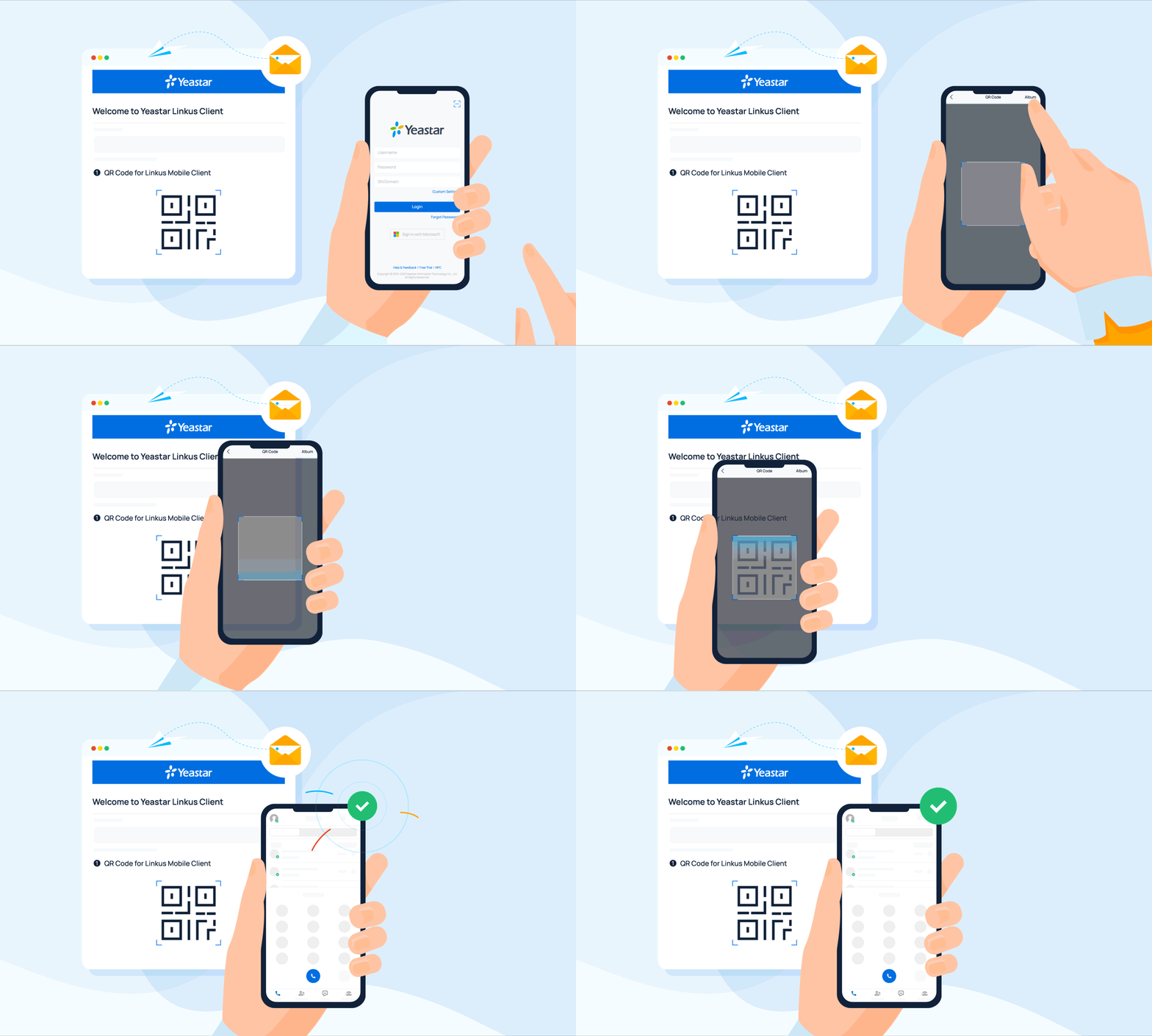
-
On the login screen, tap the scan icon
 in the top-right corner.
 -
Point your camera at the QR code in the welcome email.
The app reads your login details from the code and signs you in on its own.
Question about this page?
Ask the AI assistant. It starts from this page, then searches the rest of the docs.
Ask Cloud Voice AI
About
Answers are AI-generated from the docs and may contain mistakes. Verify with the linked pages.