
Switch Audio Device During a Call
When more than one audio device is paired with your phone, such as a Bluetooth headset alongside the built-in speaker and earpiece, the Cloud Voice App lets you move a live call from one to another. The switch happens mid-conversation, so the call stays connected the whole time. This is handy when you start a call on speaker and then want privacy, or when you walk away from a wired headset and need to keep talking.
Before you start
Section titled “Before you start”Make sure at least one audio device is connected to your mobile phone.
Change the output during a call
Section titled “Change the output during a call”-
While a call is active, tap the audio
 icon on the call screen.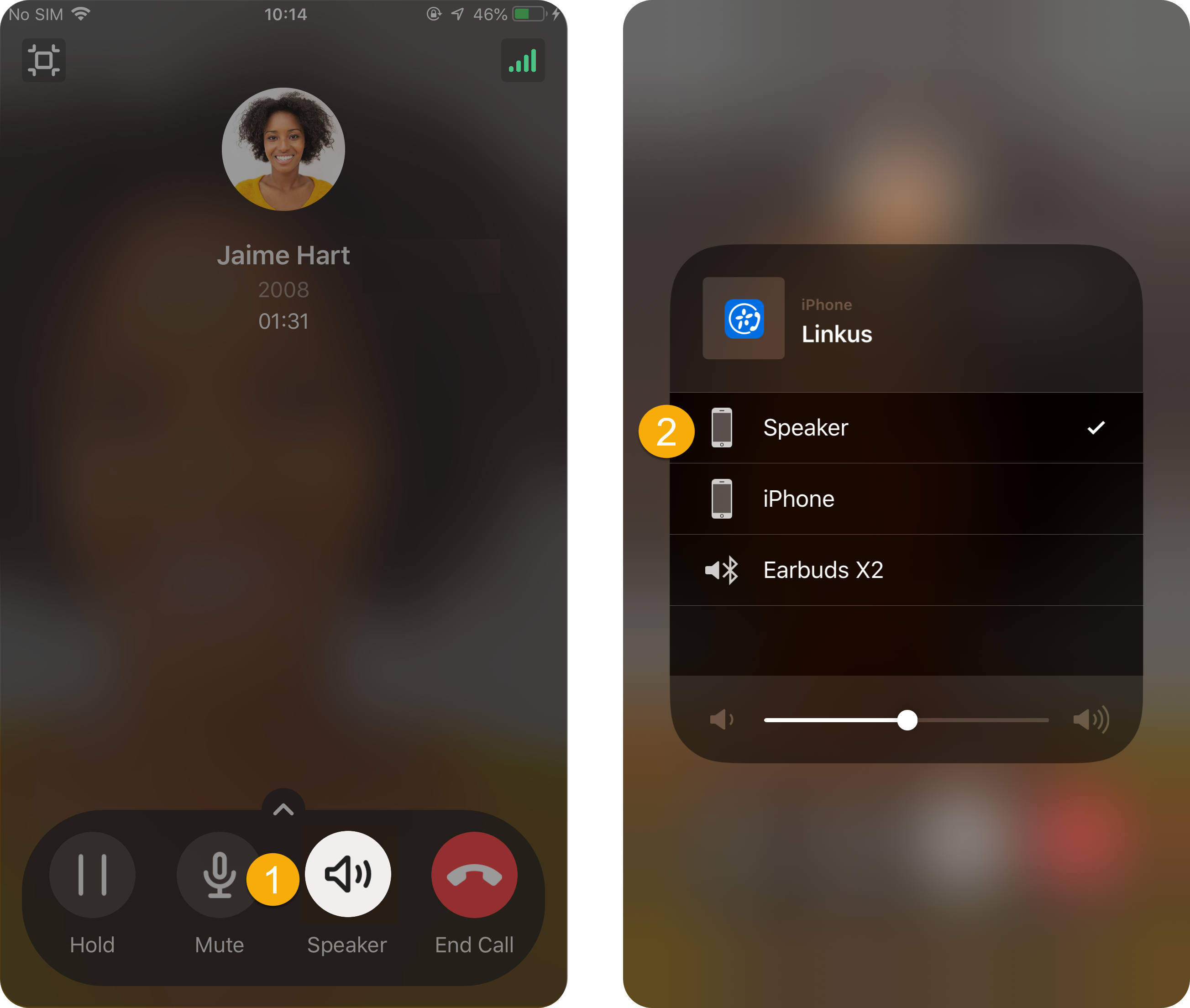
-
Choose the device you want to use.
The audio moves to your selection right away, and you can keep talking through the new device.
Question about this page?
Ask the AI assistant. It starts from this page, then searches the rest of the docs.
Ask Cloud Voice AI
Answers are AI-generated from the docs and may contain mistakes. Verify with the linked pages.