
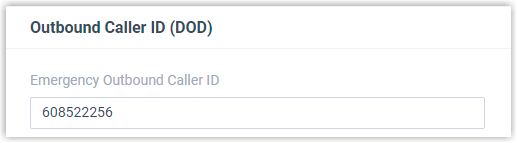
View Emergency Outbound Caller ID
When your organization subscribes to enhanced emergency service, your administrator links your extension to a dedicated Emergency Location Identification Number (ELIN) that maps to your physical office location. On an emergency call, this number tells responders where you are, and the emergency operator’s screen shows your location. Only your administrator can assign or change the ELIN, so this page is where you confirm which emergency caller ID is tied to your extension.
View your emergency caller ID
Section titled “View your emergency caller ID”-
Sign in to the Cloud Voice App.
-
Open Preferences > User > Outbound Caller ID (DOD) > Emergency Outbound Caller ID.
What happens on an emergency call
Section titled “What happens on an emergency call”When you dial emergency services, the Public Safety Answering Point (PSAP), the call center that answers emergency calls, uses your ELIN to pinpoint your location and dispatch the right response.
Question about this page?
Ask the AI assistant. It starts from this page, then searches the rest of the docs.
Ask Cloud Voice AI
Answers are AI-generated from the docs and may contain mistakes. Verify with the linked pages.