
Install a TestFlight beta of the Cloud Voice App on iPhone
Beta builds of the Cloud Voice App for iOS are distributed through TestFlight, Apple’s app for previewing pre-release software. To try one, install TestFlight, open the invitation link, and install the beta build from there.
Step 1: Install TestFlight
Section titled “Step 1: Install TestFlight”- On your iPhone, open the App Store.
- Search for TestFlight and download it. TestFlight is a free Apple app.
- Launch TestFlight, accept the license agreement, and allow it to use both Wi-Fi (shown as WLAN, wireless local area network) and cellular data when prompted.
Step 2: Open the beta invitation
Section titled “Step 2: Open the beta invitation”-
Open Safari and enter the invitation link that Cloud Voice support gave you, then tap go.
-
Tap Start Testing. Safari hands you off to the TestFlight app.
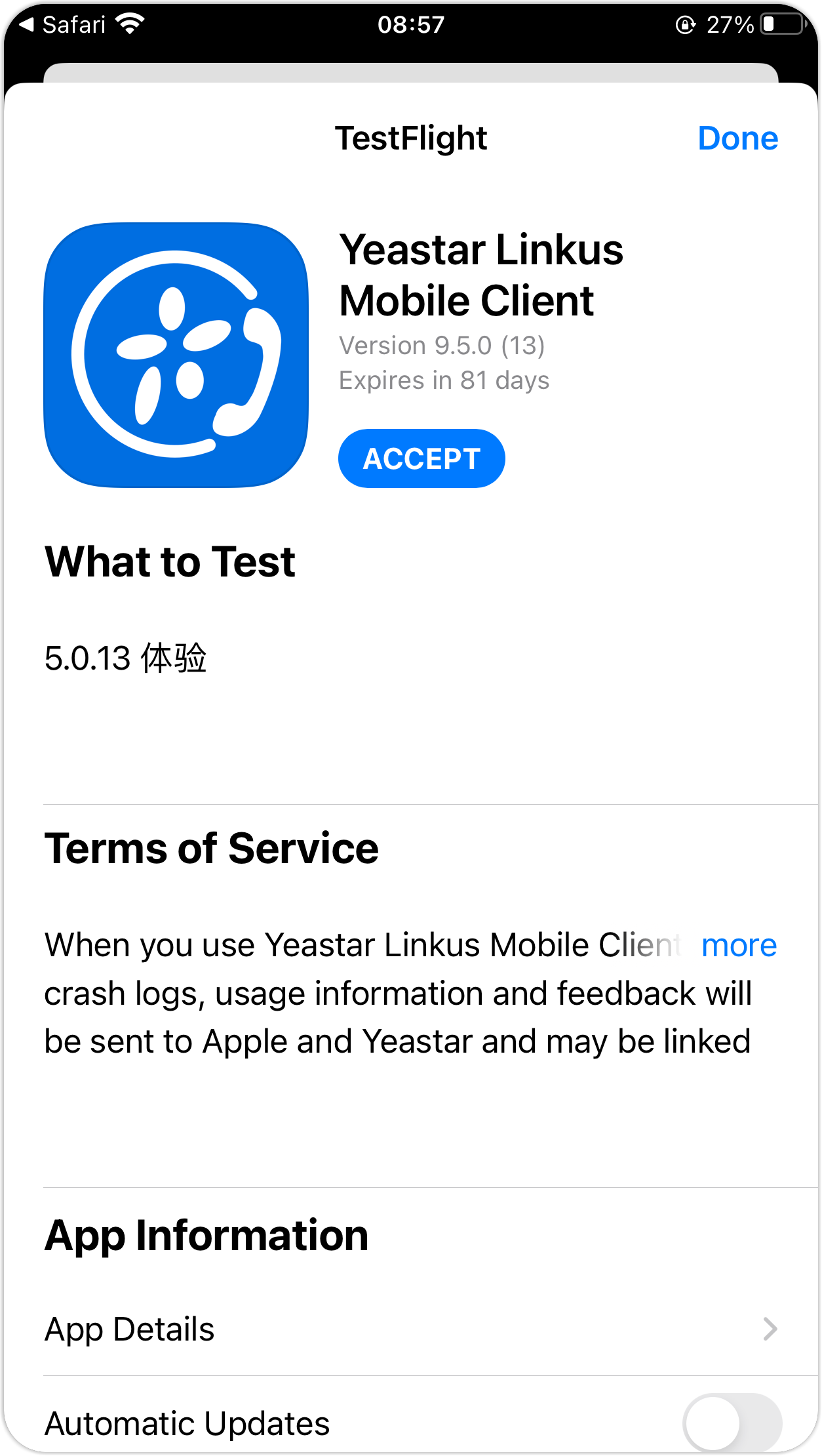
Step 3: Install the beta
Section titled “Step 3: Install the beta”In TestFlight, tap Accept, then Install to add the beta version of the Cloud Voice App to your iPhone.
Question about this page?
Ask the AI assistant. It starts from this page, then searches the rest of the docs.
Ask Cloud Voice AI
About
Answers are AI-generated from the docs and may contain mistakes. Verify with the linked pages.