
Place a Call Using Your Mobile Line (Mobile App)
The Cloud Voice App normally places calls over the internet using VoIP (Voice over Internet Protocol). The Dial through Mobile option does something different: it hands the call to your phone’s own cellular line, so your mobile carrier connects it. This is handy when your data or Wi-Fi signal is weak but you still need to reach a contact saved in your directory.
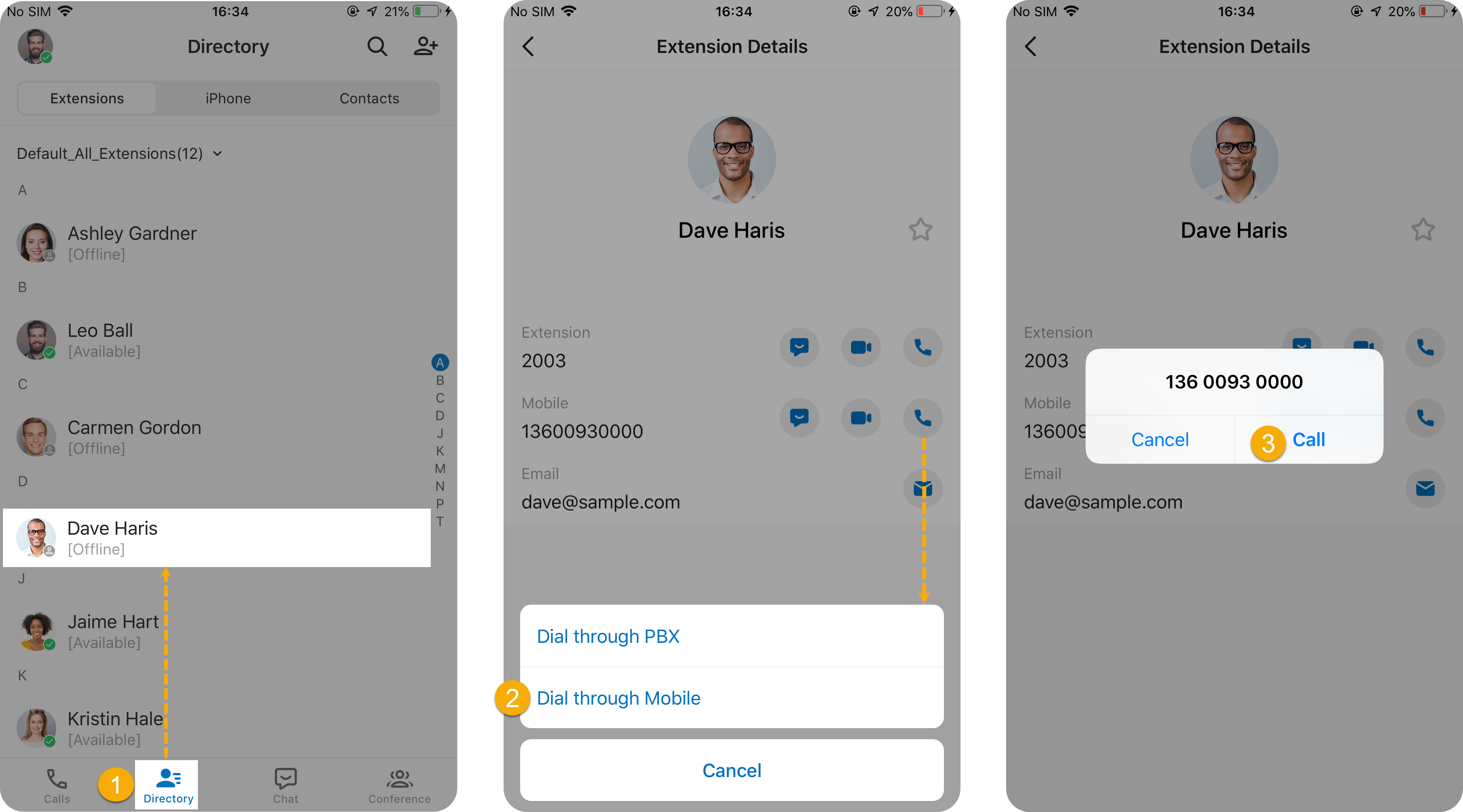
To dial an external number over your mobile line:
-
In the Cloud Voice App, open Directory and find the contact you want to reach.
-
Press and hold the call icon
 next to an external number, then choose Dial through Mobile.
 -
Confirm to place the call. Your phone dials the number over its cellular connection.
Question about this page?
Ask the AI assistant. It starts from this page, then searches the rest of the docs.
Ask Cloud Voice AI
Answers are AI-generated from the docs and may contain mistakes. Verify with the linked pages.