
Report App Problems
When something isn’t working in the Cloud Voice App, you can send a problem report straight from the app. The support team reviews each report and reaches out to help you resolve it. You can submit a report whether or not you’re signed in, which is useful when the trouble is a failed login.
Report a problem before signing in
Section titled “Report a problem before signing in”If your credentials are correct but you still can’t sign in, send a report from the login screen.
-
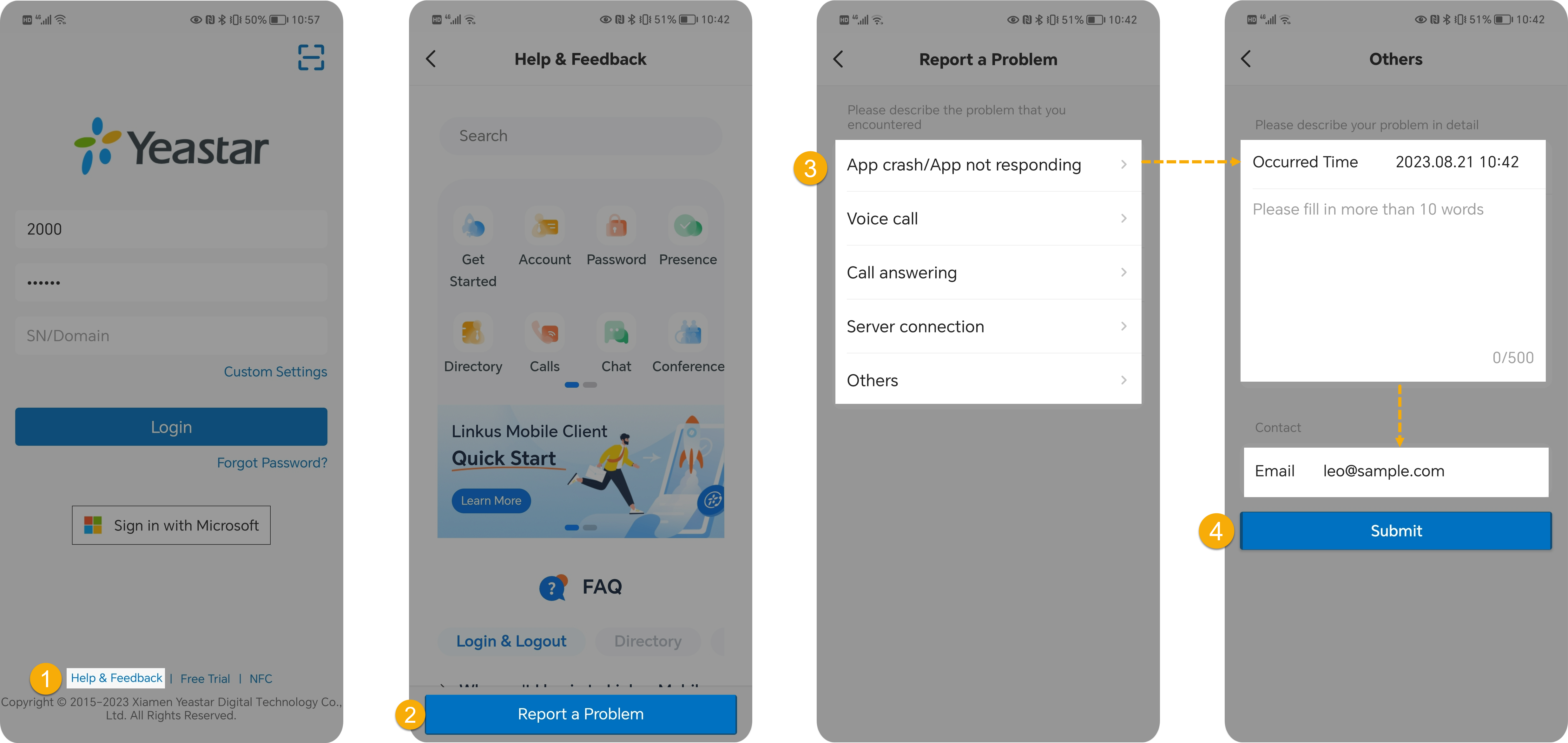
On the login screen, tap Help & Feedback at the bottom.
-
On the Help & Feedback screen, tap Report a Problem at the bottom.
-
Fill in the details of what went wrong: a. Choose the category that matches your issue.
b. In the Occurred Time field, set when the problem happened. c. Write a detailed description of the problem. d. Enter your email address in the Email field so the support team can reach you.
-
Tap Submit.
Report a problem after signing in
Section titled “Report a problem after signing in”If you run into a problem once you’re already signed in, send a report from your account menu.
-
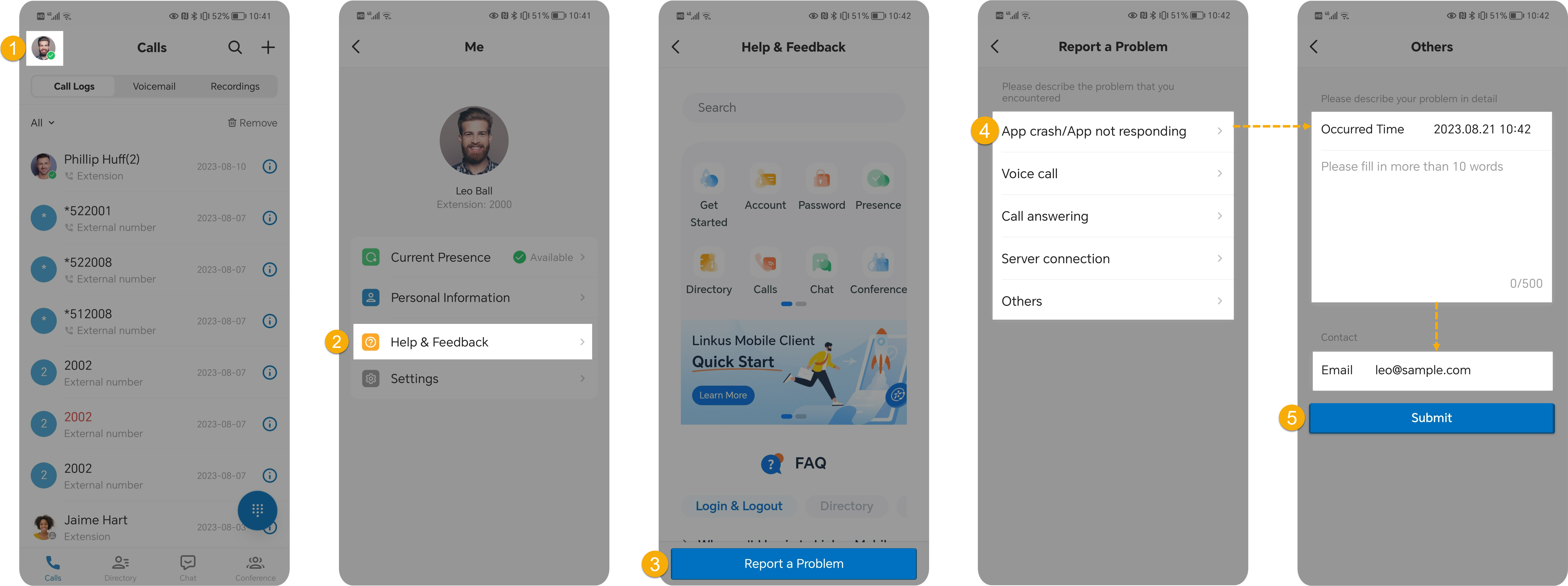
On the Calls screen, tap your account in the top-left corner.
-
Go to Help & Feedback.
-
Tap Report a Problem.
-
Fill in the details of what went wrong: a. Choose the category that matches your issue.
b. In the Occurred Time field, set when the problem happened. c. Write a detailed description of the problem. d. Enter your email address in the Email field so the support team can reach you.
-
Tap Submit.
Question about this page?
Ask the AI assistant. It starts from this page, then searches the rest of the docs.
Ask Cloud Voice AI
Answers are AI-generated from the docs and may contain mistakes. Verify with the linked pages.