
Link Your Queue Status to Your Presence
As a dynamic agent, you can tie your status in a queue to your extension presence. Once linked, your queue membership adjusts on its own whenever your presence changes, so you don’t have to log in and out by hand throughout the day.
Why link the two
Section titled “Why link the two”Dynamic agents often join and leave a queue many times a shift. Rather than toggling your queue status manually each time, you can map each presence state to a queue action. For instance, you might be logged in to take calls whenever your presence shows you’re available, and paused automatically the moment you step away from your desk.
Set up the mapping
Section titled “Set up the mapping”-
Sign in to the Cloud Voice App and open Preferences > Presence.
-
In the status bar, pick the presence status you want to configure.
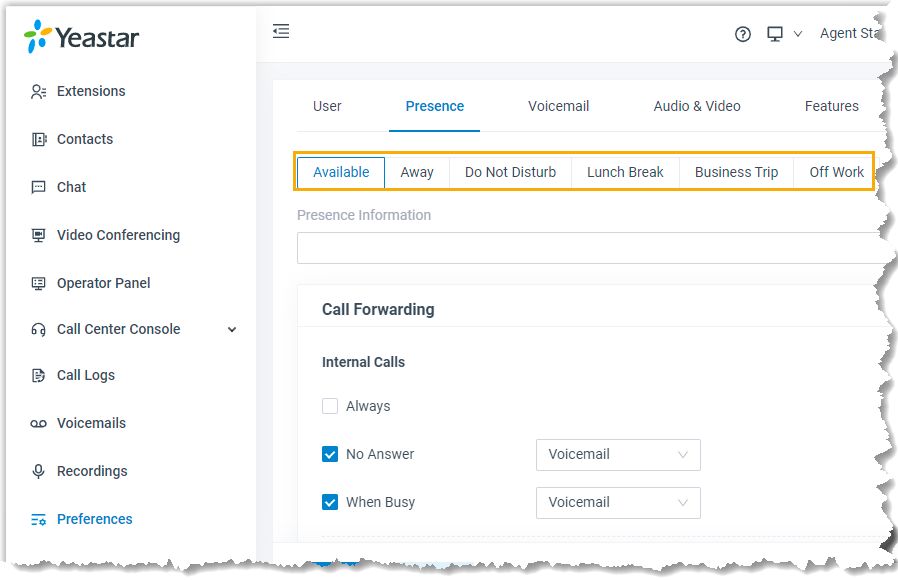
-
Open the Agent Status Auto Switch drop-down and choose what should happen to your queue status when you enter this presence:
- Log In: join the queue and start receiving its calls.
- Log Out: leave the queue and stop receiving its calls.
- Pause: stay in the queue but temporarily stop receiving calls.
- Do Nothing: leave your queue status unchanged for this presence.
-
Repeat steps 2 and 3 for any other presence statuses you want to map.
-
Click Save.
What happens next
Section titled “What happens next”From now on, each time your extension presence changes, your work status in the queue updates to match the action you assigned.
Question about this page?
Ask the AI assistant. It starts from this page, then searches the rest of the docs.
Ask Cloud Voice AI
Answers are AI-generated from the docs and may contain mistakes. Verify with the linked pages.