
Delete Conference Call History
When you no longer need a record of a past conference, you can clear it from the conference list in the Cloud Voice App on your phone. This keeps the list short and easy to read. Deleting a history entry only removes the record of a call that already happened: it does not cancel or change any upcoming or scheduled conferences.
Remove a conference entry
Section titled “Remove a conference entry”- Tap Conference in the bottom-right corner of the Cloud Voice App.
- Press and hold (long-press) the conference entry you want to remove, then tap Delete.
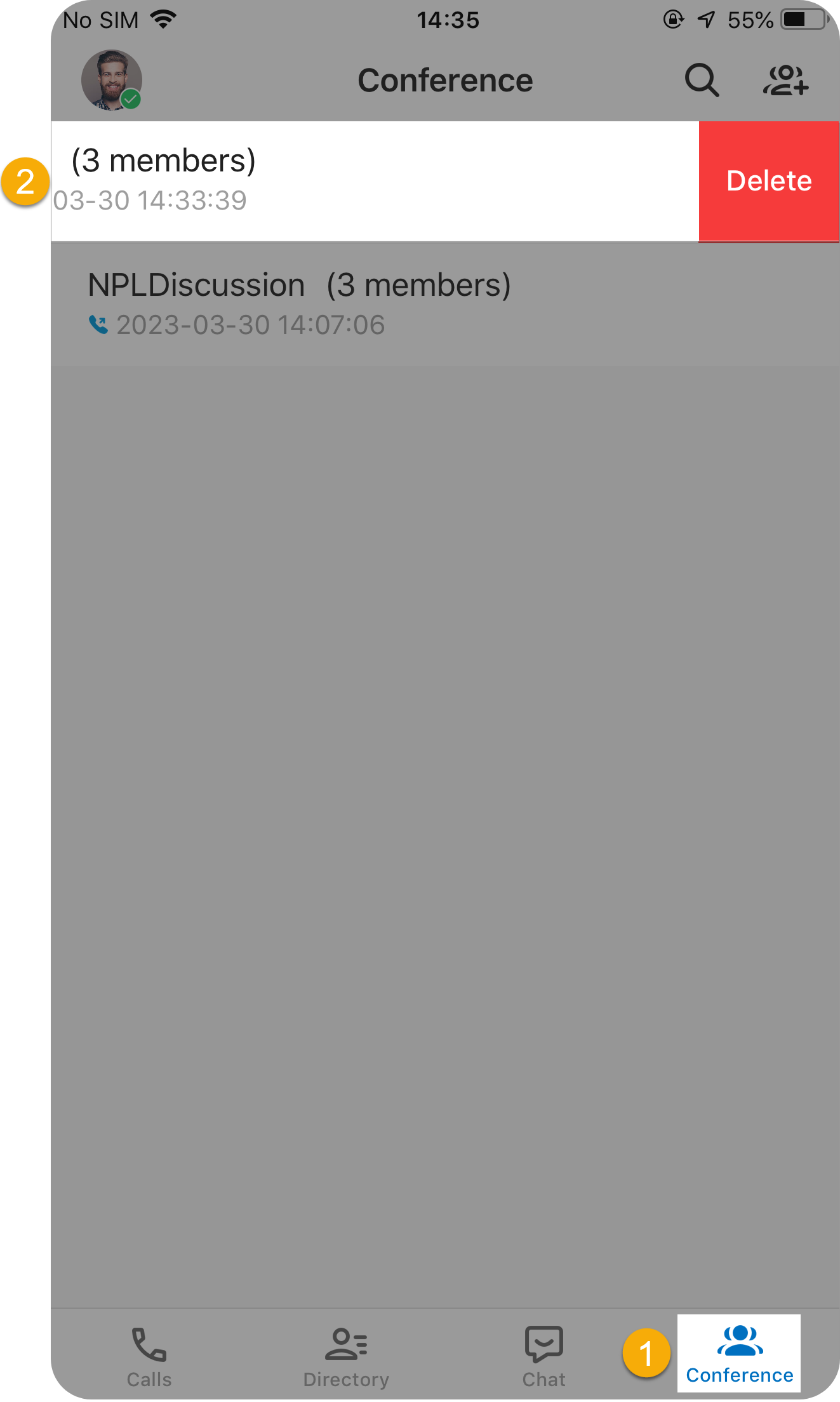
The selected entry disappears from your conference list.
Question about this page?
Ask the AI assistant. It starts from this page, then searches the rest of the docs.
Ask Cloud Voice AI
About
Answers are AI-generated from the docs and may contain mistakes. Verify with the linked pages.