
Enable or Disable Call Emergency via Mobile Number
The Cloud Voice App can place emergency calls two ways. Your phone system uses a PBX (Private Branch Exchange, the business phone platform that manages your extensions and outbound lines). By default an emergency call would leave over a PBX trunk (the connection between your phone system and the outside phone network). With Call Emergency via Mobile Number turned on, dialing an emergency number in the app instead hands the call to your phone’s built-in cellular dialer, so it goes out over your mobile carrier rather than the PBX. Because the call then originates from your handset, emergency services receive your carrier’s location and callback details directly.
This page shows how to turn the feature on or off from the app.
Before you begin
Section titled “Before you begin”- Your system administrator must have configured emergency numbers on the PBX. Without them, the app has no numbers to treat as emergency calls.
- Your Cloud Voice App must meet the minimum version:
- iOS: 5.5.9 or later
- Android: 5.5.8 or later
Turn on Call Emergency via Mobile Number
Section titled “Turn on Call Emergency via Mobile Number”- On the Calls page, tap your account in the top-left corner.
- Go to Settings > Advanced.
- Enable the Call Emergency via Mobile Number switch.
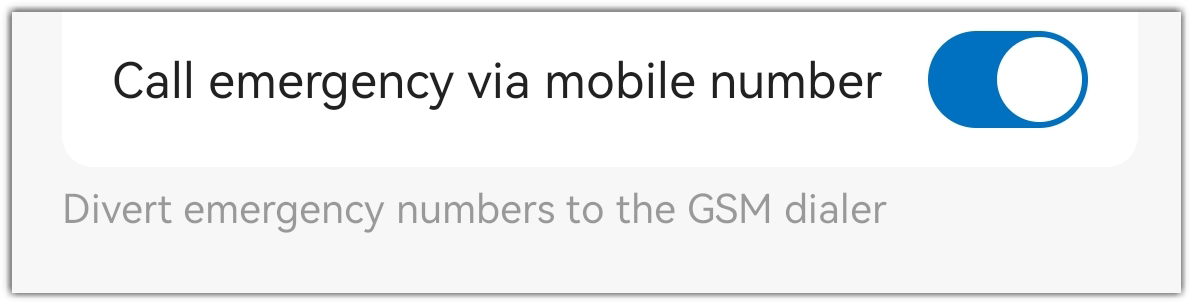
With the switch on, dialing an emergency number in the app opens your phone’s native cellular dialer. Tap the call button there, and the call is placed over your mobile number.
Turn off Call Emergency via Mobile Number
Section titled “Turn off Call Emergency via Mobile Number”- On the Calls page, tap your account in the top-left corner.
- Go to Settings > Advanced.
- Disable the Call Emergency via Mobile Number switch.
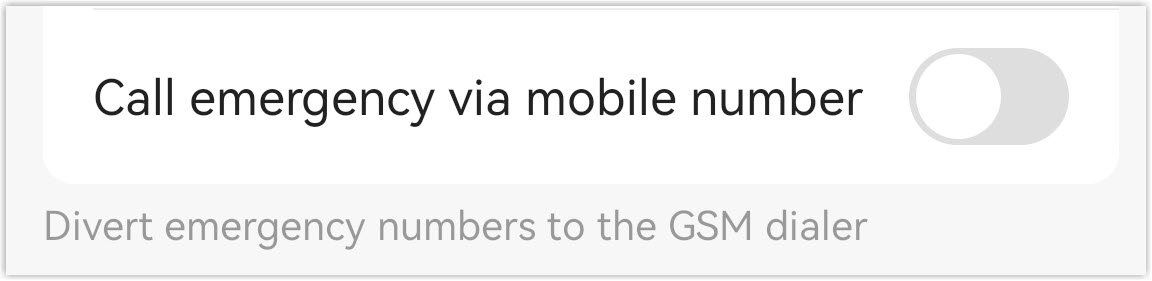
With the switch off, dialing an emergency number in the app places the call through the PBX instead of your cellular carrier.
Question about this page?
Ask the AI assistant. It starts from this page, then searches the rest of the docs.
Ask Cloud Voice AI
Answers are AI-generated from the docs and may contain mistakes. Verify with the linked pages.