
View Colleague Extensions
The Cloud Voice App gives you a live directory of everyone in your organization, so you can look up a coworker’s extension, check their status, and start a call, chat, or voicemail without leaving the app.
View the extension directory
Section titled “View the extension directory”-
Sign in to the Cloud Voice App (web).
-
In the left navigation bar, select Extensions.
-
Optional: Narrow the list to a specific group or department that the extension belongs to.
-
To filter by group, open the group menu
 and choose a group. The app lists the extensions that belong to it.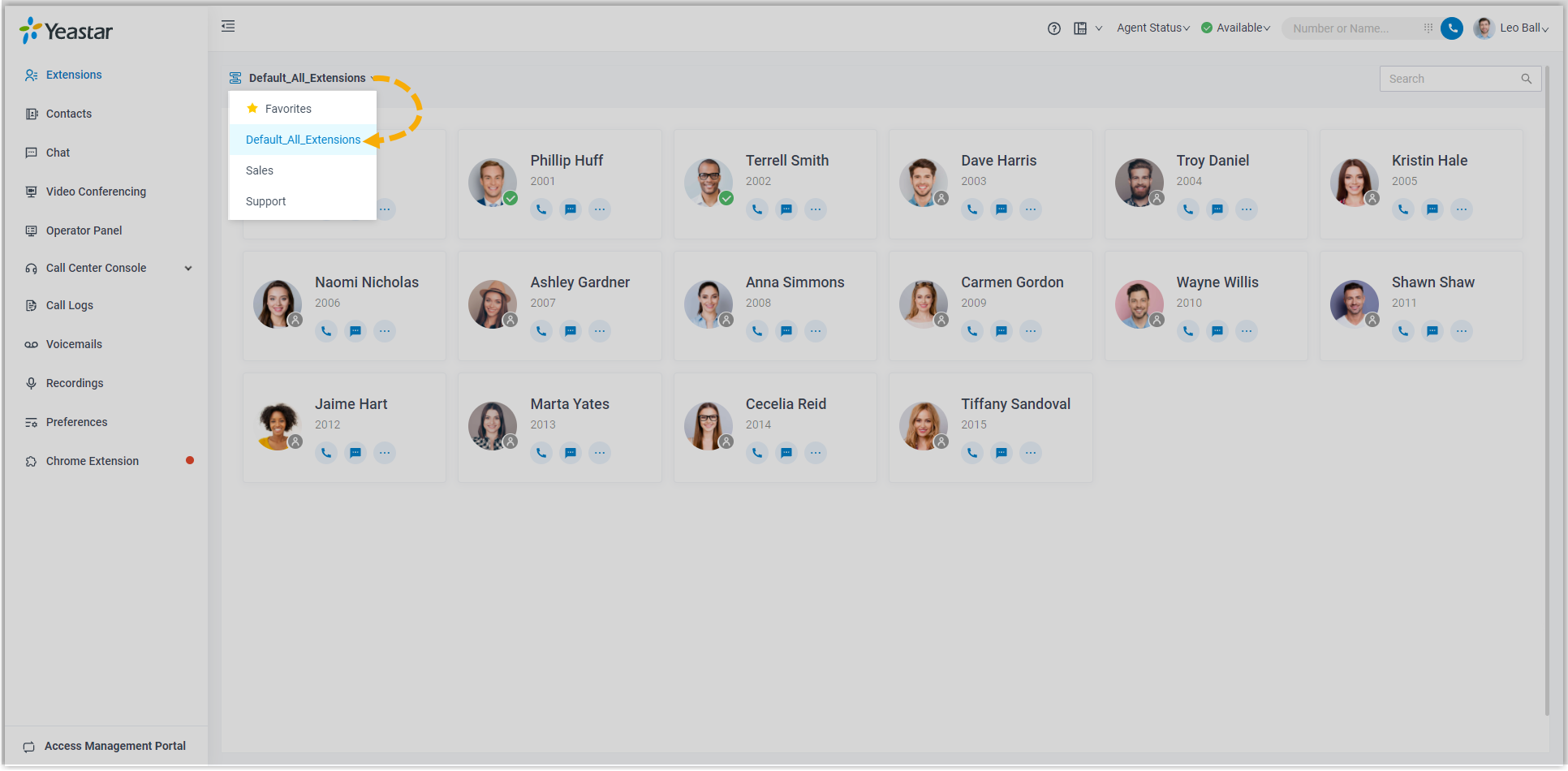
-
To filter by department, pick a department from the organizational tree. The app lists the extensions in that department.
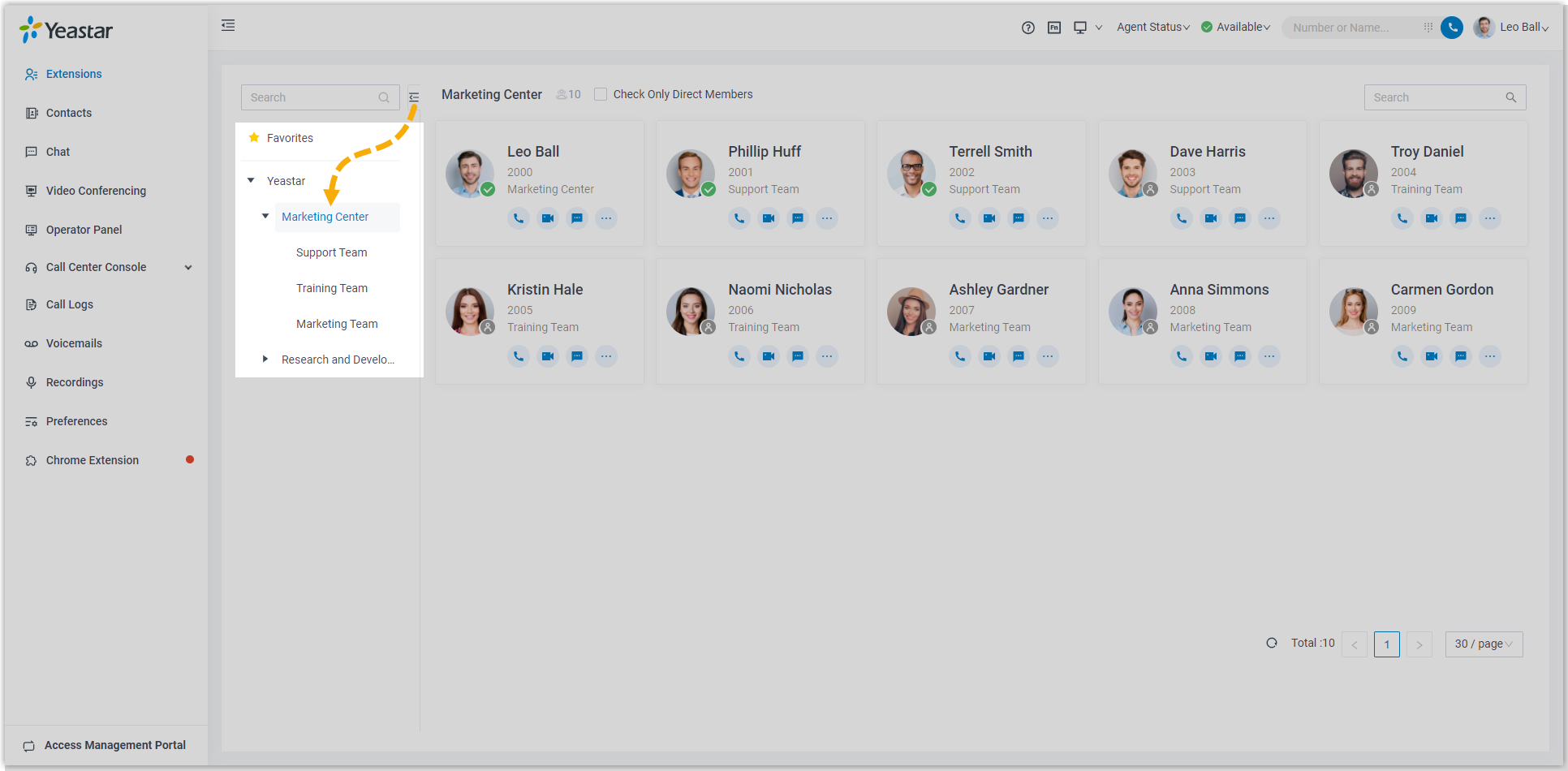
-
-
Select a coworker’s contact card to open their details.
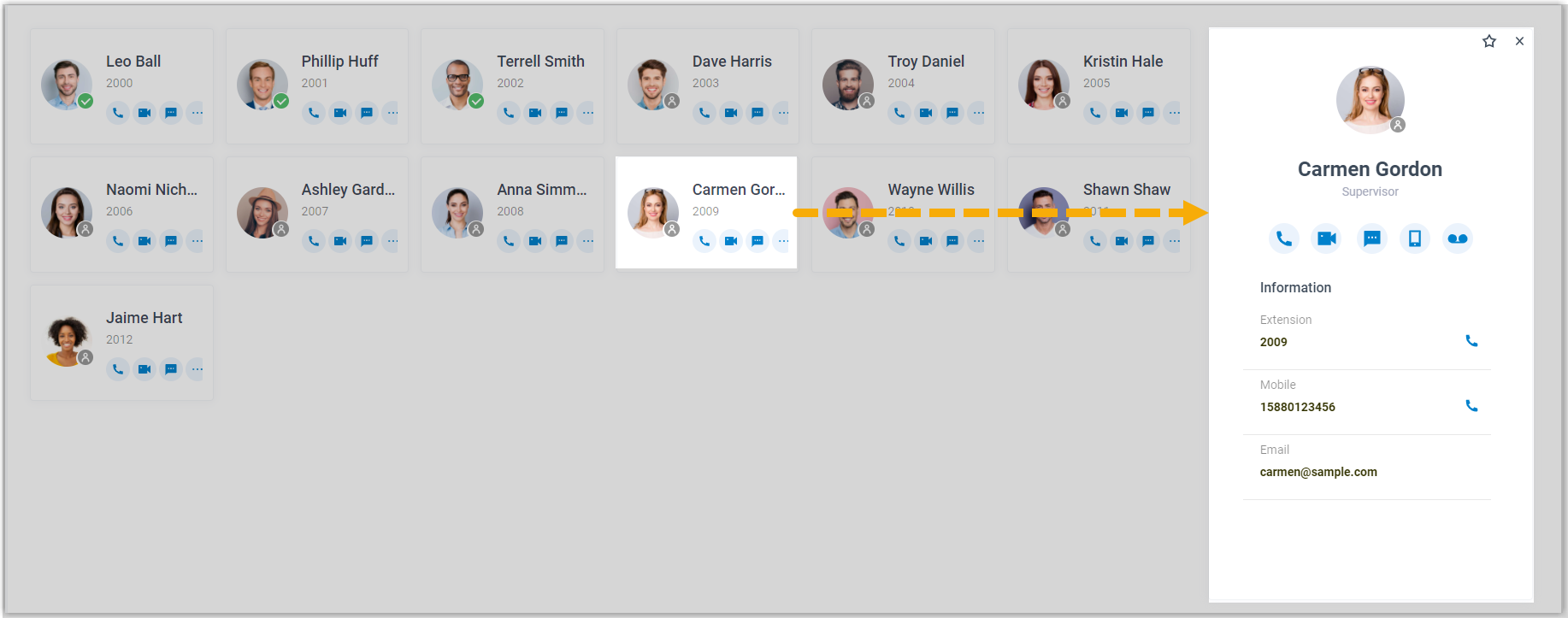
-
Optional: Use the icons on a contact card to reach or organize a coworker:
 Add the extension to your Favorites list.
 Start an audio call to the extension.
 Start a video call to the extension.
 Open a one-to-one chat.
 Call the coworker’s mobile number.
 Leave a voicemail.
Question about this page?
Ask the AI assistant. It starts from this page, then searches the rest of the docs.
Ask Cloud Voice AI
Answers are AI-generated from the docs and may contain mistakes. Verify with the linked pages.