
Make a Video Call
As long as your phone is online, the Cloud Voice App lets you start and receive video calls right from your mobile device.
Before you start
Section titled “Before you start”Confirm the following requirements are met, then note the limitation.
- Server: Ask your system administrator to confirm that your organization’s server runs version 84.13.0.25 or later and is on the Ultimate Plan.
- App version: Your Cloud Voice App must be at least version 5.0.13 on iOS or 5.3.12 on Android.
Three ways to start a video call
Section titled “Three ways to start a video call”You can launch a video call from your directory, from an open chat, or from your call history.
From the directory
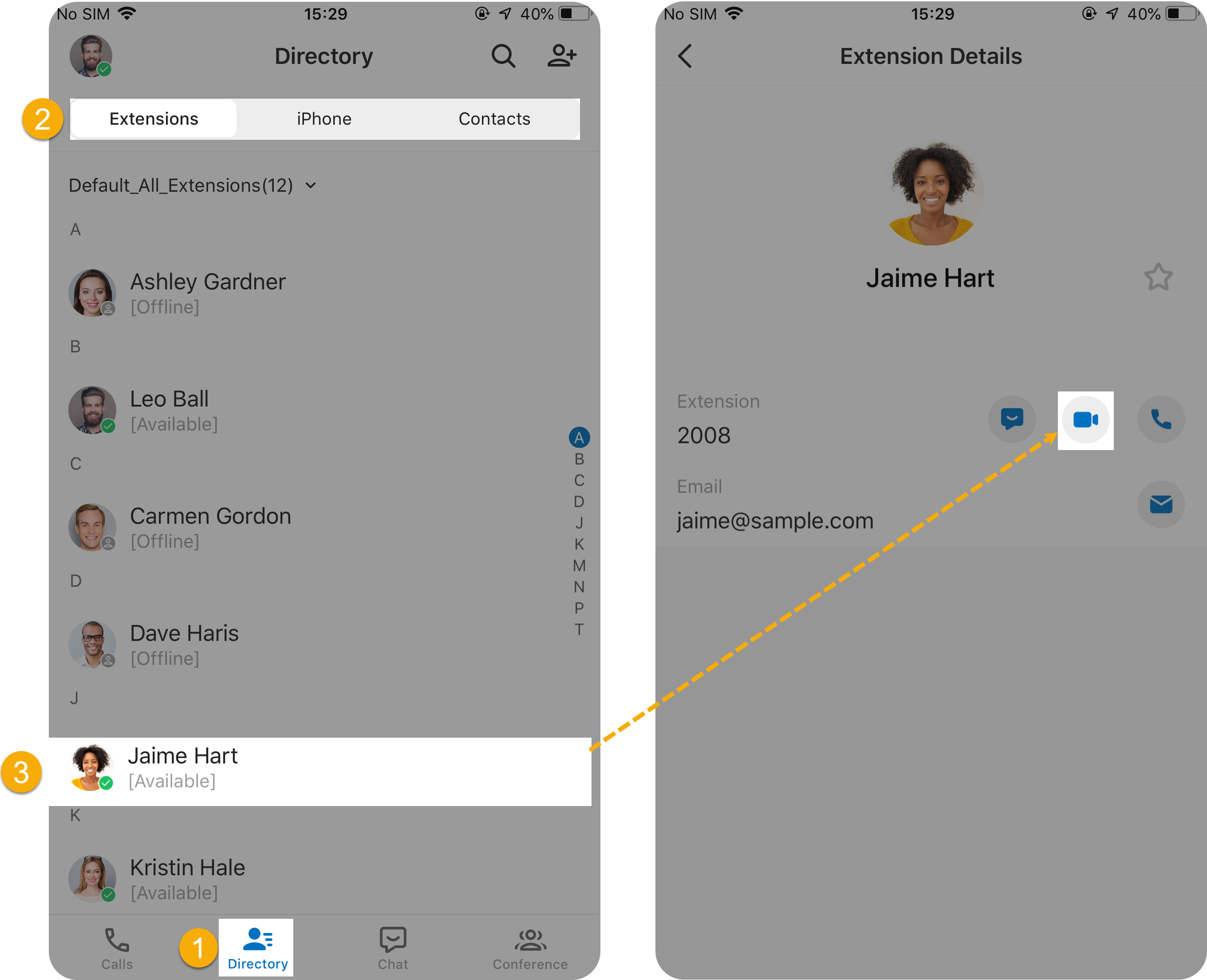
Section titled “From the directory”- Tap Directory along the bottom of the app.
- Open the tab that holds the person you want.
- Tap the contact, then tap the video call icon
 .
.
From a chat
Section titled “From a chat”While you have a conversation open, use either of these methods.
-
Method 1: In the bottom-right corner of the chat, tap the add icon
 , then tap Video Call.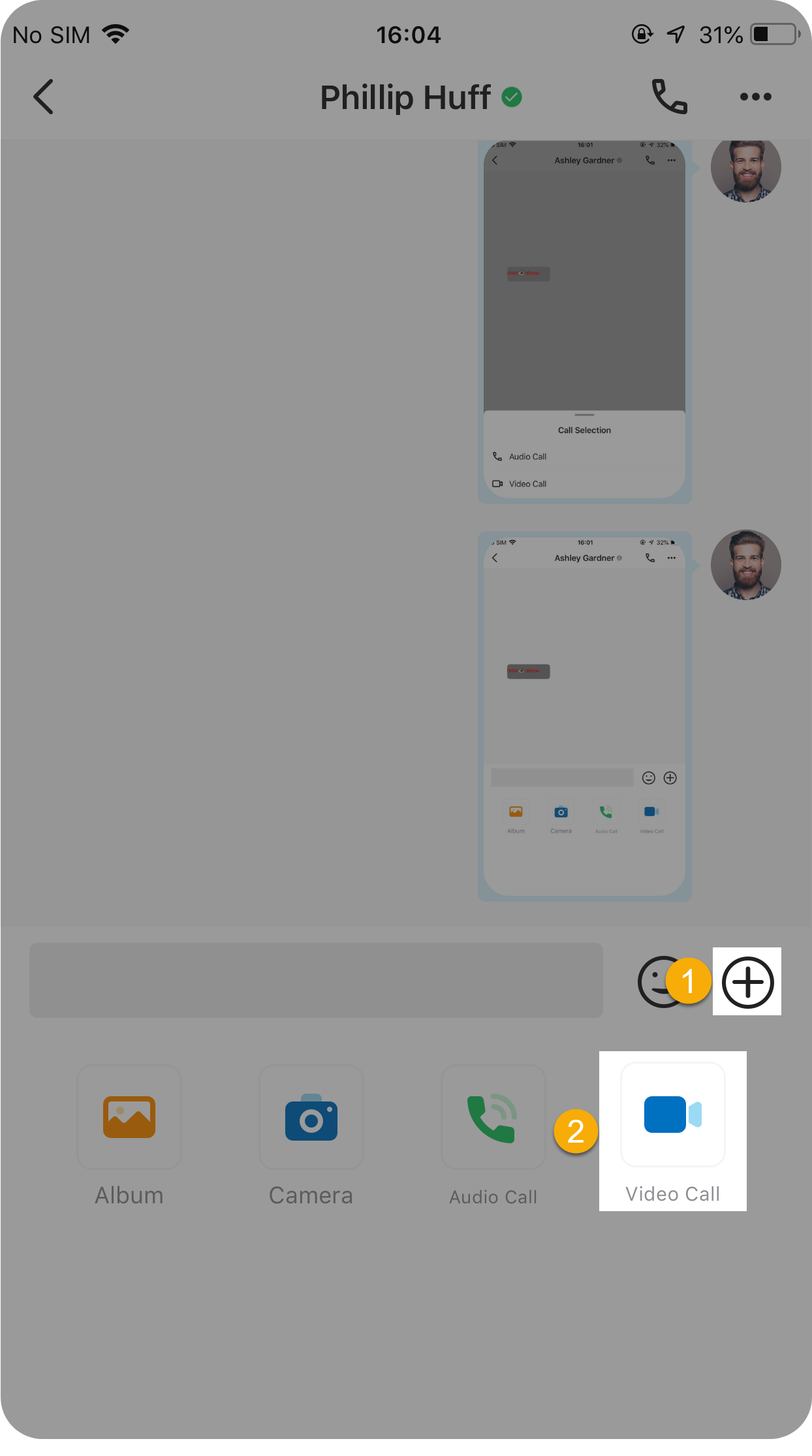
-
Method 2: In the top-right corner of the chat, tap the call icon
 , then tap Video Call.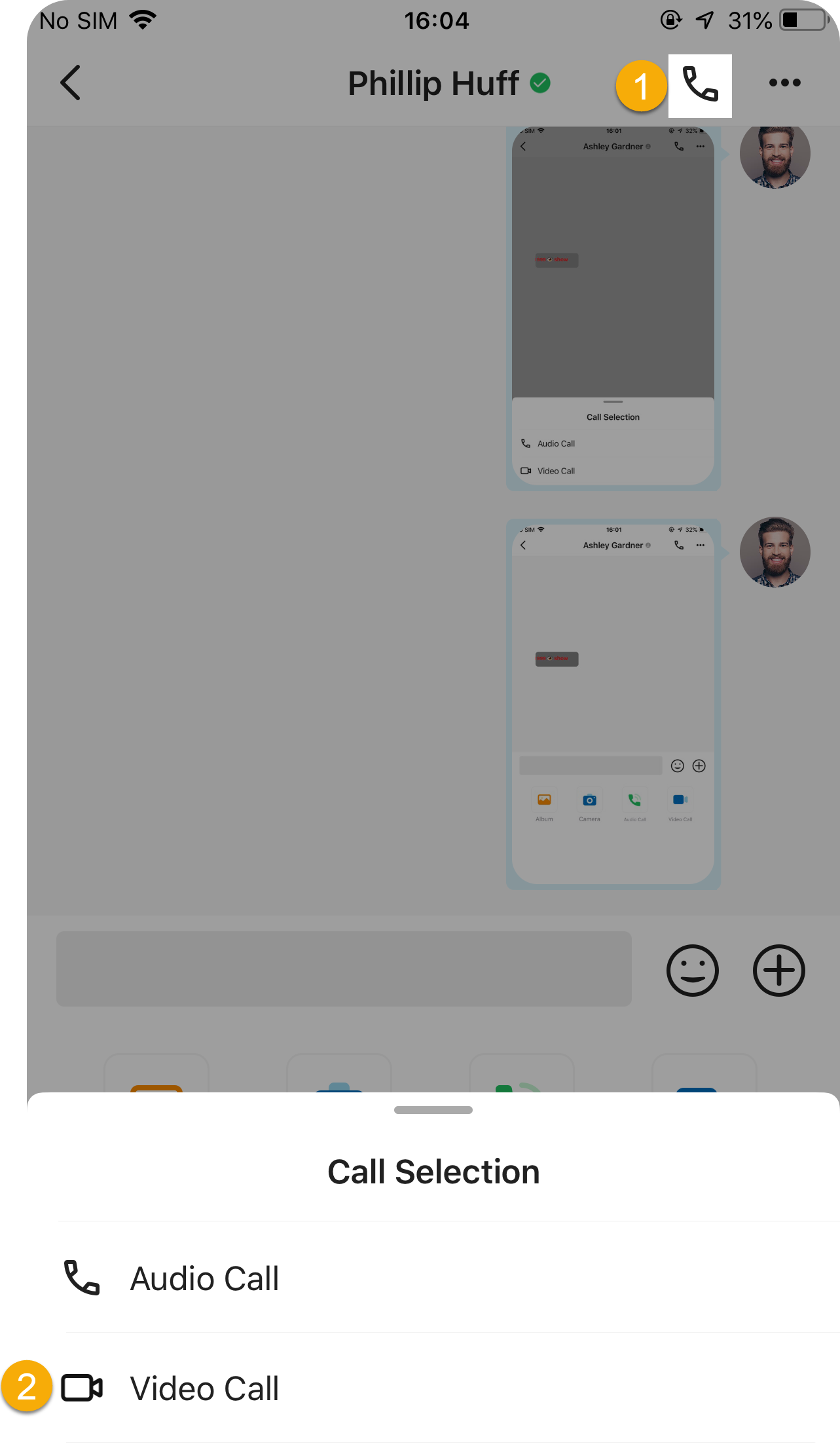
From call logs
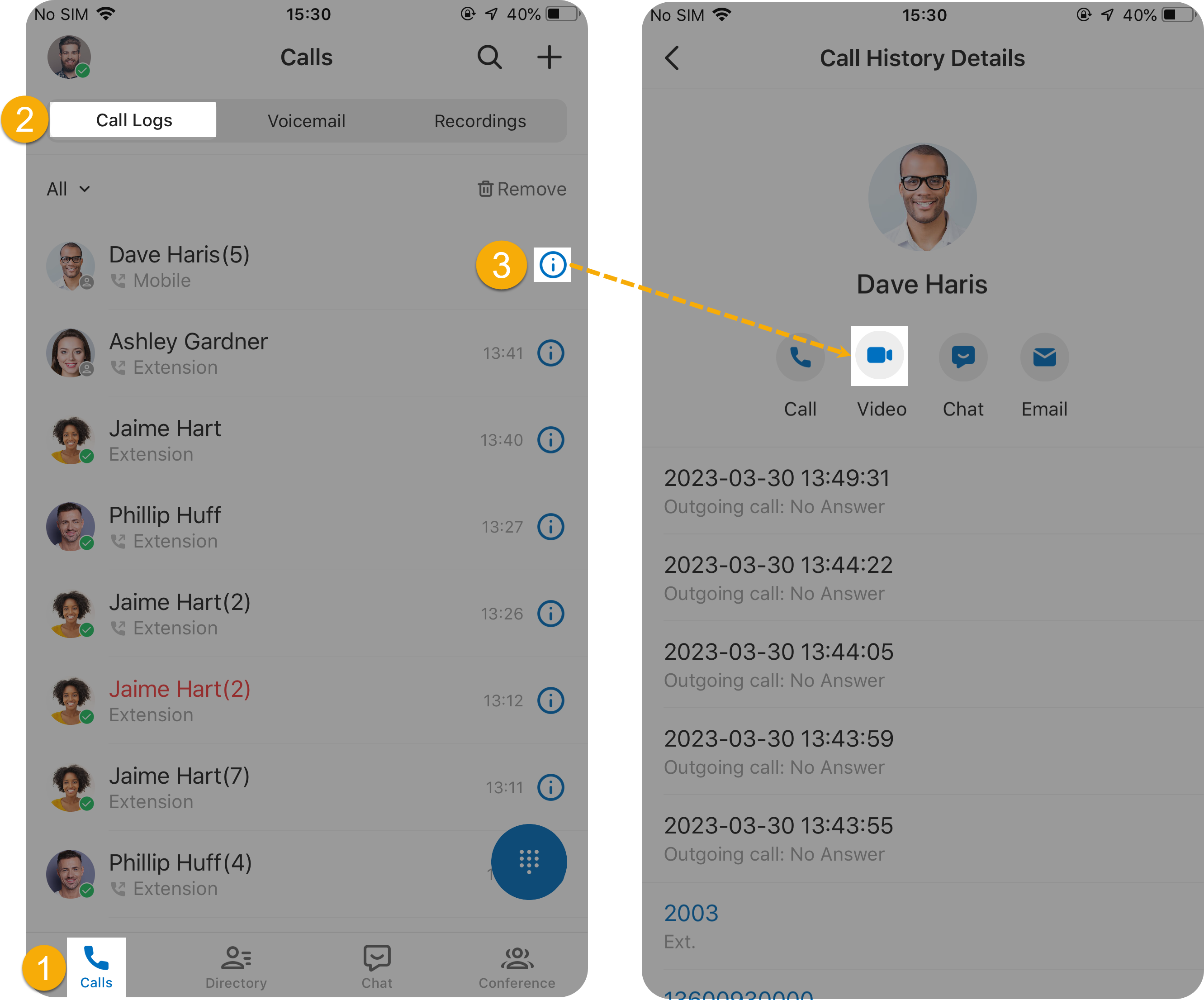
Section titled “From call logs”- Tap Calls along the bottom of the app.
- Tap Call Logs.
- Tap the info icon
 next to the contact, then tap the video call icon .
Frequently asked questions
Section titled “Frequently asked questions”Can I turn an ongoing audio call into a video call?
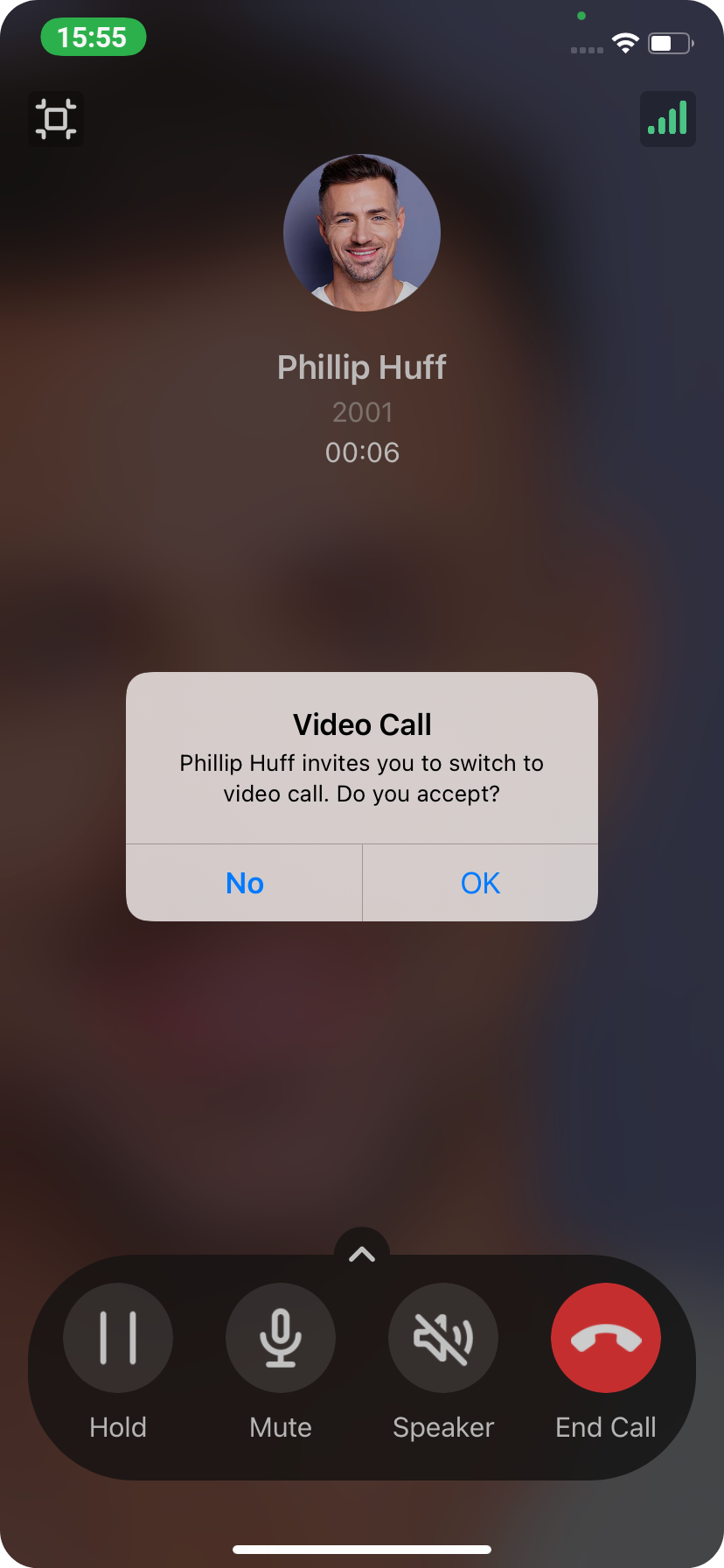
Section titled “Can I turn an ongoing audio call into a video call?”Yes. During an audio call, tap the Video icon to send the other party a video invitation.
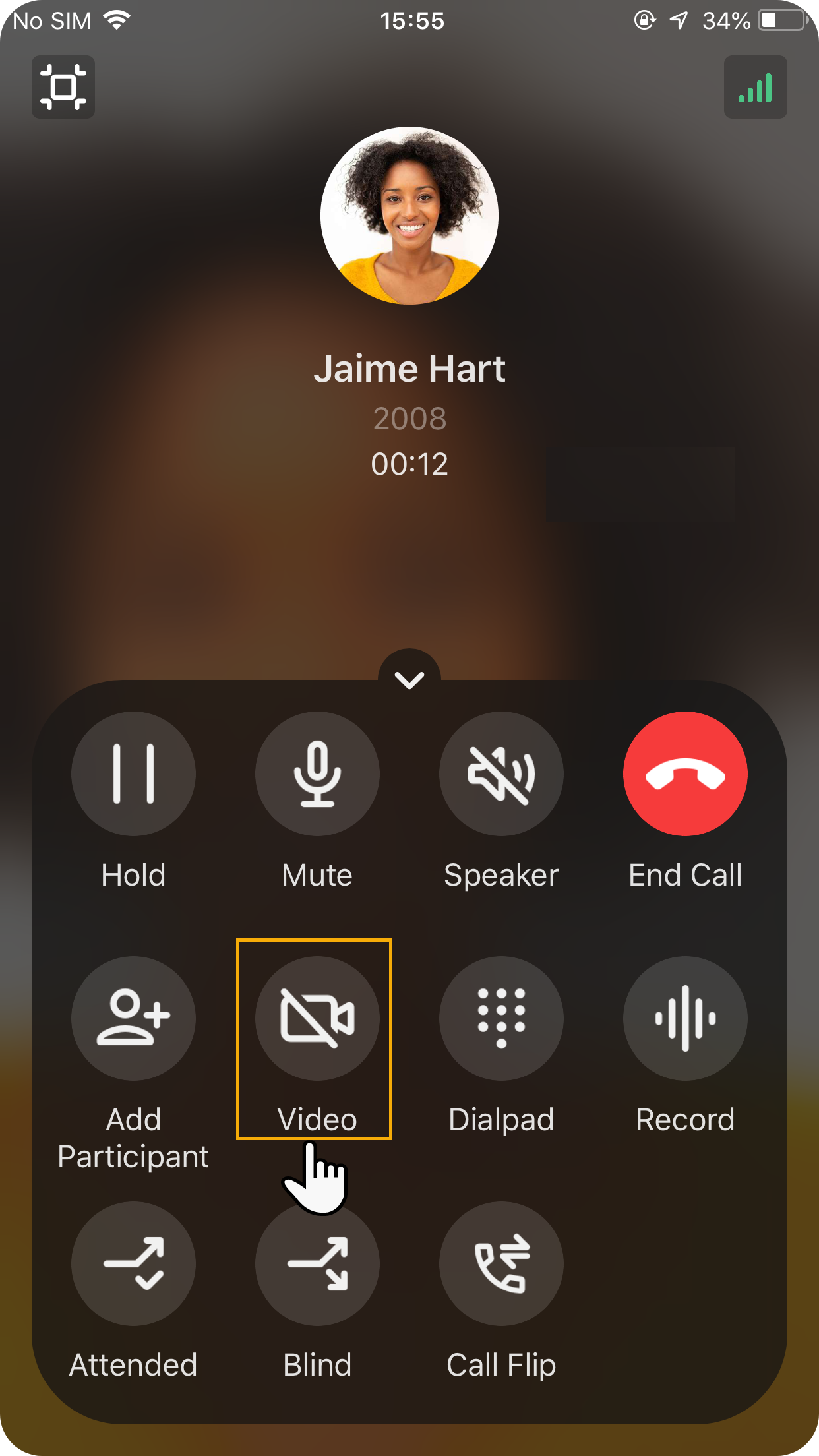
Once they accept the invitation, the video call is connected.
Nothing happens when I tap the Video icon. Why?
Section titled “Nothing happens when I tap the Video icon. Why?”This usually points to one of two causes:
- Your organization’s server is not on the Ultimate Plan.
- ICE (Interactive Connectivity Establishment) is turned off in your app. To enable it, go to Me > Settings > Audio Options > ICE.
Can I minimize the video call window?
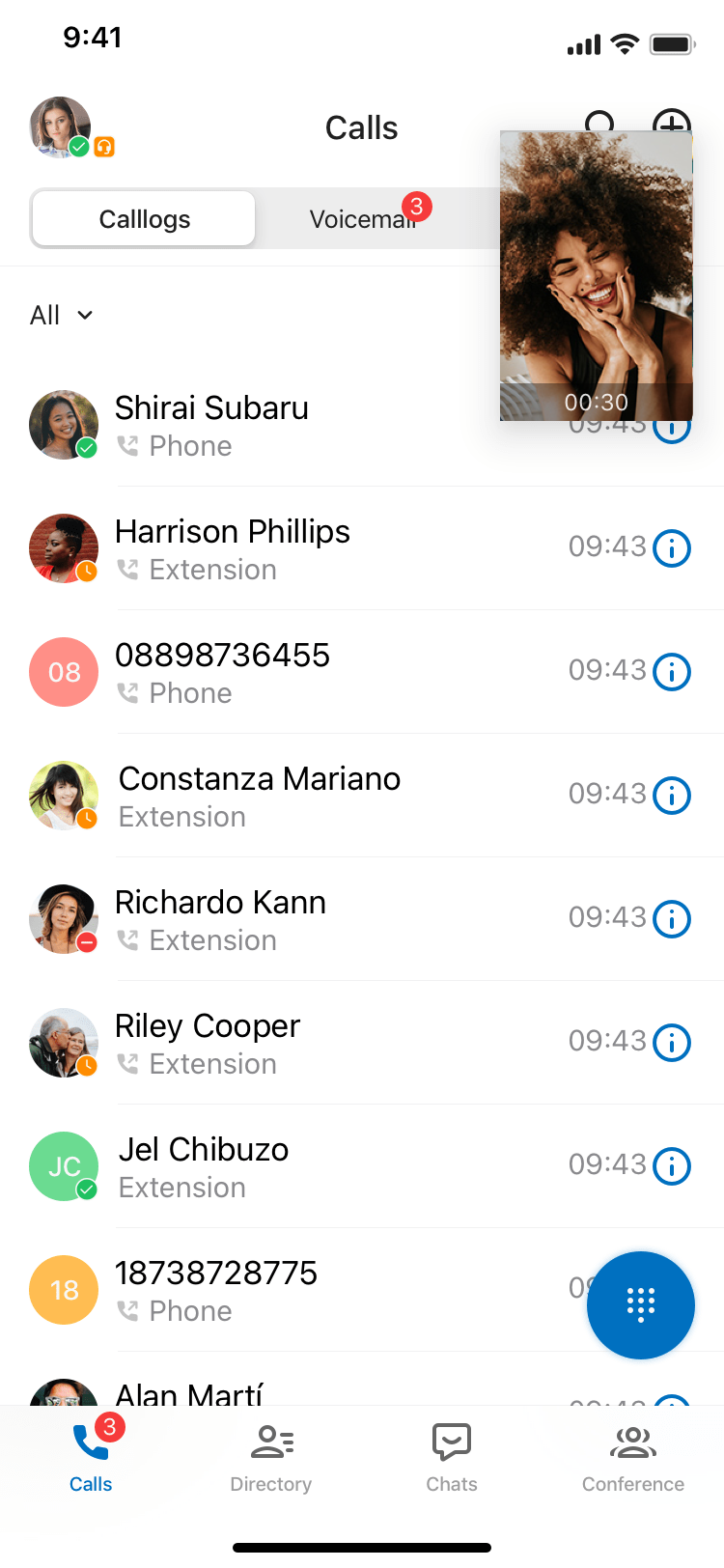
Section titled “Can I minimize the video call window?”Yes. During a call, tap the minimize icon  to shrink the video window.
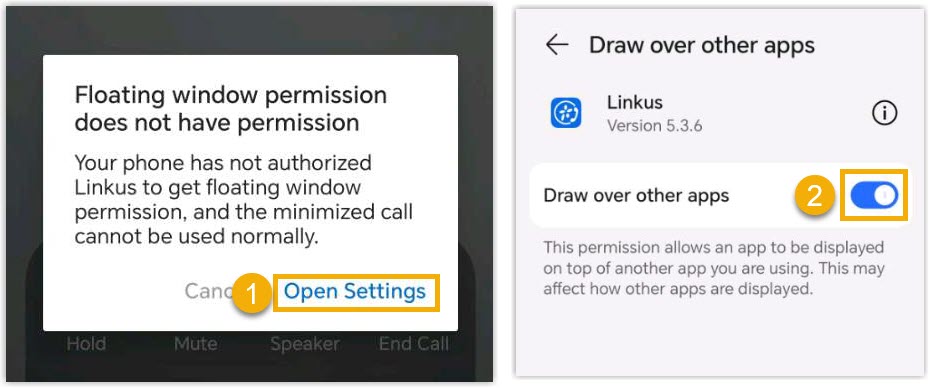
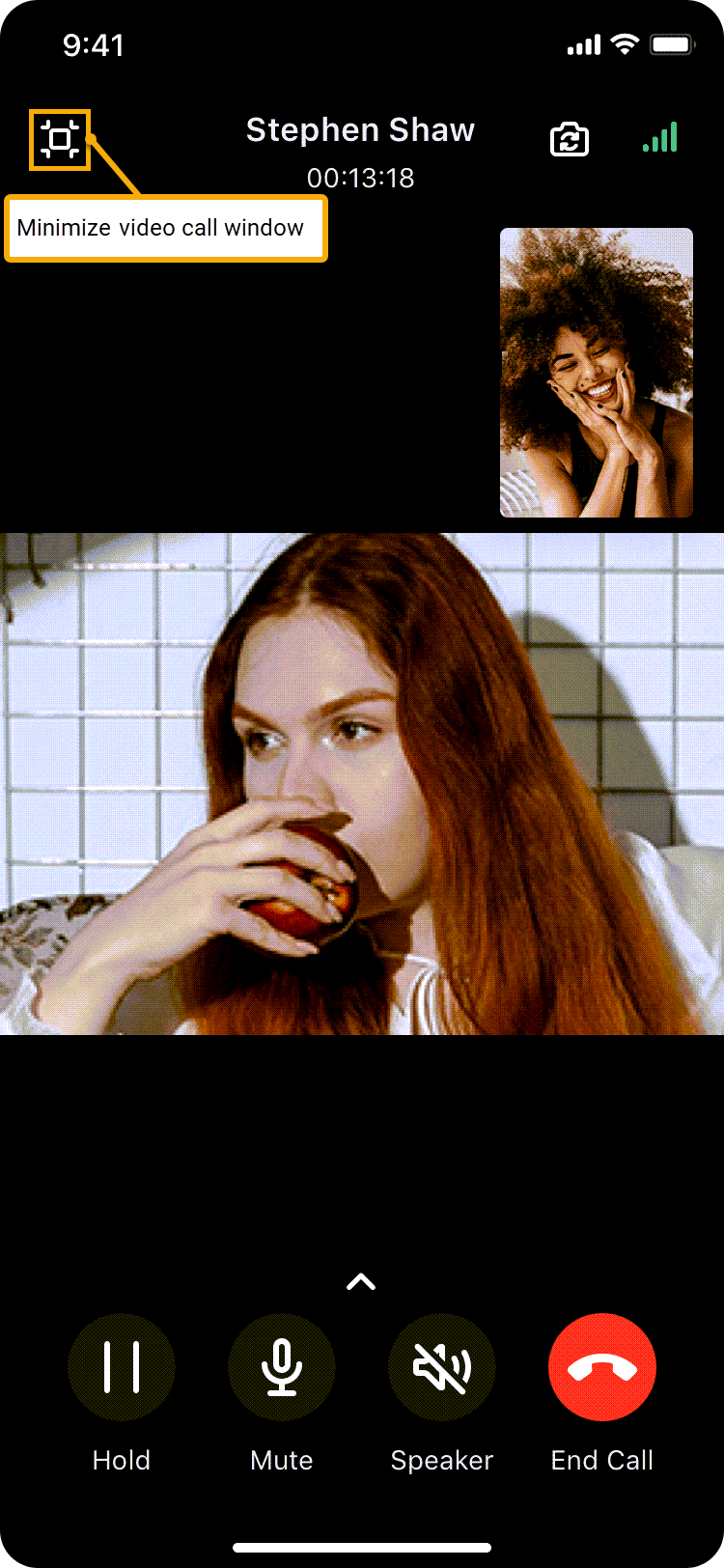
The call then floats as a small window inside the app.
Can I switch views during a video call?
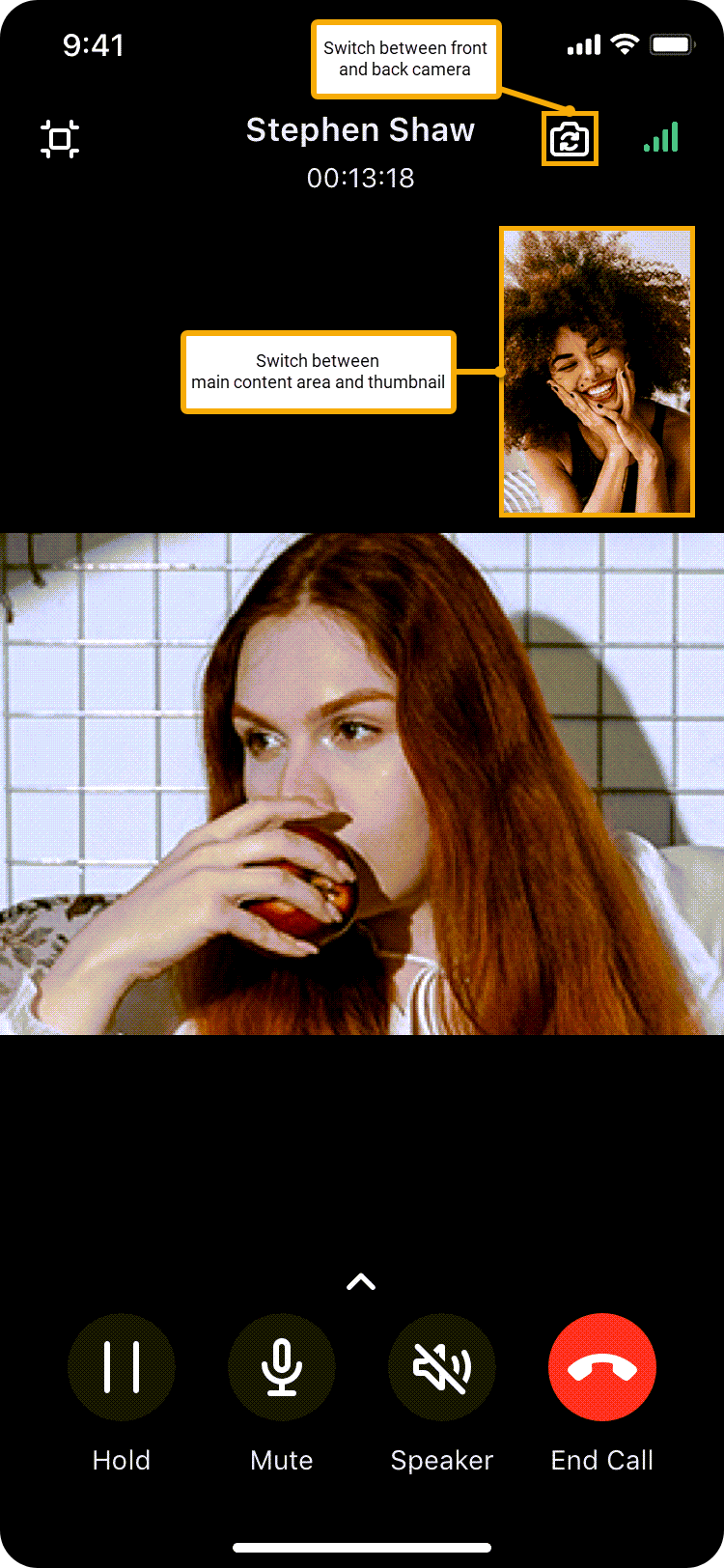
Section titled “Can I switch views during a video call?”Yes. You have two options:
- To flip between your front and rear cameras, tap the camera-switch icon
 .
. - To swap the main view with the thumbnail, tap the smaller view in the top-right corner.
Question about this page?
Ask the AI assistant. It starts from this page, then searches the rest of the docs.
Ask Cloud Voice AI
Answers are AI-generated from the docs and may contain mistakes. Verify with the linked pages.