
Manage Personal Contacts
Your personal contacts are private to your extension and travel with you across every Cloud Voice App you sign in to. When you change or remove a contact on your phone, the update is applied everywhere automatically. This page covers editing and deleting personal contacts from the mobile app.
Edit a personal contact
Section titled “Edit a personal contact”-
In the Cloud Voice App, open Directory > Contacts.
-
Tap the list selector in the top-left corner and choose Personal Contacts.
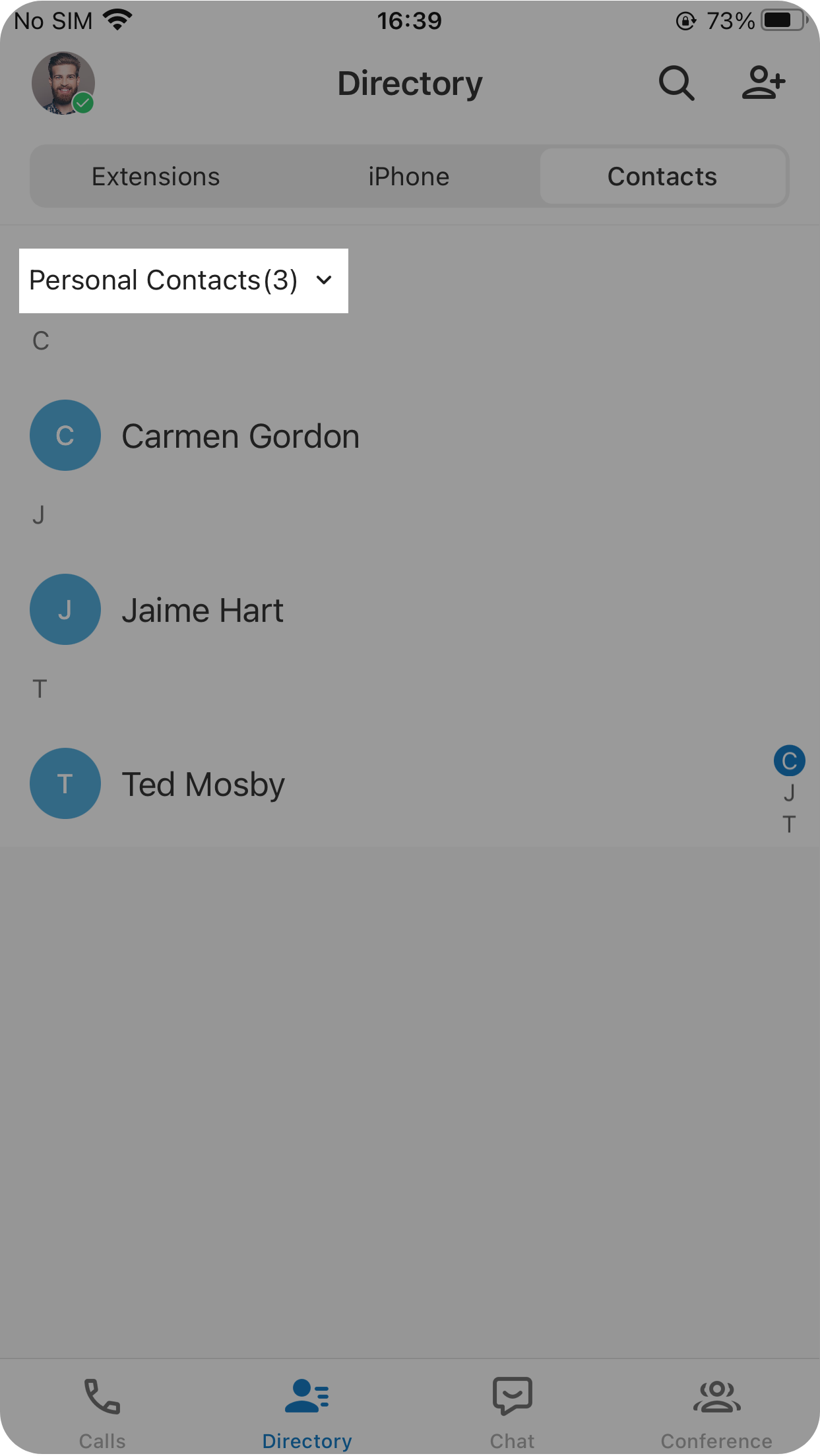
-
Tap the contact you want to change, then tap the edit icon
 in the top-right corner.
 -
Update any of the contact’s details.
-
Tap the save control in the top-right corner to apply your changes.
Delete personal contacts
Section titled “Delete personal contacts”-
In the Cloud Voice App, open Directory > Contacts.
-
Tap the list selector in the top-left corner and choose Personal Contacts.
-
To remove one or more specific contacts:
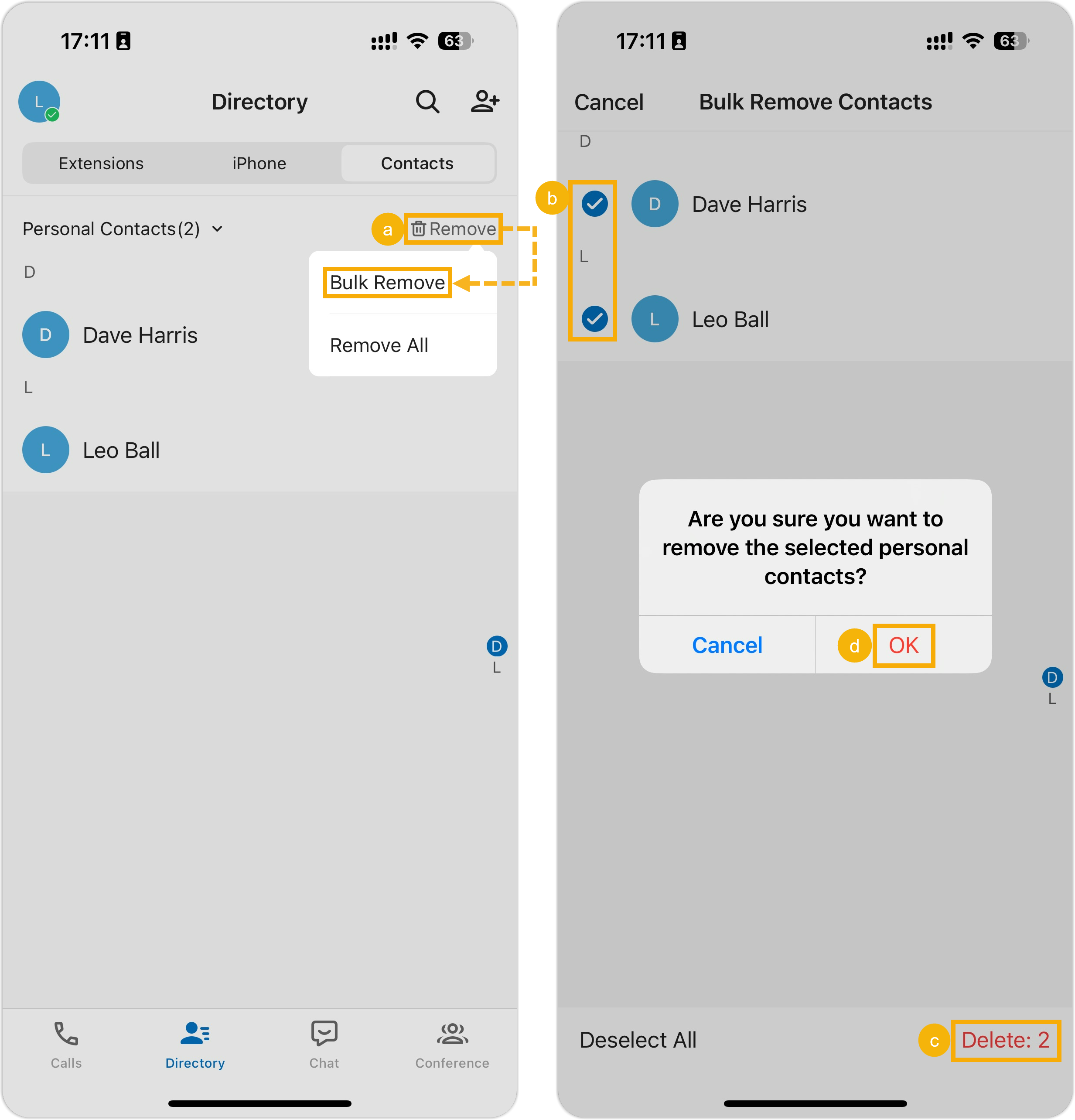
- Tap Remove in the top-right corner, then tap Bulk Remove.
- Select the checkbox for each contact you want to delete.
- Tap Delete in the bottom-right corner.
- Tap OK in the confirmation window.
-
To remove every personal contact at once:
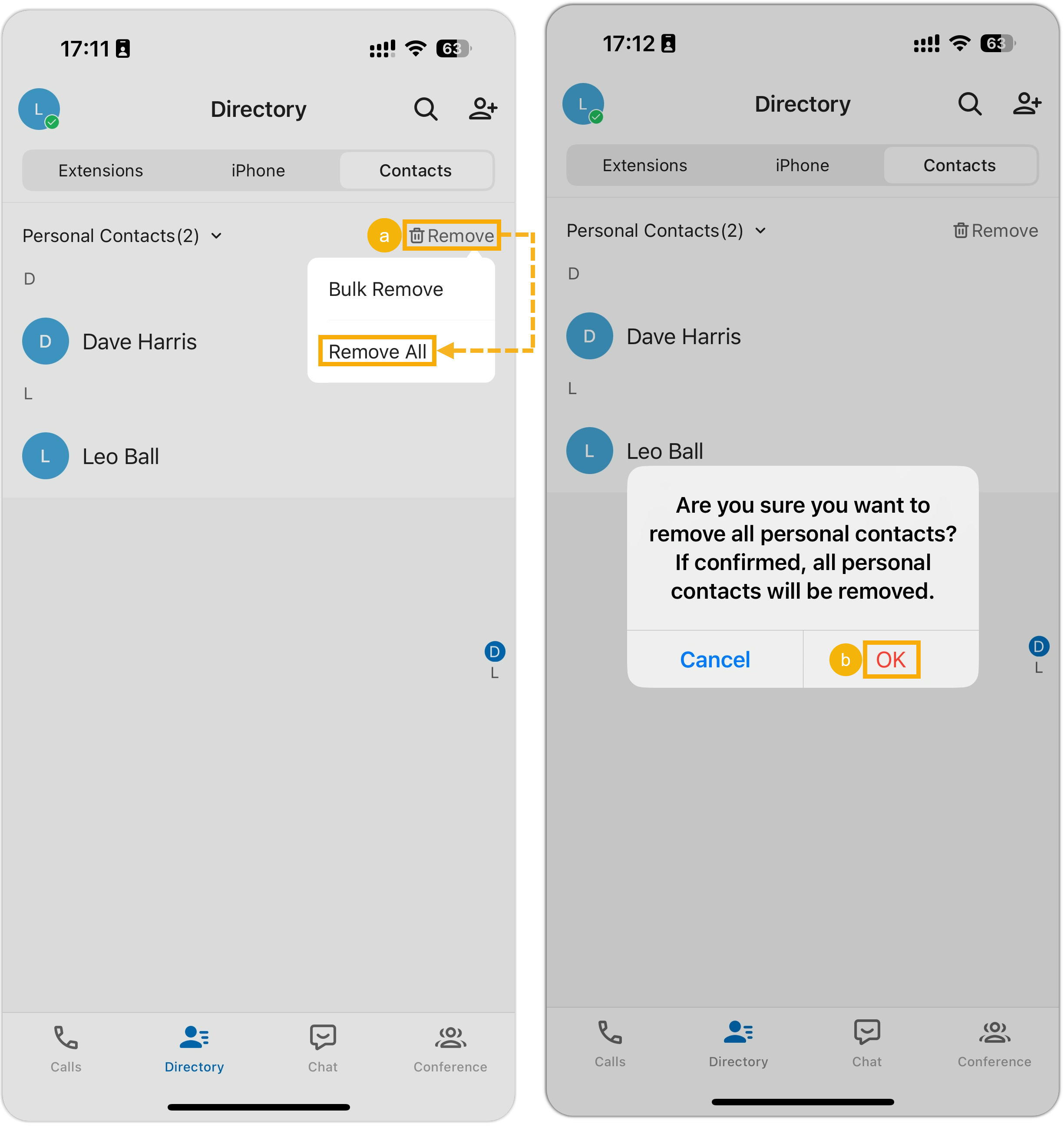
- Tap Remove in the top-right corner, then tap Remove All.
- Tap OK in the confirmation window.
Question about this page?
Ask the AI assistant. It starts from this page, then searches the rest of the docs.
Ask Cloud Voice AI
Answers are AI-generated from the docs and may contain mistakes. Verify with the linked pages.