
Select Outbound Caller ID (DOD) to Call
When you place an outbound call from the Cloud Voice App, you can control which outbound caller ID, known as the DOD (Direct Outward Dialing) number, is shown to the person you are calling. You can apply one DOD to every call you make, or pick a different DOD for individual calls.
Before you begin
Section titled “Before you begin”- System version 84.21.0.16 or later.
- Your extension has been granted permission to choose outbound caller IDs. If the options below are missing, ask your administrator to enable this.
Label and reorder your DODs
Section titled “Label and reorder your DODs”The DODs assigned to your extension can each carry a short label, and you can rearrange the list. Both settings control how the numbers appear across your Cloud Voice apps.
-
Sign in to the Cloud Voice App (Web) and open Preferences > User > Outbound Caller ID (DOD). Every DOD available to you appears in the list.
-
Adjust the entries as needed.
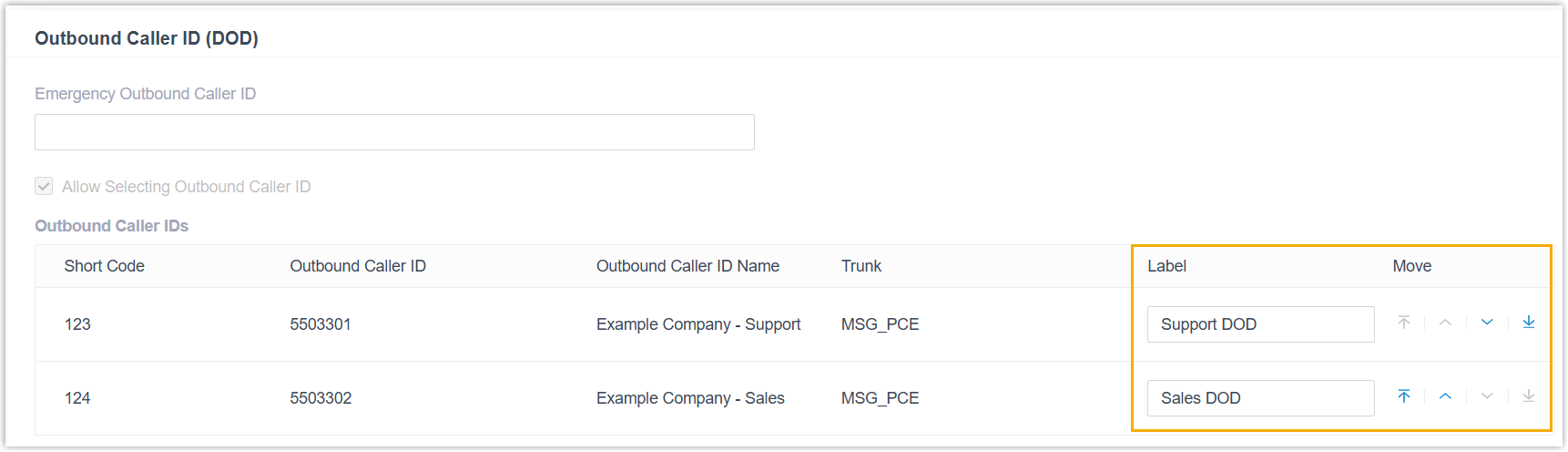
- Label: A short description shown alongside the number. For example, labeling DOD 5503301 as
Support DODmakes it appear as 5503301 (Support DOD) throughout your Cloud Voice apps. - Move: Use the


 controls to set the order the DODs are listed in your Cloud Voice apps.
- Label: A short description shown alongside the number. For example, labeling DOD 5503301 as
-
Click Save.
Ways to choose a DOD for calls
Section titled “Ways to choose a DOD for calls”Unless you choose otherwise, calls go out with the DOD your administrator configured. You can either lock in one DOD for every call or select a DOD on a call-by-call basis.
Use one DOD for all outbound calls
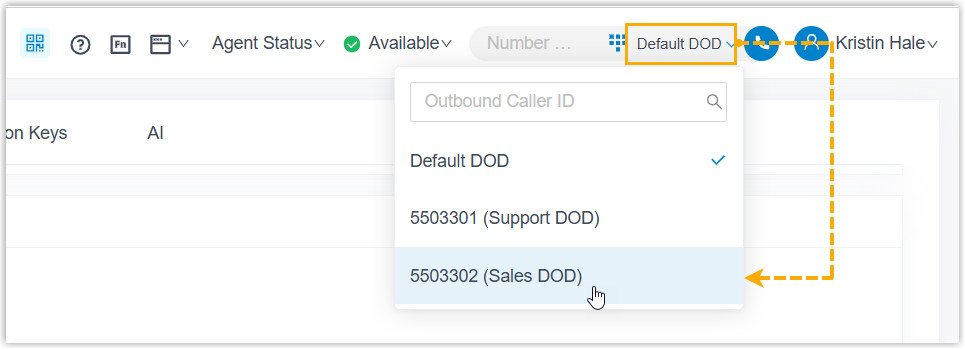
Section titled “Use one DOD for all outbound calls”Set a preferred DOD that applies to all of your outbound calls, using either of these methods.
Select from the list
At the top-right corner, choose the DOD you want from the drop-down list next to the Dialpad.
Dial a feature code
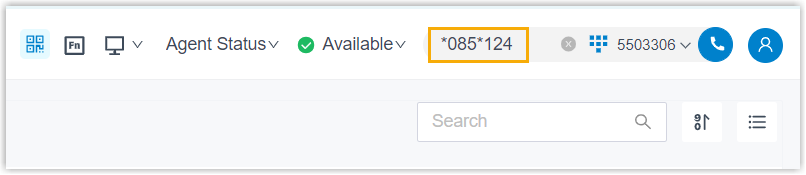
- On the Dialpad, enter the feature code followed by the short code (or the DOD number). The format is
{dod_prefix_feature_code}*{short_code}/{specific_dod_number}, for example,*085*124or*085*5503302. - Click
 or press Enter to dial.
Choose a DOD for a single call
Section titled “Choose a DOD for a single call”Pick a specific DOD just before you dial an individual call. You can do this from the Contacts, Call Logs, Voicemails, or Recordings page, or by dialing a feature code.
From the Contacts page
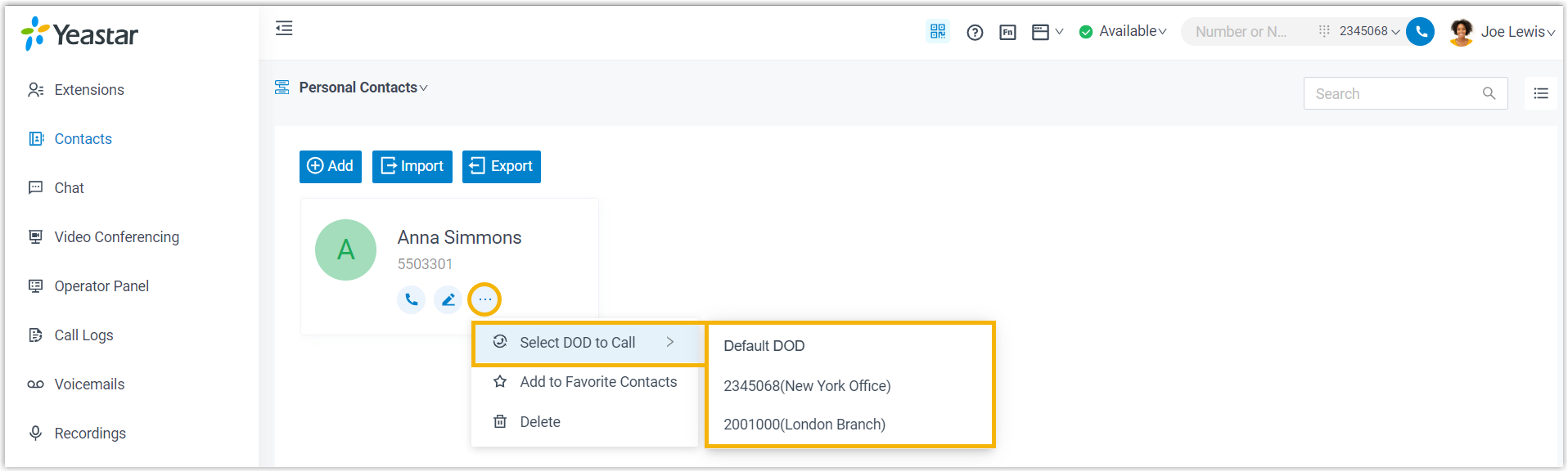
- Go to Contacts and locate the contact you want to call.
- Click
 > Select DOD to Call, then choose a DOD number.
From the Call Logs, Voicemails, or Recordings page
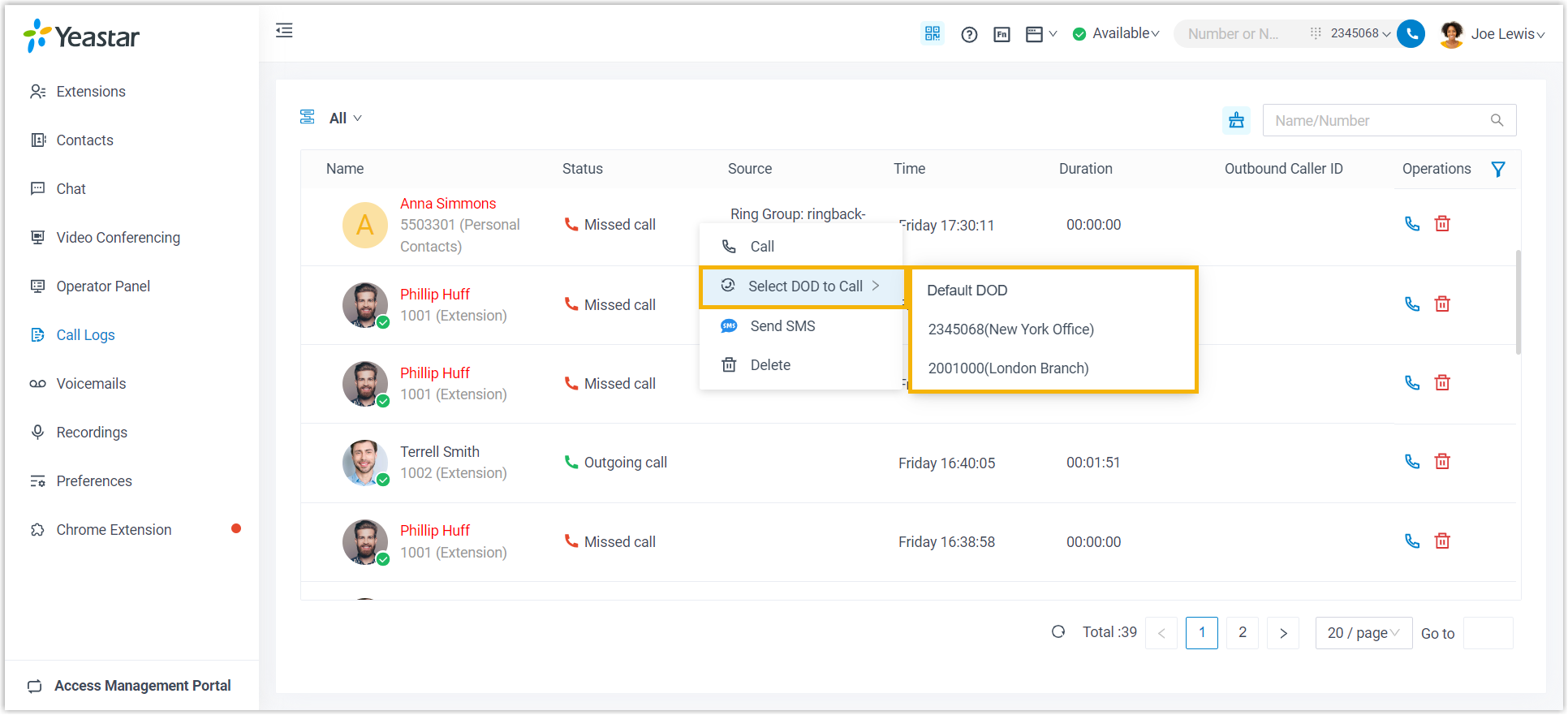
- Go to Call Logs, Voicemails, or Recordings.
- Right-click the record you want to call back.
- Click Select DOD to Call, then choose a DOD number.
Dial a feature code
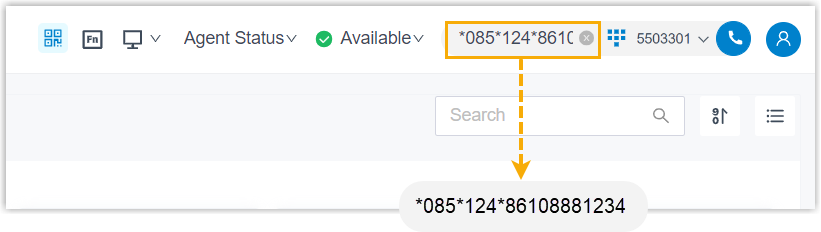
- Dial the feature code and short code (or DOD number), then the destination number. The format is
{dod_prefix_feature_code}*{short_code}/{specific_dod_number}*{destination_number}, for example,*085*124*861088881234or*085*5503302*861088881234. - Click or press Enter to dial.
Question about this page?
Ask the AI assistant. It starts from this page, then searches the rest of the docs.
Ask Cloud Voice AI
Answers are AI-generated from the docs and may contain mistakes. Verify with the linked pages.