
Cancel a Scheduled Fax
A fax you schedule stays queued until its send time arrives, at which point Cloud Voice transmits it automatically. If you no longer need that fax to go out, you can cancel it any time before it is sent. This is useful when the recipient changes, the document was wrong, or the fax is simply no longer needed.
Cancel the fax
Section titled “Cancel the fax”-
Sign in to the Cloud Voice App web client and open Fax Management > Fax.
-
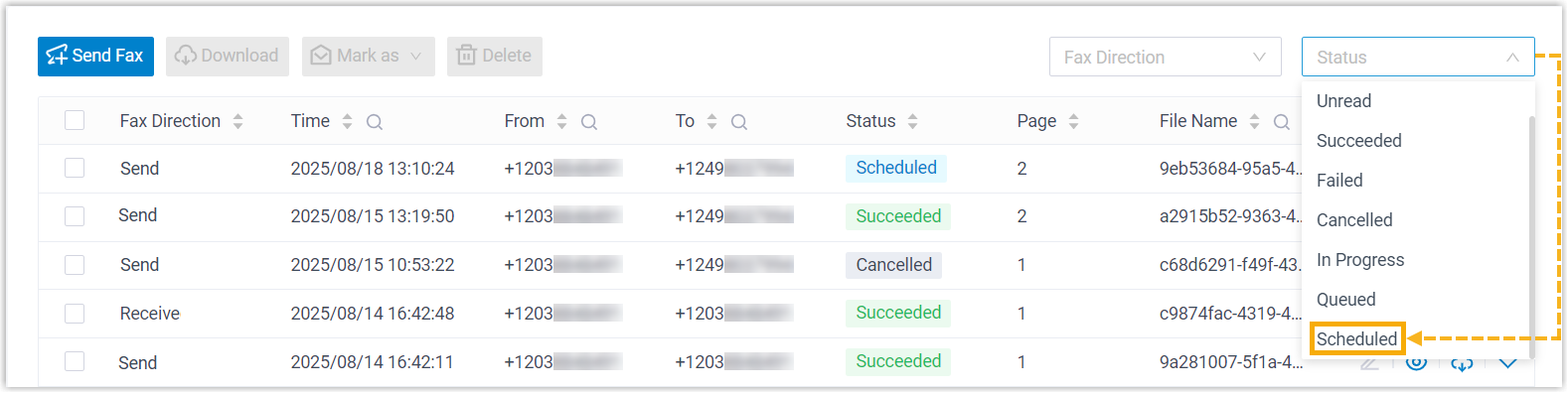
(Optional) To narrow the list to faxes that are still waiting to send, set the Status filter at the top to Scheduled.
-
Find the fax you want to stop, click the
 menu on its row, and choose Cancel.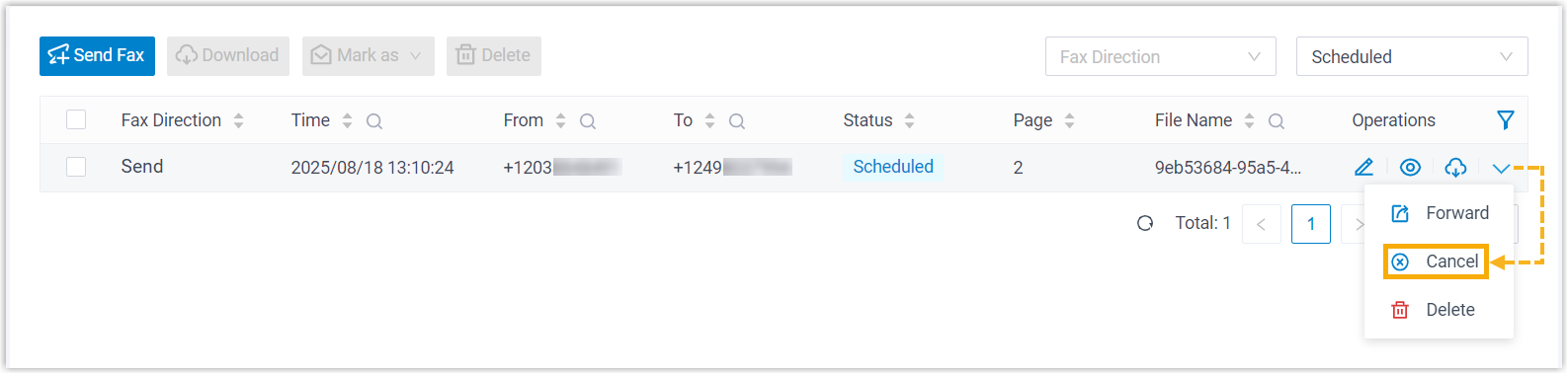
The fax is removed from the send queue and will not be transmitted.
Question about this page?
Ask the AI assistant. It starts from this page, then searches the rest of the docs.
Ask Cloud Voice AI
Answers are AI-generated from the docs and may contain mistakes. Verify with the linked pages.