
Manage Scheduled CDR Delivery Tasks
A CDR (Call Detail Record) is the log entry the system creates for every call, holding details such as the caller, the number dialed, the time, and the call length. A scheduled CDR delivery task is a recurring job that gathers these records and emails them to the recipients you chose, on the schedule you set, without anyone having to export them by hand.
Once a task exists, you can change its settings or remove it at any time. Both actions live on the Scheduled CDR tab of the CDR page.
Edit a scheduled CDR delivery task
Section titled “Edit a scheduled CDR delivery task”-
Sign in to the Cloud Voice management portal and open Reports and Recordings > CDR.
-
Switch to the Scheduled CDR tab and click the edit icon
 next to the task you want to change.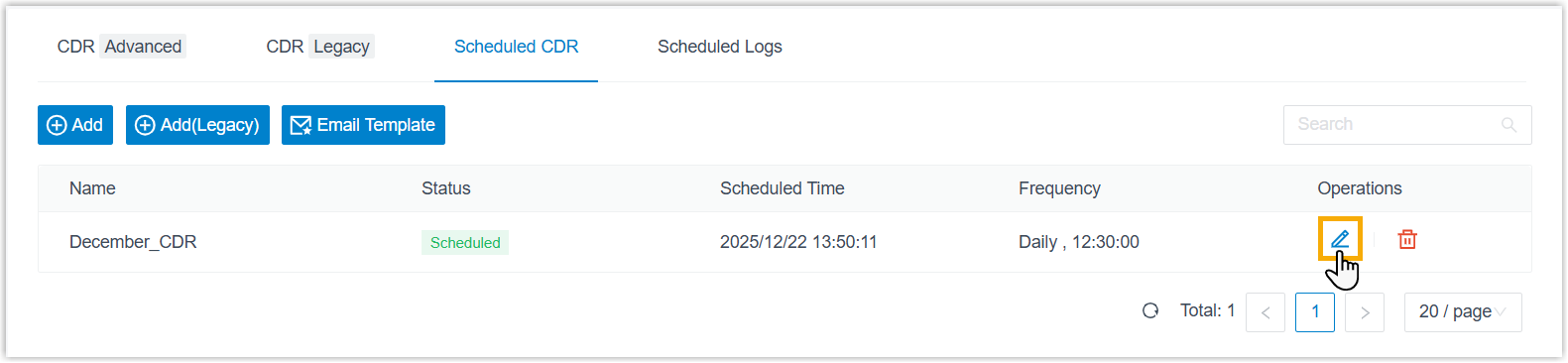
-
Update the task settings as needed.
-
Click Save.
Delete a scheduled CDR delivery task
Section titled “Delete a scheduled CDR delivery task”-
Sign in to the Cloud Voice management portal and open Reports and Recordings > CDR.
-
On the Scheduled CDR tab, do the following:
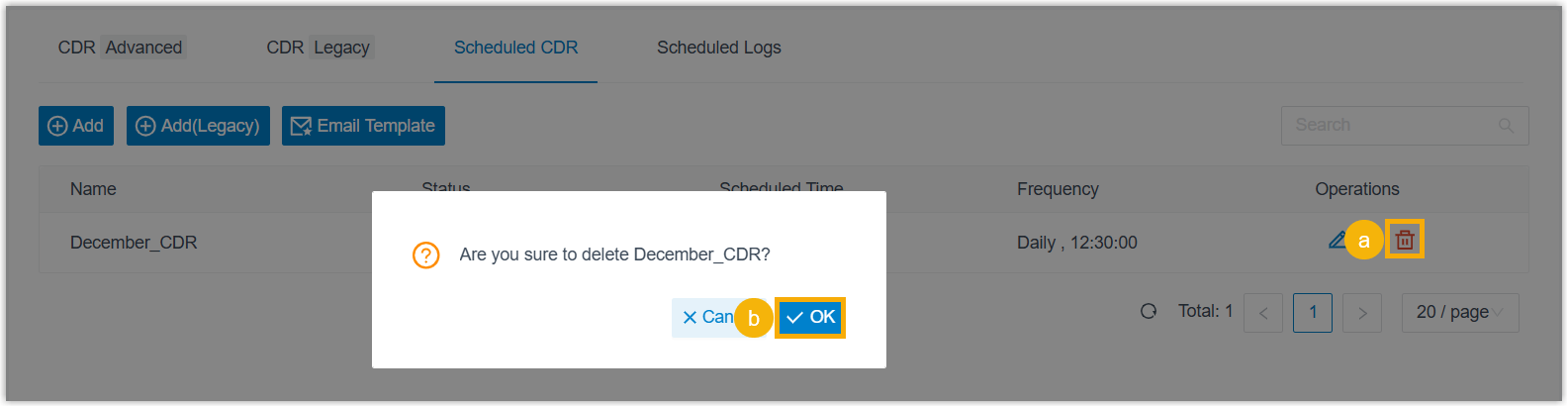
a. Click the delete icon
 next to the task you want to remove.
b. Click OK in the confirmation dialog.
Question about this page?
Ask the AI assistant. It starts from this page, then searches the rest of the docs.
Ask Cloud Voice AI
Answers are AI-generated from the docs and may contain mistakes. Verify with the linked pages.