
Manage Organizations
Your company structure rarely stays still. As teams grow, merge, or shift reporting lines, you can reshape the departments in Cloud Voice to match. This page covers the everyday maintenance tasks for your organization tree: renaming a department, moving it under a different parent, changing its display order, and deleting departments you no longer need.
All of these tasks live on the same screen. Sign in to the PBX (Private Branch Exchange, your phone system’s admin console) web portal and go to Extension and Trunk > Extension > Organization.
Rename a department or change its parent
Section titled “Rename a department or change its parent”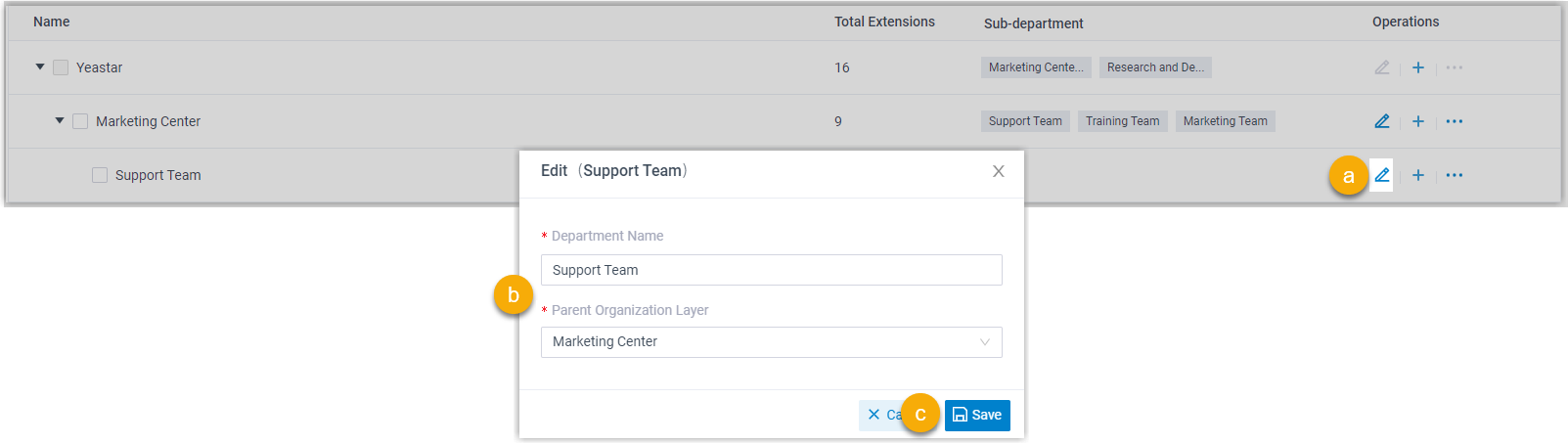
- Locate the department you want to change and click the edit icon
 next to it.
 - In the window that opens, type a new name for the department, choose a different parent organization layer, or both.
- Click Save.
Reorder departments
Section titled “Reorder departments”The position of each department controls where it appears in the tree.
- Click the more icon
 beside the department.
 - Choose Move Up or Move Down until the department sits where you want it.
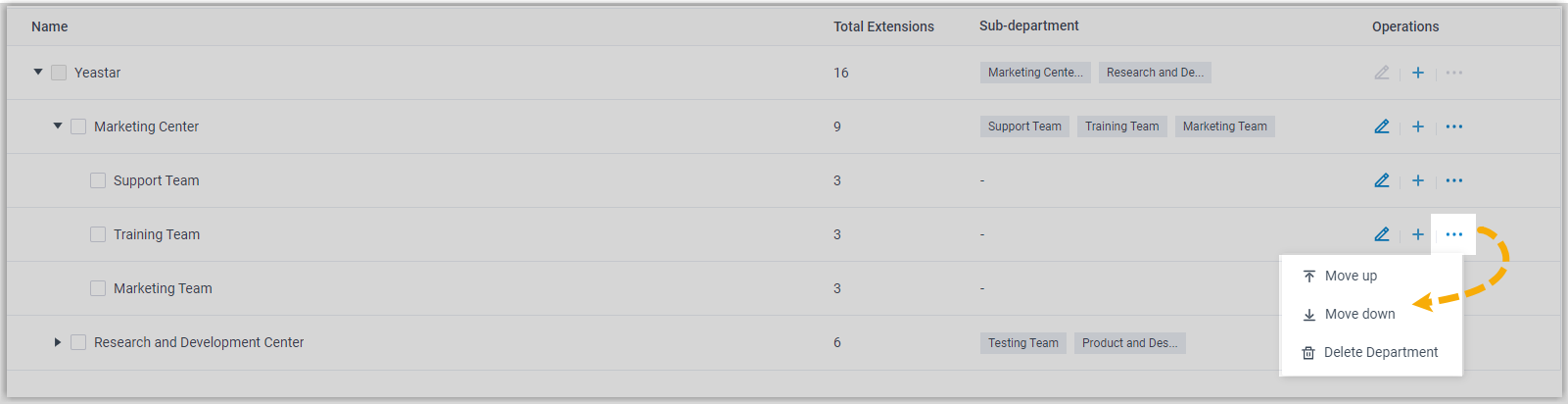
The new order is reflected everywhere the tree is shown, including the PBX web portal and the Cloud Voice App.
Delete departments
Section titled “Delete departments”- Select the checkbox for each department you want to remove, then click Delete.
- In the confirmation window, click OK.
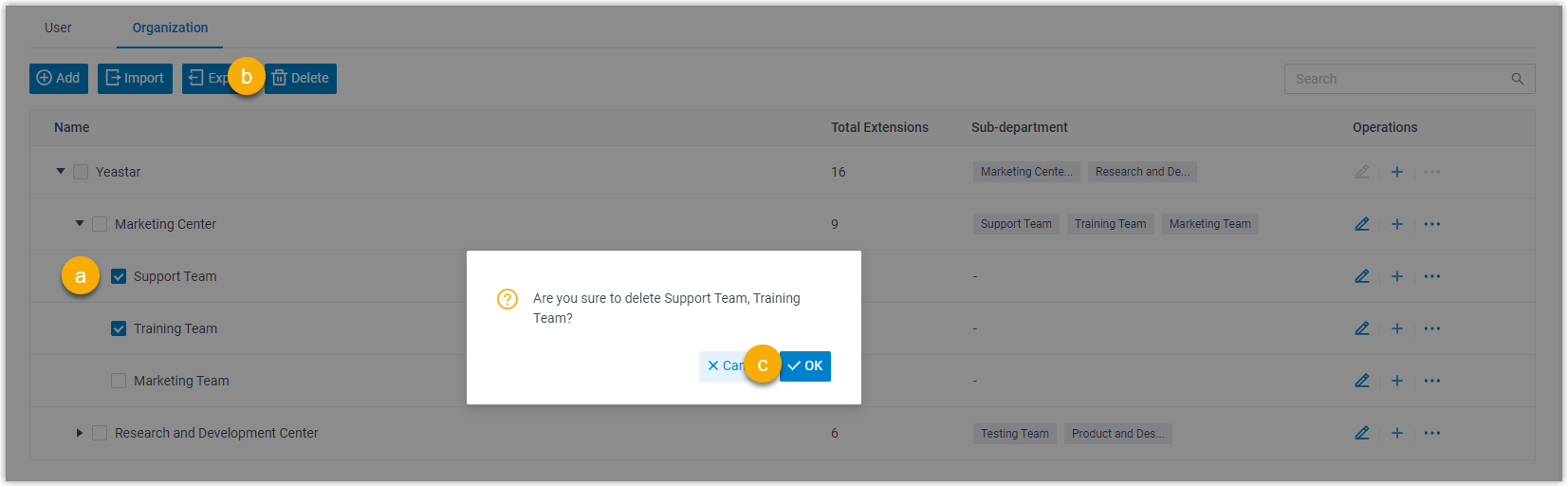
Question about this page?
Ask the AI assistant. It starts from this page, then searches the rest of the docs.
Ask Cloud Voice AI
Answers are AI-generated from the docs and may contain mistakes. Verify with the linked pages.