
Delete CDR
Call detail records (CDRs) log the activity of every call your phone system handles. When you no longer need certain entries, you can remove them by hand instead of waiting for automatic cleanup.
Delete call records
Section titled “Delete call records”-
Sign in to the management portal and go to Reports and Recordings > CDR.
-
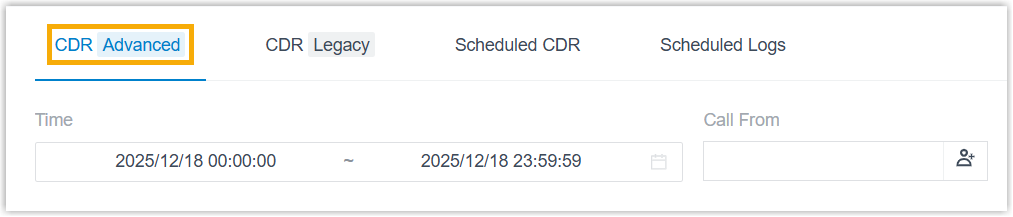
Open the CDR (Advanced) tab.
-
Optionally, apply filters to narrow the list to the records you want.
-
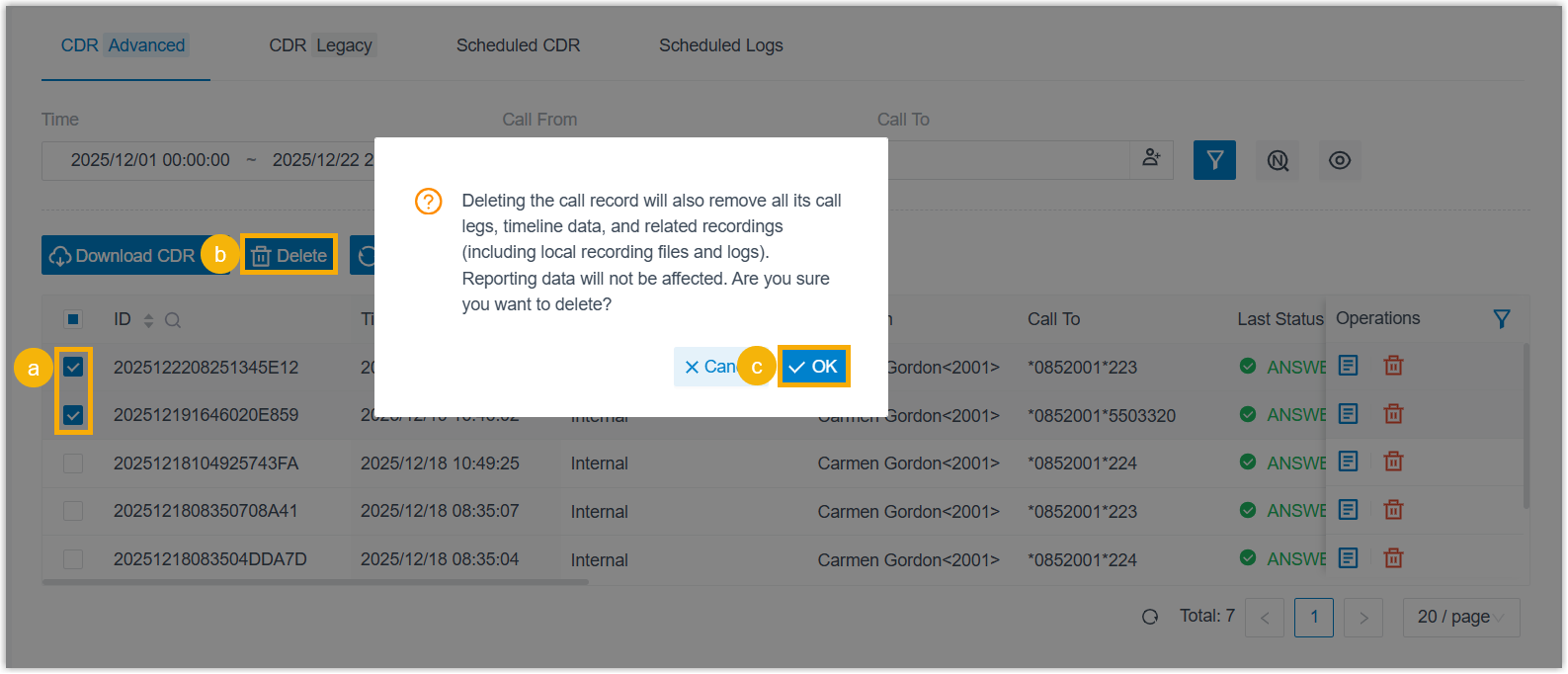
Select the checkbox beside each call record you want to remove, click Delete, and confirm.
Result
Section titled “Result”The records you selected, along with their related call data such as call legs and timeline details, are removed.
Question about this page?
Ask the AI assistant. It starts from this page, then searches the rest of the docs.
Ask Cloud Voice AI
Answers are AI-generated from the docs and may contain mistakes. Verify with the linked pages.