
Dashboard Overview
The Dashboard is your at-a-glance view of how the Cloud Voice phone system is performing, combining live metrics with recent history. This page explains what each widget on the Dashboard shows and how to read it.
Where the Dashboard fits
Section titled “Where the Dashboard fits”The system groups its monitoring tools into a Status Center, which has two views:
- Dashboard: A set of widgets that report current performance and resource usage. Many widget headings are clickable and take you straight to the related feature.
- Active Call: A live panel for watching in-progress calls and extension states. See Active Call Panel Overview for details.
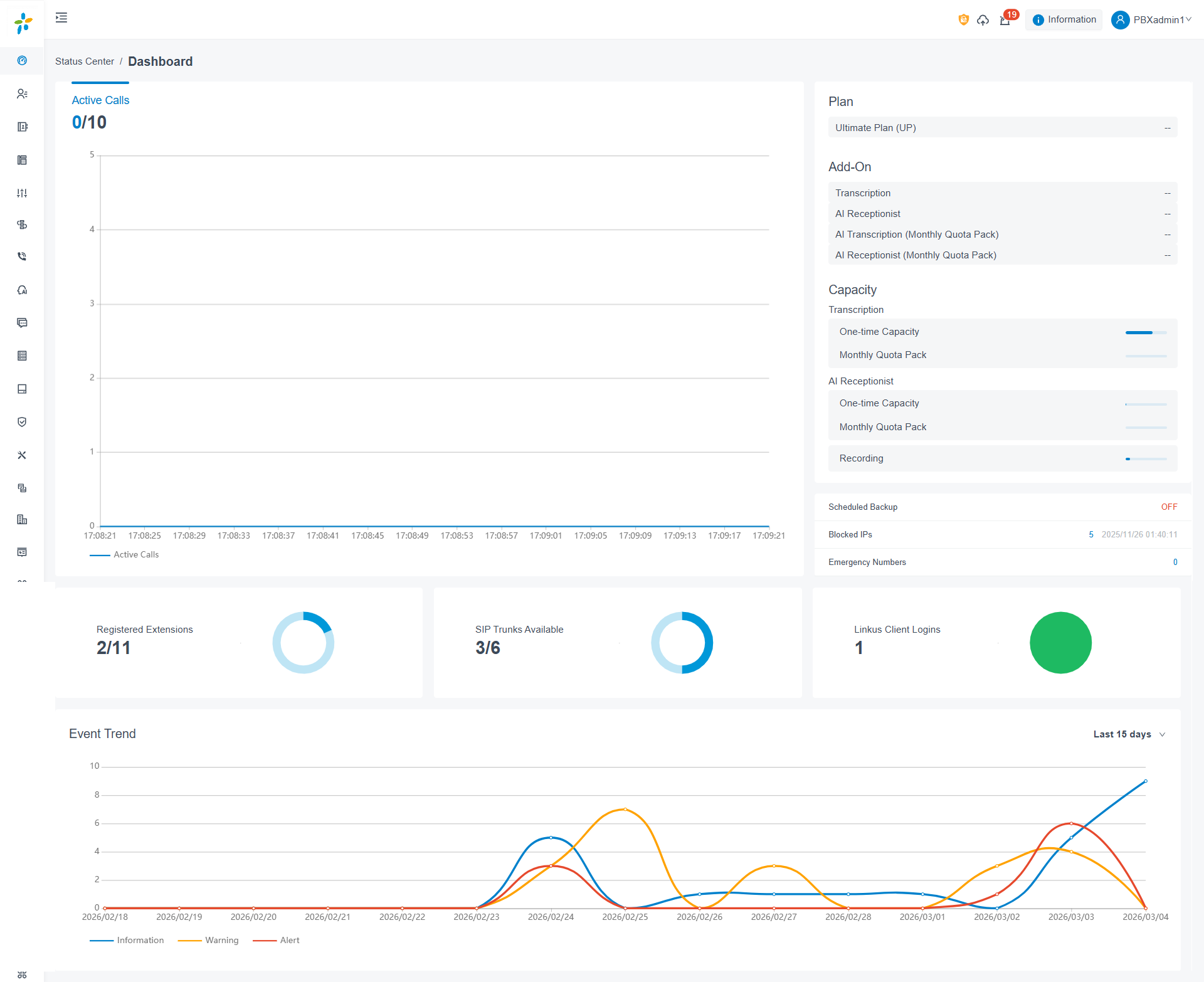
The Dashboard includes the following widgets, each described below:
- System performance
- System information
- Plan
- Add-On
- Capacity
- System status
- Event trend
Dashboard layout
Section titled “Dashboard layout”The figure below shows how the widgets are arranged on the Dashboard.
System performance
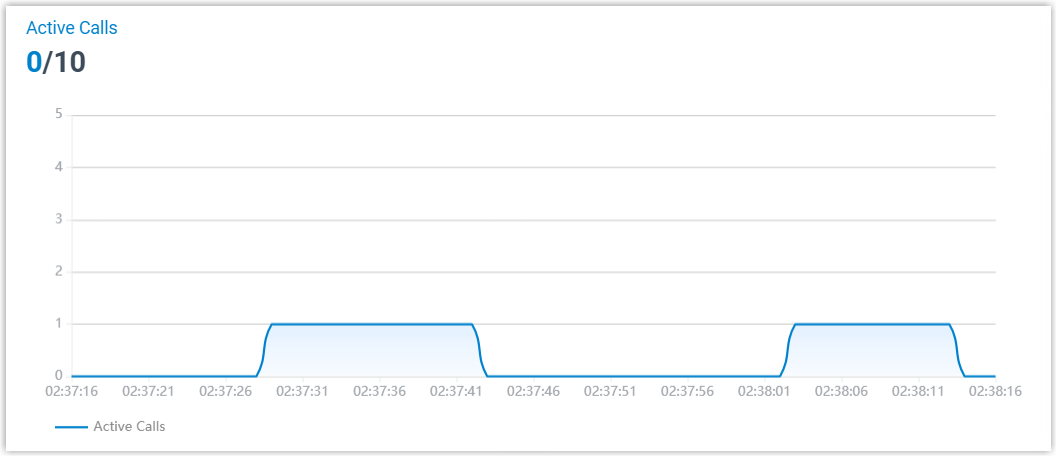
Section titled “System performance”This widget reports Active Calls: the number of calls in progress right now alongside the maximum number of concurrent calls your system supports.
System information
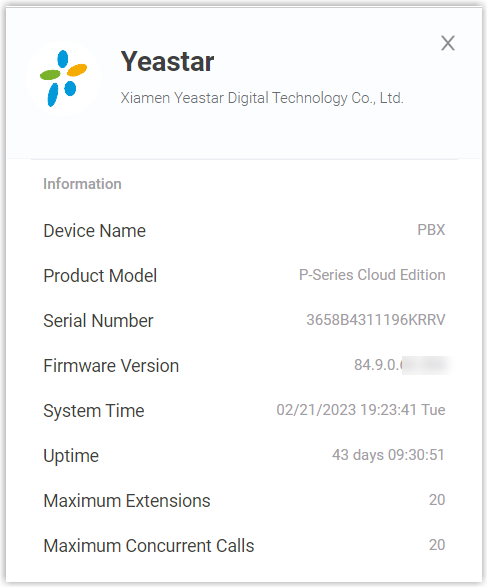
Section titled “System information”Select Information in the top-right corner to view the phone system’s basic details.
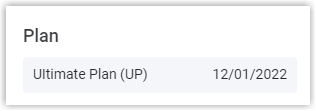
Shows the plan you are subscribed to or trialing, along with its expiration date.
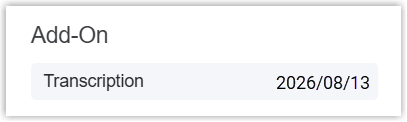
Add-On
Section titled “Add-On”Shows any additional services you have subscribed to and when each one expires.
Capacity
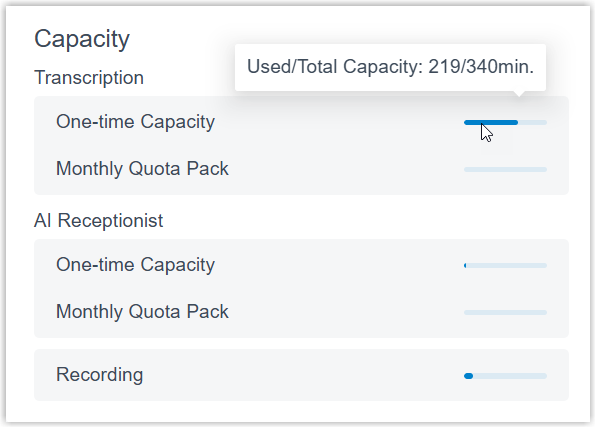
Section titled “Capacity”Displays how many minutes you have used against your total allowance for the following features:
- AI transcription (AI stands for artificial intelligence), handled by the built-in AI engine.
- AI receptionist.
- Recording.
System status
Section titled “System status”This widget summarizes the operational state of several core areas:
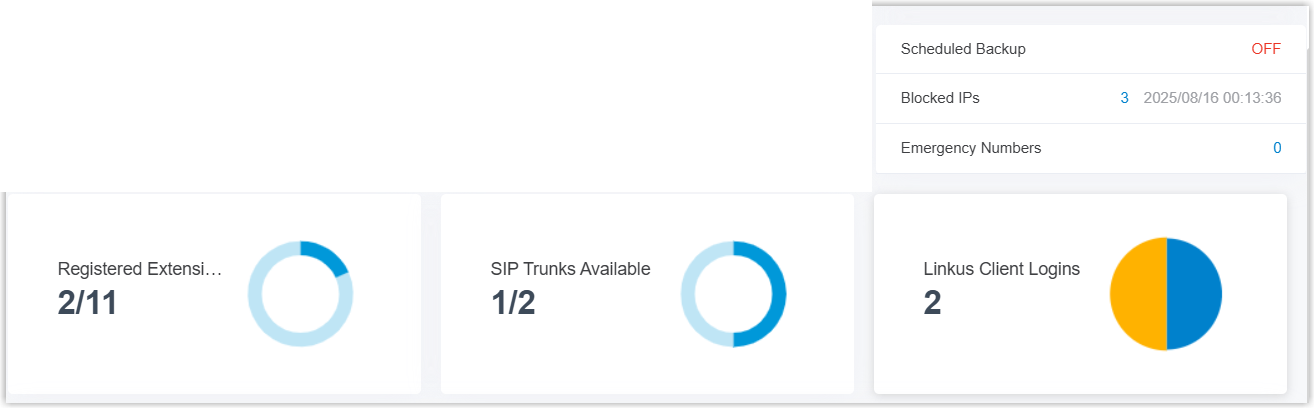
- Registered Extensions: How many extensions are registered out of the total created.
- SIP Trunks Available: How many trunks are available out of the total created. SIP (Session Initiation Protocol) is the standard used to connect your phone system to an outside calling provider.
- Cloud Voice App Logins: How many users are currently signed in to the Cloud Voice App.
- Scheduled Backup: Whether scheduled backups are turned on. When enabled, the widget also shows when the most recent backup file was created.
- Blocked IPs: The number of IP (Internet Protocol) addresses and accounts the system has automatically blocked as a security measure, plus the most recent time a block was applied.
- Emergency Numbers: How many emergency numbers have been created.
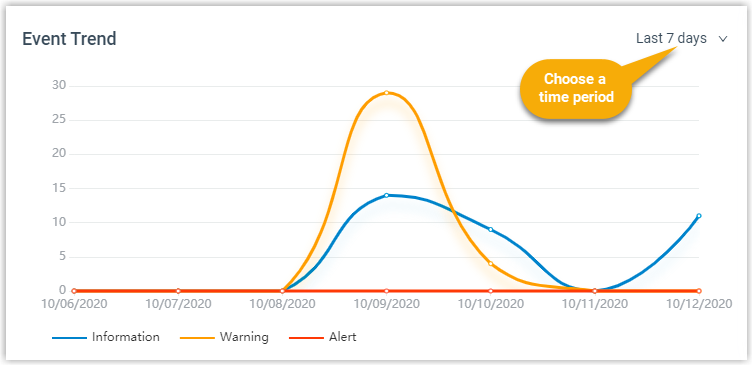
Event trend
Section titled “Event trend”Tracks system events over time, blending recent history with current activity. You can review how often events were triggered across the last 7, 15, or 30 days.
Question about this page?
Ask the AI assistant. It starts from this page, then searches the rest of the docs.
Ask Cloud Voice AI
Answers are AI-generated from the docs and may contain mistakes. Verify with the linked pages.