
Uninstall Onsite Proxy
The Onsite Proxy runs on a host in the same subnet (local network segment) as your IP phones (desk phones that register over the network) and relays their traffic to Cloud Voice. When you no longer need it on a host, for example after decommissioning that site or moving the phones onto a different connection, you can remove it completely with the packaged uninstall command. The steps below walk through running that command and confirming the removal.
Before you begin
Section titled “Before you begin”Make sure the Onsite Proxy is already installed on the host you plan to clean up. If the uninstall command is not found, the proxy was likely never installed on this host, or you are on the wrong machine.
Remove the Onsite Proxy
Section titled “Remove the Onsite Proxy”-
Open a command line session on the host where the Onsite Proxy is running.
-
Switch to the root user (the administrator account with full system access) by running:
Terminal window sudo -i -
Start the uninstaller by running:
Terminal window onsite-proxy-uninstallThe Onsite Proxy Uninstallation window opens.
-
Select <Yes> and press
Enterto confirm.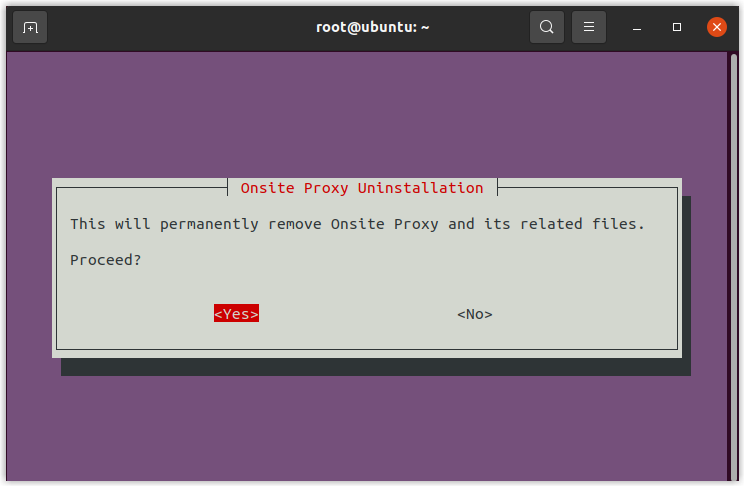
-
When the Uninstallation Complete message appears, press
Enterto finish.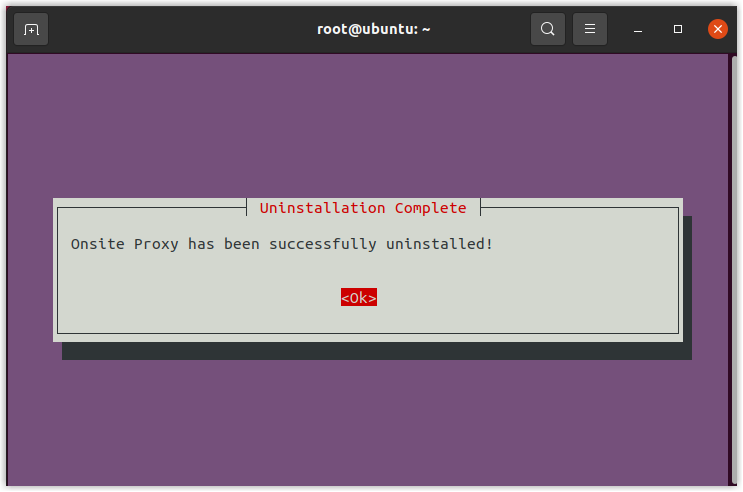
Question about this page?
Ask the AI assistant. It starts from this page, then searches the rest of the docs.
Ask Cloud Voice AI
Answers are AI-generated from the docs and may contain mistakes. Verify with the linked pages.