
Restrict International Calls to Specific Countries or Regions
When an outbound route permits international dialing, any user with permission on that route can place calls to every country and region in the world. To close off that exposure and protect against toll fraud (unauthorized parties placing expensive calls, often to premium or overseas numbers, at your account’s expense), you can lock international dialing down to a specific set of countries and regions you approve in advance.
Example scenario
Section titled “Example scenario”A manufacturer runs a factory in Mexico and sells to customers in Argentina (country code 54). Employees have a legitimate need to call Argentina, but no other international destination. The goal is to allow international calls to Argentina and block them everywhere else.
Achieving this takes two stages:
- Approve Argentina as the only allowed international destination.
- Grant the relevant employees permission to place international calls.
Step 1: Allow international calls to Argentina only
Section titled “Step 1: Allow international calls to Argentina only”-
Sign in to the management portal and go to Security > Security Settings > Allowed Country Codes.
-
Turn on dialing protection and define how international calls are recognized:
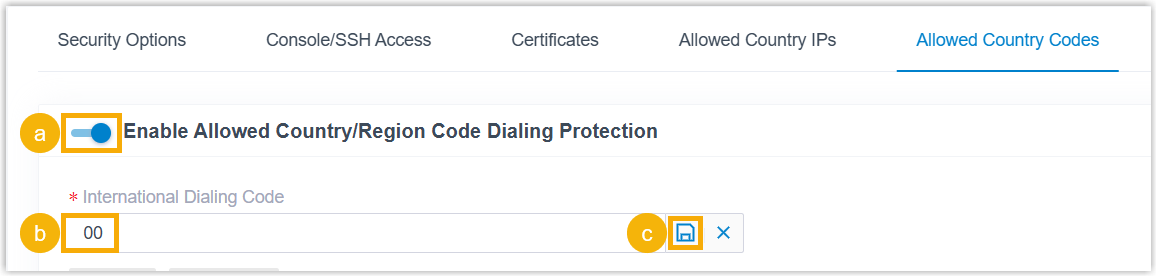
a. Enable Enable Allowed Country/Region Code Dialing Protection. b. In the International Dialing Code field, enter the prefix your country uses to place an international call. For this scenario, enter
00. From now on, any number a user dials that begins with00is treated by the outbound route as an international call.c. Click the save icon
.png) and then Apply.
and then Apply. -
Choose which countries and regions employees are allowed to call:
a. Type a country or region into the search box. For this scenario, search for
Argentina.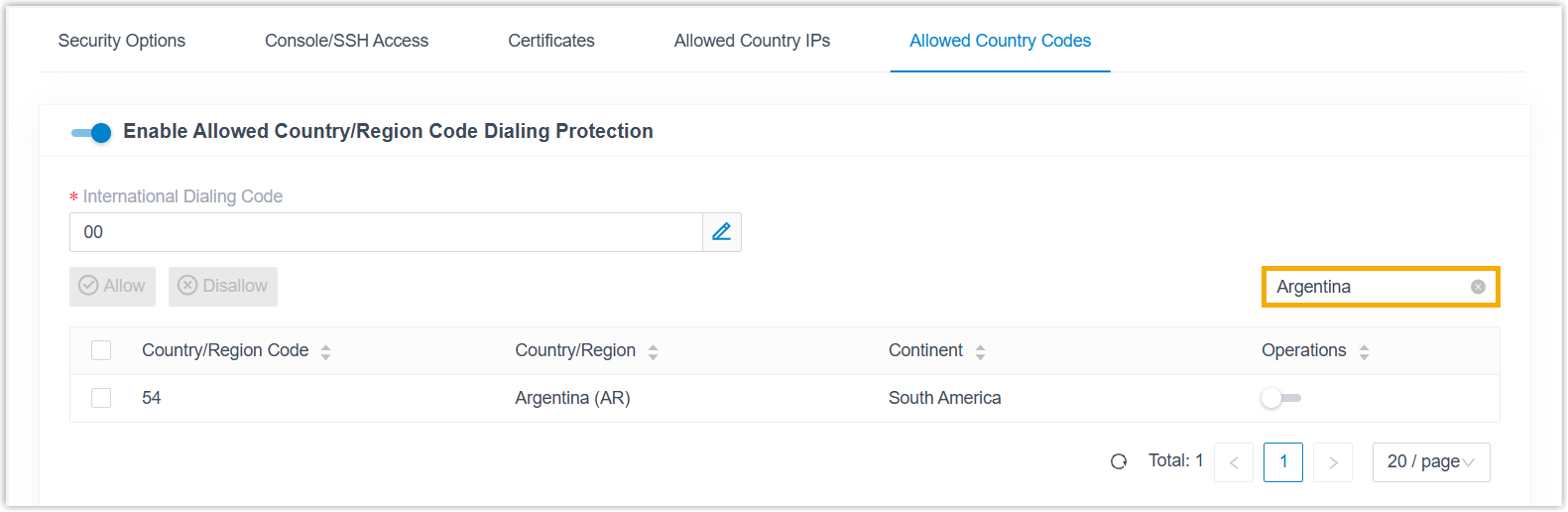
b. In the Operations column, switch the country’s status to allowed
 .
.c. Click Apply.
Step 2: Allow employees to make international calls
Section titled “Step 2: Allow employees to make international calls”Once dialing protection is on, international calling is blocked for every user by default. You then re-enable it for the specific employees who need it.
-
Go to Extension and Trunk > Extension.
-
Select the checkboxes of the extensions you want to authorize, then click Edit.
-
Open the Security tab.
-
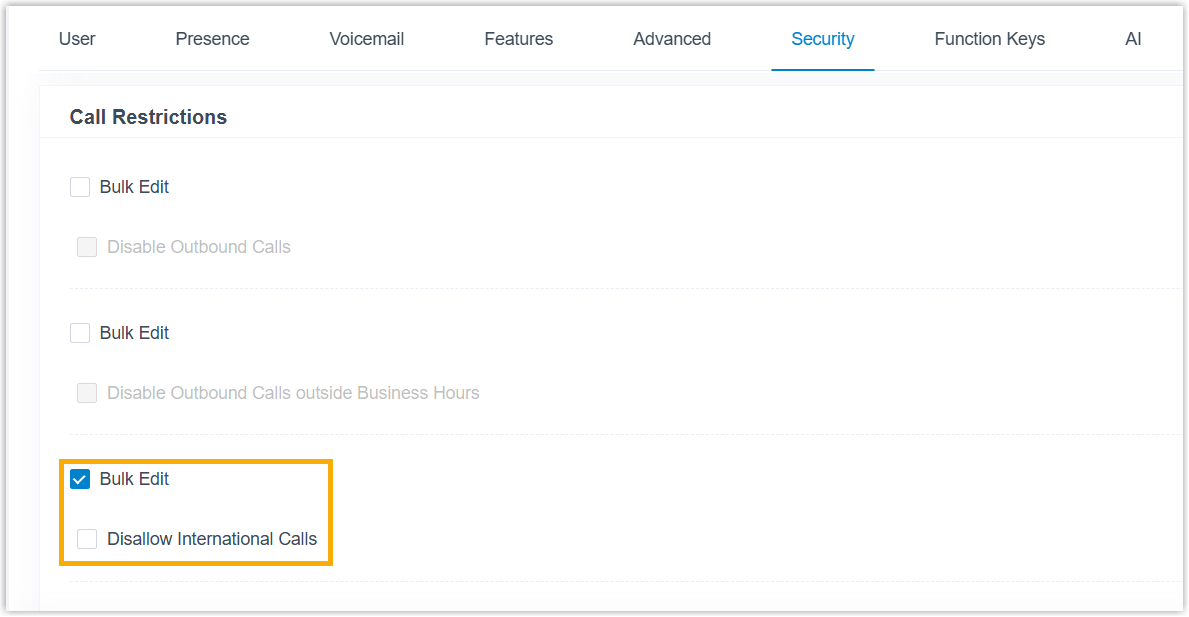
In the Call Restrictions section, select Bulk Edit (this makes the one change apply to every extension you selected at once), then clear the Disallow International Calls checkbox.
-
Click Save, then Apply.
Result
Section titled “Result”The authorized employees can now place international calls to Argentina (country code 54) and nowhere else.
To see how this plays out, assume the system has an outbound route configured like this:

When an authorized employee dials a number, the outbound route evaluates it against the rule you set:
- Dialing
00541938384is valid: it is an international call to an allowed destination. - Dialing
00621938384is invalid: it is an international call to a destination that has not been allowed. - Dialing
541938384is not treated as an international call at all, because it lacks the00prefix. The system simply looks for a matching outbound route to carry it.
Question about this page?
Ask the AI assistant. It starts from this page, then searches the rest of the docs.
Ask Cloud Voice AI
Answers are AI-generated from the docs and may contain mistakes. Verify with the linked pages.